Motion · Typography
Lead word zoom assemble
The lead word fills the frame at 2.3x, still pushing in during the hold, then shrinks to final size while the line slides left into place as the remaining words are pushed in from their slots.
Source: video-shotcraft (Vincent Wei) ↗ · Apache-2.0 · Remotion composition (React/TSX) — preview video, no in-browser player
When to use
An "Introducing" title card for a brand/product name; the second shot of a launch-event-style opener; any one-liner that needs "one word fills the frame first, then the full sentence completes around it".
Intention
The most common mistake in a title card is fading the whole sentence in at once — the audience receives 5 words simultaneously and remembers none of them. This card turns reading order into physical order: give just one word first, and make it big enough to fill the frame and still pushing toward the viewer, forcing it to be read first; then that word shrinks back to its own size and position within the sentence, and the full sentence grows around it. By the time it settles, the audience has already read the lead word twice. The real crux isn't the scale curve, it's the pivot point. The lead word travels from "dead center of the frame" to its position within the line — if the pivot is the line box's center, the scaling and the leftward slide each drag the characters in different directions, and the baseline visibly jitters in the final frames. Pinning transform-origin horizontally to the lead word's center and vertically to the baseline keeps both points still throughout, so the whole line simply "shrinks" with no drift at all.
Duration & energy
- Duration: About 2.8s (84f@30fps; the sentence assembles by f32, the shift-up and subhead run f34–50, a 22f hold, a final 12f crash)
- Energy: Medium-high (starts with a full-frame big word, but there's only one motion throughout, no second impact)
Shot recipe (original Chinese — timing, easing, parameter table, known pitfalls)
意图
字卡最容易犯的错是"整句一起淡入"——观众同时收到 5 个词,一个都没记住。这张卡把 阅读顺序做成物理顺序:先只给一个词,而且大到占满画面、还在继续朝观众推近,观众 被迫先读它;然后这个词退回自己在句子里的尺寸和位置,整句围绕它长出来。落定时观众 已经读过两遍主词。
真正的手感命门不是缩放曲线,而是支点。首词从"画面正中"走到"行内第三个字符的 位置",如果支点取行盒中心,缩放和左滑会各自把字往两边拽,末尾几帧基线抖得肉眼可见。 把 transform-origin 横向钉在首词中心、纵向钉在基线,这两点全程不动,整行就只是 "收小",没有任何漂移。
动效核心
- 两段缩放叠加成一条 scale:
scale = interpolate(f, [0,12], [2.3, 2.3·1.06], PUSH_EASE) + interpolate(f, [12,24], [0, 1-2.3·1.06], ZOOM_EASE)。 第一段是 hold 期间的推近(cubic-bezier(.25,1,.5,1),减速后挂在峰值),第二段是缩回 (从峰值一路减到终字号 1)。写成相加而不是分段判断,两段之间没有速度断点
- 缩回与左滑共用 ZOOM_EASE(
cubic-bezier(.5,0,.05,1),重 ease-in-out、零回弹):
translate = interpolate(f, [12,36], [slideDistance, 0], ZOOM_EASE)。两个动作必须读作 一次运动;各走各的曲线时会读成"先缩小、再滑走"两拍
- 偏心距怎么来:
slideDistance = lineWidth · (0.5 - leadRatio),leadRatio=
首词中心在整行里的占比。首词要停在画面正中,整行就得先向右偏这么多
- 支点实测:挂载时
delayRender挂起渲染,量三个值——整行offsetWidth、
首词 offsetLeft + offsetWidth/2、基线。基线用一个零尺寸 inline-block 尺子读出 (<span style={{display:'inline-block',width:0,height:0}}> 的 offsetTop 就是基线), 比 lineHeight × 0.8 之类的估算准得多。量到之后 continueRender,transform-origin 写成 ${leadRatio*100}% ${baseline}px
- 后续词是被推进来的,不是淡进来的:第 i 词(i≥1)在
pushStart = 12 + 6 + (i-1)·4 起,translate 从 0.5em → 0 (cubic-bezier(.22,.8,.36,1),起步快、落地长),透明度只用 2f 淡完。淡入必须极短, 否则词会"浮现"而不是"被塞进槽位"
- 词间空格必须放在 inline-block 之外。跟在词 span 内部尾随时会被行盒裁掉,
落定后所有词黏成一团(上游原组件的 bug,这里已修)
- 场景层的三拍收尾:f34–50 整行
translateY 0→−56px(outCubic),副行在同一时窗
淡入 + 上移 16px——上移让出的空间当帧被副行填掉,没有空当;f50–72 完全静止 22f; f72–83 整幕 scale 1→1.2 + blur 0→9px + opacity 1→0.45(ease-in-quad),推近失焦 交棒下一镜
- 强调词:精确匹配某个词换强调色(demo 里是
Lumen)。品牌词推入落位那一下自带
高亮,不用再加第二个动作
参数表
| 参数 | 典型值 | 调节手感 | |------|--------|----------| | 首词起手倍数 | initialScale 2.3 | 2.3 让首词横向溢出画面一点点(读作"太大了装不下");<1.8 只是"稍大的字",冲击消失 | | 推近 | pushScale 1.06,占满 hold 12f | 6% 是"还在朝观众来"的最小可感量;>1.15 会在缩回时读作反向弹跳 | | hold | 12f | 首词独占画面的时长;<8f 观众读不完一个长单词,>20f 整句节奏塌 | | 缩回 | 12f,ZOOM_EASE | 与左滑同曲线;单独给缩回一条更快的曲线会让整行"先缩完再滑",断成两拍 | | 左滑 | assembleDuration 24f | 比缩回长一倍:字号已经落定、位置还在走,这段"滑行尾巴"是电影感的来源 | | 后续词延迟 | wordDelay 6f(缩回起点之后) | 首词开始缩回才放后续词;同帧放会挤在一起看不清谁在动 | | 词间错峰 | wordStagger 4f | 4f 读作"依次被推进";0 则整段后缀一起进,回到"整句淡入" | | 单词推入 | wordDuration 12f,wordPush 0.5em | 0.5em 是"刚从槽位外面";>1em 会读作从画外飞入,与首词的收束方向打架 | | 词淡入 | wordFade 2f | 刻意极短。>6f 词会读作"浮现",推入的力学感消失 | | 字号/字重/字距 | 96px / 600 / −0.03em | 负字距在放大 2.3 倍时才不会散架;正字距的大字会读作"标语横幅" | | 上移 + 副行 | f34–50,−56px,副行同窗 | 两件事必须同窗:先上移再出副行会多出一个空当拍 | | 静止 | 22f | 落定后的可读时间,低于 15f 观众来不及读副行 | | crash | 末 12f,scale→1.2,blur→9px | 这是转场的前半,动机要和下一镜的第一帧对上;单独播时看起来像"没结束"是正常的 |
已知坑
- 支点错了就抖基线。
transform-origin必须是「首词中心 % + 基线 px」这一对。
取行盒中心(默认 50% 50%)时缩放与左滑互相拉扯,末尾几帧基线肉眼可见地跳
- 基线别估算。
lineHeight × 0.8这类经验值在不同字体上差几像素,放大 2.3 倍后就是
十几像素的抖动。零尺寸 inline-block 尺子的 offsetTop 是唯一可靠的读法
delayRender期间整行opacity: 0——必须如此。否则未量到支点的第一帧会闪一下
错位的大字,成片里就是一帧脏帧
- 布局是挂载时实测的,所以结果随渲染环境的字体而变:跨平台字体回退不同时整行宽度
会整体漂移(首词占比也跟着变)。介意的话把量到的三个值写死成常量
scale/translate用的是独立 CSS 属性(不是transform简写)。混用会让其中一个
被覆盖;要合并成 transform 就必须自己保证 translate → scale 的顺序
- 词间空格放进词 span 内部会被行盒裁掉(见上)。这个 bug 在小字号下不明显,96px 时
所有词会明显黏连
- 首词必须是短词。"Introducing" 这类 10 字符左右刚好;首词超过 14 字符时 2.3 倍
放大会溢出画面两侧,观众读不到词尾
- 强调色只给一个词。两个词都上色时观众不知道该记哪个,而且推入落位的高亮变成了
"彩色标题",动作的意义被抹掉
- 末段 crash 是转场的前半式,不是收尾。单独当片尾用会显得"断了"——要收尾就把
crash 换成静止 hold 或淡出
参考实现
demos/typography/lead-word-zoom-assemble/ (LeadWordZoomAssemble.tsx)
Reference implementation (Remotion)
- demos/typography/lead-word-zoom-assemble/LeadWordZoomAssemble.tsx — https://raw.githubusercontent.com/Vincentwei1021/video-shotcraft/main/demos/typography/lead-word-zoom-assemble/LeadWordZoomAssemble.tsx
The component imports shared fixtures from demos/_fixtures and helpers from assets/lib in the repo; SKILL.md there documents the render workflow.
Everything on this page is also machine-readable. Point your agent at the JSON, or add the gimgs MCP server and ask it to search motion templates.
- Fetch the JSON — it holds the shot recipe (timing, easing, parameter table, pitfalls) and the full TSX source.
- Clone the video-shotcraft repo; the component imports shared fixtures from demos/_fixtures and helpers from assets/lib.
- Register the component as a <Composition> in a Remotion project and render with `npx remotion render`, or re-implement the recipe in your own engine.
curl -s https://gimgs.net/motion/lead-word-zoom-assemble.jsongit clone https://github.com/Vincentwei1021/video-shotcraft
# component: demos/typography/lead-word-zoom-assemble/LeadWordZoomAssemble.tsx
npx remotion render <CompositionId> out.mp4claude mcp add --transport http gimgs https://gimgs.net/mcp
# then: search_motion_templates / get_motion_template("lead-word-zoom-assemble")Prompt
Use the video-shotcraft shot recipe "Lead word zoom assemble" (Remotion composition, Apache-2.0) published on gimgs.net.
Recipe JSON (prompt = timing/easing/parameter table/pitfalls, files = TSX source): https://gimgs.net/motion/lead-word-zoom-assemble.json
Raw TSX: https://gimgs.net/motion/lead-word-zoom-assemble/template.html
Repository: https://github.com/Vincentwei1021/video-shotcraft  (component: demos/typography/lead-word-zoom-assemble/LeadWordZoomAssemble.tsx; imports demos/_fixtures and assets/lib)
Spec: 1920x1080, 30 fps, 2.8s

1. Read the JSON and follow its "prompt" section (when to use, intention, parameter table, known pitfalls).
2. Adapt it for: <describe what you want>.
3. Either clone the repo, register the component as a <Composition> in a Remotion project and run npx remotion render <CompositionId> out.mp4 — or re-implement the recipe in your own engine (HTML/WAAPI works: keep the same timing and easing).
// ===== demos/typography/lead-word-zoom-assemble/LeadWordZoomAssemble.tsx =====
// lead-word-zoom-assemble — 首词推近落位组句
// 首词以 2.3 倍字号占据画面中央,hold 期间继续向观众推近 6%,随后一条曲线同时
// 完成「缩回终字号」与「整行左滑到最终排布」,后续词从右侧各自槽位外 0.5em 推入;
// 整行上移的同一时窗里副行浮出,停一拍后整幕 crash-zoom 推近失焦交棒下一镜。
//
// 手感命门是支点:transform-origin 横向钉在**首词中心**、纵向钉在**基线**——
// 这两点是全程唯一不该移动的锚,挂载时实测一次(基线用零尺寸 inline-block 的
// offsetTop 读出),否则缩放过程中字会逐帧抖基线。
// 参数以 1920×1080 标定。
import React, { Fragment, useEffect, useRef, useState } from 'react';
import {
  AbsoluteFill,
  continueRender,
  delayRender,
  Easing,
  getRemotionEnvironment,
  interpolate,
  useCurrentFrame,
  useVideoConfig,
} from 'remotion';

export const LEAD_WORD_ZOOM_ASSEMBLE_DURATION = 84; // 2.8s @30fps

// ---- 编舞常量 ----
const TEXT = 'Introducing Lumen Deck';
const HIGHLIGHT_WORD = 'Lumen'; // 精确匹配的词换强调色:品牌词落位那一下自带高亮
const FONT_SIZE = 96;
const INITIAL_SCALE = 2.3; // 首词起手放大倍数
const INTRO_DURATION = 6; // f:首词淡入
const HOLD_DURATION = 12; // f:首词在峰值停留(推近发生在这一段)
const PUSH_SCALE = 1.06; // hold 期间继续推近的倍数
const RECEDE_DURATION = 12; // f:缩回终字号
const ASSEMBLE_DURATION = 24; // f:整行左滑到位
const WORD_DELAY = 6; // f:缩回起点后第二个词开始推入
const WORD_STAGGER = 4; // f:后续词之间的错峰
const WORD_DURATION = 12; // f:单词推入行程
const WORD_PUSH = 0.5; // em:后续词起始位置在自己槽位右侧多远
const WORD_FADE = 2; // f:后续词淡入(刻意极短——是被推进来的,不是淡进来的)
const LETTER_SPACING = '-0.03em';

// ---- 场景层 ----
const LIFT: [number, number] = [34, 50]; // f:整行上移 + 副行同帧出现
const LIFT_DISTANCE = -56; // px
const SUBLINE = 'One shot card, one motion recipe — copy, paste, render.';
const CRASH_FRAMES = 12; // f:段尾 crash-zoom 占用的收尾帧数
const CRASH_SCALE = 0.2;
const CRASH_BLUR = 9;

const INK = '#1d1d1f';
const INK_DIM = '#7a7a7a';
const ACCENT = '#7A5AF8';
const SANS = '-apple-system, "PingFang SC", BlinkMacSystemFont, sans-serif';
const MESH_BG =
  'radial-gradient(52% 44% at 18% 22%, rgba(122,90,248,0.20) 0%, rgba(122,90,248,0) 70%),' +
  'radial-gradient(46% 42% at 84% 18%, rgba(255,138,178,0.20) 0%, rgba(255,138,178,0) 70%),' +
  'radial-gradient(58% 50% at 78% 84%, rgba(96,190,255,0.20) 0%, rgba(96,190,255,0) 70%),' +
  'radial-gradient(50% 46% at 24% 88%, rgba(255,196,112,0.20) 0%, rgba(255,196,112,0) 70%),' +
  'linear-gradient(180deg, #f7f6f9 0%, #f2f1f5 100%)';

/** 首词向观众漂移:先快后停,峰值处挂住 */
const PUSH_EASE = Easing.bezier(0.25, 1, 0.5, 1);
/** 缩回与左滑共用同一条曲线——两个动作必须读作一次运动,不能各走各的 */
const ZOOM_EASE = Easing.bezier(0.5, 0, 0.05, 1);
/** 后续词推入槽位:起步快,落地长而软 */
const WORD_EASE = Easing.bezier(0.22, 0.8, 0.36, 1);

const TextReveal: React.FC = () => {
  const frame = useCurrentFrame();
  const { width } = useVideoConfig();

  // 整行宽度、首词中心占比、基线位置:只在挂载时量一次,量到之前挂起渲染
  const lineRef = useRef<HTMLSpanElement>(null);
  const leadRef = useRef<HTMLSpanElement>(null);
  const baselineRef = useRef<HTMLSpanElement>(null);
  const [handle] = useState(() => delayRender('lead-word-zoom-assemble: measure line'));
  const [metrics, setMetrics] = useState<{
    lineWidth: number;
    leadRatio: number;
    baseline: number;
  } | null>(null);

  useEffect(() => {
    const line = lineRef.current;
    const lead = leadRef.current;
    if (!line || !lead) {
      continueRender(handle);
      return;
    }
    setMetrics({
      lineWidth: line.offsetWidth,
      leadRatio: (lead.offsetLeft + lead.offsetWidth / 2) / line.offsetWidth,
      baseline: baselineRef.current?.offsetTop ?? line.offsetHeight * 0.8,
    });
  }, [handle]);

  useEffect(() => {
    if (metrics) continueRender(handle);
  }, [metrics, handle]);

  const words = TEXT.split(' ').filter(Boolean);
  const ready = metrics !== null;
  const leadRatio = metrics?.leadRatio ?? 0.14;
  const lineWidth = metrics?.lineWidth ?? width * 0.5;
  const baseline = metrics?.baseline ?? FONT_SIZE * 0.88;

  const zoomStart = HOLD_DURATION;
  // 首词从"画面正中"走到"行内自己的位置",位移就是这段偏心距
  const slideDistance = lineWidth * (0.5 - leadRatio);

  return (
    <AbsoluteFill style={{ alignItems: 'center', justifyContent: 'center' }}>
      <span
        ref={lineRef}
        style={{
          position: 'relative',
          display: 'inline-block',
          fontSize: FONT_SIZE,
          fontWeight: 600,
          color: INK,
          letterSpacing: LETTER_SPACING,
          lineHeight: 1.1,
          whiteSpace: 'nowrap',
          fontFamily: SANS,
          transformOrigin: `${leadRatio * 100}% ${baseline}px`,
          scale:
            interpolate(frame, [0, HOLD_DURATION], [INITIAL_SCALE, INITIAL_SCALE * PUSH_SCALE], {
              extrapolateLeft: 'clamp',
              extrapolateRight: 'clamp',
              easing: PUSH_EASE,
            }) +
            interpolate(
              frame,
              [zoomStart, zoomStart + RECEDE_DURATION],
              [0, 1 - INITIAL_SCALE * PUSH_SCALE],
              { extrapolateLeft: 'clamp', extrapolateRight: 'clamp', easing: ZOOM_EASE },
            ),
          translate: `${interpolate(
            frame,
            [zoomStart, zoomStart + ASSEMBLE_DURATION],
            [slideDistance, 0],
            { extrapolateLeft: 'clamp', extrapolateRight: 'clamp', easing: ZOOM_EASE },
          )}px`,
          opacity: ready ? 1 : 0,
          textRendering: 'geometricPrecision',
          ...(getRemotionEnvironment().isRendering ? null : { willChange: 'transform' as const }),
        }}
      >
        {words.map((word, i) => {
          const isLead = i === 0;
          const pushStart = zoomStart + WORD_DELAY + (i - 1) * WORD_STAGGER;
          const opacity = isLead
            ? interpolate(frame, [0, INTRO_DURATION], [0, 1], {
                extrapolateLeft: 'clamp',
                extrapolateRight: 'clamp',
              })
            : interpolate(frame, [pushStart, pushStart + WORD_FADE], [0, 1], {
                extrapolateLeft: 'clamp',
                extrapolateRight: 'clamp',
              });
          return (
            <Fragment key={i}>
              <span
                ref={isLead ? leadRef : undefined}
                style={{
                  display: 'inline-block',
                  opacity,
                  color: word === HIGHLIGHT_WORD ? ACCENT : undefined,
                  translate: isLead
                    ? undefined
                    : `${interpolate(
                        frame,
                        [pushStart, pushStart + WORD_DURATION],
                        [WORD_PUSH * FONT_SIZE, 0],
                        { extrapolateLeft: 'clamp', extrapolateRight: 'clamp', easing: WORD_EASE },
                      )}px`,
                }}
              >
                {word}
              </span>
              {/* 词间空格必须放在 inline-block 之外——跟在词里会被行盒裁掉,词会黏在一起 */}
              {i < words.length - 1 ? ' ' : null}
            </Fragment>
          );
        })}
        {/* 基线尺:零尺寸 inline-block,它的 offsetTop 就是基线 */}
        <span ref={baselineRef} style={{ display: 'inline-block', width: 0, height: 0 }} />
      </span>
    </AbsoluteFill>
  );
};

export const LeadWordZoomAssemble: React.FC = () => {
  const frame = useCurrentFrame();
  const { durationInFrames } = useVideoConfig();

  const lift = interpolate(frame, LIFT, [0, 1], {
    extrapolateLeft: 'clamp',
    extrapolateRight: 'clamp',
    easing: Easing.out(Easing.cubic),
  });
  const crash = interpolate(
    frame,
    [durationInFrames - CRASH_FRAMES, durationInFrames - 1],
    [0, 1],
    { extrapolateLeft: 'clamp', extrapolateRight: 'clamp', easing: Easing.in(Easing.quad) },
  );

  return (
    <AbsoluteFill style={{ background: MESH_BG, fontFamily: SANS }}>
      <AbsoluteFill
        style={{
          transform: `scale(${1 + crash * CRASH_SCALE})`,
          filter: crash > 0.01 ? `blur(${crash * CRASH_BLUR}px)` : undefined,
          opacity: 1 - crash * 0.55,
        }}
      >
        <AbsoluteFill style={{ transform: `translateY(${lift * LIFT_DISTANCE}px)` }}>
          <TextReveal />
        </AbsoluteFill>
        <div
          style={{
            position: 'absolute',
            left: 0,
            right: 0,
            top: '50%',
            marginTop: 62,
            textAlign: 'center',
            fontSize: 32,
            color: INK_DIM,
            opacity: lift,
            transform: `translateY(${(1 - lift) * 16}px)`,
          }}
        >
          {SUBLINE}
        </div>
      </AbsoluteFill>
    </AbsoluteFill>
  );
};
- Read the recipePrompt = when to use, intention, parameter table with typical values and how each one feels, known pitfalls. Treat values as calibrated starting points.
- Get the codetool: git
git clone https://github.com/Vincentwei1021/video-shotcraft && cd video-shotcraft && npm install - Register + rendertool: remotion
npx remotion render <CompositionId> out.mp4 # component: demos/typography/lead-word-zoom-assemble/LeadWordZoomAssemble.tsx - Or re-implementPort the timing/easing from the recipe to HTML + WAAPI (gimgs motion contract) or any engine; keep the same segment windows and easing.
| param | type | default | description |
|---|---|---|---|
| — | |||
More in this category

Word relay geometry
Three benefit words each carry their own dedicated geometry relay — a dashed circle spins and shrinks → three solid circles trim-grow in sequence → a metallic sheen sweeps then collapses to pure white; each new word outlines then fills in.
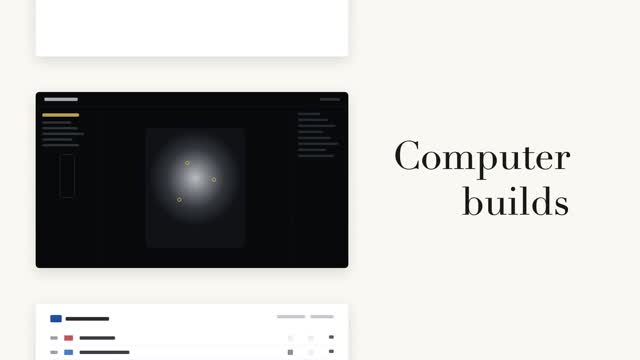
Word relay filmstrip
A left column of black-and-white page cards steps forward while a serif big word on the right relays in place (a fixed noun + a cycling verb) — the column steps only when the word changes, aligned to the current page card's midpoint.

Vertical word-roll cycle
The sentence's last word cycles on a vertical roller, 3 swaps at 0.55s each, fast then very slow with a slight overshoot; neighboring rows carry vertical blur and grayscale by distance, the centered word snapping from gray to accent color as it lands.

Two code reveals, side by side
The same syntax-highlighted code reveals two ways side by side — left: line-level stagger fading up 8px, right: character-by-character typing keeping each token's original color, with a #3a4468 block cursor on the current character.