Motion · Data
Scroll brake moves
A long scroll decelerates to a precise stop on the latest item; a variant adds a reticle lock on the same frame.
Source: video-shotcraft (Vincent Wei) ↗ · Apache-2.0 · Remotion composition (React/TSX) — preview video, no in-browser player
Variants
translateY scrolls ~2400px (out-exp exponential deceleration over ~50f), blur is driven by frame-to-frame displacement delta (0–6px, auto-clearing to zero); the stop-point row scales to 1.03 with a lift, shadow, and 3px outline, while everything else fades to opacity 0.38.
The basic version for a changelog section
The scroll has three stages: sin-in acceleration → cubic-out hard deceleration overshooting +30px → bounce-back settle; blur = v×0.12 capped at 24px; corner marks fly in from ±620/±320 off-screen with Easing.back(2.4) and clamp on, the highlight completes within 6f, and the label pops with back(2.6).
A highlight section where the stop point needs stronger impact
When to use
Changelog/release-history/long-list sections: "we've always been shipping, but today's is the biggest"; use B when the stop point needs stronger impact
Intention
The Linear changelog-video grammar: a full year of update logs races past as a long scroll at high speed (blurring into a color band), decelerating exponentially to a precise stop on the latest release, which lifts off the page, highlights, and dims everything else — the density says "we've always been shipping," the hard stop says "today's is the biggest." B is a combined variant: on the same frame as the hard stop, four L-shaped corner marks fly in from off-screen and clamp onto the stopped item — the "thud" of the stop and the "clack" of the lock resonate on the same frame (the critical rule of the combination: the corner marks' launch frame must equal the list's stop frame; any offset degrades it into two separate tricks placed side by side).
Duration & energy
- Duration: A 4–5s / B 5s
- Energy: Opens high, settles mid (a speed-contrast type)
Shot recipe (original Chinese — timing, easing, parameter table, known pitfalls)
意图
Linear changelog 视频语法:一整年的更新日志作为长卷高速掠过 (糊成色带),指数减速精准急刹停在本次发布那条上,该条抬升离面 高亮、其余退暗——密度感讲"一直在发货",急停讲"今天这条最大"。 B 是组合变异:急刹帧同帧四个 L 角标从画外飞入咬合锁定停点 条目——急刹的"哐"与咬合的"咔"叠在同一帧共振(组合命门: 角标起跳帧=列表首停帧,错开退化成两招并置)。
两式选型
| 式 | 做法 | 适用 | |----|------|------| | A changelog-scroll-brake | translateY 扫 ~2400px(out exp 指数减速 ~50f),blur 由帧间位移差分驱动(0–6px 自动清零);停点行 scale 1.03 抬升+阴影+3px 描边,其余 opacity 退 0.38 | changelog 段落基本款 | | B brake-reticle-lock | 滚动三段:sin-in 加速→cubic-out 猛减速冲过头 +30px→回弹落定;blur=v×0.12 封顶 24px;角标从 ±620/±320 画外 Easing.back(2.4) 飞入咬合,高亮 6f 内完成、标签 back(2.6) 弹出 | 停点需要更强打击感的高光段 |
参数表
| 参数 | 典型值 | 调节手感 | |------|--------|----------| | 减速曲线 | A 纯 out-exp;B 加"冲过头 30px 回弹" | 匀速滚读作跑马灯;B 的过头回弹是"哐"的来源 | | blur 驱动 | 帧间位移差分 |p(f)-p(f-1)|×系数 | 手排模糊关键帧必然对不上速度;差分法帧确定(模式已沉为 assets/lib/helpers/motion.ts velocityAt) | | 行高节奏 | 72/94/116 三档错落 | 等高行高速掠过时色带无节奏 | | 停位 | 目标行停画面纵向正中 | 停偏读作事故 | | B 共振帧 | 角标挂载起跳帧 = 列表首次停住帧(严格同帧) | 组合命门,错 2f 以上就散 |
已知坑
- demo 在灰阶/占位素材上调校通过——参数是调校起点非实战定稿,
首次实战须以真实素材回验
- 与 timeline-travel 分工:本卡纵向列表急刹停"最新",
那卡横向时间轴旅行看"历史"——同片双用时先后错开且各 ≤1 次
- 高速段条目内容不用真实可读文本——反正糊成色带,占位灰块即可;
停点条目必须出版级真内容(Q10)
- 停点后其余行退暗 0.38 是构图动作:别退到 0(上下文消失)
- 声音:高速段低频 riser 铺垫,急刹一声 impact;B 咬合帧
再叠一声"咔"(与 impact 同帧不同声部)
参考实现
demos/data/scroll-brake-moves/ (BrakeReticleLock.tsx / ChangelogScrollBrake.tsx)
Reference implementation (Remotion)
- demos/data/scroll-brake-moves/BrakeReticleLock.tsx — https://raw.githubusercontent.com/Vincentwei1021/video-shotcraft/main/demos/data/scroll-brake-moves/BrakeReticleLock.tsx
- demos/data/scroll-brake-moves/ChangelogScrollBrake.tsx — https://raw.githubusercontent.com/Vincentwei1021/video-shotcraft/main/demos/data/scroll-brake-moves/ChangelogScrollBrake.tsx
The component imports shared fixtures from demos/_fixtures and helpers from assets/lib in the repo; SKILL.md there documents the render workflow.
Everything on this page is also machine-readable. Point your agent at the JSON, or add the gimgs MCP server and ask it to search motion templates.
- Fetch the JSON — it holds the shot recipe (timing, easing, parameter table, pitfalls) and the full TSX source.
- Clone the video-shotcraft repo; the component imports shared fixtures from demos/_fixtures and helpers from assets/lib.
- Register the component as a <Composition> in a Remotion project and render with `npx remotion render`, or re-implement the recipe in your own engine.
curl -s https://gimgs.net/motion/scroll-brake-moves.jsongit clone https://github.com/Vincentwei1021/video-shotcraft
# component: demos/data/scroll-brake-moves/BrakeReticleLock.tsx, demos/data/scroll-brake-moves/ChangelogScrollBrake.tsx
npx remotion render <CompositionId> out.mp4claude mcp add --transport http gimgs https://gimgs.net/mcp
# then: search_motion_templates / get_motion_template("scroll-brake-moves")Prompt
Use the video-shotcraft shot recipe "Scroll brake moves" (Remotion composition, Apache-2.0) published on gimgs.net.
Recipe JSON (prompt = timing/easing/parameter table/pitfalls, files = TSX source): https://gimgs.net/motion/scroll-brake-moves.json
Raw TSX: https://gimgs.net/motion/scroll-brake-moves/template.html
Repository: https://github.com/Vincentwei1021/video-shotcraft  (component: demos/data/scroll-brake-moves/BrakeReticleLock.tsx, demos/data/scroll-brake-moves/ChangelogScrollBrake.tsx; imports demos/_fixtures and assets/lib)
Spec: 1920x1080, 30 fps, 4.72s

1. Read the JSON and follow its "prompt" section (when to use, intention, parameter table, known pitfalls).
2. Adapt it for: <describe what you want>.
3. Either clone the repo, register the component as a <Composition> in a Remotion project and run npx remotion render <CompositionId> out.mp4 — or re-implement the recipe in your own engine (HTML/WAAPI works: keep the same timing and easing).
// ===== demos/data/scroll-brake-moves/BrakeReticleLock.tsx =====
// 组合:长卷急刹 × 准星咬合(brake-reticle-lock)
// changelog 长列表从下往上高速掠过(加速冲刺→9f 猛减速带 30px 超调回弹),
// 急刹帧(BRAKE=59)同帧四个 L 形角标从画外四个方向飞入,back-out 超调咬合
// 锁定停点条目四角;条目同步高亮 + 右侧弹出小标签。
// 组合命门:角标咬合帧与列表急刹帧必须同帧共振(都在 f=59 起跳),错开即退化。
// 关键帧:0–12 初始静置 → 12–50 加速冲刺(速度段 blur)→ 50–59 猛减速超调 →
// 59 急刹+角标飞入 → 59–72 咬合回弹/高亮/标签 → 75–150 真静止 75f。
// 帧确定,无随机源。
import React from 'react';
import { useCurrentFrame, interpolate, Easing } from 'remotion';
import { G } from '../../_fixtures/Fixtures';

const SCROLL_START = 12;
const BRAKE = 59;
const DUR = 150;

const PITCH = 156; // 行高 120 + 间距 36
const ROW_H = 120;
const TARGET_ROW = 30;
const FINAL_SCROLL = TARGET_ROW * PITCH - 480; // 停点条目 top 落在屏幕 y=480
const LIST_X = 360;
const LIST_W = 1200;

// 滚动位置:12–50 加速冲刺(sin-in,越滚越快)→ 50–59 猛减速冲过头 30px →
// 59–63 回弹落定。59 帧为急刹帧(首次停住/反向)。
const scrollAt = (f: number): number => {
  if (f <= SCROLL_START) return 0;
  if (f <= 50) {
    return interpolate(f, [SCROLL_START, 50], [0, FINAL_SCROLL - 430], {
      easing: Easing.in(Easing.sin),
    });
  }
  if (f <= BRAKE) {
    return interpolate(f, [50, BRAKE], [FINAL_SCROLL - 430, FINAL_SCROLL + 30], {
      easing: Easing.out(Easing.cubic),
    });
  }
  return interpolate(f, [BRAKE, BRAKE + 4], [FINAL_SCROLL + 30, FINAL_SCROLL], {
    extrapolateRight: 'clamp',
    easing: Easing.out(Easing.quad),
  });
};

// 一行 changelog:图标块 + 标题条 + 尾部日期条,宽度由行号确定(帧确定)
const Row: React.FC<{ i: number; highlight: number }> = ({ i, highlight }) => (
  <div
    style={{
      position: 'absolute',
      top: i * PITCH,
      left: 0,
      width: LIST_W,
      height: ROW_H,
      background: highlight > 0 ? '#ffffff' : G.card,
      border: `${highlight > 0 ? 3 : 2}px solid ${highlight > 0 ? G.ink : G.border}`,
      borderRadius: 14,
      display: 'flex',
      alignItems: 'center',
      gap: 24,
      padding: '0 28px',
      boxSizing: 'border-box',
      boxShadow: highlight > 0 ? `0 10px 34px rgba(0,0,0,${0.2 * highlight})` : 'none',
    }}
  >
    <div style={{ width: 44, height: 44, borderRadius: 10, background: G.mid }} />
    <div style={{ height: 14, width: `${28 + ((i * 31) % 34)}%`, background: G.bar, borderRadius: 7 }} />
    <div style={{ height: 10, width: `${12 + ((i * 17) % 18)}%`, background: G.line, borderRadius: 5 }} />
    <div style={{ marginLeft: 'auto', height: 12, width: 120, background: G.line, borderRadius: 6 }} />
  </div>
);

// L 形角标:两条粗边组成的直角
const Corner: React.FC<{ flip: [number, number]; style: React.CSSProperties }> = ({ flip, style }) => (
  <div style={{ position: 'absolute', width: 46, height: 46, transform: `scale(${flip[0]}, ${flip[1]})`, ...style }}>
    <div style={{ position: 'absolute', left: 0, top: 0, width: 46, height: 8, background: G.ink, borderRadius: 3 }} />
    <div style={{ position: 'absolute', left: 0, top: 0, width: 8, height: 46, background: G.ink, borderRadius: 3 }} />
  </div>
);

export const BrakeReticleLock: React.FC = () => {
  const f = useCurrentFrame();
  const scroll = scrollAt(f);

  // 速度段 blur:由相邻帧位移决定,冲刺段全糊,刹停即清晰
  const v = Math.abs(scroll - scrollAt(Math.max(0, f - 1)));
  const blur = Math.min(v * 0.12, 24);

  // 急刹帧起:高亮 0→1(6f),标签 63f 弹出
  const highlight = interpolate(f, [BRAKE, BRAKE + 6], [0, 1], {
    extrapolateLeft: 'clamp',
    extrapolateRight: 'clamp',
  });

  // 角标:急刹帧同帧从画外四方向飞入,back-out 超调咬合(59–68f)
  const lockT = interpolate(f, [BRAKE, BRAKE + 9], [0, 1], {
    extrapolateLeft: 'clamp',
    extrapolateRight: 'clamp',
    easing: Easing.out(Easing.back(2.4)),
  });
  const fly = 1 - lockT; // 1=画外 0=咬合到位

  // 停点条目屏幕坐标(落定后 top=480)
  const rowTop = TARGET_ROW * PITCH - scroll;
  const GAP = 10; // 咬合位:角外扩 10px
  const rect = { x: LIST_X - GAP, y: rowTop - GAP, w: LIST_W + GAP * 2, h: ROW_H + GAP * 2 };

  const corners: Array<{ x: number; y: number; fromX: number; fromY: number; flip: [number, number] }> = [
    { x: rect.x - 23, y: rect.y - 23, fromX: -620, fromY: -320, flip: [1, 1] },
    { x: rect.x + rect.w - 23, y: rect.y - 23, fromX: 620, fromY: -320, flip: [-1, 1] },
    { x: rect.x - 23, y: rect.y + rect.h - 23, fromX: -620, fromY: 320, flip: [1, -1] },
    { x: rect.x + rect.w - 23, y: rect.y + rect.h - 23, fromX: 620, fromY: 320, flip: [-1, -1] },
  ];

  // 小标签:63f 从条目右侧弹出(超调)
  const tagT = interpolate(f, [BRAKE + 4, BRAKE + 12], [0, 1], {
    extrapolateLeft: 'clamp',
    extrapolateRight: 'clamp',
    easing: Easing.out(Easing.back(2.6)),
  });

  return (
    <div style={{ width: 1920, height: 1080, background: G.bg, position: 'relative', overflow: 'hidden' }}>
      {/* 顶栏(不随滚动) */}
      <div style={{ position: 'absolute', top: 0, left: 0, right: 0, height: 72, background: G.panel, borderBottom: `2px solid ${G.line}`, display: 'flex', alignItems: 'center', padding: '0 32px', gap: 20, boxSizing: 'border-box', zIndex: 3 }}>
        <div style={{ height: 18, width: 220, background: G.bar, borderRadius: 9 }} />
        <div style={{ marginLeft: 'auto', width: 36, height: 36, borderRadius: 18, background: G.mid }} />
      </div>

      {/* changelog 长列表:整体上掠,速度段 blur */}
      <div style={{ position: 'absolute', left: LIST_X, top: 0, width: LIST_W, height: 1080, filter: blur > 0.5 ? `blur(${blur}px)` : 'none' }}>
        <div style={{ position: 'absolute', top: -scroll, left: 0, width: LIST_W, height: 40 * PITCH }}>
          {Array.from({ length: 38 }).map((_, i) => (
            <Row key={i} i={i} highlight={i === TARGET_ROW ? highlight : 0} />
          ))}
        </div>
      </div>

      {/* 准星角标:急刹帧同帧挂载(组合命门:与刹停同帧共振) */}
      {f >= BRAKE &&
        corners.map((c, i) => (
          <Corner
            key={i}
            flip={c.flip}
            style={{ left: c.x + c.fromX * fly, top: c.y + c.fromY * fly, opacity: Math.min(1, lockT * 3 + 0.35) }}
          />
        ))}

      {/* 旁弹小标签 */}
      {f >= BRAKE + 4 && (
        <div
          style={{
            position: 'absolute',
            left: rect.x + rect.w + 28,
            top: rect.y + rect.h / 2 - 27,
            transform: `scale(${tagT})`,
            transformOrigin: 'left center',
            padding: '12px 26px',
            borderRadius: 27,
            background: G.ink,
            color: '#ffffff',
            fontFamily: 'Helvetica, Arial, sans-serif',
            fontWeight: 800,
            fontSize: 26,
            letterSpacing: 0.5,
          }}
        >
          v2.41
        </div>
      )}
    </div>
  );
};


// ===== demos/data/scroll-brake-moves/ChangelogScrollBrake.tsx =====
// changelog-scroll-brake —— Changelog 长卷急刹
// ~34 行灰阶条目(行高错落)从下往上高速掠过(easeOutExpo 指数减速),
// 高速段叠 blur(速度差分驱动,糊成色带),急刹精准停位后目标行抬升
// (scale 1.03 + 阴影加深)+ 高亮描边,其余行退暗。f=84 后全静止(56f)。
import React from 'react';
import { useCurrentFrame, interpolate, Easing } from 'remotion';
import { G } from '../../_fixtures/Fixtures';

const CL = { extrapolateLeft: 'clamp', extrapolateRight: 'clamp' } as const;

// 时间轴
const SCROLL0 = 14; // 前 14f 初始静置(停在长卷顶部)
const SCROLL1 = 64; // 急刹停位帧
const LIFT0 = 68; // 目标行抬升开始
const LIFT1 = 82;

const COL_W = 1000;
const COL_X = (1920 - COL_W) / 2;
const GAP = 20;
const N = 34;
const TARGET = 28;

// 行高错落(帧确定性:全由 i 决定)
const rowH = (i: number) => 72 + ((i * 29) % 3) * 22; // 72 / 94 / 116

// 预计算每行 y
const rowY: number[] = [];
{
  let y = 0;
  for (let i = 0; i < N; i++) {
    rowY.push(y);
    y += rowH(i) + GAP;
  }
}
const TARGET_CY = rowY[TARGET] + rowH(TARGET) / 2;
const END_T = 540 - TARGET_CY; // 目标行停在画面正中
const START_T = 80; // 起始:长卷顶部略下

const scrollAt = (f: number): number =>
  interpolate(f, [SCROLL0, SCROLL1], [START_T, END_T], {
    easing: Easing.out(Easing.exp),
    ...CL,
  });

const Row: React.FC<{ i: number; frame: number }> = ({ i, frame }) => {
  const isTarget = i === TARGET;
  const h = rowH(i);
  const titleW = 30 + ((i * 37) % 45);

  // 目标行抬升 + 高亮;其余行退暗
  const t = interpolate(frame, [LIFT0, LIFT1], [0, 1], {
    easing: Easing.out(Easing.cubic),
    ...CL,
  });
  const lift = isTarget ? t : 0;
  const dim = isTarget ? 0 : t;

  return (
    <div
      style={{
        position: 'absolute',
        left: 0,
        top: rowY[i],
        width: COL_W,
        height: h,
        background: G.card,
        border: isTarget && lift > 0 ? `3px solid rgba(47,47,47,${lift})` : `2px solid ${G.border}`,
        borderRadius: 14,
        display: 'flex',
        alignItems: 'center',
        gap: 24,
        padding: '0 30px',
        boxSizing: 'border-box',
        transform: `scale(${1 + 0.03 * lift})`,
        boxShadow:
          lift > 0
            ? `0 ${6 + 22 * lift}px ${16 + 44 * lift}px rgba(0,0,0,${0.08 + 0.28 * lift})`
            : '0 2px 8px rgba(0,0,0,0.06)',
        opacity: 1 - 0.62 * dim,
        zIndex: isTarget ? 2 : 1,
      }}
    >
      <div style={{ width: 88, height: 26, borderRadius: 13, background: isTarget ? '#4a4a48' : G.mid, flexShrink: 0 }} />
      <div style={{ height: 16, width: `${titleW}%`, background: G.bar, borderRadius: 8 }} />
      <div style={{ marginLeft: 'auto', height: 12, width: 110, background: G.line, borderRadius: 6, flexShrink: 0 }} />
    </div>
  );
};

export const ChangelogScrollBrake: React.FC = () => {
  const frame = useCurrentFrame();
  const T = scrollAt(frame);

  // 速度差分驱动模糊:v 达 60px/f 即满 6px blur
  const v = Math.abs(scrollAt(frame) - scrollAt(frame - 1));
  const blur = Math.min(v / 60, 1) * 6;

  return (
    <div style={{ width: 1920, height: 1080, background: G.bg, position: 'relative', overflow: 'hidden' }}>
      <div
        style={{
          position: 'absolute',
          left: COL_X,
          top: 0,
          width: COL_W,
          height: 1080,
          transform: `translateY(${T}px)`,
          filter: blur > 0.15 ? `blur(${blur}px)` : undefined,
        }}
      >
        {Array.from({ length: N }).map((_, i) => (
          <Row key={i} i={i} frame={frame} />
        ))}
      </div>
    </div>
  );
};
- Read the recipePrompt = when to use, intention, parameter table with typical values and how each one feels, known pitfalls. Treat values as calibrated starting points.
- Get the codetool: git
git clone https://github.com/Vincentwei1021/video-shotcraft && cd video-shotcraft && npm install - Register + rendertool: remotion
npx remotion render <CompositionId> out.mp4 # component: demos/data/scroll-brake-moves/BrakeReticleLock.tsx, demos/data/scroll-brake-moves/ChangelogScrollBrake.tsx - Or re-implementPort the timing/easing from the recipe to HTML + WAAPI (gimgs motion contract) or any engine; keep the same segment windows and easing.
| param | type | default | description |
|---|---|---|---|
| — | |||
More in this category
Timeline travel pan
Timeline travel — the camera accelerates along a horizontal ruler axis past version tick marks, a card springs upright and pauses briefly at each tick, and an abrupt stop pushes in on the final tick.

Ring diagram annotation reveal
A full-screen subject is squeezed into a ring diagram by a circular window, then the group shrinks left to reveal annotations.
Particle celebration hits
Confetti cannons fire from both sides, or sparks fizz off the counter each time it ticks past a thousand.
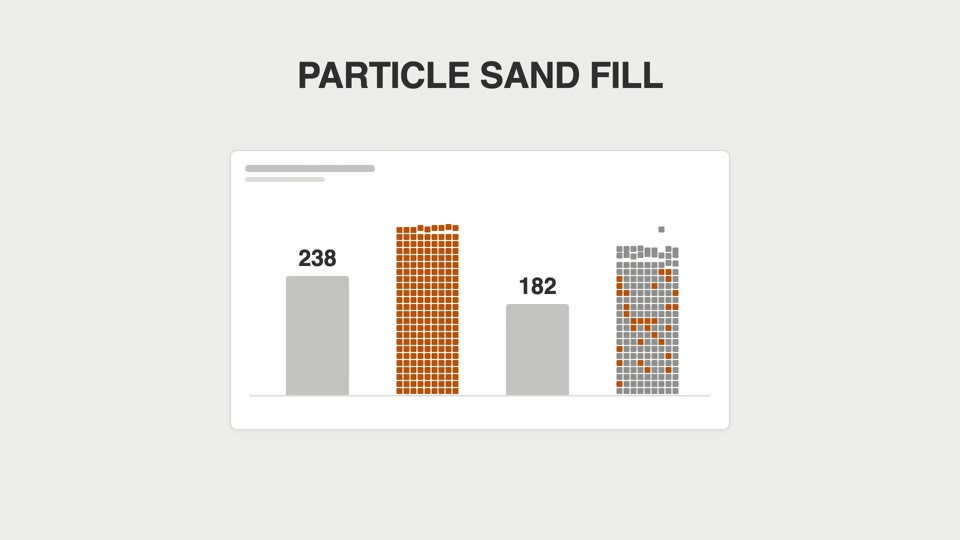
Particle sand-fill bars
Bar charts don't grow tall — they "rain into being": square particles fall one by one and pile up into bars, then solidify.