Motion · Dados
Timeline travel pan
Timeline travel — the camera accelerates along a horizontal ruler axis past version tick marks, a card springs upright and pauses briefly at each tick, and an abrupt stop pushes in on the final tick.
Fonte: video-shotcraft (Vincent Wei) ↗ · Apache-2.0 · Composição Remotion (React/TSX) — vídeo de prévia, sem player no navegador
When to use
Changelog/milestone/company-history passages (another way to shoot "we've always been shipping"); complements scroll-brake-moves: that card is a vertical-list hard-brake, this card is a horizontal time journey
Intention
Shoot the product's version history as a journey along a timeline (the Hurt Locker title-sequence precedent): the camera eases in → sprints → hard-brakes in three speed phases moving horizontally, v1.0/v2.0/v3.0 ticks passing in sequence, and each passed tick springs a matching card upright — history flashing by outside the window, hard-stopping at "today" and pushing in. The speed itself says "development is fast," the hard-stop says "now matters most."
Duration & energy
- Duration: 4–5s
- Energy: Medium-high (an accelerate-then-hard-brake pacing shot)
Shot recipe (original Chinese — timing, easing, parameter table, known pitfalls)
意图
把产品的版本史拍成一次沿时间轴的旅行(《反恐王国》片头判例): 镜头缓起→冲刺→急刹三段变速横移,v1.0/v2.0/v3.0 刻度依次掠过, 每过一格对应卡片从刻度线上 spring 弹立——历史在窗外闪过, 急停在"今天"并推近。速度本身讲"发展快",急停讲"现在最重要"。
动作阶段
| 阶段 | 帧段参考 | 内容 | |------|------|------| | 1 静置 | f0–12 | 空轴 + 首刻度定住 | | 2 加速掠过 | ~f12–100 | 世界层 translateX 分段缓动:缓起→冲刺→末 12% 急刹 | | 3 弹卡 | 掠过中 | 相机扫过刻度前 6f 卡片起弹(spring damping ~11 明显过冲),底边为轴 scaleY 立起 | | 4 急停推近 | 急停帧起 10f | scale 1→1.28 推近末刻度(out cubic),接静止 ≥30f |
参数表
| 参数 | 典型值 | 调节手感 | |------|--------|----------| | 变速曲线 | 输入断点 [0,0.15,0.88,1]→输出 [0,0.055,0.9,1] | 中段不够快就没有"旅行感";全程匀速即廉价 PPT | | 弹立时机 | 相机到达刻度前 6f 起弹,由 camXAt 反查 | 到了才弹观众已经错过;早太多读作预告 | | 刻度密度 | 主刻度 3–5 个 + 次刻度小点若干 | 次刻度点是速度感的参照物,删掉就感觉不到快 | | 急停推近 | 1→1.28 / 10f | 不推近急停就只是"停了",推近才是"到了" |
已知坑
- demo 在灰阶/占位素材上调校通过——参数是调校起点非实战定稿,
首次实战须以真实素材回验
- 中段冲刺快到卡片糊时可叠 CameraMotionBlur(只包快速段,轮 #8 判例)
- 急停后静止预算前置:demo 首版静止只有 25f 不达标,急停帧前移才够
——排时间线时先给末段留 ≥30f 再倒推行程
- 每张弹立卡片是信息位:实战放真实版本亮点截图/一句话,
掠过速度要保证至少末两张能读(Q6 同源)
- 声音:每次弹立一声轻打点,急停一声 impact(S2 同源)
参考实现
demos/data/timeline-travel/ (TimelineTravel.tsx)
Reference implementation (Remotion)
- demos/data/timeline-travel/TimelineTravel.tsx — https://raw.githubusercontent.com/Vincentwei1021/video-shotcraft/main/demos/data/timeline-travel/TimelineTravel.tsx
The component imports shared fixtures from demos/_fixtures and helpers from assets/lib in the repo; SKILL.md there documents the render workflow.
Tudo nesta página também é legível por máquina. Aponte seu agente para o JSON ou adicione o servidor MCP do gimgs e peça para buscar templates de motion.
- Baixe o JSON — contém a receita do plano (timing, easing, tabela de parâmetros, armadilhas) e o código TSX completo.
- Clone o repositório video-shotcraft; o componente importa fixtures de demos/_fixtures e helpers de assets/lib.
- Registre o componente como <Composition> em um projeto Remotion e renderize com `npx remotion render`, ou reimplemente a receita no seu próprio engine.
curl -s https://gimgs.net/motion/timeline-travel.jsongit clone https://github.com/Vincentwei1021/video-shotcraft
# component: demos/data/timeline-travel/TimelineTravel.tsx
npx remotion render <CompositionId> out.mp4claude mcp add --transport http gimgs https://gimgs.net/mcp
# then: search_motion_templates / get_motion_template("timeline-travel")Prompt
Use the video-shotcraft shot recipe "Timeline travel pan" (Remotion composition, Apache-2.0) published on gimgs.net.
Recipe JSON (prompt = timing/easing/parameter table/pitfalls, files = TSX source): https://gimgs.net/motion/timeline-travel.json
Raw TSX: https://gimgs.net/motion/timeline-travel/template.html
Repository: https://github.com/Vincentwei1021/video-shotcraft  (component: demos/data/timeline-travel/TimelineTravel.tsx; imports demos/_fixtures and assets/lib)
Spec: 1920x1080, 30 fps, 5.38s

1. Read the JSON and follow its "prompt" section (when to use, intention, parameter table, known pitfalls).
2. Adapt it for: <describe what you want>.
3. Either clone the repo, register the component as a <Composition> in a Remotion project and run npx remotion render <CompositionId> out.mp4 — or re-implement the recipe in your own engine (HTML/WAAPI works: keep the same timing and easing).
// ===== demos/data/timeline-travel/TimelineTravel.tsx =====
// timeline-travel —— 时间轴横移(《反恐王国》式)
// 镜头沿水平刻度轴加速横移,v1.0/v2.0/v3.0/Today 四个刻度依次掠过,
// 每过刻度对应 Card 从刻度线 spring 过冲弹立 + 短停,镜头不停;
// 末刻度 4f 急停 + 推近 1.28×。世界层只动 translateX/scale。
// f0–12 初始静置;f118 起真静止 ≥42f(160f 总长)。
import React from 'react';
import { useCurrentFrame, interpolate, Easing, spring } from 'remotion';
import { G, Card, TitleBlock } from '../../_fixtures/Fixtures';

const W = 1920;
const AXIS_Y = 700;
const TICK_GAP = 1400; // 刻度间距(世界坐标)
const TICKS = [
  { label: 'v1.0', x: 960 },
  { label: 'v2.0', x: 960 + TICK_GAP },
  { label: 'v3.0', x: 960 + TICK_GAP * 2 },
  { label: 'Today', x: 960 + TICK_GAP * 3 },
];
const WORLD_W = 960 + TICK_GAP * 3 + 960;

const TRAVEL_START = 12;
const TRAVEL_END = 104; // 急停帧
const ZOOM_END = 114;

// 相机 X:in-out 但前段慢后段快(poly(3) in 为主,末端 out 急收)
// 用两段拼:0–0.82 加速段(Easing.in(poly(2.2))),0.82–1 急刹段
const camXAt = (f: number): number => {
  const total = TICKS[3].x - 960; // 需要位移的世界距离
  const t = interpolate(f, [TRAVEL_START, TRAVEL_END], [0, 1], {
    extrapolateLeft: 'clamp',
    extrapolateRight: 'clamp',
  });
  // 加速→巡航→急刹:分段缓动,前 15% 缓起,中段近匀加速冲刺,末 12% 急收
  const eased = interpolate(t, [0, 0.15, 0.88, 1], [0, 0.055, 0.9, 1], {
    easing: Easing.inOut(Easing.quad),
  });
  return eased * total;
};

// 每张卡的弹立帧:相机中心扫过该刻度的时刻(数值上预先求好,避免逐帧求逆)
// 通过 camXAt 反查:找到 camX == tick.x - 960 的帧
const popFrameOf = (tickX: number): number => {
  for (let f = TRAVEL_START; f <= TRAVEL_END; f++) {
    if (camXAt(f) >= tickX - 960) return f;
  }
  return TRAVEL_END;
};

const CARD_W = 360;
const CARD_H = 240;

const TickStop: React.FC<{ i: number; frame: number }> = ({ i, frame }) => {
  const tick = TICKS[i];
  const pop = popFrameOf(tick.x) - 6; // 提前 6f 起弹,掠过时正好立起
  const s = spring({
    frame: frame - pop,
    fps: 30,
    config: { damping: 11, stiffness: 160, mass: 0.9 }, // 明显过冲
    durationInFrames: 26,
  });
  const appeared = frame >= pop;

  return (
    <div style={{ position: 'absolute', left: tick.x, top: 0 }}>
      {/* 刻度竖线 */}
      <div style={{ position: 'absolute', left: -3, top: AXIS_Y - 28, width: 6, height: 56, background: G.ink, borderRadius: 3 }} />
      {/* 刻度标签 */}
      <div style={{ position: 'absolute', left: -80, top: AXIS_Y + 44, width: 160, textAlign: 'center', fontFamily: 'Helvetica, Arial, sans-serif', fontWeight: 800, fontSize: 40, color: G.ink }}>
        {tick.label}
      </div>
      {/* 卡片从刻度线弹立:以底边为轴 scaleY 0→1(带过冲),伴随上移 */}
      {appeared && (
        <div
          style={{
            position: 'absolute',
            left: -CARD_W / 2,
            top: AXIS_Y - 36 - CARD_H,
            transform: `scaleY(${s}) scaleX(${0.6 + 0.4 * s})`,
            transformOrigin: '50% 100%',
            opacity: Math.min(1, s * 2),
          }}
        >
          <Card w={CARD_W} h={CARD_H} seed={i + 2} />
        </div>
      )}
    </div>
  );
};

export const TimelineTravel: React.FC = () => {
  const frame = useCurrentFrame();
  const camX = camXAt(frame);

  // 急停后推近末刻度:scale 1 → 1.28,中心对准 Today 刻度
  const zoom = interpolate(frame, [TRAVEL_END, ZOOM_END], [1, 1.28], {
    easing: Easing.out(Easing.cubic),
    extrapolateLeft: 'clamp',
    extrapolateRight: 'clamp',
  });

  return (
    <div style={{ width: W, height: 1080, background: G.bg, overflow: 'hidden', position: 'relative' }}>
      {/* 推近层:以画面中央偏下(末刻度落点)为原点放大 */}
      <div style={{ width: W, height: 1080, transform: `scale(${zoom})`, transformOrigin: '50% 62%' }}>
        {/* 世界层:唯一横移的容器 */}
        <div style={{ position: 'absolute', left: 0, top: 0, width: WORLD_W, height: 1080, transform: `translateX(${-camX}px)` }}>
          {/* 主轴线 */}
          <div style={{ position: 'absolute', left: 200, top: AXIS_Y - 3, width: WORLD_W - 400, height: 6, background: G.bar, borderRadius: 3 }} />
          {/* 次刻度(小点,增强速度感) */}
          {Array.from({ length: 22 }).map((_, i) => (
            <div key={i} style={{ position: 'absolute', left: 960 + i * (TICK_GAP / 5) - 2, top: AXIS_Y - 12, width: 4, height: 24, background: G.bar, borderRadius: 2 }} />
          ))}
          {TICKS.map((_, i) => (
            <TickStop key={i} i={i} frame={frame} />
          ))}
        </div>
      </div>
      <div style={{ position: 'absolute', top: 90, width: '100%', textAlign: 'center' }}>
        <TitleBlock text="TIMELINE TRAVEL" size={64} />
      </div>
    </div>
  );
};
- Read the recipePrompt = when to use, intention, parameter table with typical values and how each one feels, known pitfalls. Treat values as calibrated starting points.
- Get the codetool: git
git clone https://github.com/Vincentwei1021/video-shotcraft && cd video-shotcraft && npm install - Register + rendertool: remotion
npx remotion render <CompositionId> out.mp4 # component: demos/data/timeline-travel/TimelineTravel.tsx - Or re-implementPort the timing/easing from the recipe to HTML + WAAPI (gimgs motion contract) or any engine; keep the same segment windows and easing.
| param | type | default | description |
|---|---|---|---|
| — | |||
Mais nesta categoria

Scroll brake moves
A long scroll decelerates to a precise stop on the latest item; a variant adds a reticle lock on the same frame.

Ring diagram annotation reveal
A full-screen subject is squeezed into a ring diagram by a circular window, then the group shrinks left to reveal annotations.
Particle celebration hits
Confetti cannons fire from both sides, or sparks fizz off the counter each time it ticks past a thousand.
Particle sand-fill bars
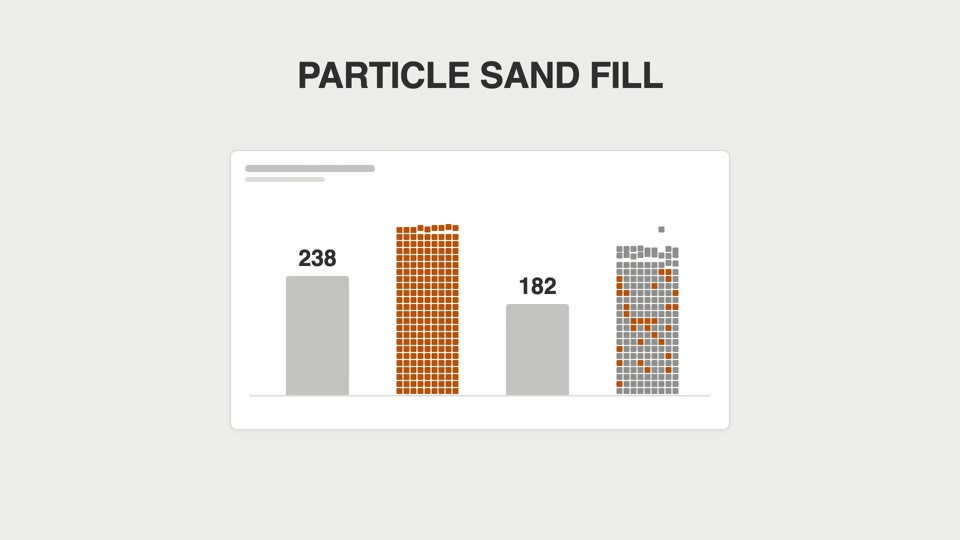
Bar charts don't grow tall — they "rain into being": square particles fall one by one and pile up into bars, then solidify.