Motion · Tipografia
Title demoted to section label
Title demoted to section label, two versions — A: a big centered title holds a beat then shrinks 0.3x and slides to the top-left as a small label, content growing beneath it; B: the same move with a text-selection highlight sweeping in and out on entry.
Fonte: video-shotcraft (Vincent Wei) ↗ · Apache-2.0 · Composição Remotion (React/TSX) — vídeo de prévia, sem player no navegador
When to use
Chapter openers (the title plays lead, then hands off to the content); section handoffs in tutorial/demo films; style B adds an "editing/writing" product identity hint
Intention
A chapter title's usual fate is "appear → disappear → content enters" — the title and content never meet. This card lets the title demote rather than exit: a big centered word holds a beat to announce the topic, then a single continuous tween shrinks it to 0.3x and flies it to the top-left corner, settling as this section's column label — it's still on screen, just changed from protagonist to nameplate. The viewer gets free spatial memory: that big word from a moment ago is now that small word in the top-left corner, and this section is about it. The content skeleton starts growing while the demotion is still in progress, with zero handoff gap.
Duration & energy
- Duration: A: ~3s (92f) / B: ~3.5s (104f); the two styles played back-to-back in a demo run 196f
- Energy: Low-medium (a layout-change type, an atmosphere shot)
Shot recipe (original Chinese — timing, easing, parameter table, known pitfalls)
意图
章节标题的常规命运是"出现→消失→内容登场",标题和内容互不认识。 本卡让标题降格而不退场:居中大字站稳一拍宣告主题,然后一次连续 补间缩到 0.3x 飞到左上角,落成这一节的栏目标签——它还在屏幕上, 只是从主角变成了门牌。观众获得免费的空间记忆:刚才那个大词就是 现在左上角那个小词,本节讲的就是它。内容骨架在降格进行中就开始 生长,交接零空档。
动效核心
- 降格是单次连续补间,Easing.inOut(cubic) 20f:scale 1→0.3 +
位置 (960,480)→(150,110) 同一条曲线——分两段(先缩后飞)读作两个动作
- transform-origin 左中;居中修正量 translate(-50%) 随补间同步归零
(translate(${-(1-dem)*50}%, -50%))——不归零终点会偏一个半宽
- 登场显影:12f blur 12→0 + 淡入,Easing.out(cubic);显影后必须
站稳 ≥18f 再降格——没站稳就缩,宣告拍被吃掉
- 骨架内容错峰生长:每块宽度 0.35→1 + 上移 28px 淡入,块间 t 错峰
0.16;生长起点在降格进行到 12f 时(GROW = DEMOTE+12),标题还在 飞内容已在长——这个重叠是"交接无空档"的来源
- B 式选中高亮:左缘/宽度两个百分比分别补间——扫入时宽度 0→100%
(盖住),撤掉时左缘 0→100%(从左让开);高亮撤净后再起降格
- 两式串播用 4f 白闪转场
参数表
| 参数 | 典型值 | 调节手感 | |------|--------|----------| | 降格补间 | 20f inOut(cubic),scale→0.3 | <14f 读作标题被弹走;终点 >0.45 标签太大压内容 | | 站稳拍 | 显影后 ≥18f 静置 | 省掉这拍,观众没读完标题它就跑了,降格白做 | | 骨架错峰 | 块间 0.16t,宽 0.35→1 | 全部同时长出读作页面刷新而非"生长" | | 生长起点 | 降格开始后 +12f | 等标题完全落位才生长会空 8f 冷场 | | 选中高亮 | 扫入 10f / hold ~8f / 撤 8f,35% 透明蓝 | 高亮 hold <5f 读作闪烁 bug;不撤干净就降格,蓝块跟着飞很脏 | | 白闪转场 | 4f opacity 1→0 | 仅两式串播用;>6f 读作曝光事故 |
已知坑
- demo 在灰阶/占位素材上调校通过——参数是调校起点非实战定稿,
首次实战须以真实素材回验
- 与"标题钉进 3D 空间随相机透视变形"的场景锁定拍法(已退役)分工
(空间型),本卡是 2D 版式层级的连续降格(版式型)——要"标题住进 产品空间"用那卡,要"标题变栏目名"用本卡,同片选一
- 降格路径上不许有其他元素动——标题飞行是全屏唯一焦点,骨架生长
在它落点下方不抢(起点错开),但弹窗/光标类同帧入场必抢
- 多节连用(每节一次降格)时左上角标签要换行不叠放:新标签落位
旧标签上移让位,否则第二节起左上角变成标签坟场
- B 式的选中高亮是"文字可被选中"的产品暗示,非编辑器/文档类产品
用了语义空转,别为了好看加
- 标题文案 ≤3 个词——降格到 0.3x 后还要当可读标签,长句缩完就是一条灰线
参考实现
demos/typography/title-demote-to-label/ (TitleDemoteToLabel.tsx) 原片出处:perplexity-promo 16–18.5s;B 式变体源自 framer text-selection-title
Reference implementation (Remotion)
- demos/typography/title-demote-to-label/TitleDemoteToLabel.tsx — https://raw.githubusercontent.com/Vincentwei1021/video-shotcraft/main/demos/typography/title-demote-to-label/TitleDemoteToLabel.tsx
The component imports shared fixtures from demos/_fixtures and helpers from assets/lib in the repo; SKILL.md there documents the render workflow.
Tudo nesta página também é legível por máquina. Aponte seu agente para o JSON ou adicione o servidor MCP do gimgs e peça para buscar templates de motion.
- Baixe o JSON — contém a receita do plano (timing, easing, tabela de parâmetros, armadilhas) e o código TSX completo.
- Clone o repositório video-shotcraft; o componente importa fixtures de demos/_fixtures e helpers de assets/lib.
- Registre o componente como <Composition> em um projeto Remotion e renderize com `npx remotion render`, ou reimplemente a receita no seu próprio engine.
curl -s https://gimgs.net/motion/title-demote-to-label.jsongit clone https://github.com/Vincentwei1021/video-shotcraft
# component: demos/typography/title-demote-to-label/TitleDemoteToLabel.tsx
npx remotion render <CompositionId> out.mp4claude mcp add --transport http gimgs https://gimgs.net/mcp
# then: search_motion_templates / get_motion_template("title-demote-to-label")Prompt
Use the video-shotcraft shot recipe "Title demoted to section label" (Remotion composition, Apache-2.0) published on gimgs.net.
Recipe JSON (prompt = timing/easing/parameter table/pitfalls, files = TSX source): https://gimgs.net/motion/title-demote-to-label.json
Raw TSX: https://gimgs.net/motion/title-demote-to-label/template.html
Repository: https://github.com/Vincentwei1021/video-shotcraft  (component: demos/typography/title-demote-to-label/TitleDemoteToLabel.tsx; imports demos/_fixtures and assets/lib)
Spec: 1920x1080, 30 fps, 6.59s

1. Read the JSON and follow its "prompt" section (when to use, intention, parameter table, known pitfalls).
2. Adapt it for: <describe what you want>.
3. Either clone the repo, register the component as a <Composition> in a Remotion project and run npx remotion render <CompositionId> out.mp4 — or re-implement the recipe in your own engine (HTML/WAAPI works: keep the same timing and easing).
// ===== demos/typography/title-demote-to-label/TitleDemoteToLabel.tsx =====
// title-demote-to-label —— 大标题降格为节标签
// 源:perplexity-promo 16–18.5s。大标题居中显影站稳一拍,随后缩小 ~0.3x
// 平移到左上角变小节标签,内容区(灰阶骨架块)在其下方生长。
// 附加变体(framer text-selection-title):标题登场带文本选中蓝高亮块、随后撤掉。
import React from 'react';
import { AbsoluteFill, useCurrentFrame, interpolate, Easing } from 'remotion';
import { G } from '../../_fixtures/Fixtures';

const FONT = 'Helvetica, Arial, sans-serif';
const SEL = 'rgba(58, 128, 236, 0.35)';

// 内容骨架块:随 t 依次生长
const Skeleton: React.FC<{ t: number }> = ({ t }) => {
  const blocks = [
    { w: 1500, h: 26 },
    { w: 1280, h: 26 },
    { w: 1420, h: 26 },
    { w: 760, h: 26 },
    { w: 1500, h: 300, card: true },
  ];
  return (
    <div style={{ display: 'flex', flexDirection: 'column', gap: 34 }}>
      {blocks.map((b, i) => {
        const bt = interpolate(t, [i * 0.16, i * 0.16 + 0.3], [0, 1], {
          extrapolateLeft: 'clamp',
          extrapolateRight: 'clamp',
          easing: Easing.out(Easing.cubic),
        });
        return (
          <div
            key={i}
            style={{
              width: b.w * (0.35 + 0.65 * bt),
              height: b.h,
              background: b.card ? G.card : G.line,
              border: b.card ? `2px solid ${G.border}` : 'none',
              borderRadius: b.card ? 16 : 13,
              opacity: bt,
              transform: `translateY(${(1 - bt) * 28}px)`,
              boxSizing: 'border-box',
            }}
          />
        );
      })}
    </div>
  );
};

// 一个完整的"显影→(可选高亮)→降格→内容生长"小节
const DemoteScene: React.FC<{
  frame: number;
  title: string;
  withSelection: boolean;
}> = ({ frame, title, withSelection }) => {
  // 时间轴(局部帧)
  const REVEAL = 0; // 0–12 显影
  const SEL_ON = 14; // 高亮扫入 14–24
  const SEL_OFF = 32; // 高亮撤掉 32–40
  const DEMOTE = withSelection ? 44 : 32; // 降格开始
  const DEMOTE_END = DEMOTE + 20;
  const GROW = DEMOTE + 12;

  // 显影:blur + 淡入
  const rev = interpolate(frame, [REVEAL, REVEAL + 12], [0, 1], {
    extrapolateLeft: 'clamp',
    extrapolateRight: 'clamp',
    easing: Easing.out(Easing.cubic),
  });

  // 降格补间:scale 1 -> 0.3,中心 -> 左上
  const dem = interpolate(frame, [DEMOTE, DEMOTE_END], [0, 1], {
    extrapolateLeft: 'clamp',
    extrapolateRight: 'clamp',
    easing: Easing.inOut(Easing.cubic),
  });
  const scale = interpolate(dem, [0, 1], [1, 0.3]);
  // 用 left/top 补间:起点居中(由外层 flex 定位换算),终点左上角
  const x = interpolate(dem, [0, 1], [960, 150]);
  const y = interpolate(dem, [0, 1], [480, 110]);

  // 高亮块:从左扫入盖住文字,再从左撤掉
  let selLeft = 0;
  let selWidth = 0;
  if (withSelection) {
    const on = interpolate(frame, [SEL_ON, SEL_ON + 10], [0, 1], {
      extrapolateLeft: 'clamp',
      extrapolateRight: 'clamp',
      easing: Easing.out(Easing.quad),
    });
    const off = interpolate(frame, [SEL_OFF, SEL_OFF + 8], [0, 1], {
      extrapolateLeft: 'clamp',
      extrapolateRight: 'clamp',
      easing: Easing.in(Easing.quad),
    });
    selLeft = off * 100;
    selWidth = Math.max(0, on * 100 - selLeft);
  }

  const growT = interpolate(frame, [GROW, GROW + 40], [0, 1], {
    extrapolateLeft: 'clamp',
    extrapolateRight: 'clamp',
  });

  return (
    <AbsoluteFill style={{ background: G.bg }}>
      {/* 内容骨架区 */}
      <div style={{ position: 'absolute', left: 150, top: 210 }}>
        <Skeleton t={growT} />
      </div>
      {/* 标题:transform-origin 左中,位置补间 */}
      <div
        style={{
          position: 'absolute',
          left: x,
          top: y,
          transform: `translate(${-(1 - dem) * 50}%, -50%) scale(${scale})`,
          transformOrigin: 'left center',
          opacity: rev,
          filter: `blur(${(1 - rev) * 12}px)`,
        }}
      >
        <div
          style={{
            position: 'relative',
            fontFamily: FONT,
            fontWeight: 800,
            fontSize: 128,
            color: G.ink,
            letterSpacing: -2,
            whiteSpace: 'nowrap',
            padding: '10px 18px',
          }}
        >
          {withSelection && selWidth > 0 && (
            <div
              style={{
                position: 'absolute',
                left: `${selLeft}%`,
                top: 8,
                width: `${selWidth}%`,
                height: 'calc(100% - 16px)',
                background: SEL,
                borderRadius: 6,
              }}
            />
          )}
          <span style={{ position: 'relative' }}>{title}</span>
        </div>
      </div>
    </AbsoluteFill>
  );
};

export const TitleDemoteToLabel: React.FC = () => {
  const frame = useCurrentFrame();
  const SPLIT = 92; // 变体 A 时长

  if (frame < SPLIT) {
    return <DemoteScene frame={frame} title="Running Subagents" withSelection={false} />;
  }
  // 变体 B:文本选中态高亮登场
  const f = frame - SPLIT;
  // 白闪转场 3f
  const flash = interpolate(f, [0, 4], [1, 0], {
    extrapolateLeft: 'clamp',
    extrapolateRight: 'clamp',
  });
  return (
    <AbsoluteFill>
      <DemoteScene frame={f} title="Select the Answer" withSelection={true} />
      <AbsoluteFill style={{ background: '#fff', opacity: flash, pointerEvents: 'none' }} />
    </AbsoluteFill>
  );
};
- Read the recipePrompt = when to use, intention, parameter table with typical values and how each one feels, known pitfalls. Treat values as calibrated starting points.
- Get the codetool: git
git clone https://github.com/Vincentwei1021/video-shotcraft && cd video-shotcraft && npm install - Register + rendertool: remotion
npx remotion render <CompositionId> out.mp4 # component: demos/typography/title-demote-to-label/TitleDemoteToLabel.tsx - Or re-implementPort the timing/easing from the recipe to HTML + WAAPI (gimgs motion contract) or any engine; keep the same segment windows and easing.
| param | type | default | description |
|---|---|---|---|
| — | |||
Mais nesta categoria

Word relay geometry
Three benefit words each carry their own dedicated geometry relay — a dashed circle spins and shrinks → three solid circles trim-grow in sequence → a metallic sheen sweeps then collapses to pure white; each new word outlines then fills in.
Word relay filmstrip
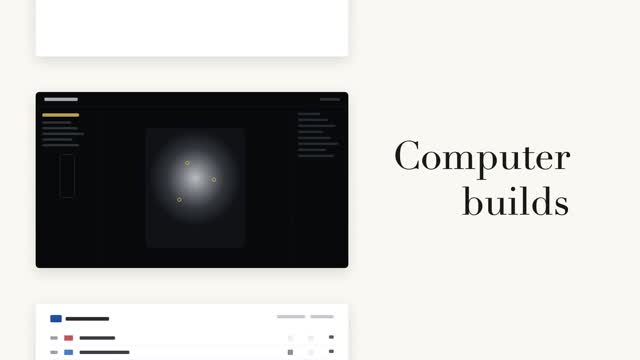
A left column of black-and-white page cards steps forward while a serif big word on the right relays in place (a fixed noun + a cycling verb) — the column steps only when the word changes, aligned to the current page card's midpoint.

Vertical word-roll cycle
The sentence's last word cycles on a vertical roller, 3 swaps at 0.55s each, fast then very slow with a slight overshoot; neighboring rows carry vertical blur and grayscale by distance, the centered word snapping from gray to accent color as it lands.

Two code reveals, side by side
The same syntax-highlighted code reveals two ways side by side — left: line-level stagger fading up 8px, right: character-by-character typing keeping each token's original color, with a #3a4468 block cursor on the current character.