Motion · Kết
Hạt nhiễu tan thành logo chữ
Cả dòng chữ vỡ thành hạt nhiễu sôi trào kèm khung chọn hiện ra, rồi đám mây hạt nhiễu nén nhanh thành một logo chữ ngắn to hơn và phát sáng, độ dịch chuyển giảm về 0 khi hình đóng băng.
Nguồn: video-shotcraft (Vincent Wei) ↗ · Apache-2.0 · Composition Remotion (React/TSX) — có video preview, không có player trong trình duyệt
Khi nào dùng
Thông báo ra mắt kiểu "XX. Now Live" ở đoạn kết; nhịp dồn năng lượng khi một câu dài nén thành một nhãn hiệu ngắn.
Ý đồ
Quay "một câu cô đọng thành một từ" như một sự kiện vật lý: câu chữ trước tiên mất ổn định sôi trào thành hạt nhiễu (thông tin rã ra), khung chọn ngầm ý "đang được chọn và trích xuất", rồi toàn bộ năng lượng của các hạt sụp về tâm thành một logo chữ ngắn lớn hơn và sáng hơn — điều khán giả đọc được là "tất cả quy về điều này".
Thời lượng & năng lượng
- Thời lượng: Khoảng 2.0s (60f@30fps; thành hạt 0.26–0.56s · nén tụ 1.2–1.42s · đông cứng và đóng băng)
- Năng lượng: Trung bình cao (xung năng lượng ngắn, một lần duy nhất, tự nhiên là điểm chốt outro)
Công thức cảnh quay (bản gốc tiếng Trung — timing, easing, bảng tham số, lỗi hay gặp)
意图
把"一句话浓缩成一个词"拍成物理事件:句子先失稳沸腾成颗粒(信息解体),选区框暗示"正在选中提取",然后所有颗粒能量向中心坍缩成更大更亮的短字标——观众读到的是"这一切归结为它"。
动效核心
- 滤镜链是唯一引擎:
feTurbulence(fractalNoise,baseFrequency 0.9→1.3)+feDisplacementMap(scale 0→52)+feGaussianBlur(0→1.1px),三者由同一条burst曲线(t=0.13–0.28,outCubic)驱动 - 噪点"沸腾"靠
seed = floor(t*46)逐帧换种子——每帧一幅新噪声图,颗粒永不静止 - t=0.60–0.71 交叉淡化:整行字(33px)淡出、短字标(54px 粗体)淡入,两者共用同一滤镜——切换发生在最沸腾时,观众看不到换字
- t=0.68–0.90
lock曲线把 displacement scale 和 blur 拉回 0,颗粒"凝固"成清晰字形 - 白辉光三段式:砂化期 0.3 弱光 → 凝聚冲高 0.7 → t=0.88 后回落 0.45,
drop-shadow半径 4–24px 同步呼吸 - 斜纹选区框(45° 线阵 + 四角像素棋盘手柄)随 burst 浮现、t=0.55–0.64 撤掉——在凝聚前退场,不抢主体
参数表
| 参数 | 典型值 | 调节手感 | |------|--------|----------| | displacement scale | 峰值 52 | <30 只是"轻微毛边";>80 颗粒散到认不出轮廓,"隐约可辨"是砂化质感的底线 | | baseFrequency | 0.9 → +0.4 | 越高颗粒越细;低于 0.5 变成大块扭曲不是"砂" | | seed 换帧率 | floor(t*46),2s 内 46 次 | 降低会看出噪声图重复;保持 ≥20 次/秒的换图率 | | 砂化窗口 | 0.13–0.28(outCubic) | 前 0.13 的干净字停留是"失稳前的常态",砍掉则没有对比 | | 凝聚交叉 | 0.60–0.71(inOutCubic) | 必须落在最沸腾段内完成换字;提前会穿帮看到两行字叠影 | | 辉光包络 | burst·0.3 + cond·0.7 − settle·0.45 | 凝聚冲高是卡点位,压 BGM 重音;回落别到 0,留柔光"余温" |
已知坑
- 换字标文案(ACME → 项目短标)时两行
<text>都要改:整行句式{ XX. Now Live }与短标 XX 必须指同一对象,否则叙事断裂 - 短标变长(>6 字符)需同步缩 54px 字号或加宽选区框 bw,否则凝聚后超出框位视觉重心偏移
feDisplacementMap在 Safari 上性能较差,这张卡是 2s 短拍可接受;拉长时长需实测帧率- 选区框撤场(0.55–0.64)必须早于凝聚完成(0.71)——框留到凝固后会读作"还没选完",语义反了
参考实现
demos/outro/grain-dissolve/ (GrainDissolve.tsx)
Mã nguồn tham chiếu (Remotion)
- demos/outro/grain-dissolve/GrainDissolve.tsx — https://raw.githubusercontent.com/Vincentwei1021/video-shotcraft/main/demos/outro/grain-dissolve/GrainDissolve.tsx
Component import fixture chung từ demos/_fixtures và helper từ assets/lib của repo; xem SKILL.md trong repo để biết quy trình render.
Mọi thứ trên trang này đều có bản máy đọc. Đưa agent link JSON, hoặc thêm MCP server gimgs rồi bảo nó tìm motion template.
- Tải JSON — trong đó có công thức cảnh quay (timing, easing, bảng tham số, lỗi hay gặp) và toàn bộ source TSX.
- Clone repo video-shotcraft; component import fixture chung từ demos/_fixtures và helper từ assets/lib.
- Đăng ký component thành <Composition> trong project Remotion rồi render bằng `npx remotion render`, hoặc dựng lại công thức bằng engine của bạn.
curl -s https://gimgs.net/motion/grain-dissolve.jsongit clone https://github.com/Vincentwei1021/video-shotcraft
# component: demos/outro/grain-dissolve/GrainDissolve.tsx
npx remotion render <CompositionId> out.mp4claude mcp add --transport http gimgs https://gimgs.net/mcp
# then: search_motion_templates / get_motion_template("grain-dissolve")Prompt
Use the video-shotcraft shot recipe "Hạt nhiễu tan thành logo chữ" (Remotion composition, Apache-2.0) published on gimgs.net.
Recipe JSON (prompt = timing/easing/parameter table/pitfalls, files = TSX source): https://gimgs.net/motion/grain-dissolve.json
Raw TSX: https://gimgs.net/motion/grain-dissolve/template.html
Repository: https://github.com/Vincentwei1021/video-shotcraft  (component: demos/outro/grain-dissolve/GrainDissolve.tsx; imports demos/_fixtures and assets/lib)
Spec: 1920x1080, 30 fps, 2.5s

1. Read the JSON and follow its "prompt" section (when to use, intention, parameter table, known pitfalls).
2. Adapt it for: <describe what you want>.
3. Either clone the repo, register the component as a <Composition> in a Remotion project and run npx remotion render <CompositionId> out.mp4 — or re-implement the recipe in your own engine (HTML/WAAPI works: keep the same timing and easing).
// ===== demos/outro/grain-dissolve/GrainDissolve.tsx =====
// grain-dissolve — Grain Dissolve → Condense 文字砂化凝聚(motion-lab 定稿转原生 Remotion)
// 干净的整行字 "{ ACME. Now Live }" 先爆裂成沸腾颗粒噪点(轮廓隐约可辨、白色辉光),
// 同时出现带 45° 斜纹填充和像素方块角柄的选区框;噪点沸腾约半程后选区框消失,
// 噪点云急速凝聚成更大号的颗粒短字标(占位词 "ACME"),位移量衰减归零、辉光冲高回落,
// 凝固为清晰发光短字标。四角 HUD 括角/圆点与左右中线短划全程常驻。
// 滤镜链:feTurbulence seed 逐帧 + displacement scale 双向动画,终字同走滤镜再解除。
// 设计坐标 480×270(DesignStage 等比放大),SVG viewBox 640×360 铺满全幅。
import React, { useId } from 'react';
import { E, DesignStage, seg, useT } from '../../_fixtures/Motion';

export const GRAIN_DISSOLVE_DURATION = 60; // 2000ms @30fps

// 选区框几何(viewBox 坐标)
const BX = 128;
const BY = 148;
const BW = 384;
const BH = 62;

// 45° 斜纹:x 从 bx-bh 起每 34 一根,右下→左上
const HATCH_XS: number[] = [];
for (let x = BX - BH; x < BX + BW; x += 34) HATCH_XS.push(x);

// 四角像素棋盘手柄(两块 5×5 错位方块)
const Handle: React.FC<{ x: number; y: number }> = ({ x, y }) => (
  <g transform={`translate(${x - 5},${y - 5})`} fill="#cfd2d8">
    <rect width={5} height={5} />
    <rect x={5} y={5} width={5} height={5} />
  </g>
);

// HUD 括角 + 圆点(sx/sy 控制朝向)
const Corner: React.FC<{ x: number; y: number; sx: number; sy: number }> = ({ x, y, sx, sy }) => (
  <>
    <path
      d={`M${x + 14 * sx} ${y}H${x}V${y + 14 * sy}`}
      fill="none"
      stroke="#3a3a40"
      strokeWidth={1.5}
    />
    <circle cx={x + 34 * sx} cy={y + 28 * sy} r={1.6} fill="#8b8d94" />
  </>
);

export const GrainDissolve: React.FC = () => {
  const t = useT();
  // 滤镜/clipPath ID 按实例生成,同一 Composition 放多个实例时互不串引
  // (useId 的 «:» 在 CSS url() 里非法,清洗成纯字母数字)
  const uid = useId().replace(/[^a-zA-Z0-9]/g, '');
  const fid = `gd-${uid}`;
  const cid = `gd-${uid}-clip`;
  const burst = seg(t, 0.13, 0.28, E.outCubic); // 干净字 → 砂化
  const cond = seg(t, 0.60, 0.71, E.inOutCubic); // 整行噪点云 → 短字标噪点云
  const lock = seg(t, 0.68, 0.90, E.outCubic); // 位移衰减凝固
  const settle = seg(t, 0.88, 1, E.outCubic); // 辉光回落
  // 白色辉光:砂化期轻微,凝聚时冲高,凝固后回落到柔光
  const glow = burst * 0.3 + cond * 0.7 - settle * 0.45;
  return (
    <DesignStage bg="#0a0a0c">
      <svg
        viewBox="0 0 640 360"
        style={{ position: 'absolute', inset: 0, width: '100%', height: '100%', background: '#0a0a0c' }}
      >
        <defs>
          <filter id={fid} x="-40%" y="-150%" width="180%" height="400%">
            <feTurbulence
              type="fractalNoise"
              baseFrequency={0.9 + burst * 0.4}
              numOctaves={2}
              seed={Math.floor(t * 46)}
              result="n"
            />
            <feDisplacementMap
              in="SourceGraphic"
              in2="n"
              scale={burst * 52 * (1 - lock)}
              xChannelSelector="R"
              yChannelSelector="G"
              result="d"
            />
            <feGaussianBlur in="d" stdDeviation={burst * 1.1 * (1 - lock)} />
          </filter>
        </defs>
        {/* 四角 HUD 括角 + 圆点 + 左右中线短划(全程常驻) */}
        <g>
          <Corner x={88} y={96} sx={1} sy={1} />
          <Corner x={552} y={96} sx={-1} sy={1} />
          <Corner x={88} y={264} sx={1} sy={-1} />
          <Corner x={552} y={264} sx={-1} sy={-1} />
          <line x1={52} y1={180} x2={76} y2={180} stroke="#4a4a50" strokeWidth={1.5} strokeDasharray="4 3" />
          <line x1={564} y1={180} x2={588} y2={180} stroke="#4a4a50" strokeWidth={1.5} strokeDasharray="4 3" />
        </g>
        {/* 选区框:砂化时浮现,凝聚前撤掉 */}
        <g opacity={burst * (1 - seg(t, 0.55, 0.64))}>
          <clipPath id={cid}>
            <rect x={BX} y={BY} width={BW} height={BH} />
          </clipPath>
          <g clipPath={`url(#${cid})`}>
            {HATCH_XS.map((x) => (
              <line key={x} x1={x} y1={BY + BH} x2={x + BH} y2={BY} stroke="#2c2c31" strokeWidth={1} />
            ))}
          </g>
          <rect x={BX} y={BY} width={BW} height={BH} fill="none" stroke="#55565c" strokeWidth={1} />
          <Handle x={BX} y={BY} />
          <Handle x={BX + BW} y={BY} />
          <Handle x={BX} y={BY + BH} />
          <Handle x={BX + BW} y={BY + BH} />
        </g>
        {/* 文字组:整行字与终字标同走滤镜链 + 白色辉光 */}
        <g
          style={{
            filter: `url(#${fid}) drop-shadow(0 0 ${4 + glow * 20}px rgba(255,255,255,${Math.max(0, glow) * 0.9}))`,
          }}
        >
          <text
            x={320}
            y={191}
            textAnchor="middle"
            opacity={1 - cond}
            style={{
              fill: '#eceef2',
              font: "500 33px Inter,'Helvetica Neue',system-ui,sans-serif",
              letterSpacing: '2.5px',
            }}
          >
            {'{ ACME. Now Live }'}
          </text>
          <text
            x={320}
            y={198}
            textAnchor="middle"
            opacity={cond}
            style={{
              fill: '#fff',
              font: "800 54px Inter,'Helvetica Neue',system-ui,sans-serif",
              letterSpacing: '4px',
            }}
          >
            ACME
          </text>
        </g>
      </svg>
    </DesignStage>
  );
};
- Read the recipePrompt = when to use, intention, parameter table with typical values and how each one feels, known pitfalls. Treat values as calibrated starting points.
- Get the codetool: git
git clone https://github.com/Vincentwei1021/video-shotcraft && cd video-shotcraft && npm install - Register + rendertool: remotion
npx remotion render <CompositionId> out.mp4 # component: demos/outro/grain-dissolve/GrainDissolve.tsx - Or re-implementPort the timing/easing from the recipe to HTML + WAAPI (gimgs motion contract) or any engine; keep the same segment windows and easing.
| param | type | default | description |
|---|---|---|---|
| — | |||
Cùng danh mục

UI biến hình thành logo thương hiệu
Hai kiểu UI biến thành logo — icon-flip-bloom icon lật phẳng trục Y nở thành hình hoa mark + wordmark vào từng chữ, và input-morph-assemble ô nhập liệu co lại thành viên nang, ba hạt hình học tụ thành một cánh logo.
Kết phim kiểu phép trừ
Kết phim kiểu phép trừ — bấm Publish xong, toàn bộ UI trình soạn bốc hơi từng lớp lệch nhịp từ ngoài vào trong, chỉ còn lại nút vừa bấm trượt vào tâm màn hình phóng to, rồi mờ đi trao lại cho chữ hiệu định vị.

Outro ảnh nhóm ra mắt
Mọi yếu tố trong phim bay vào từ mọi hướng vây quanh wordmark chụp ảnh nhóm, dàn dựng như cảnh chốt của một sự kiện ra mắt.
Ba hàng đèn neon chạy chữ
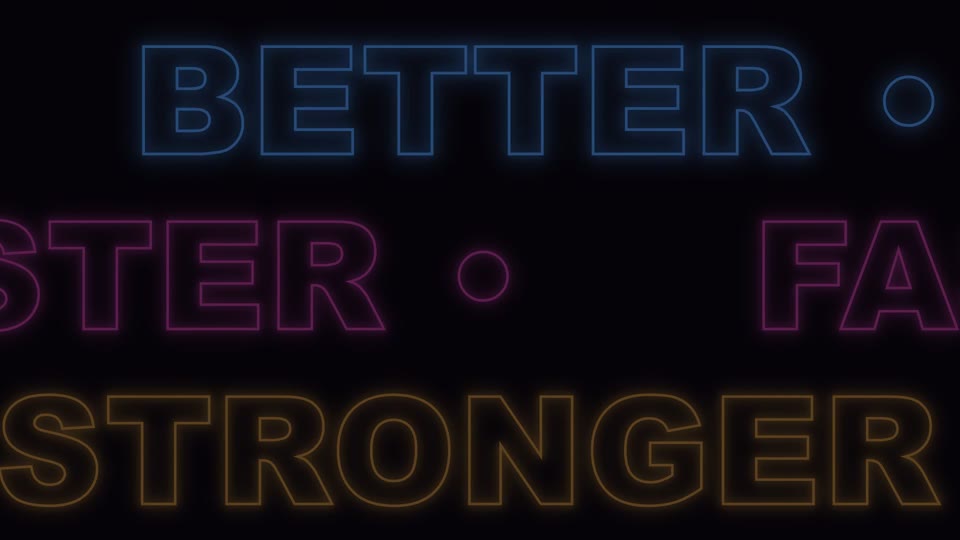
Ba hàng đèn neon chạy chữ ngược chiều (BETTER/FASTER/STRONGER) cuộn vô tận, lần lượt sáng theo pha rồi mờ dần.