Motion · Chữ & title card
Giải mã ký tự xáo trộn
Một dòng ký tự chữ đều nhảy loạn mã tốc độ cao, rồi khóa thành chữ thật lần lượt từ trái sang phải kèm lóe sáng xanh-trắng.
Nguồn: video-shotcraft (Vincent Wei) ↗ · Apache-2.0 · Composition Remotion (React/TSX) — có video preview, không có player trong trình duyệt
Khi nào dùng
Tiêu đề mở đầu mang tính kỹ thuật; tiết lộ số phiên bản/mật danh; nhịp mang khẩu khí máy móc kiểu "hệ thống sẵn sàng"/"dữ liệu mở khóa"
Ý đồ
Trong ba kiểu "tạo chữ" cho cùng một tiêu đề, máy đánh chữ là người đang gõ, lật thẻ là máy đang phát, còn khóa giải mã ký tự là máy đang tính toán — đầu tiên nhiễu đầy màn hình báo hiệu "chưa giải xong", rồi khóa từng ký tự thật từ trái sang phải. Nó tự mang khẩu khí hacker/giải mã, phù hợp cho mở đầu sản phẩm kỹ thuật; nhưng cũng kén nội dung nhất — vì mỗi ký tự đều bị gọi tên riêng lẻ, số ký tự chính là số nhịp.
Thời lượng & năng lượng
- Thời lượng: Khoảng 3.2s (96f@30fps)
- Năng lượng: Trung bình cao (nhiễu thị giác nhảy chữ tần số cao liên tục, không có va chạm đơn lẻ)
Công thức cảnh quay (bản gốc tiếng Trung — timing, easing, bảng tham số, lỗi hay gặp)
意图
同一句标题的三种"造字"手法里,打字机是人在写、翻牌是机器在播报, 乱码锁定是机器在算——先满屏噪声表示"还没解出来",再左→右一个个 咬定真字符。它天然带黑客/解密腔,适合技术产品的开场;但也最挑文案: 字符是被逐个点名的,字数就是节拍数。
动效核心
- 全字符同时跳乱码,字池 47 个大写字母+数字+符号;每 2 帧换一次字
(bucket = floor(frame/2),96f 全片约 48 次重掷)
- 锁定点按字序线性铺开:
lockAt = 0.25 + (i/n)·0.6 + rand(i·7)·0.06
——第 24f 起第一个字定,第 82f 末字定,每字再叠 ≤6f 随机抖动破掉机械等分
- 锁定瞬间闪光:
flash = 1 - seg(t, lockAt, lockAt+0.1),flash>0.4 时字色
从 #e8eaf0 提到 #dff3ff,同时打 0 0 flash·18px 蓝白光晕,约 3f 内衰完
- 起手 6f 全空(
t < 0.06输出空格)——先给一拍空屏,噪声才是"开始运算"
而不是"一直在闪"
- 乱码字符与闪光抖动全走种子哈希
rand(seed),禁 Math.random,
同一帧号永远同一画面
- 未锁定字色压到 #3d4560(近背景),锁定后才提亮——亮度差本身就是进度条
参数表
| 参数 | 典型值 | 调节手感 | |------|--------|----------| | 占位文案 | TEMPLATE MOTION DEMO,20 字符 | 字符数直接决定 stagger 密度:<10 字锁定太快读不出"逐个",>30 字末字等到片尾 | | 锁定窗 | 全局 0.25→0.85(24f→82f) | 起点早于 0.2 噪声段太短没建立感;终点晚于 0.9 没有静置收尾 | | 锁定抖动 | rand(i·7)·0.06(≤6f) | 去掉就是完美等分,读作进度条而非"逐个咬定";>0.12 顺序会乱 | | 跳字频率 | 每 2 帧(15 次/秒) | 1 帧一换糊成灰带;4 帧以上读作"慢慢翻"不是高速运算 | | 锁定闪光 | 窗 0.1(约 3f),光晕 18px 峰值 | 这一闪是"咬定"的画面体,删了只剩换字;>30px 相邻字光晕连成一片 | | 字体字距 | SF Mono/Menlo 34px、letter-spacing:2px、槽宽 min-width:0.62em | 等宽 + 固定槽宽是刚需,比例字体会随乱码字符宽度整行抖动 | | 起手空屏 | t < 0.06(前 6f) | 直接开噪声读作故障闪烁;>12f 空屏在剪辑里成了黑场 |
已知坑
- demo 在灰阶/占位素材上调校通过——参数是调校起点非实战定稿,
首次实战须以真实素材回验
- 换成项目文案时字符数要贴近 20:lockAt 是按
i/n归一化铺开的,
字数变了锁定间隔跟着缩放——8 字标题会在半秒内全锁完(读不出解密过程), 40 字标题末字要等到 82f 才定(前面早锁的字已经"凉了")
- 必须等宽字体:槽宽写死
0.62em,比例字体下#/W/I宽度不一,
整行会随每次重掷左右抽动
- 空格字符被显式跳过(永不参与乱码),所以词间隙全程保持——文案里
空格位置就是节奏的呼吸点,把长标题拆成 3–4 词比一整串更好读
- 与 split-flap-title / 打字机类分工:那两个是机械/人工造字,本卡是
算法解字;一支片里同类"造字"手法只留一次,重复即贬值
参考实现
demos/typography/scramble/ (Scramble.tsx)
Mã nguồn tham chiếu (Remotion)
- demos/typography/scramble/Scramble.tsx — https://raw.githubusercontent.com/Vincentwei1021/video-shotcraft/main/demos/typography/scramble/Scramble.tsx
Component import fixture chung từ demos/_fixtures và helper từ assets/lib của repo; xem SKILL.md trong repo để biết quy trình render.
Mọi thứ trên trang này đều có bản máy đọc. Đưa agent link JSON, hoặc thêm MCP server gimgs rồi bảo nó tìm motion template.
- Tải JSON — trong đó có công thức cảnh quay (timing, easing, bảng tham số, lỗi hay gặp) và toàn bộ source TSX.
- Clone repo video-shotcraft; component import fixture chung từ demos/_fixtures và helper từ assets/lib.
- Đăng ký component thành <Composition> trong project Remotion rồi render bằng `npx remotion render`, hoặc dựng lại công thức bằng engine của bạn.
curl -s https://gimgs.net/motion/scramble.jsongit clone https://github.com/Vincentwei1021/video-shotcraft
# component: demos/typography/scramble/Scramble.tsx
npx remotion render <CompositionId> out.mp4claude mcp add --transport http gimgs https://gimgs.net/mcp
# then: search_motion_templates / get_motion_template("scramble")Prompt
Use the video-shotcraft shot recipe "Giải mã ký tự xáo trộn" (Remotion composition, Apache-2.0) published on gimgs.net.
Recipe JSON (prompt = timing/easing/parameter table/pitfalls, files = TSX source): https://gimgs.net/motion/scramble.json
Raw TSX: https://gimgs.net/motion/scramble/template.html
Repository: https://github.com/Vincentwei1021/video-shotcraft  (component: demos/typography/scramble/Scramble.tsx; imports demos/_fixtures and assets/lib)
Spec: 1920x1080, 30 fps, 3.7s

1. Read the JSON and follow its "prompt" section (when to use, intention, parameter table, known pitfalls).
2. Adapt it for: <describe what you want>.
3. Either clone the repo, register the component as a <Composition> in a Remotion project and run npx remotion render <CompositionId> out.mp4 — or re-implement the recipe in your own engine (HTML/WAAPI works: keep the same timing and easing).
// ===== demos/typography/scramble/Scramble.tsx =====
// scramble — Scramble Decode 乱码锁定(motion-lab 定稿转原生 Remotion)
// 每个字符先高速随机跳字(种子驱动、可复现),再从左到右逐个"锁定"为真字符,
// 锁定瞬间闪一下高亮辉光。与 typewriter 的顺序打字完全不同的质感——黑客/解密感。
// 设计坐标 480×270(DesignStage 等比放大),参数表数值以此坐标系标定。
import React from 'react';
import { DesignStage, rand, seg, useT } from '../../_fixtures/Motion';

export const SCRAMBLE_DURATION = 96; // 3200ms @30fps

const TEXT = 'TEMPLATE MOTION DEMO';
const POOL = 'ABCDEFGHIJKLMNOPQRSTUVWXYZ0123456789#$%&*+=<>/\\';
const CHARS = [...TEXT];

export const Scramble: React.FC = () => {
  const t = useT();
  const frame = Math.floor(t * 96);
  return (
    <DesignStage bg="#07080c">
      <div
        style={{
          position: 'absolute',
          inset: 0,
          display: 'flex',
          alignItems: 'center',
          justifyContent: 'center',
          background: '#07080c',
          fontFamily: '"SF Mono",Menlo,monospace',
          fontSize: 34,
          letterSpacing: 2,
        }}
      >
        {CHARS.map((ch, i) => {
          let content: string = ch;
          let color = '#3d4560';
          let textShadow = 'none';
          if (ch !== ' ') {
            // 锁定时刻:从左到右基础 stagger + 种子微扰
            const lockAt = 0.25 + (i / CHARS.length) * 0.6 + rand(i * 7) * 0.06;
            if (t < 0.06) {
              content = ' '; // 开场短暂空白
            } else if (t < lockAt) {
              // 高速跳字:每 2 帧换一个随机字符
              content = POOL[Math.floor(rand(i * 131 + Math.floor(frame / 2)) * POOL.length)];
            } else {
              // 锁定为真字符,锁定瞬间闪高亮辉光后回落
              const flash = 1 - seg(t, lockAt, lockAt + 0.1);
              color = flash > 0.4 ? '#dff3ff' : '#e8eaf0';
              textShadow = `0 0 ${flash * 18}px rgba(120,200,255,${flash})`;
            }
          }
          return (
            <span
              key={i}
              style={{ minWidth: '0.62em', textAlign: 'center', color, textShadow }}
            >
              {content === ' ' ? ' ' : content}
            </span>
          );
        })}
      </div>
    </DesignStage>
  );
};
- Read the recipePrompt = when to use, intention, parameter table with typical values and how each one feels, known pitfalls. Treat values as calibrated starting points.
- Get the codetool: git
git clone https://github.com/Vincentwei1021/video-shotcraft && cd video-shotcraft && npm install - Register + rendertool: remotion
npx remotion render <CompositionId> out.mp4 # component: demos/typography/scramble/Scramble.tsx - Or re-implementPort the timing/easing from the recipe to HTML + WAAPI (gimgs motion contract) or any engine; keep the same segment windows and easing.
| param | type | default | description |
|---|---|---|---|
| — | |||
Cùng danh mục

Ba từ tiếp sức bằng hình học
Ba từ lợi ích mỗi từ mang riêng một bộ hình học tiếp sức — vòng tròn nét đứt tự xoay thu nhỏ → ba vòng tròn nét liền mọc lên lần lượt → ánh kim sheen quét qua rồi thu về trắng thuần; mỗi từ mới viền nét rồi tô đầy.
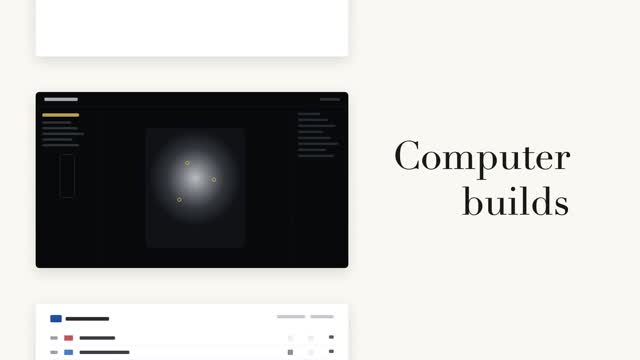
Tiếp sức từ với cuộn phim trang
Cột trái các thẻ trang đen trắng cuộn theo bước, bên phải từ lớn chữ serif tiếp sức tại chỗ (danh từ cố định + động từ luân phiên) — chỉ khi đổi từ mới cuộn một bước, khớp chính xác điểm giữa thẻ trang hiện tại.

Cuộn từ dọc theo nhịp
Từ cuối câu đổi trên cuộn dọc, 3 lần đổi từ mỗi lần 0.55s, nhanh trước chậm sau kèm hơi overshoot; các dòng lân cận nhòe dọc và xám dần theo khoảng cách, từ ở giữa vừa đậu liền nhuộm từ xám sang màu nhấn.

Hai cách tiết lộ code song song
Cùng một khối code tô cú pháp được tiết lộ hai cách song song — trái: stagger cấp dòng mờ vào nổi lên 8px, phải: gõ từng ký tự nhưng giữ nguyên màu token gốc, con trỏ vuông #3a4468 đệm dưới ký tự hiện tại.