Motion · Rhythm
Sakuga timing shift
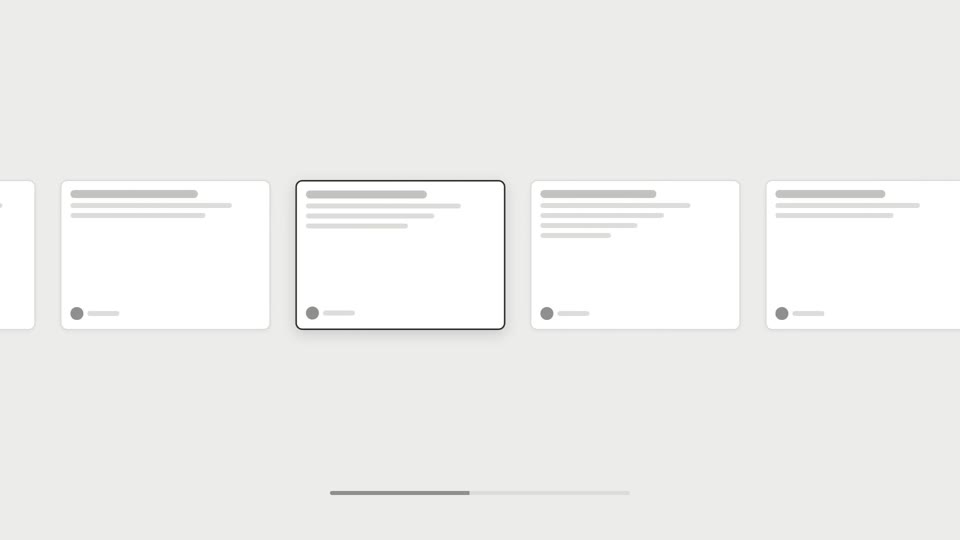
On-3s cuts to on-1s — an element moves in choppy 3-frame steps, then snaps to buttery frame-by-frame speed at the climax.
Source: video-shotcraft (Vincent Wei) ↗ · Apache-2.0 · Remotion composition (React/TSX) — preview video, no in-browser player
When to use
Emphatic movement for a single element (a card entrance, a metric sprinting to the finish); sections that need a "handmade feel → climax burst" contrast
Intention
The library already has speed-ramp for continuous speed changes and hit-counter for a localized hitch. This card is different — it changes the frame rate itself, not the speed: during the choppy section, the driving frame is q=floor(f/3)*3, so the element only moves once every 3 frames (a 10fps flip-book feel); at the switch point it starts driving off the raw f frame by frame for a buttery sprint. The chunky threes and the smooth ones cut together in the same shot — this is the "shooting on 3s / on 1s" performance technique from Japanese animation. The choppy section isn't cheap, it's handmade-feeling, and the switch point itself is the climax marker.
Duration & energy
- Duration: ~5s
- Energy: Medium-high
Shot recipe (original Chinese — timing, easing, parameter table, known pitfalls)
意图
库内时间轴操纵已有 speed-ramp 连续变速与 hit-counter 的局部顿帧。 本卡是另一种——改的不是速度是帧率本身: 顿挫段驱动帧 q=floor(f/3)*3,元素每 3 帧才动一步(10fps 手翻书), 切换帧起改用原始 f 逐帧驱动,丝滑冲刺。一拍三的钝与一拍一的滑 同屏对切,日式作画的拍数演出(shooting on 3s / on 1s)。顿挫段 不是低级感是手工感,切换点即高潮标记。
动效核心
- 顿挫段:q = Math.floor(f/3)*3 当驱动帧,位置线性 X 120→1380,
每步 ≈79px;姿势 sin(q) rotate ±5°,一步一个样
- f48 切换:改原始 f 连续驱动,Easing.out(poly(4)) 高初速冲刺
折返中央 + 过冲 36px + 3f scaleX 0.9 回弹急停
- 冲刺段运动拉伸由位置差分速度驱动(scaleX 峰值 ≈1.35 /
scaleY 0.88),残影 2 层条件挂载——速度低即摘除,非 opacity 0
- 角标 "on 3s"/"on 1s" 随段切换,切换瞬间 pop 1.35×;角标
line-boil 用 h() 伪随机、f=108 后冻结
- f108–150 真静止 42f,全画面无任何动画
参数表
| 参数 | 典型值 | 调节手感 | |------|--------|----------| | 拍数 | 顿挫段 floor(f/3)(一拍三) | /2 顿感不足、/4 以上读作播放器卡死 | | 每步位移 | ≈79px(总程 ÷ 步数倒推) | <30px 读作卡顿掉帧不是顿挫——命门 | | 步间姿势 | sin(q) rotate ±5° | 无姿势变化的纯位移顿挫像 bug 不像手翻书 | | 切换帧 | f48(顿挫:冲刺 ≈ 3:2) | 切换必须一帧完成,任何补间都毁掉"换拍"感 | | 冲刺缓动 | Easing.out(poly(4)) + 过冲 36px + 3f 回弹 | 初速要猛,与顿挫段拉满反差 | | 收尾 | 真静止 ≥42f,角标沸腾同步冻结 | 沸腾残留毁真静止(feTurbulence 摘罩判例同族) |
已知坑
- demo 在灰阶/占位素材上调校通过——参数是调校起点非实战定稿,
首次实战须以真实素材回验
- 同一镜头单一时间操纵者判例:与 speed-ramp / hit-counter 顿帧
互斥,一个镜头只能有一个人动时间轴
- 顿挫段每步位移 ≥30px 才读得出"顿"——微步顿挫读作渲染掉帧,
这是本卡命门;步幅不够就缩短总时长换大步幅
- 切换点必须有标注(角标 "on 3s"→"on 1s" 或一声打点,
sound-design §4.5)——无标注观众只觉得"变快了",读不出"换拍"
参考实现
demos/rhythm/sakuga-timing-shift/ (SakugaTimingShift.tsx)
Reference implementation (Remotion)
- demos/rhythm/sakuga-timing-shift/SakugaTimingShift.tsx — https://raw.githubusercontent.com/Vincentwei1021/video-shotcraft/main/demos/rhythm/sakuga-timing-shift/SakugaTimingShift.tsx
The component imports shared fixtures from demos/_fixtures and helpers from assets/lib in the repo; SKILL.md there documents the render workflow.
Everything on this page is also machine-readable. Point your agent at the JSON, or add the gimgs MCP server and ask it to search motion templates.
- Fetch the JSON — it holds the shot recipe (timing, easing, parameter table, pitfalls) and the full TSX source.
- Clone the video-shotcraft repo; the component imports shared fixtures from demos/_fixtures and helpers from assets/lib.
- Register the component as a <Composition> in a Remotion project and render with `npx remotion render`, or re-implement the recipe in your own engine.
curl -s https://gimgs.net/motion/sakuga-timing-shift.jsongit clone https://github.com/Vincentwei1021/video-shotcraft
# component: demos/rhythm/sakuga-timing-shift/SakugaTimingShift.tsx
npx remotion render <CompositionId> out.mp4claude mcp add --transport http gimgs https://gimgs.net/mcp
# then: search_motion_templates / get_motion_template("sakuga-timing-shift")Prompt
Use the video-shotcraft shot recipe "Sakuga timing shift" (Remotion composition, Apache-2.0) published on gimgs.net.
Recipe JSON (prompt = timing/easing/parameter table/pitfalls, files = TSX source): https://gimgs.net/motion/sakuga-timing-shift.json
Raw TSX: https://gimgs.net/motion/sakuga-timing-shift/template.html
Repository: https://github.com/Vincentwei1021/video-shotcraft  (component: demos/rhythm/sakuga-timing-shift/SakugaTimingShift.tsx; imports demos/_fixtures and assets/lib)
Spec: 1920x1080, 30 fps, 5.06s

1. Read the JSON and follow its "prompt" section (when to use, intention, parameter table, known pitfalls).
2. Adapt it for: <describe what you want>.
3. Either clone the repo, register the component as a <Composition> in a Remotion project and run npx remotion render <CompositionId> out.mp4 — or re-implement the recipe in your own engine (HTML/WAAPI works: keep the same timing and easing).
// ===== demos/rhythm/sakuga-timing-shift/SakugaTimingShift.tsx =====
// sakuga-timing-shift —— 一拍三转一拍一(作画打拍切换)
// 0–48f:驱动帧 q = floor(f/3)*3,卡从左侧顿挫横移到右侧(10fps 手翻书感),
// 每步 ≈74px + rotate 摆动 = 一拍三的钝感;48f 切换点后改用原始 f 连续驱动,
// 48–75f 丝滑冲刺折返中央(out-poly(4) 高初速 + 运动拉伸 scaleX + 残影),
// 过冲 36px 后 3f 回弹落位。左上角标 "on 3s"/"on 1s" 随段切换并带 line-boil
// (boil 在 f=108 后冻结)。收尾真静止 ≥40f。
import React from 'react';
import { useCurrentFrame, interpolate, Easing } from 'remotion';
import { G, Card, TitleBlock } from '../../_fixtures/Fixtures';

const W = 1920;
const CARD_W = 420;
const CARD_H = 260;
const CARD_Y = (1080 - CARD_H) / 2; // 410

const X_LEFT = 120;
const X_RIGHT = 1380; // 卡左缘,右侧停点
const X_CENTER = (W - CARD_W) / 2; // 750,中央落位
const OVERSHOOT = 36;

const SWITCH = 48; // 打拍切换帧
const ARRIVE = 70; // 冲刺到过冲点
const SETTLE = 75; // 回弹落位完成

// 段一:一拍三。位置函数线性,但只在 q = floor(f/3)*3 上取值。
const pos1 = (t: number): number =>
  interpolate(t, [0, SWITCH], [X_LEFT, X_RIGHT], {
    extrapolateLeft: 'clamp',
    extrapolateRight: 'clamp',
  });

// 段二:一拍一。out-poly(4) 高初速冲刺 → 过冲 → 3f 回弹。
const pos2 = (t: number): number =>
  interpolate(t, [SWITCH, ARRIVE, SETTLE], [X_RIGHT, X_CENTER - OVERSHOOT, X_CENTER], {
    easing: Easing.out(Easing.poly(4)),
    extrapolateLeft: 'clamp',
    extrapolateRight: 'clamp',
  });

export const SakugaTimingShift: React.FC = () => {
  const f = useCurrentFrame();
  const onThrees = f < SWITCH;

  // ---- 卡片位置 ----
  const q = Math.floor(f / 3) * 3; // 一拍三驱动帧
  const x = onThrees ? pos1(q) : pos2(f);

  // 顿挫段 rotate 摆动(随 q 冻结,一步一个姿势)
  const rot = onThrees
    ? Math.sin(q * 0.7) * 5
    : interpolate(f, [SWITCH, SWITCH + 8], [Math.sin(SWITCH * 0.7) * 5, 0], {
        extrapolateLeft: 'clamp',
        extrapolateRight: 'clamp',
      });

  // 冲刺段速度(位置差分,帧时间解耦)→ 运动拉伸
  const v = onThrees ? 0 : Math.abs(pos2(f) - pos2(f - 1));
  const sFac = Math.min(v / 55, 1);
  const stretchX = 1 + 0.35 * sFac; // 峰值 ≈1.35,横向拉丝
  const stretchY = 1 - 0.12 * sFac;

  // 落位急停回弹:72–78f scaleX 压扁再回 1
  const sqX = interpolate(f, [SETTLE - 3, SETTLE, SETTLE + 3], [1, 0.9, 1], {
    easing: Easing.out(Easing.cubic),
    extrapolateLeft: 'clamp',
    extrapolateRight: 'clamp',
  });
  const sqY = interpolate(f, [SETTLE - 3, SETTLE, SETTLE + 3], [1, 1.07, 1], {
    easing: Easing.out(Easing.cubic),
    extrapolateLeft: 'clamp',
    extrapolateRight: 'clamp',
  });

  // 冲刺残影:只在段二速度高时挂载(条件挂载,不留 opacity 0 的壳)
  const ghosts =
    !onThrees && f > SWITCH + 1 && f < ARRIVE + 2 && sFac > 0.15
      ? [
          { xg: pos2(f - 2), op: 0.28 * sFac },
          { xg: pos2(f - 4), op: 0.13 * sFac },
        ]
      : [];

  // ---- 角标 "on 3s" / "on 1s",line-boil,f=108 后冻结 ----
  const h = (n: number) => {
    const s = Math.sin(n * 127.3) * 43758.5453;
    return s - Math.floor(s);
  };
  const qb = Math.min(Math.floor(f / 4) * 4, 108); // boil 驱动帧,108 后冻结
  const bx = (h(qb + 1) - 0.5) * 7;
  const by = (h(qb + 2) - 0.5) * 7;
  const brot = (h(qb + 3) - 0.5) * 3;
  // 切换瞬间角标弹一下
  const pop = interpolate(f, [SWITCH, SWITCH + 3, SWITCH + 9], [1, 1.35, 1], {
    easing: Easing.out(Easing.cubic),
    extrapolateLeft: 'clamp',
    extrapolateRight: 'clamp',
  });

  const titleOp = interpolate(f, [0, 10], [0, 1], {
    extrapolateLeft: 'clamp',
    extrapolateRight: 'clamp',
  });

  return (
    <div style={{ width: 1920, height: 1080, background: G.bg, position: 'relative', overflow: 'hidden' }}>
      <div style={{ position: 'absolute', top: 90, width: '100%', textAlign: 'center', opacity: titleOp }}>
        <TitleBlock text="SAKUGA TIMING SHIFT" size={64} />
      </div>

      {/* 轨道基线 + 中央落位虚线槽 */}
      <div
        style={{
          position: 'absolute',
          left: 100,
          right: 100,
          top: CARD_Y + CARD_H + 24,
          height: 3,
          background: G.line,
          borderRadius: 2,
        }}
      />
      <div
        style={{
          position: 'absolute',
          left: X_CENTER,
          top: CARD_Y,
          width: CARD_W,
          height: CARD_H,
          border: `3px dashed ${G.bar}`,
          borderRadius: 14,
          boxSizing: 'border-box',
        }}
      />

      {/* 冲刺残影 */}
      {ghosts.map((g, i) => (
        <div
          key={`ghost-${i}`}
          style={{ position: 'absolute', left: 0, top: CARD_Y, opacity: g.op, transform: `translateX(${g.xg}px)` }}
        >
          <Card w={CARD_W} h={CARD_H} seed={4} />
        </div>
      ))}

      {/* 主卡 */}
      <div
        style={{
          position: 'absolute',
          left: 0,
          top: CARD_Y,
          transform: `translateX(${x}px) rotate(${rot}deg) scaleX(${stretchX * sqX}) scaleY(${stretchY * sqY})`,
          transformOrigin: '50% 50%',
        }}
      >
        <Card w={CARD_W} h={CARD_H} seed={4} />
      </div>

      {/* 角标:on 3s / on 1s */}
      <div
        style={{
          position: 'absolute',
          left: 120,
          top: 160,
          transform: `translate(${bx}px, ${by}px) rotate(${brot}deg) scale(${pop})`,
          transformOrigin: '0% 50%',
          fontFamily: 'Courier New, monospace',
          fontWeight: 700,
          fontSize: 84,
          color: G.ink,
          borderBottom: `6px solid ${G.ink}`,
          paddingBottom: 6,
        }}
      >
        {onThrees ? 'on 3s' : 'on 1s'}
      </div>
    </div>
  );
};
- Read the recipePrompt = when to use, intention, parameter table with typical values and how each one feels, known pitfalls. Treat values as calibrated starting points.
- Get the codetool: git
git clone https://github.com/Vincentwei1021/video-shotcraft && cd video-shotcraft && npm install - Register + rendertool: remotion
npx remotion render <CompositionId> out.mp4 # component: demos/rhythm/sakuga-timing-shift/SakugaTimingShift.tsx - Or re-implementPort the timing/easing from the recipe to HTML + WAAPI (gimgs motion contract) or any engine; keep the same segment windows and easing.
| param | type | default | description |
|---|---|---|---|
| — | |||
More in this category

Trailer grammar: three beats
Three trailer-grammar moves — trailer-bumper, a fast-cut hook up front; card-footage-cadence, text cards interleaved with dialogue footage; smash-cut, a slam into stillness.
Speed ramp and freeze-annotate
Two frame-remap pacing moves — speed-ramp (fast → 0.2x gaze → fast) and freeze-annotate (flowing → freeze with a circled callout → unfreeze).

Spectrum-morph underline
Spectrum UI morph — the title underline splits into vertical bars that pulse like a spectrum for two bars, then closes back into a straight line; music visualization living inside the UI.

Smear-frame afterimages
Afterimage smear — a card drags 4 crisp, countable clones while panning fast, merging into one on landing; an animated take on motion blur.