Motion · Typography
Two-word standoff converge
Two-word standoff converge — left "NEW" and a right feature word pinned at equal screen margins hard-cutting through rotation with zero shrink, until the last word eases to center once and locks into a phrase, with small text appearing almost as a hard cut below.
Source: video-shotcraft (Vincent Wei) ↗ · Apache-2.0 · Remotion composition (React/TSX) — preview video, no in-browser player
When to use
A passage that resolves a feature list into the product name/slogan ("NEW × a string of features → NEW <product name>"); launch-style recaps, version-number reveals
Intention
Two words camped left and right look like a table of contents facing off; the viewer assumes it's just a rotating caption — until the last word settles and they realize left and right were the same sentence's two halves all along, the single continuous converge retroactively reframes the whole rotation as "suspense setup." The linchpin is pinning: during the rotation both words' positions stay fixed to the pixel, and the left/right screen margins stay exactly equal (measured at 412 vs 413 @1280 in the original film); any gradual shrink would spoil the converge early and dilute the reveal into a progress bar. The converge is allowed to happen only once, and must come after the last word — this is a closing reveal, not continuous motion.
Duration & energy
- Duration: Rotation 7–16f/word × 8–9 words + converge ~36f + small text settles after; whole passage ~5–6s
- Energy: Medium-low (a machine-like rhythm, a spec-sheet small-text temperament, not a slam)
Shot recipe (original Chinese — timing, easing, parameter table, known pitfalls)
意图
两词分踞左右像目录页对峙,观众以为只是轮换字幕;直到最后一词 停稳才发现左右其实是同一句话的两半——唯一一次连续合拢把整段 轮换追认为"悬念铺垫"。命门是钉死:轮换期两词位置一像素不动、 左右屏边距完全相等(原片实测 412 vs 413@1280),任何渐进收缩都会 提前剧透合拢、把揭晓稀释成进度条。合拢只许发生一次,且必须在 最后一词之后——这是收尾揭晓,不是持续动效。
动效核心
- 左词左缘、右词右缘各自钉死在等屏边距处(原片实测 412/413px
@1280,×1.5 → 618/1302@1920);右词换长换短一律右缘定位
- 词轮换纯硬切,停留帧数不均(16/12/9/8/7/8/10/12f,机器节奏
带人味);轮换全程间距零收缩(判例:渐进收缩版被用户驳回重做)
- 唯一一次合拢:末词停稳 ~10f 后,~1.2s(36f)ease-in-out
(cubic)连续滑动,两词滑到以屏幕中线居中定格
- 合拢终点按等宽字体实际步进算(0.6em+letterSpacing × 字符数),
两词恰好一空格咬合,无重叠无缝隙;无 stamp 缩放、无二次补偿移动
- 定格 ~18f 后斜体小字近乎硬切浮现(4f 快淡、零位移),与整行
同左缘、字号同正文
参数表
| 参数 | 典型值 | 调节手感 | |------|--------|----------| | 屏边距 | 618px@1920(原片实测 412/413@1280 ×1.5) | 左右差 >2px 读作没对齐;边距是本卡身份,别改成黄金分割 | | 词停留 | 7–16f 不均 | 均匀停留读作节拍器;<7f 读不完词 | | 合拢触发 | 末词停稳 +10f(原片 32.4→32.7s 实测) | 停稳期太短,观众没意识到"这词不换了"就开始滑 | | 合拢时长 | 36f ease-in-out cubic(原片实测 ~1.2s 连续滑动) | <24f 读作弹跳归位;>50f 读作拖 | | 咬合步进 | 0.6em+letterSpacing/字符,等宽字体 | 非等宽字体步进不可预测,会重叠或漏缝 | | 字号 | 42@1080p(原片实测字高 ~20/720) | 这段是小字规格清单气质,放大到 60+ 就成了砸字(去用 cel-flash-stomp) | | 小字浮现 | 定格 +18f,4f 快淡零位移(原片 34.4→34.6s 间直接出现) | 加滑入/长淡入就抢了合拢的戏 |
已知坑
- demo 在灰阶/占位素材上调校通过——参数是调校起点非实战定稿,
首次实战须以真实素材回验
- 与 type-rhythm-sync(字属性节拍)/beat-cut-moves(硬切节拍)撞
领域:那两张是"轮换本身即内容";本卡命门是位置钉死 + 末次合拢 的收尾揭晓,轮换只是铺垫。若段落没有"合拢揭晓"就别用本卡
- 合拢只许一次——每切一词收一档的渐进收缩版已被原片对照证伪并
删除,别复活
- 必须等宽字体(demo 用 SF Mono);比例字体下咬合终点算不准
- 与原片残余差距:原片词换瞬间带 1 帧亮度闪烁(打字机换行感),
demo 是纯硬切;实战可选加回但闪烁 >1f 会读作故障
参考实现
demos/typography/text-column-converge/ (TextColumnConverge.tsx) 原片出处:raycast-teams.mp4 28–36s
Reference implementation (Remotion)
- demos/typography/text-column-converge/TextColumnConverge.tsx — https://raw.githubusercontent.com/Vincentwei1021/video-shotcraft/main/demos/typography/text-column-converge/TextColumnConverge.tsx
The component imports shared fixtures from demos/_fixtures and helpers from assets/lib in the repo; SKILL.md there documents the render workflow.
Everything on this page is also machine-readable. Point your agent at the JSON, or add the gimgs MCP server and ask it to search motion templates.
- Fetch the JSON — it holds the shot recipe (timing, easing, parameter table, pitfalls) and the full TSX source.
- Clone the video-shotcraft repo; the component imports shared fixtures from demos/_fixtures and helpers from assets/lib.
- Register the component as a <Composition> in a Remotion project and render with `npx remotion render`, or re-implement the recipe in your own engine.
curl -s https://gimgs.net/motion/text-column-converge.jsongit clone https://github.com/Vincentwei1021/video-shotcraft
# component: demos/typography/text-column-converge/TextColumnConverge.tsx
npx remotion render <CompositionId> out.mp4claude mcp add --transport http gimgs https://gimgs.net/mcp
# then: search_motion_templates / get_motion_template("text-column-converge")Prompt
Use the video-shotcraft shot recipe "Two-word standoff converge" (Remotion composition, Apache-2.0) published on gimgs.net.
Recipe JSON (prompt = timing/easing/parameter table/pitfalls, files = TSX source): https://gimgs.net/motion/text-column-converge.json
Raw TSX: https://gimgs.net/motion/text-column-converge/template.html
Repository: https://github.com/Vincentwei1021/video-shotcraft  (component: demos/typography/text-column-converge/TextColumnConverge.tsx; imports demos/_fixtures and assets/lib)
Spec: 1920x1080, 30 fps, 6.72s

1. Read the JSON and follow its "prompt" section (when to use, intention, parameter table, known pitfalls).
2. Adapt it for: <describe what you want>.
3. Either clone the repo, register the component as a <Composition> in a Remotion project and run npx remotion render <CompositionId> out.mp4 — or re-implement the recipe in your own engine (HTML/WAAPI works: keep the same timing and easing).
// ===== demos/typography/text-column-converge/TextColumnConverge.tsx =====
// text-column-converge —— raycast-teams(实测素材 28–36s 段)重做版:
// 原片测量(1280 宽):NEW 左缘钉死 x=412,特性词右缘钉死 x=867,
// 两词到左右屏边距相等(412 vs 413),轮换期间间距完全不收缩;
// 词换到 RAYCAST 后才发生唯一一次合拢——约 1.2s ease-in-out 连续滑动
// (左缘 412→554 / 右缘 867→725),"NEW RAYCAST" 以屏幕中线居中定格;
// 定格后约 0.6s,斜体 "COMING 2026" 在下方近乎硬切浮现。
import React from 'react';
import { AbsoluteFill, Easing, interpolate, useCurrentFrame } from 'remotion';

// 词轮换表:停留帧数不均(机器节奏),全程钉在右缘,不做间距收缩
const STEPS: { word: string; dur: number }[] = [
  { word: 'LAUNCHER DESIGN', dur: 16 },
  { word: 'COMPACT MODE', dur: 12 },
  { word: 'HOTKEY RECORDER', dur: 9 },
  { word: 'HOTKEY TYPES', dur: 8 },
  { word: 'VOICE FEATURES', dur: 7 },
  { word: 'SETTINGS DESIGN', dur: 8 },
  { word: 'AI CHAT', dur: 10 },
  { word: 'FILE SEARCH', dur: 12 },
  { word: 'RAYCAST', dur: 999 }, // 最后一词:停稳后触发唯一一次合拢
];

const START = 8; // 开场黑场立静

// 原片 1280 宽 → 1920 宽换算(×1.5)
const NEW_LEFT_EDGE = 618; // 412×1.5:NEW 左缘(= 左屏边距)
const WORD_RIGHT_EDGE = 1302; // 868×1.5:特性词右缘(= 右屏边距,1920-1302=618 对称)

const FS = 42; // 原片字高很小(720p 下 cap ~20px → 1080p ~30px → 字号 ~42)
const LSP = 3; // letterSpacing
// 合拢终点按本字体实际步进计算(监视器等宽:0.6em + letterSpacing),
// 保证 "NEW RAYCAST" 恰好一个空格咬合、整行居中于 960,不会重叠
const ADV = 0.6 * FS + LSP; // 每字符步进
const LINE_W = 11 * ADV; // "NEW RAYCAST" 共 11 字符
const MERGED_LEFT = 960 - LINE_W / 2; // 合拢后 NEW 左缘
const MERGED_RIGHT = 960 + LINE_W / 2; // 合拢后 RAYCAST 右缘
const CONVERGE_DUR = 36; // 合拢时长:原片 ~1.2s ≈ 36 帧
const CONVERGE_DELAY = 10; // RAYCAST 停稳后先静置 10 帧再合拢(原片 32.4→32.7s)
const SUB_DELAY = 18; // 合拢定格后 ~0.6s 出斜体小字

export const TextColumnConverge: React.FC = () => {
  const f = useCurrentFrame();
  const t = f - START;

  // 定位当前步
  let acc = 0;
  let idx = 0;
  let stepStart = 0;
  for (let i = 0; i < STEPS.length; i++) {
    if (t >= acc) { idx = i; stepStart = acc; }
    acc += STEPS[i].dur;
  }
  const cur = STEPS[idx];
  const isLast = idx === STEPS.length - 1;
  const local = t - stepStart;

  // 唯一一次合拢:RAYCAST 停稳 CONVERGE_DELAY 帧后,ease-in-out 连续滑动
  const cvT = isLast ? local - CONVERGE_DELAY : -1;
  const cv = interpolate(cvT, [0, CONVERGE_DUR], [0, 1], {
    extrapolateLeft: 'clamp', extrapolateRight: 'clamp',
    easing: Easing.inOut(Easing.cubic),
  });

  // NEW 左缘:618 → 831;特性词右缘:1302 → 1088
  const newLeft = interpolate(cv, [0, 1], [NEW_LEFT_EDGE, MERGED_LEFT]);
  const wordRight = interpolate(cv, [0, 1], [WORD_RIGHT_EDGE, MERGED_RIGHT]);

  const converged = cv >= 1;

  // 斜体小字:合拢定格后 SUB_DELAY 帧,近乎硬切(4 帧快速淡入,无位移)
  const subT = converged ? cvT - CONVERGE_DUR - SUB_DELAY : -1;
  const subOp = interpolate(subT, [0, 4], [0, 1], {
    extrapolateLeft: 'clamp', extrapolateRight: 'clamp',
  });

  const visible = t >= 0;

  const font: React.CSSProperties = {
    fontFamily: '"SF Mono", Menlo, monospace',
    fontWeight: 500,
    fontSize: FS,
    letterSpacing: 3,
    color: '#f2f2f4',
    whiteSpace: 'nowrap',
    lineHeight: 1,
  };

  return (
    <AbsoluteFill style={{ background: '#050506', overflow: 'hidden' }}>
      {visible && (
        <div style={{ position: 'absolute', inset: 0 }}>
          {/* NEW:左缘定位(轮换期间钉死在左屏边距处) */}
          <div style={{
            ...font, position: 'absolute',
            left: newLeft, top: 519,
          }}>
            NEW
          </div>
          {/* 特性词:右缘定位(词换长换短,右缘不动) */}
          <div style={{
            ...font, position: 'absolute',
            right: 1920 - wordRight, top: 519,
          }}>
            {cur.word}
          </div>

          {/* 斜体小字:合拢后在整行正下方浮现,与整行同左缘 */}
          <div style={{
            ...font,
            fontStyle: 'italic',
            color: '#d8d8dc',
            position: 'absolute',
            left: MERGED_LEFT, top: 519 + FS + 14,
            opacity: subOp,
          }}>
            COMING 2026
          </div>
        </div>
      )}
    </AbsoluteFill>
  );
};
- Read the recipePrompt = when to use, intention, parameter table with typical values and how each one feels, known pitfalls. Treat values as calibrated starting points.
- Get the codetool: git
git clone https://github.com/Vincentwei1021/video-shotcraft && cd video-shotcraft && npm install - Register + rendertool: remotion
npx remotion render <CompositionId> out.mp4 # component: demos/typography/text-column-converge/TextColumnConverge.tsx - Or re-implementPort the timing/easing from the recipe to HTML + WAAPI (gimgs motion contract) or any engine; keep the same segment windows and easing.
| param | type | default | description |
|---|---|---|---|
| — | |||
More in this category

Word relay geometry
Three benefit words each carry their own dedicated geometry relay — a dashed circle spins and shrinks → three solid circles trim-grow in sequence → a metallic sheen sweeps then collapses to pure white; each new word outlines then fills in.
Word relay filmstrip
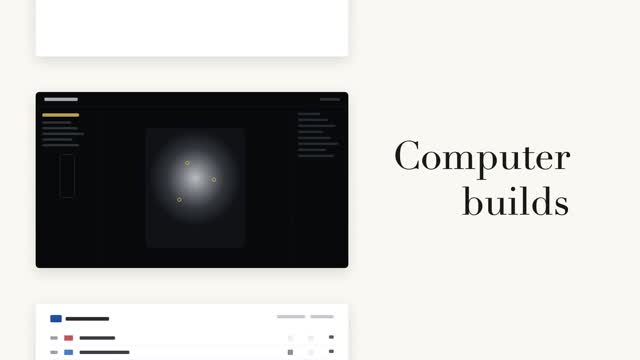
A left column of black-and-white page cards steps forward while a serif big word on the right relays in place (a fixed noun + a cycling verb) — the column steps only when the word changes, aligned to the current page card's midpoint.

Vertical word-roll cycle
The sentence's last word cycles on a vertical roller, 3 swaps at 0.55s each, fast then very slow with a slight overshoot; neighboring rows carry vertical blur and grayscale by distance, the centered word snapping from gray to accent color as it lands.

Two code reveals, side by side
The same syntax-highlighted code reveals two ways side by side — left: line-level stagger fading up 8px, right: character-by-character typing keeping each token's original color, with a #3a4468 block cursor on the current character.