Motion · Câmera
Crash Zoom Punch
A wide shot crash-zooms to a target close-up in one beat (6f), landing either with a bounce overshoot (elastic) or a hard stop with screen shake (weighty).
Fonte: video-shotcraft (Vincent Wei) ↗ · Apache-2.0 · Composição Remotion (React/TSX) — vídeo de prévia, sem player no navegador
When to use
A "calling out" shot for feature segments — snapping the viewer's eye onto a target card/module in one beat; use the hard-stop version for emphasis.
Intention
A slow push-in (spotlight-hero-card) says "please look"; a crash zoom says "look at this!" — going from wide to close-up in a single beat leaves the eye no choice. The landing has two textures to pick from: a bounce-back is elastic ("look at this"), a hard stop with screen shake is weighty ("this is it") — choose by emphasis level.
Duration & energy
- Duration: About 0.5s of motion plus hold before/after (motion 6–11f, pre-hold ≥30f to establish the wide shot, post-hold ≥45f to read the close-up).
- Energy: High (instantaneous impact, not sustained high energy).
Shot recipe (original Chinese — timing, easing, parameter table, known pitfalls)
意图
慢推近(spotlight-hero-card)是"请看",急推是"看这个!"——一拍之内 从全景砸到特写,视线没有选择余地。落位质感分两款:回弹是弹性 ("看这个"),撞停震屏是重量("就是它"),按强调级选。
动效核心
- zoom 6f ease-in 急加速(如 1→2.6),cx/cy 同步 ease-in 收敛到目标中心
- 回弹款:zoom 过冲后 5f 回收 3–6%(2.6→2.45)
- 撞停款:到位帧起机位高频抖 + 指数衰减(amp 14px、τ≈1.8f、6f 收干),
不回弹
<CameraMotionBlur shutterAngle={200} samples={20}>只包急推段
(撞停震屏段保持清晰抖动);采样按"回波间距 ≤ 字高"配(轮 A 判例)
参数表
| 参数 | 典型值 | 调节手感 | |------|--------|----------| | 急推时长 | 6f(4–8f) | >10f 读作普通推近,冲击感消失 | | 目标 zoom | 2.4–2.8 | 终点构图以目标卡占画面 60–75% 为准 | | 回弹幅度 | zoom 的 3–6% | 过大读作弹簧玩具 | | 震屏包络 | 14px·e^(−t/1.8) | 幅度须过肉眼阈值(可感性判例),>20px 读作故障 |
已知坑
- 终点必须是高清纹理槽位(card4-hires 级)——急推后全程特写它,
低倍截图糊字(Q2);终点先按 Q2 的高分辨率栅格化技法处理
- 两款别混用:回弹后再震屏读作穿帮;一支片急推 ≤2 次(P4 手法去重精神)
- 参数经占位素材调校转正,非实战定稿,首次实战后回验
参考实现
demos/camera/crash-zoom-punch/ (CrashImpactReal.tsx / CrashZoomReal.tsx)
Reference implementation (Remotion)
- demos/camera/crash-zoom-punch/CrashImpactReal.tsx — https://raw.githubusercontent.com/Vincentwei1021/video-shotcraft/main/demos/camera/crash-zoom-punch/CrashImpactReal.tsx
- demos/camera/crash-zoom-punch/CrashZoomReal.tsx — https://raw.githubusercontent.com/Vincentwei1021/video-shotcraft/main/demos/camera/crash-zoom-punch/CrashZoomReal.tsx
The component imports shared fixtures from demos/_fixtures and helpers from assets/lib in the repo; SKILL.md there documents the render workflow.
Tudo nesta página também é legível por máquina. Aponte seu agente para o JSON ou adicione o servidor MCP do gimgs e peça para buscar templates de motion.
- Baixe o JSON — contém a receita do plano (timing, easing, tabela de parâmetros, armadilhas) e o código TSX completo.
- Clone o repositório video-shotcraft; o componente importa fixtures de demos/_fixtures e helpers de assets/lib.
- Registre o componente como <Composition> em um projeto Remotion e renderize com `npx remotion render`, ou reimplemente a receita no seu próprio engine.
curl -s https://gimgs.net/motion/crash-zoom-punch.jsongit clone https://github.com/Vincentwei1021/video-shotcraft
# component: demos/camera/crash-zoom-punch/CrashImpactReal.tsx, demos/camera/crash-zoom-punch/CrashZoomReal.tsx
npx remotion render <CompositionId> out.mp4claude mcp add --transport http gimgs https://gimgs.net/mcp
# then: search_motion_templates / get_motion_template("crash-zoom-punch")Prompt
Use the video-shotcraft shot recipe "Crash Zoom Punch" (Remotion composition, Apache-2.0) published on gimgs.net.
Recipe JSON (prompt = timing/easing/parameter table/pitfalls, files = TSX source): https://gimgs.net/motion/crash-zoom-punch.json
Raw TSX: https://gimgs.net/motion/crash-zoom-punch/template.html
Repository: https://github.com/Vincentwei1021/video-shotcraft  (component: demos/camera/crash-zoom-punch/CrashImpactReal.tsx, demos/camera/crash-zoom-punch/CrashZoomReal.tsx; imports demos/_fixtures and assets/lib)
Spec: 1920x1080, 30 fps, 4.05s

1. Read the JSON and follow its "prompt" section (when to use, intention, parameter table, known pitfalls).
2. Adapt it for: <describe what you want>.
3. Either clone the repo, register the component as a <Composition> in a Remotion project and run npx remotion render <CompositionId> out.mp4 — or re-implement the recipe in your own engine (HTML/WAAPI works: keep the same timing and easing).
// ===== demos/camera/crash-zoom-punch/CrashImpactReal.tsx =====
// crash-impact 急推撞停——同 crash-zoom 的急推,到位瞬间不回弹而是
// 撞停震屏:高频抖 + 指数衰减 6f,然后真静止。对比点:重量感 vs 弹性感。
import { AbsoluteFill, Img, interpolate, staticFile, useCurrentFrame, Easing } from 'remotion';
import { CameraMotionBlur } from '@remotion/motion-blur';
import layout from '../../_textures/live-layout.json';

export const CRASHIMPACT_DUR = 120;

const TARGET = { cx: 960, cy: 772 };
const VIEW_Y = 180;
const HIT = 46;

const Scene: React.FC = () => {
  const frame = useCurrentFrame();
  const zoom = interpolate(frame, [40, HIT], [1, 2.5], {
    extrapolateLeft: 'clamp', extrapolateRight: 'clamp',
    easing: Easing.bezier(0.55, 0, 0.7, 1),
  });
  const cx = interpolate(frame, [40, HIT], [960, TARGET.cx], {
    extrapolateLeft: 'clamp', extrapolateRight: 'clamp', easing: Easing.in(Easing.quad),
  });
  const cy = interpolate(frame, [40, HIT], [VIEW_Y + 540, TARGET.cy], {
    extrapolateLeft: 'clamp', extrapolateRight: 'clamp', easing: Easing.in(Easing.quad),
  });
  // 撞停震屏:amp 14px 指数衰减 ~6f 收干(可感幅度,参考轮 #2 可感档)
  const since = frame - HIT;
  const env = since >= 0 ? 14 * Math.exp(-since / 1.8) : 0;
  const sx = env * Math.sin(since * 3.3);
  const sy = env * 0.7 * Math.sin(since * 4.1 + 0.9);
  return (
    <AbsoluteFill style={{ backgroundColor: '#f9f6f1', overflow: 'hidden' }}>
      <div
        style={{
          position: 'absolute', width: 1920, height: layout.projects.pageH,
          transform: `translate(${960 - cx * zoom + sx}px, ${540 - cy * zoom + sy}px) scale(${zoom})`,
          transformOrigin: '0 0',
        }}
      >
        <Img src={staticFile('textures/live/projects-full.png')} style={{ position: 'absolute', width: 1920 }} />
        <Img
          src={staticFile('textures/live/card4-hires.png')}
          style={{
            position: 'absolute',
            left: layout.projects.cards[3].x, top: layout.projects.cards[3].y,
            width: layout.projects.cards[3].w, height: layout.projects.cards[3].h,
          }}
        />
      </div>
    </AbsoluteFill>
  );
};

export const CrashImpactReal: React.FC = () => {
  const frame = useCurrentFrame();
  // blur 只包急推段;撞停震屏段保持清晰抖动
  return frame >= 38 && frame <= HIT ? (
    <CameraMotionBlur shutterAngle={200} samples={20}>
      <Scene />
    </CameraMotionBlur>
  ) : (
    <Scene />
  );
};


// ===== demos/camera/crash-zoom-punch/CrashZoomReal.tsx =====
// crash-zoom 急推——真实 projects 页全景一拍推到 card4(高清纹理槽位)。
// 节拍:0–40 全景 hold → 40–46 急推 6f(ease-in,峰值放大 2.6x)→
// 46–51 过冲回弹(2.6→2.45)→ 51–120 特写 hold 真静止。
// blur 只包 40–46 急推段(轮 A 规律:极速段 samples 20)。
import { AbsoluteFill, Img, interpolate, staticFile, useCurrentFrame, Easing } from 'remotion';
import { CameraMotionBlur } from '@remotion/motion-blur';
import layout from '../../_textures/live-layout.json';

export const CRASHZOOM_DUR = 120;

// card4 中心(页面空间):x=781+357/2≈960, y=616+312/2=772
const TARGET = { cx: 960, cy: 772 };
const VIEW_Y = 180; // 全景观察窗顶(页面 y)

const Scene: React.FC = () => {
  const frame = useCurrentFrame();
  const zoom = interpolate(frame, [40, 46, 51], [1, 2.6, 2.45], {
    extrapolateLeft: 'clamp', extrapolateRight: 'clamp',
    easing: Easing.bezier(0.55, 0, 0.7, 1),
  });
  const cx = interpolate(frame, [40, 46], [960, TARGET.cx], {
    extrapolateLeft: 'clamp', extrapolateRight: 'clamp', easing: Easing.in(Easing.quad),
  });
  const cy = interpolate(frame, [40, 46], [VIEW_Y + 540, TARGET.cy], {
    extrapolateLeft: 'clamp', extrapolateRight: 'clamp', easing: Easing.in(Easing.quad),
  });
  return (
    <AbsoluteFill style={{ backgroundColor: '#f9f6f1', overflow: 'hidden' }}>
      <div
        style={{
          position: 'absolute', width: 1920, height: layout.projects.pageH,
          transform: `translate(${960 - cx * zoom}px, ${540 - cy * zoom}px) scale(${zoom})`,
          transformOrigin: '0 0',
        }}
      >
        <Img src={staticFile('textures/live/projects-full.png')} style={{ position: 'absolute', width: 1920 }} />
        {/* 高清目标卡覆盖原位,放大后文字仍锐(Q2) */}
        <Img
          src={staticFile('textures/live/card4-hires.png')}
          style={{
            position: 'absolute',
            left: layout.projects.cards[3].x, top: layout.projects.cards[3].y,
            width: layout.projects.cards[3].w, height: layout.projects.cards[3].h,
          }}
        />
      </div>
    </AbsoluteFill>
  );
};

export const CrashZoomReal: React.FC = () => {
  const frame = useCurrentFrame();
  return frame >= 38 && frame <= 48 ? (
    <CameraMotionBlur shutterAngle={200} samples={20}>
      <Scene />
    </CameraMotionBlur>
  ) : (
    <Scene />
  );
};
- Read the recipePrompt = when to use, intention, parameter table with typical values and how each one feels, known pitfalls. Treat values as calibrated starting points.
- Get the codetool: git
git clone https://github.com/Vincentwei1021/video-shotcraft && cd video-shotcraft && npm install - Register + rendertool: remotion
npx remotion render <CompositionId> out.mp4 # component: demos/camera/crash-zoom-punch/CrashImpactReal.tsx, demos/camera/crash-zoom-punch/CrashZoomReal.tsx - Or re-implementPort the timing/easing from the recipe to HTML + WAAPI (gimgs motion contract) or any engine; keep the same segment windows and easing.
| param | type | default | description |
|---|---|---|---|
| — | |||
Mais nesta categoria
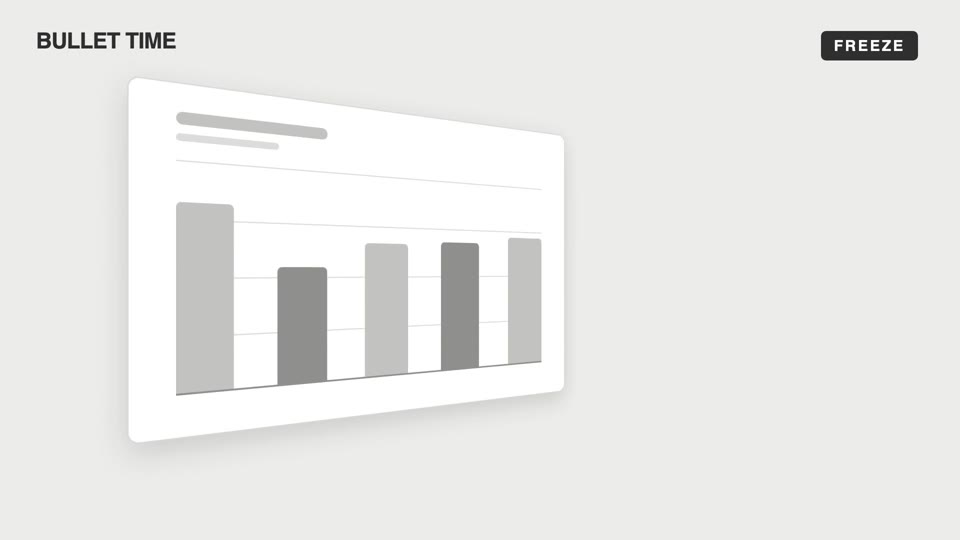
Emotional camera moves
Four emotional camera moves — bullet-time freeze-orbit, dutch-roll to level, slow-push-in, and pull-back isolation; the camera makes the viewer "feel" rather than "see."
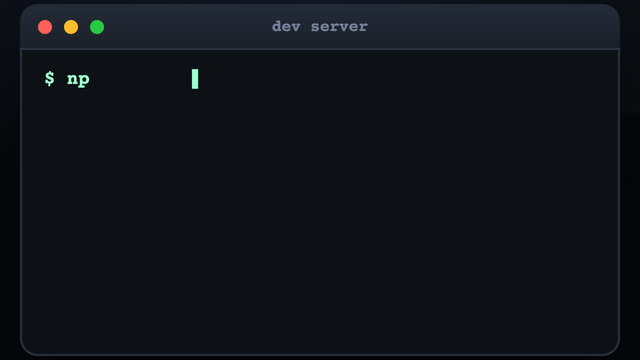
3D terminal flythrough
Three terminal windows scattered in 3D space; the camera flies between them with a sinusoidal pull-back en route, typing out a command at each stop as results slide out line by line.
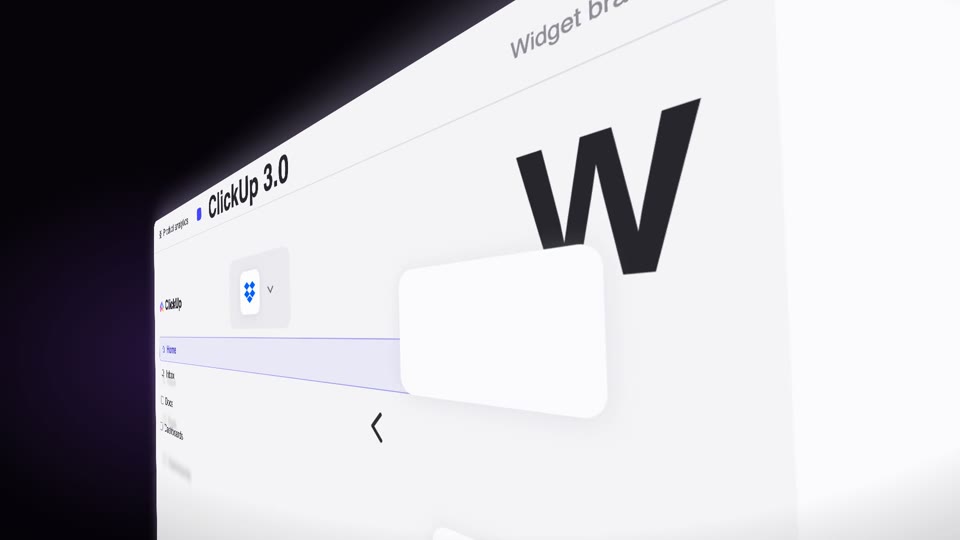
Steep-tilt page glide
A fixed camera holds an upright page in a strong 60° perspective tilt (near right, far left); the page glides sideways across the lens on its own (the object moves, not the camera), with speed-streak afterimages and floating text settling as it lifts from dark to light.

3D space camera moves
Two 3D spatial camera moves — exploded-view (parts blow apart along Z then reassemble) and drone-dive-landing (a drone dives and lands).