Motion · Camera
Zoom đấm áp sát mục tiêu
Toàn cảnh áp sát vào cận cảnh mục tiêu chỉ trong một nhịp (6f), điểm dừng chọn một trong hai — vọt quá bật lại (đàn hồi) hoặc dừng khựng rung màn hình (nặng đô).
Nguồn: video-shotcraft (Vincent Wei) ↗ · Apache-2.0 · Composition Remotion (React/TSX) — có video preview, không có player trong trình duyệt
Khi nào dùng
Cảnh "chỉ mặt" cho đoạn tính năng — ghim ánh nhìn người xem vào thẻ/module mục tiêu chỉ trong một nhịp; dùng bản dừng khựng cho cấp độ nhấn mạnh cao.
Ý đồ
Đẩy chậm cận cảnh (spotlight-hero-card) là "xin mời nhìn", zoom đấm là "nhìn cái này!" — từ toàn cảnh áp sát vào cận cảnh chỉ trong một nhịp, ánh nhìn không có lựa chọn nào khác. Chất cảm điểm dừng chia hai kiểu: bật lại là đàn hồi ("nhìn cái này"), dừng khựng rung màn hình là trọng lượng ("chính là nó") — chọn theo cấp độ nhấn mạnh.
Thời lượng & năng lượng
- Thời lượng: Khoảng 0.5s động tác cộng giữ hình trước/sau (động tác 6–11f, giữ trước ≥30f để dựng toàn cảnh, giữ sau ≥45f để đọc cận cảnh).
- Năng lượng: Cao (va chạm tức thời, không phải năng lượng cao kéo dài).
Công thức cảnh quay (bản gốc tiếng Trung — timing, easing, bảng tham số, lỗi hay gặp)
意图
慢推近(spotlight-hero-card)是"请看",急推是"看这个!"——一拍之内 从全景砸到特写,视线没有选择余地。落位质感分两款:回弹是弹性 ("看这个"),撞停震屏是重量("就是它"),按强调级选。
动效核心
- zoom 6f ease-in 急加速(如 1→2.6),cx/cy 同步 ease-in 收敛到目标中心
- 回弹款:zoom 过冲后 5f 回收 3–6%(2.6→2.45)
- 撞停款:到位帧起机位高频抖 + 指数衰减(amp 14px、τ≈1.8f、6f 收干),
不回弹
<CameraMotionBlur shutterAngle={200} samples={20}>只包急推段
(撞停震屏段保持清晰抖动);采样按"回波间距 ≤ 字高"配(轮 A 判例)
参数表
| 参数 | 典型值 | 调节手感 | |------|--------|----------| | 急推时长 | 6f(4–8f) | >10f 读作普通推近,冲击感消失 | | 目标 zoom | 2.4–2.8 | 终点构图以目标卡占画面 60–75% 为准 | | 回弹幅度 | zoom 的 3–6% | 过大读作弹簧玩具 | | 震屏包络 | 14px·e^(−t/1.8) | 幅度须过肉眼阈值(可感性判例),>20px 读作故障 |
已知坑
- 终点必须是高清纹理槽位(card4-hires 级)——急推后全程特写它,
低倍截图糊字(Q2);终点先按 Q2 的高分辨率栅格化技法处理
- 两款别混用:回弹后再震屏读作穿帮;一支片急推 ≤2 次(P4 手法去重精神)
- 参数经占位素材调校转正,非实战定稿,首次实战后回验
参考实现
demos/camera/crash-zoom-punch/ (CrashImpactReal.tsx / CrashZoomReal.tsx)
Mã nguồn tham chiếu (Remotion)
- demos/camera/crash-zoom-punch/CrashImpactReal.tsx — https://raw.githubusercontent.com/Vincentwei1021/video-shotcraft/main/demos/camera/crash-zoom-punch/CrashImpactReal.tsx
- demos/camera/crash-zoom-punch/CrashZoomReal.tsx — https://raw.githubusercontent.com/Vincentwei1021/video-shotcraft/main/demos/camera/crash-zoom-punch/CrashZoomReal.tsx
Component import fixture chung từ demos/_fixtures và helper từ assets/lib của repo; xem SKILL.md trong repo để biết quy trình render.
Mọi thứ trên trang này đều có bản máy đọc. Đưa agent link JSON, hoặc thêm MCP server gimgs rồi bảo nó tìm motion template.
- Tải JSON — trong đó có công thức cảnh quay (timing, easing, bảng tham số, lỗi hay gặp) và toàn bộ source TSX.
- Clone repo video-shotcraft; component import fixture chung từ demos/_fixtures và helper từ assets/lib.
- Đăng ký component thành <Composition> trong project Remotion rồi render bằng `npx remotion render`, hoặc dựng lại công thức bằng engine của bạn.
curl -s https://gimgs.net/motion/crash-zoom-punch.jsongit clone https://github.com/Vincentwei1021/video-shotcraft
# component: demos/camera/crash-zoom-punch/CrashImpactReal.tsx, demos/camera/crash-zoom-punch/CrashZoomReal.tsx
npx remotion render <CompositionId> out.mp4claude mcp add --transport http gimgs https://gimgs.net/mcp
# then: search_motion_templates / get_motion_template("crash-zoom-punch")Prompt
Use the video-shotcraft shot recipe "Zoom đấm áp sát mục tiêu" (Remotion composition, Apache-2.0) published on gimgs.net.
Recipe JSON (prompt = timing/easing/parameter table/pitfalls, files = TSX source): https://gimgs.net/motion/crash-zoom-punch.json
Raw TSX: https://gimgs.net/motion/crash-zoom-punch/template.html
Repository: https://github.com/Vincentwei1021/video-shotcraft  (component: demos/camera/crash-zoom-punch/CrashImpactReal.tsx, demos/camera/crash-zoom-punch/CrashZoomReal.tsx; imports demos/_fixtures and assets/lib)
Spec: 1920x1080, 30 fps, 4.05s

1. Read the JSON and follow its "prompt" section (when to use, intention, parameter table, known pitfalls).
2. Adapt it for: <describe what you want>.
3. Either clone the repo, register the component as a <Composition> in a Remotion project and run npx remotion render <CompositionId> out.mp4 — or re-implement the recipe in your own engine (HTML/WAAPI works: keep the same timing and easing).
// ===== demos/camera/crash-zoom-punch/CrashImpactReal.tsx =====
// crash-impact 急推撞停——同 crash-zoom 的急推,到位瞬间不回弹而是
// 撞停震屏:高频抖 + 指数衰减 6f,然后真静止。对比点:重量感 vs 弹性感。
import { AbsoluteFill, Img, interpolate, staticFile, useCurrentFrame, Easing } from 'remotion';
import { CameraMotionBlur } from '@remotion/motion-blur';
import layout from '../../_textures/live-layout.json';

export const CRASHIMPACT_DUR = 120;

const TARGET = { cx: 960, cy: 772 };
const VIEW_Y = 180;
const HIT = 46;

const Scene: React.FC = () => {
  const frame = useCurrentFrame();
  const zoom = interpolate(frame, [40, HIT], [1, 2.5], {
    extrapolateLeft: 'clamp', extrapolateRight: 'clamp',
    easing: Easing.bezier(0.55, 0, 0.7, 1),
  });
  const cx = interpolate(frame, [40, HIT], [960, TARGET.cx], {
    extrapolateLeft: 'clamp', extrapolateRight: 'clamp', easing: Easing.in(Easing.quad),
  });
  const cy = interpolate(frame, [40, HIT], [VIEW_Y + 540, TARGET.cy], {
    extrapolateLeft: 'clamp', extrapolateRight: 'clamp', easing: Easing.in(Easing.quad),
  });
  // 撞停震屏:amp 14px 指数衰减 ~6f 收干(可感幅度,参考轮 #2 可感档)
  const since = frame - HIT;
  const env = since >= 0 ? 14 * Math.exp(-since / 1.8) : 0;
  const sx = env * Math.sin(since * 3.3);
  const sy = env * 0.7 * Math.sin(since * 4.1 + 0.9);
  return (
    <AbsoluteFill style={{ backgroundColor: '#f9f6f1', overflow: 'hidden' }}>
      <div
        style={{
          position: 'absolute', width: 1920, height: layout.projects.pageH,
          transform: `translate(${960 - cx * zoom + sx}px, ${540 - cy * zoom + sy}px) scale(${zoom})`,
          transformOrigin: '0 0',
        }}
      >
        <Img src={staticFile('textures/live/projects-full.png')} style={{ position: 'absolute', width: 1920 }} />
        <Img
          src={staticFile('textures/live/card4-hires.png')}
          style={{
            position: 'absolute',
            left: layout.projects.cards[3].x, top: layout.projects.cards[3].y,
            width: layout.projects.cards[3].w, height: layout.projects.cards[3].h,
          }}
        />
      </div>
    </AbsoluteFill>
  );
};

export const CrashImpactReal: React.FC = () => {
  const frame = useCurrentFrame();
  // blur 只包急推段;撞停震屏段保持清晰抖动
  return frame >= 38 && frame <= HIT ? (
    <CameraMotionBlur shutterAngle={200} samples={20}>
      <Scene />
    </CameraMotionBlur>
  ) : (
    <Scene />
  );
};


// ===== demos/camera/crash-zoom-punch/CrashZoomReal.tsx =====
// crash-zoom 急推——真实 projects 页全景一拍推到 card4(高清纹理槽位)。
// 节拍:0–40 全景 hold → 40–46 急推 6f(ease-in,峰值放大 2.6x)→
// 46–51 过冲回弹(2.6→2.45)→ 51–120 特写 hold 真静止。
// blur 只包 40–46 急推段(轮 A 规律:极速段 samples 20)。
import { AbsoluteFill, Img, interpolate, staticFile, useCurrentFrame, Easing } from 'remotion';
import { CameraMotionBlur } from '@remotion/motion-blur';
import layout from '../../_textures/live-layout.json';

export const CRASHZOOM_DUR = 120;

// card4 中心(页面空间):x=781+357/2≈960, y=616+312/2=772
const TARGET = { cx: 960, cy: 772 };
const VIEW_Y = 180; // 全景观察窗顶(页面 y)

const Scene: React.FC = () => {
  const frame = useCurrentFrame();
  const zoom = interpolate(frame, [40, 46, 51], [1, 2.6, 2.45], {
    extrapolateLeft: 'clamp', extrapolateRight: 'clamp',
    easing: Easing.bezier(0.55, 0, 0.7, 1),
  });
  const cx = interpolate(frame, [40, 46], [960, TARGET.cx], {
    extrapolateLeft: 'clamp', extrapolateRight: 'clamp', easing: Easing.in(Easing.quad),
  });
  const cy = interpolate(frame, [40, 46], [VIEW_Y + 540, TARGET.cy], {
    extrapolateLeft: 'clamp', extrapolateRight: 'clamp', easing: Easing.in(Easing.quad),
  });
  return (
    <AbsoluteFill style={{ backgroundColor: '#f9f6f1', overflow: 'hidden' }}>
      <div
        style={{
          position: 'absolute', width: 1920, height: layout.projects.pageH,
          transform: `translate(${960 - cx * zoom}px, ${540 - cy * zoom}px) scale(${zoom})`,
          transformOrigin: '0 0',
        }}
      >
        <Img src={staticFile('textures/live/projects-full.png')} style={{ position: 'absolute', width: 1920 }} />
        {/* 高清目标卡覆盖原位,放大后文字仍锐(Q2) */}
        <Img
          src={staticFile('textures/live/card4-hires.png')}
          style={{
            position: 'absolute',
            left: layout.projects.cards[3].x, top: layout.projects.cards[3].y,
            width: layout.projects.cards[3].w, height: layout.projects.cards[3].h,
          }}
        />
      </div>
    </AbsoluteFill>
  );
};

export const CrashZoomReal: React.FC = () => {
  const frame = useCurrentFrame();
  return frame >= 38 && frame <= 48 ? (
    <CameraMotionBlur shutterAngle={200} samples={20}>
      <Scene />
    </CameraMotionBlur>
  ) : (
    <Scene />
  );
};
- Read the recipePrompt = when to use, intention, parameter table with typical values and how each one feels, known pitfalls. Treat values as calibrated starting points.
- Get the codetool: git
git clone https://github.com/Vincentwei1021/video-shotcraft && cd video-shotcraft && npm install - Register + rendertool: remotion
npx remotion render <CompositionId> out.mp4 # component: demos/camera/crash-zoom-punch/CrashImpactReal.tsx, demos/camera/crash-zoom-punch/CrashZoomReal.tsx - Or re-implementPort the timing/easing from the recipe to HTML + WAAPI (gimgs motion contract) or any engine; keep the same segment windows and easing.
| param | type | default | description |
|---|---|---|---|
| — | |||
Cùng danh mục
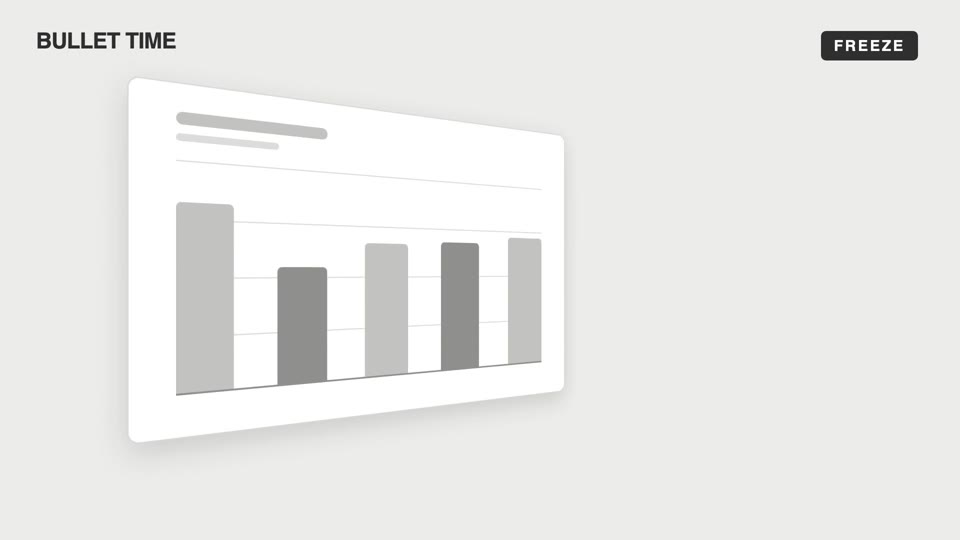
Chuyển động máy quay cảm xúc
Bốn kiểu chuyển động máy quay cảm xúc — bullet-time đóng băng xoay quanh, dutch-roll lật về ngang, slow-push đẩy chậm dồn nén, pull-back kéo xa cô lập; máy quay khiến khán giả "cảm" thay vì "nhìn".
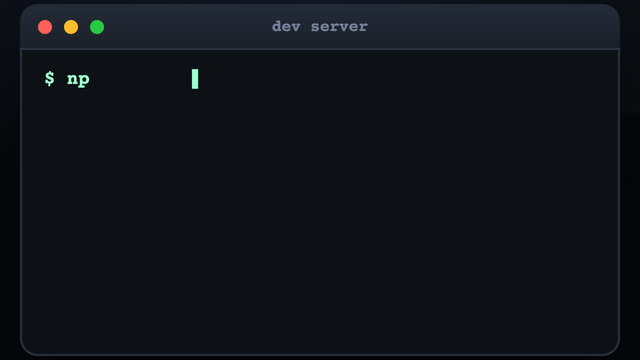
Bay lượn giữa terminal 3D
Ba cửa sổ terminal rải rác trong không gian 3D, máy quay bay giữa các cửa sổ kèm kéo xa hình sin dọc đường, tới mỗi cửa sổ gõ lệnh kiểu máy đánh chữ, kết quả trượt ra từng dòng.
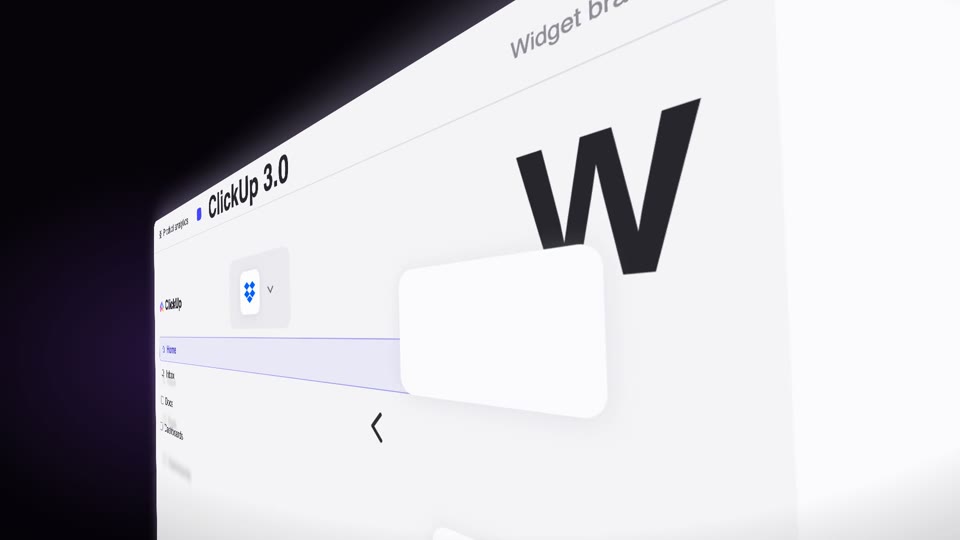
Lượn nghiêng dốc qua trang
Máy quay cố định giữ trang đứng nghiêng phối cảnh mạnh 60° (phải gần trái xa), trang tự trượt dọc theo mặt phẳng 3D của nó lướt qua ống kính (vật động máy không động), kèm ảnh bóng tốc độ, cấu kiện chữ lơ lửng áp vào, từ tối hiện sáng.

Chuyển động máy quay không gian 3D
Hai kiểu chuyển động máy quay hóa 3D — exploded-view (linh kiện nổ ra dọc trục Z rồi hợp lại) và drone-dive-landing (drone bổ nhào rồi hạ cánh).