Motion · Intro
Dataviz Landscape Open
A dark-scene opener of tributary flow-line terrain — many flow lines merge into a main stream, fictional ID labels float on the lines, and the camera flies slowly through with heavy depth of field.
Fonte: video-shotcraft (Vincent Wei) ↗ · Apache-2.0 · Composição Remotion (React/TSX) — vídeo de prévia, sem player no navegador
When to use
A brand-level abstract opener (a "data universe" metaphor), leading into a bright product segment or wordmark; division of labor with glow-flyline-moves: that card is line-connection narrative between cards within a segment, this one is a full-frame landscape exclusive to the opening.
Intention
The brand-level opener category attested in Linear Releases launch films: shoot the data world behind the product as a dark-scene landscape — bundles of flow lines merging from deep in the frame into one main stream (a metaphor for "countless workflows converging into one product"). The realism comes from three things: 1) fictional issue/task ID labels floating on the lines (viewers recognize "this is the kind of thing I see every day"); 2) heavy depth of field — a large soft-focus foreground flow, a legible mid-ground of labels, and a fading background — three depth layers make a flat SVG read as space; 3) a slow, steady camera flythrough — this is an atmosphere segment, not a showcase of speed, which is left to later shots. Hand-built-UI compliance basis: not a recreated real scene (this screen doesn't exist on any page), so it follows the quality-plus-expressive-clarity bar per Core Principle 1 (revised).
Duration & energy
- Duration: 5–8s (an atmospheric opening segment, at most once per film).
- Energy: Low start, building slowly (a starting position, leaving room to climb in later shots).
Shot recipe (original Chinese — timing, easing, parameter table, known pitfalls)
意图
Linear Releases 发布片开场实证的品牌级开场品类:把产品背后的数据世界 拍成一片暗场地景——支流线束从画面深处汇入一条主干("无数工作流 汇成一个产品"的隐喻),真实感来自三样东西:①虚构 issue/任务 ID 标签 浮在线上(观众认出"这是我每天看到的那种东西");②重景深——近景大虚焦 流过、中景标签清晰可读、远景渐隐,三层纵深让平面 SVG 读作空间; ③相机低速匀稳飞越——这是氛围段不是炫技段,速度感交给后面的镜头。 手搓 UI 合规依据:非复刻场景(页面上不存在此画面),按核心理念 1 修订版走质量+表达明确性门槛。
动作阶段
| 阶段 | 帧段(@30fps 参考) | 内容 | |------|------|------| | 1 生长 | f0–45 | 流线自远端向汇点 draw-on 生长(out-cubic),主干先行、支流错峰跟进 | | 2 飞越 | f30–150 | 相机沿主干方向低速推移(与生长期跨骑),标签非均匀错峰浮现 | | 3 交棒 | 末 30–45f | 汇点方向留亮部引导视线,接 shot-transitions 藏切/B 式穿暗场,或减速停稳接字标 |
参数表
| 参数 | 典型值 | 调节手感 | |------|--------|----------| | 线束规模 | 支流 8–14 条汇入 1 条主干;分层 近 2–3 / 中 5–8 / 远 4–6 | 超过 ~16 条读作屏保/科技模板;主干必须唯一(单主角原则的地景版) | | 汇流拓扑 | 支流以 bezier 切向汇入主干(切线连续),汇点偏画面一侧 1/3 处 | 垂直相交读作电路图不是水系;汇点居中构图死板 | | 景深三层 | 近景 blur 10–16px + 线宽 6–10px + 亮度 0.15–0.25;中景清晰 2–3px 亮度 0.5–0.8;远景 1–1.5px 亮度 0.2–0.35 | 近景不虚焦则三层塌成一张平面图;远景过亮抢中景 | | 相机飞越 | 世界画布 ≥2× 视口,横移速度 2–5px/f 匀稳 + 视差(近 1.4×/中 1×/远 0.6×),可叠极缓 zoom 1.0→1.06 | 快了变追逐镜头(那是 crash-zoom 的活);无视差立刻穿帮为平面滚动 | | 视差可见性 | 近/远层线条必须与运动方向成角(斜率明显)或带画内可见特征点(端点/交叉/节点标记穿过画面) | 平行于运动方向的线横移时沿自身滑动,视差机制再对也不可见(L2 评估判例:0.6×/1×/1.4× 全写对,正常播放只有中景在动) | | 流动感 | draw-on 完成后线条保持"活":沿线明暗脉冲/虚线相位低速漂向汇点(速度 1–2px/f,透明度 ≤0.3 叠加) | 生长期结束后无流动元素,后半段退化成"路线图飞越"不是"数据流" | | 标签 | 中景层 5–9 枚:方块图钉 + 等宽字 ID(如 APP-1843),错峰 6–10f 间隔淡入 + 沿线微漂 | ID 一律虚构(合规底线);标签挂近景/远景层会因虚焦/过暗不可读;图钉方块要落在线上(钉线分离读作浮尘不是锚点) | | 生长节奏 | 主干 30–40f out-cubic 先行,支流每条错峰 3–6f | 全部同帧生长读作 loading 动画 | | 收尾 | 交棒帧前 ≥15f 标签停止新增、相机斜率连续(不急刹) | 氛围段急刹是一次可见的顿挫(glow-orb 收敛判例同源) |
已知坑
- 借鉴来源:Linear Releases 开场(进化轮 #3 breakdown #7),单例样本
——参数给区间不给教条,首次实战以真实素材回验
- 与 glow-flyline-moves 别混用在相邻段落:两卡都是"暗场发光线",
背靠背出现读作全片只会一招;同片都要用时中间隔 ≥2 个亮场镜头
- 暗场进出成本同 glow 卡:接亮场产品段用 shot-transitions 藏切族垫,
别生切明暗
- 线条纯白全亮会糊成蛛网——亮度按层拉开(见参数表),中景才是主角层;
主干/支流给 1–2px 微辉光(soft glow)压出"发光线"氛围,全无辉光读作线框图(Q4 单点光效许可内)
- 标签字号在目标画幅下 ≥18px 等效,否则"可读"沦为装饰噪点(Q6 同源)
- 声音:铺 riser/低频 pad 底噪,标签浮现不逐枚打点(批量不逐个发声,
S2 同源);交棒帧一次 whoosh/impact 交给下一镜头
参考实现
demos/opening/dataviz-landscape-open/ (DatavizLandscapeOpen.tsx)
Reference implementation (Remotion)
- demos/opening/dataviz-landscape-open/DatavizLandscapeOpen.tsx — https://raw.githubusercontent.com/Vincentwei1021/video-shotcraft/main/demos/opening/dataviz-landscape-open/DatavizLandscapeOpen.tsx
The component imports shared fixtures from demos/_fixtures and helpers from assets/lib in the repo; SKILL.md there documents the render workflow.
Tudo nesta página também é legível por máquina. Aponte seu agente para o JSON ou adicione o servidor MCP do gimgs e peça para buscar templates de motion.
- Baixe o JSON — contém a receita do plano (timing, easing, tabela de parâmetros, armadilhas) e o código TSX completo.
- Clone o repositório video-shotcraft; o componente importa fixtures de demos/_fixtures e helpers de assets/lib.
- Registre o componente como <Composition> em um projeto Remotion e renderize com `npx remotion render`, ou reimplemente a receita no seu próprio engine.
curl -s https://gimgs.net/motion/dataviz-landscape-open.jsongit clone https://github.com/Vincentwei1021/video-shotcraft
# component: demos/opening/dataviz-landscape-open/DatavizLandscapeOpen.tsx
npx remotion render <CompositionId> out.mp4claude mcp add --transport http gimgs https://gimgs.net/mcp
# then: search_motion_templates / get_motion_template("dataviz-landscape-open")Prompt
Use the video-shotcraft shot recipe "Dataviz Landscape Open" (Remotion composition, Apache-2.0) published on gimgs.net.
Recipe JSON (prompt = timing/easing/parameter table/pitfalls, files = TSX source): https://gimgs.net/motion/dataviz-landscape-open.json
Raw TSX: https://gimgs.net/motion/dataviz-landscape-open/template.html
Repository: https://github.com/Vincentwei1021/video-shotcraft  (component: demos/opening/dataviz-landscape-open/DatavizLandscapeOpen.tsx; imports demos/_fixtures and assets/lib)
Spec: 1920x1080, 30 fps, 5.55s

1. Read the JSON and follow its "prompt" section (when to use, intention, parameter table, known pitfalls).
2. Adapt it for: <describe what you want>.
3. Either clone the repo, register the component as a <Composition> in a Remotion project and run npx remotion render <CompositionId> out.mp4 — or re-implement the recipe in your own engine (HTML/WAAPI works: keep the same timing and easing).
// ===== demos/opening/dataviz-landscape-open/DatavizLandscapeOpen.tsx =====
import React from 'react';
import {AbsoluteFill, interpolate, useCurrentFrame} from 'remotion';

/**
 * DatavizLandscapeOpen — 暗场支流线束地景开场
 * 配方卡: references/shots/opening/dataviz-landscape-open.md
 *
 * 隐喻: 无数团队工作流(支流)汇成一个产品(主干)。
 * 三层景深: 近景大虚焦流过 / 中景标签清晰可读 / 远景渐隐。
 * 相机: 低速匀稳横移 + 视差 + 极缓 zoom, 收尾不急刹。
 */

const W = 1920;
const H = 1080;
const DUR = 165; // 5.5s @30fps
const WORLD_W = 4200;

// ---------- easing ----------
const outCubic = (t: number) => 1 - Math.pow(1 - t, 3);

const growth = (frame: number, start: number, dur: number) => {
  const t = Math.min(1, Math.max(0, (frame - start) / dur));
  return outCubic(t);
};

// ---------- geometry ----------
type Pt = {x: number; y: number};

// 主干: 缓和的水系曲线 (世界坐标)
const trunkY = (x: number) => 480 + 55 * Math.sin((x - 300) / 1050);
const trunkSlope = (x: number) => (55 / 1050) * Math.cos((x - 300) / 1050);

const trunkPath = () => {
  const pts: string[] = [];
  for (let x = -300; x <= WORLD_W + 100; x += 50) {
    pts.push(`${x === -300 ? 'M' : 'L'} ${x} ${trunkY(x).toFixed(1)}`);
  }
  return pts.join(' ');
};

// 三次贝塞尔求值 (用于把标签钉在线上)
const cubicAt = (p0: Pt, p1: Pt, p2: Pt, p3: Pt, t: number): Pt => {
  const u = 1 - t;
  return {
    x: u * u * u * p0.x + 3 * u * u * t * p1.x + 3 * u * t * t * p2.x + t * t * t * p3.x,
    y: u * u * u * p0.y + 3 * u * u * t * p1.y + 3 * u * t * t * p2.y + t * t * t * p3.y,
  };
};

// 支流: 起点在深处四散, 以切向汇入主干 (切线连续)
type Trib = {p0: Pt; p1: Pt; p2: Pt; p3: Pt; opacity: number; growStart: number; growDur: number};

const makeTrib = (
  start: Pt,
  mergeX: number,
  opacity: number,
  growStart: number,
  growDur: number,
): Trib => {
  const end: Pt = {x: mergeX, y: trunkY(mergeX)};
  const slope = trunkSlope(mergeX);
  const len = Math.hypot(1, slope);
  // P2 沿主干切线反向后退 => 到达时切线连续
  const p2: Pt = {x: end.x - (330 * 1) / len, y: end.y - (330 * slope) / len};
  const p1: Pt = {
    x: start.x + (end.x - start.x) * 0.35,
    y: start.y + (end.y - start.y) * 0.12,
  };
  return {p0: start, p1, p2, p3: end, opacity, growStart, growDur};
};

// 中景支流 6 条 (主角层), 错峰 4–6f
const MID_TRIBS: Trib[] = [
  makeTrib({x: -380, y: 130}, 1020, 0.62, 6, 32),
  makeTrib({x: -260, y: 880}, 1180, 0.55, 10, 32),
  makeTrib({x: -60, y: 40}, 1330, 0.7, 15, 32),
  makeTrib({x: 60, y: 960}, 1500, 0.5, 19, 32),
  makeTrib({x: 320, y: 210}, 1680, 0.6, 24, 32),
  makeTrib({x: 420, y: 790}, 1840, 0.55, 30, 32),
];

const tribPath = (t: Trib) =>
  `M ${t.p0.x} ${t.p0.y} C ${t.p1.x} ${t.p1.y}, ${t.p2.x} ${t.p2.y}, ${t.p3.x} ${t.p3.y}`;

// 远景 4 条: 更细更暗, 向更深处的远点收拢
// (控制点形式, 供节点标记取样——卡"视差可见性": 特征点穿过画面)
type FarLine = {p0: Pt; p1: Pt; p2: Pt; p3: Pt; growStart: number; growDur: number; op: number};
const FAR_LINES: FarLine[] = [
  {p0: {x: -300, y: 260}, p1: {x: 700, y: 250}, p2: {x: 2400, y: 330}, p3: {x: 3400, y: 490}, growStart: 12, growDur: 36, op: 0.3},
  {p0: {x: -200, y: 700}, p1: {x: 800, y: 690}, p2: {x: 2500, y: 610}, p3: {x: 3450, y: 492}, growStart: 16, growDur: 36, op: 0.26},
  {p0: {x: -350, y: 400}, p1: {x: 900, y: 390}, p2: {x: 2600, y: 420}, p3: {x: 3500, y: 493}, growStart: 22, growDur: 36, op: 0.33},
  {p0: {x: -250, y: 590}, p1: {x: 850, y: 600}, p2: {x: 2650, y: 560}, p3: {x: 3520, y: 494}, growStart: 27, growDur: 36, op: 0.24},
];
const farPath = (l: FarLine) =>
  `M ${l.p0.x} ${l.p0.y} C ${l.p1.x} ${l.p1.y}, ${l.p2.x} ${l.p2.y}, ${l.p3.x} ${l.p3.y}`;
// 远景节点标记: 每条线 3 枚暗点, 随层平移穿过画面 → 视差可辨
const FAR_NODE_TS = [0.28, 0.55, 0.82];

// 近景: 大虚焦斜向流过前景 (与横移运动方向成明显角度——
// 卡"视差可见性": 平行于运动方向的线沿自身滑动不可见)
const NEAR_LINES = [
  {d: 'M 130 1270 C 480 830, 880 360, 1290 -130', growStart: 2, growDur: 40, op: 0.22, w: 9},
  {d: 'M 1480 1240 C 1830 800, 2180 330, 2540 -110', growStart: 10, growDur: 40, op: 0.18, w: 7},
];

// ---------- 标签 (中景层, 全部虚构 ID) ----------
type LabelSpec = {trib: number; t: number; id: string; appear: number; above: boolean};

// 错峰 6–10f 间隔; 最后一枚 f103, 距交棒帧 (f120) ≥15f 无新增
const LABELS: LabelSpec[] = [
  {trib: 0, t: 0.62, id: 'OKR-1024', appear: 48, above: true},
  {trib: 1, t: 0.58, id: 'TEAM-4417', appear: 56, above: false},
  {trib: 2, t: 0.66, id: 'KR-2093', appear: 66, above: true},
  {trib: 3, t: 0.6, id: 'SYNC-3308', appear: 74, above: false},
  {trib: 4, t: 0.68, id: 'OBJ-2471', appear: 84, above: true},
  {trib: 5, t: 0.64, id: 'PLAN-9124', appear: 93, above: false},
  {trib: 4, t: 0.86, id: 'GOAL-7752', appear: 103, above: true},
];

// 汇点 (偏画面一侧, 收尾亮部引导视线)
const CONV: Pt = {x: 1850, y: trunkY(1850)};

// ---------- component ----------
export const DatavizLandscapeOpen: React.FC = () => {
  const frame = useCurrentFrame();

  // 相机: 匀稳横移 3.2px/f (2–5 区间), 全程斜率恒定 (不急刹)
  const camX = frame * 3.2;
  // 极缓 zoom 1.0 → 1.06
  const zoom = interpolate(frame, [0, DUR - 1], [1, 1.06]);

  // 视差: 近 1.4× / 中 1× / 远 0.6×
  const farX = -camX * 0.6;
  const midX = -camX * 1.0;
  const nearX = -camX * 1.4;

  // 主干先行: f0–38 out-cubic
  const trunkGrow = growth(frame, 0, 38);

  // 流动感 (卡"流动感"行): draw-on 完成后, 虚线相位低速漂向汇点
  // 速度 1.5px/f (卡 1–2), 叠加透明度 ≤0.3; 生长完成后才淡入
  const flowOffset = -frame * 1.5; // dashoffset 递减 = 相位沿画线方向(向汇点)漂移
  const flowDash = '14 56'; // 世界像素单位
  const flowIn = (gEnd: number) =>
    interpolate(frame, [gEnd, gEnd + 20], [0, 1], {
      extrapolateLeft: 'clamp',
      extrapolateRight: 'clamp',
    });

  // 收尾亮部 (交棒段 f120+ 缓升, 引导视线向汇点/右侧)
  const handoffGlow = interpolate(frame, [118, 160], [0, 0.4], {
    extrapolateLeft: 'clamp',
    extrapolateRight: 'clamp',
  });

  const layerStyle = (tx: number): React.CSSProperties => ({
    position: 'absolute',
    left: 0,
    top: 0,
    width: WORLD_W,
    height: H,
    transform: `translateX(${tx}px)`,
  });

  return (
    <AbsoluteFill style={{backgroundColor: '#050505', overflow: 'hidden'}}>
      {/* zoom 容器: 以画面中心为原点 */}
      <AbsoluteFill style={{transform: `scale(${zoom})`, transformOrigin: '50% 50%'}}>
        {/* 底色微渐变, 避免纯黑死平 */}
        <AbsoluteFill
          style={{
            background:
              'radial-gradient(120% 90% at 62% 45%, #0b0b0d 0%, #060607 55%, #040404 100%)',
          }}
        />

        {/* ---- 远景层 (视差 0.6×) ---- */}
        <div style={layerStyle(farX)}>
          <svg width={WORLD_W} height={H} style={{position: 'absolute'}}>
            {FAR_LINES.map((l, i) => {
              const g = growth(frame, l.growStart, l.growDur);
              return (
                <g key={i}>
                  <path
                    d={farPath(l)}
                    fill="none"
                    stroke="#ffffff"
                    strokeWidth={1.3}
                    strokeLinecap="round"
                    opacity={l.op}
                    pathLength={1}
                    strokeDasharray={1}
                    strokeDashoffset={1 - g}
                  />
                  {/* 节点标记: 可见特征点穿过画面, 让 0.6× 层位移可辨 */}
                  {FAR_NODE_TS.map((t, j) => {
                    const p = cubicAt(l.p0, l.p1, l.p2, l.p3, t);
                    return (
                      <circle
                        key={j}
                        cx={p.x}
                        cy={p.y}
                        r={3}
                        fill="#ffffff"
                        opacity={t <= g ? l.op + 0.08 : 0}
                      />
                    );
                  })}
                </g>
              );
            })}
          </svg>
        </div>

        {/* ---- 中景层 (主角层, 视差 1×) ---- */}
        <div style={layerStyle(midX)}>
          <svg width={WORLD_W} height={H} style={{position: 'absolute'}}>
            {/* 微辉光垫层: 1–2px soft glow 压出"发光线"(卡坑注, Q4 单点许可内) */}
            <g style={{filter: 'blur(3px)'}}>
              <path
                d={trunkPath()}
                fill="none"
                stroke="#ffffff"
                strokeWidth={7}
                strokeLinecap="round"
                opacity={0.16}
                pathLength={1}
                strokeDasharray={1}
                strokeDashoffset={1 - trunkGrow}
              />
              {MID_TRIBS.map((t, i) => (
                <path
                  key={i}
                  d={tribPath(t)}
                  fill="none"
                  stroke="#ffffff"
                  strokeWidth={5.5}
                  strokeLinecap="round"
                  opacity={t.opacity * 0.18}
                  pathLength={1}
                  strokeDasharray={1}
                  strokeDashoffset={1 - growth(frame, t.growStart, t.growDur)}
                />
              ))}
            </g>
            {/* 主干 (唯一) */}
            <path
              d={trunkPath()}
              fill="none"
              stroke="#ffffff"
              strokeWidth={2.8}
              strokeLinecap="round"
              opacity={0.8}
              pathLength={1}
              strokeDasharray={1}
              strokeDashoffset={1 - trunkGrow}
            />
            {/* 支流, 错峰生长 */}
            {MID_TRIBS.map((t, i) => (
              <path
                key={i}
                d={tribPath(t)}
                fill="none"
                stroke="#ffffff"
                strokeWidth={2.2}
                strokeLinecap="round"
                opacity={t.opacity}
                pathLength={1}
                strokeDasharray={1}
                strokeDashoffset={1 - growth(frame, t.growStart, t.growDur)}
              />
            ))}
            {/* 流动感: 虚线相位沿线漂向汇点 (1.5px/f, 叠加透明度 ≤0.3) */}
            <path
              d={trunkPath()}
              fill="none"
              stroke="#ffffff"
              strokeWidth={2.8}
              strokeLinecap="round"
              opacity={0.3 * flowIn(38)}
              strokeDasharray={flowDash}
              strokeDashoffset={flowOffset}
            />
            {MID_TRIBS.map((t, i) => (
              <path
                key={`flow-${i}`}
                d={tribPath(t)}
                fill="none"
                stroke="#ffffff"
                strokeWidth={2.2}
                strokeLinecap="round"
                opacity={0.26 * flowIn(t.growStart + t.growDur)}
                strokeDasharray={flowDash}
                strokeDashoffset={flowOffset}
              />
            ))}
          </svg>

          {/* 标签: 方块图钉 + 等宽字虚构 ID, 错峰淡入 + 沿线微漂 */}
          {LABELS.map((l) => {
            const trib = MID_TRIBS[l.trib];
            const base = cubicAt(trib.p0, trib.p1, trib.p2, trib.p3, l.t);
            const fadeIn = interpolate(frame, [l.appear, l.appear + 12], [0, 1], {
              extrapolateLeft: 'clamp',
              extrapolateRight: 'clamp',
            });
            // 沿线微漂: 出现后沿切线方向缓移 ~6px
            const drift = interpolate(frame, [l.appear, DUR - 1], [0, 6], {
              extrapolateLeft: 'clamp',
              extrapolateRight: 'clamp',
            });
            const ahead = cubicAt(trib.p0, trib.p1, trib.p2, trib.p3, Math.min(1, l.t + 0.02));
            const dx = ahead.x - base.x;
            const dy = ahead.y - base.y;
            const dl = Math.hypot(dx, dy) || 1;
            const px = base.x + (dx / dl) * drift;
            const py = base.y + (dy / dl) * drift;
            // 图钉锚在线上 (中心 = 线上取样点, 卡坑注: 钉线分离读作浮尘);
            // 文字沿垂直方向偏移, 避开线体
            const textOff = l.above ? -38 : 20;
            return (
              <React.Fragment key={l.id}>
                <div
                  style={{
                    position: 'absolute',
                    left: px - 8,
                    top: py - 8,
                    width: 16,
                    height: 16,
                    backgroundColor: '#ffffff',
                    opacity: fadeIn * 0.9,
                  }}
                />
                <span
                  style={{
                    position: 'absolute',
                    left: px + 14,
                    top: py + textOff,
                    fontFamily: 'Menlo, "SF Mono", Consolas, monospace',
                    fontSize: 22,
                    letterSpacing: 3,
                    color: '#e8e8e8',
                    whiteSpace: 'nowrap',
                    opacity: fadeIn * 0.92,
                  }}
                >
                  {l.id}
                </span>
              </React.Fragment>
            );
          })}

          {/* 交棒亮部: 汇点方向留亮, 引导视线接下一镜头 */}
          <div
            style={{
              position: 'absolute',
              left: CONV.x - 420,
              top: CONV.y - 260,
              width: 840,
              height: 520,
              background:
                'radial-gradient(50% 50% at 50% 50%, rgba(255,255,255,0.55) 0%, rgba(255,255,255,0.12) 45%, rgba(255,255,255,0) 72%)',
              opacity: handoffGlow,
              filter: 'blur(18px)',
              pointerEvents: 'none',
            }}
          />
        </div>

        {/* ---- 近景层 (大虚焦, 视差 1.4×) ---- */}
        <div style={{...layerStyle(nearX), filter: 'blur(13px)'}}>
          <svg width={WORLD_W} height={H} style={{position: 'absolute'}}>
            {NEAR_LINES.map((l, i) => (
              <path
                key={i}
                d={l.d}
                fill="none"
                stroke="#ffffff"
                strokeWidth={l.w}
                strokeLinecap="round"
                opacity={l.op}
                pathLength={1}
                strokeDasharray={1}
                strokeDashoffset={1 - growth(frame, l.growStart, l.growDur)}
              />
            ))}
          </svg>
        </div>

        {/* 轻 vignette 收住四角 */}
        <AbsoluteFill
          style={{
            background:
              'radial-gradient(115% 95% at 50% 50%, rgba(0,0,0,0) 62%, rgba(0,0,0,0.5) 100%)',
            pointerEvents: 'none',
          }}
        />
      </AbsoluteFill>
    </AbsoluteFill>
  );
};
- Read the recipePrompt = when to use, intention, parameter table with typical values and how each one feels, known pitfalls. Treat values as calibrated starting points.
- Get the codetool: git
git clone https://github.com/Vincentwei1021/video-shotcraft && cd video-shotcraft && npm install - Register + rendertool: remotion
npx remotion render <CompositionId> out.mp4 # component: demos/opening/dataviz-landscape-open/DatavizLandscapeOpen.tsx - Or re-implementPort the timing/easing from the recipe to HTML + WAAPI (gimgs motion contract) or any engine; keep the same segment windows and easing.
| param | type | default | description |
|---|---|---|---|
| — | |||
Mais nesta categoria

Text-as-video mask
Text as video mask — extra-bold title letters reveal slowly panning product footage through them; at the end the letterforms scale up 26x and overflow, and the inner footage takes over the full screen.
Broken-stroke title reveal
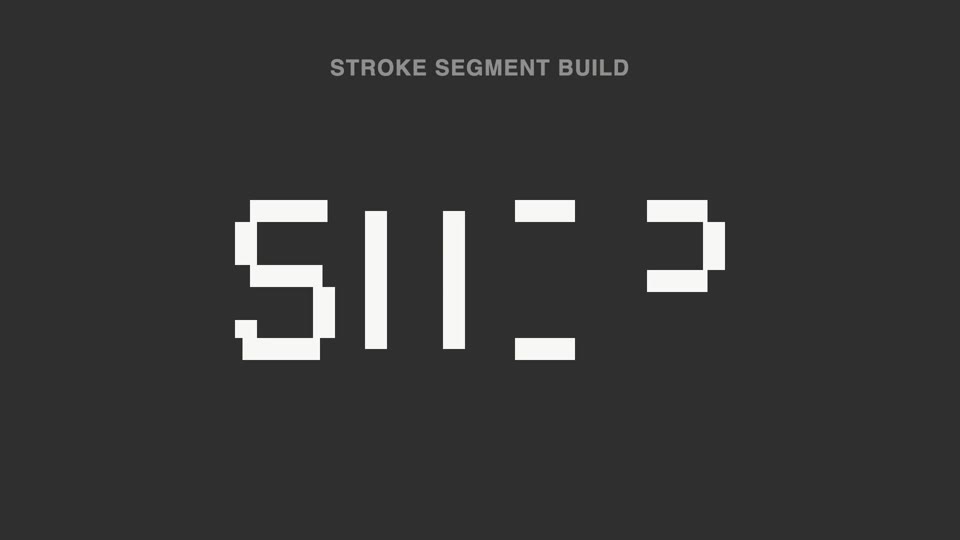
Broken strokes into letters — a title breaks into a dozen-plus disconnected stroke segments that light up out of order; 70% unreadable, then the last segment lands and the meaning snaps into place.

Spotlight hero card reveal
A spotlight sweeps the page and locks onto one card; it pushes in at 45°, the card lifts and hovers, a light beam circles its outline twice, then it settles back in place.

Orbit ring title opening
Eight content cards orbit a 700×375 ellipse at constant speed while a centered title resolves into focus and settles.