Motion · Intro
Icon field colorize
A grayscale grid of small icons staggers in to fill the screen, holds a beat, then brand-color bands ripple rapidly downward to colorize everything at once.
Fonte: video-shotcraft (Vincent Wei) ↗ · Apache-2.0 · Composição Remotion (React/TSX) — vídeo de prévia, sem player no navegador
When to use
Opening lay-out of a product's capability surface (icons = a universe of features) followed by a sudden brand-color hit; feature-collection pages, ecosystem/integration scale displays, a lead-in before the opening logo.
Intention
First fill "a lot" fully in grayscale — hundreds of small icons stagger in to fill the screen, grayscale keeps them reading as background texture rather than stealing focus; hold a beat so the audience registers "it's full", then brand color sweeps across the whole field very fast as horizontal ripple bands, lighting up the gray world in an instant. The crux is that the colorization is not a same-frame hard flip: the original footage measures several color waves sweeping down in sequence within ~0.5s, ending in four color bands layered — the ripple feel gives "lighting up" a direction and a speed; a hard flip just reads as swapping one image for another.
Duration & energy
- Duration: Staggered appear ~45f + hold ~10f + colorize 12–45f + final hold; whole segment 3–4s
- Energy: Medium (the appearing is the setup, the colorize instant is the only peak)
Shot recipe (original Chinese — timing, easing, parameter table, known pitfalls)
意图
先用灰阶把"多"摆足——上百个小图标错峰浮进来铺满画面,灰阶保证 读作背景纹理不抢戏;停一拍让观众意识到"摆满了",然后品牌色以 横带波纹形式极快扫过全场,灰世界一瞬间被点亮。命门在翻色不是 同帧硬翻:原片实测是 ~0.5s 内多道色波依次向下快扫(蓝先覆盖全场, 橙/绿/红依次覆盖更低行带),终态呈四色横带分层——波纹感让"点亮" 有方向和速度,硬翻只读作换了张图。
动效核心
- 图标场:150–200 个小图标网格排布(行间半格错位),灰阶 3–4 档
随机;mulberry32 定分组/灰度/形状
- 浮现:分 ~10 批错峰淡入(批间 4f + 批内 ≤3f 抖动),每个带
0.55→1.07→1 微弹(ease-out 入 + 7% 过冲回落)
- 静置一拍(~10f):让"铺满"被读到,翻色前的蓄力
- 翻色:多道色波按行推进,行差 ~1.4f + 列微倾 0.25f + 每图标 ≤1.5f
抖动(斜切波前沿,不是整行同帧);每道波从自己的起始行向下覆盖, 后波覆盖更低行带 → 终态多色横带
- 翻色瞬间该图标 1.22x pop(正弦鼓包 3f),给波前沿加"啪"的质感
参数表
| 参数 | 典型值 | 调节手感 | |------|--------|----------| | 图标数 | 170(17×10 @1080p,CELL 110px) | <100 读不出"原野";>250 单个太小翻色 pop 看不见 | | 浮现总长 | ~45f(10 批 × 4f + 尾批淡入 8f) | 太快读作闪现;>60f 观众等不及爆点 | | 翻色总长 | 原片 ~12f 全场完成;demo 45f | 越快越爆;教学/慢节奏场合才拉长 | | 波数 | 4 道(对应终态色带数) | 1 道=单色点亮也成立;波色=品牌色板 | | 行差 | 1.4f/行 + 列 0.25f 微倾 | 行差 >3f 波读作逐行扫描仪;0 = 硬翻 | | 翻色 pop | 1.22x 正弦 3f | 无 pop 波前沿读不出来;>1.4x 图标互相打架 |
已知坑
- demo 在灰阶/占位素材上调校通过——参数是调校起点非实战定稿,
首次实战须以真实素材回验
- 翻色不许同帧硬翻——原片密帧核实为多道波纹快扫(bear-app
25fps 密帧:蓝→橙/绿/红约 0.5s 内完成),硬翻读作换图无"点亮"感
- 图标需可辨认的实心简笔形(心/星/闪电/对勾…);抽象色块读不出
"功能宇宙"语义
- 与 bubble-swarm-takeover 分工:那张是气泡群涌入接管
画面的运动戏;本卡运动极克制,戏眼在灰→彩的瞬间翻色
- 与 theme-switch-moves 分工:那张是 UI 界面明暗主题切换;本卡
是装饰性图标场的品牌色点亮,不承载界面语义
参考实现
demos/opening/icon-field-colorize/ (IconFieldColorize.tsx) 原片出处:bear-app.mp4 ≈0.0–3.0s
Reference implementation (Remotion)
- demos/opening/icon-field-colorize/IconFieldColorize.tsx — https://raw.githubusercontent.com/Vincentwei1021/video-shotcraft/main/demos/opening/icon-field-colorize/IconFieldColorize.tsx
The component imports shared fixtures from demos/_fixtures and helpers from assets/lib in the repo; SKILL.md there documents the render workflow.
Tudo nesta página também é legível por máquina. Aponte seu agente para o JSON ou adicione o servidor MCP do gimgs e peça para buscar templates de motion.
- Baixe o JSON — contém a receita do plano (timing, easing, tabela de parâmetros, armadilhas) e o código TSX completo.
- Clone o repositório video-shotcraft; o componente importa fixtures de demos/_fixtures e helpers de assets/lib.
- Registre o componente como <Composition> em um projeto Remotion e renderize com `npx remotion render`, ou reimplemente a receita no seu próprio engine.
curl -s https://gimgs.net/motion/icon-field-colorize.jsongit clone https://github.com/Vincentwei1021/video-shotcraft
# component: demos/opening/icon-field-colorize/IconFieldColorize.tsx
npx remotion render <CompositionId> out.mp4claude mcp add --transport http gimgs https://gimgs.net/mcp
# then: search_motion_templates / get_motion_template("icon-field-colorize")Prompt
Use the video-shotcraft shot recipe "Icon field colorize" (Remotion composition, Apache-2.0) published on gimgs.net.
Recipe JSON (prompt = timing/easing/parameter table/pitfalls, files = TSX source): https://gimgs.net/motion/icon-field-colorize.json
Raw TSX: https://gimgs.net/motion/icon-field-colorize/template.html
Repository: https://github.com/Vincentwei1021/video-shotcraft  (component: demos/opening/icon-field-colorize/IconFieldColorize.tsx; imports demos/_fixtures and assets/lib)
Spec: 1920x1080, 30 fps, 5.06s

1. Read the JSON and follow its "prompt" section (when to use, intention, parameter table, known pitfalls).
2. Adapt it for: <describe what you want>.
3. Either clone the repo, register the component as a <Composition> in a Remotion project and run npx remotion render <CompositionId> out.mp4 — or re-implement the recipe in your own engine (HTML/WAAPI works: keep the same timing and easing).
// ===== demos/opening/icon-field-colorize/IconFieldColorize.tsx =====
// icon-field-colorize —— 灰阶图标原野错峰浮现(错峰淡入+微弹),停一拍后
// 蓝色整场极快扫翻,随后橙/绿/红三道色波依次向下扫过,终态四色横带。
// 对标 bear-app.mp4 0–3s(密帧核实:非同帧硬翻,是极快多道波纹翻色)。
import React from 'react';
import { AbsoluteFill, interpolate, useCurrentFrame } from 'remotion';

const mulberry32 = (a: number) => () => {
  let t = (a += 0x6d2b79f5);
  t = Math.imul(t ^ (t >>> 15), t | 1);
  t ^= t + Math.imul(t ^ (t >>> 7), t | 61);
  return ((t ^ (t >>> 14)) >>> 0) / 4294967296;
};

// 16 个简笔图标(viewBox 0 0 24 24,纯填充),求可辨认不求精致
const SHAPES: ((c: string) => React.ReactNode)[] = [
  (c) => <path fill={c} d="M12 21s-7.5-4.7-9.6-9C.9 8.7 2.7 5 6.2 5c2 0 3.3 1 4 2.1h3.6C14.5 6 15.8 5 17.8 5c3.5 0 5.3 3.7 3.8 7-2.1 4.3-9.6 9-9.6 9z" transform="scale(0.92) translate(1,0)" />,
  (c) => <path fill={c} d="M12 2l2.7 6.3 6.8.5-5.2 4.4 1.6 6.6L12 16.2 6.1 19.8l1.6-6.6L2.5 8.8l6.8-.5z" />,
  (c) => <path fill={c} d="M13 2L4 14h6l-1 8 9-12h-6z" />,
  (c) => <circle fill={c} cx="12" cy="12" r="9" />,
  (c) => <path fill={c} d="M9 3v12.3A3.5 3.5 0 1 0 11 18V7h7v6.3A3.5 3.5 0 1 0 20 16V3z" transform="scale(0.85) translate(1.5,1.5)" />,
  (c) => <path fill={c} d="M4 4h16a2 2 0 0 1 2 2v9a2 2 0 0 1-2 2H9l-5 4V6a2 2 0 0 1 2-2z" transform="scale(0.85) translate(2,2)" />,
  (c) => <><rect fill={c} x="3" y="6" width="18" height="13" rx="2.5" /><circle fill="#fff" cx="12" cy="12.5" r="3.6" /><rect fill={c} x="8" y="3.5" width="8" height="4" rx="1.5" /></>,
  (c) => <path fill={c} d="M6.5 19a4.5 4.5 0 0 1-.4-9A6 6 0 0 1 17.8 8.7 4.2 4.2 0 0 1 17.5 19z" />,
  (c) => <path fill={c} d="M12 2a7 7 0 0 0-7 7c0 5 7 13 7 13s7-8 7-13a7 7 0 0 0-7-7zm0 9.5A2.5 2.5 0 1 1 12 6a2.5 2.5 0 0 1 0 5.5z" transform="scale(0.9) translate(1.2,0.5)" />,
  (c) => <path fill={c} d="M3.5 10L12 3l8.5 7V21h-6v-6h-5v6h-6z" />,
  (c) => <><rect fill={c} x="3" y="8" width="18" height="4" rx="1" /><rect fill={c} x="5" y="12" width="14" height="9" rx="1" /><rect fill="#fff" x="10.9" y="8" width="2.2" height="13" /></>,
  (c) => <path fill={c} d="M9.4 20.6l-1 1.9 7.2-.1 4.9-8.5-2.2.1-2 3.4L13 4.5h-2.1L7.6 17.3z" transform="scale(0.9) translate(1,1)" />,
  (c) => <path fill={c} d="M20.3 6.7L9.6 17.4l-5.9-5.9 2.1-2.1 3.8 3.8 8.6-8.6z" />,
  (c) => <path fill={c} d="M21.5 15.5L14 12V5.5a2 2 0 1 0-4 0V12l-7.5 3.5v2l7.5-2v4l-2.5 2v1.5l4.5-1 4.5 1V21.5l-2.5-2v-4l7.5 2z" transform="scale(0.85) translate(1.8,1.8)" />,
  (c) => <><circle fill={c} cx="12" cy="12" r="4" /><path fill={c} d="M12 1.5l1.4 3.6h-2.8zM12 22.5l-1.4-3.6h2.8zM1.5 12l3.6-1.4v2.8zM22.5 12l-3.6 1.4v-2.8zM4.6 4.6l3.5 1.5-2 2zM19.4 19.4l-3.5-1.5 2-2zM19.4 4.6l-1.5 3.5-2-2zM4.6 19.4l1.5-3.5 2 2z" /></>,
  (c) => <path fill={c} d="M20 4C10 4 4.5 9 4 15.7 3.9 17.5 4 20 4 20s2.7-.2 4.4-.3C15 19.2 20 13.5 20 4zM6.8 17.2C10 11 15 8 15 8s-5.5 1.5-8.8 8z" />,
];

const COLS = 17, ROWS = 10, CELL = 110, ICON = 44;
const GRAYS = ['#9a9a9a', '#7c7c7c', '#b0b0b0', '#8b8b8b'];
// 四道色波:蓝覆盖全场,橙/绿/红依次覆盖更低的行带 → 终态四色横带
const WAVES = [
  { color: '#5b67e8', fromRow: 0, start: 78 },
  { color: '#e7a03c', fromRow: 3, start: 90 },
  { color: '#34a56f', fromRow: 6, start: 100 },
  { color: '#e2606b', fromRow: 9, start: 110 },
];

export const IconFieldColorize: React.FC = () => {
  const frame = useCurrentFrame();
  const rand = mulberry32(20260718);
  const icons: React.ReactNode[] = [];

  for (let r = 0; r < ROWS; r++) {
    for (let c = 0; c < COLS; c++) {
      const r1 = rand(), r2 = rand(), r3 = rand();
      // —— 错峰浮现:分 10 批,批内再抖动
      const batch = Math.floor(r1 * 10);
      const t0 = 4 + batch * 4 + r2 * 3;
      const ap = interpolate(frame, [t0, t0 + 8], [0, 1], {
        extrapolateLeft: 'clamp', extrapolateRight: 'clamp',
      });
      if (ap <= 0) continue;
      // 微弹:0.55 → 1.07 → 1
      const easeOut = 1 - Math.pow(1 - ap, 3);
      const appearScale = ap < 1 ? 0.55 + easeOut * 0.52 - Math.max(0, ap - 0.72) * 0.25 : 1;

      // —— 色波:每道波从起始行向下快扫(行 1.4 帧 + 列微倾 + 抖动)
      const gray = GRAYS[Math.floor(r2 * GRAYS.length)];
      let color = gray;
      let flipPhase = 0; // 最近一次翻色的进行度,用于 pop
      for (const w of WAVES) {
        if (r < w.fromRow) continue;
        const arrive = w.start + (r - w.fromRow) * 1.4 + c * 0.25 + r3 * 1.5;
        const p = interpolate(frame, [arrive, arrive + 3], [0, 1], {
          extrapolateLeft: 'clamp', extrapolateRight: 'clamp',
        });
        if (p > 0) { color = w.color; flipPhase = p; }
      }
      const flipPop = flipPhase > 0 && flipPhase < 1
        ? 1 + Math.sin(flipPhase * Math.PI) * 0.22 : 1;

      const shape = SHAPES[Math.floor(r3 * SHAPES.length) % SHAPES.length];
      const x = 48 + c * CELL + (r % 2) * 26;
      const y = 26 + r * CELL;
      icons.push(
        <div key={`${r}-${c}`} style={{
          position: 'absolute', left: x, top: y, width: ICON, height: ICON,
          opacity: ap, transform: `scale(${appearScale * flipPop})`,
        }}>
          <svg viewBox="0 0 24 24" width={ICON} height={ICON}>{shape(color)}</svg>
        </div>,
      );
    }
  }

  return <AbsoluteFill style={{ background: '#ffffff' }}>{icons}</AbsoluteFill>;
};
- Read the recipePrompt = when to use, intention, parameter table with typical values and how each one feels, known pitfalls. Treat values as calibrated starting points.
- Get the codetool: git
git clone https://github.com/Vincentwei1021/video-shotcraft && cd video-shotcraft && npm install - Register + rendertool: remotion
npx remotion render <CompositionId> out.mp4 # component: demos/opening/icon-field-colorize/IconFieldColorize.tsx - Or re-implementPort the timing/easing from the recipe to HTML + WAAPI (gimgs motion contract) or any engine; keep the same segment windows and easing.
| param | type | default | description |
|---|---|---|---|
| — | |||
Mais nesta categoria
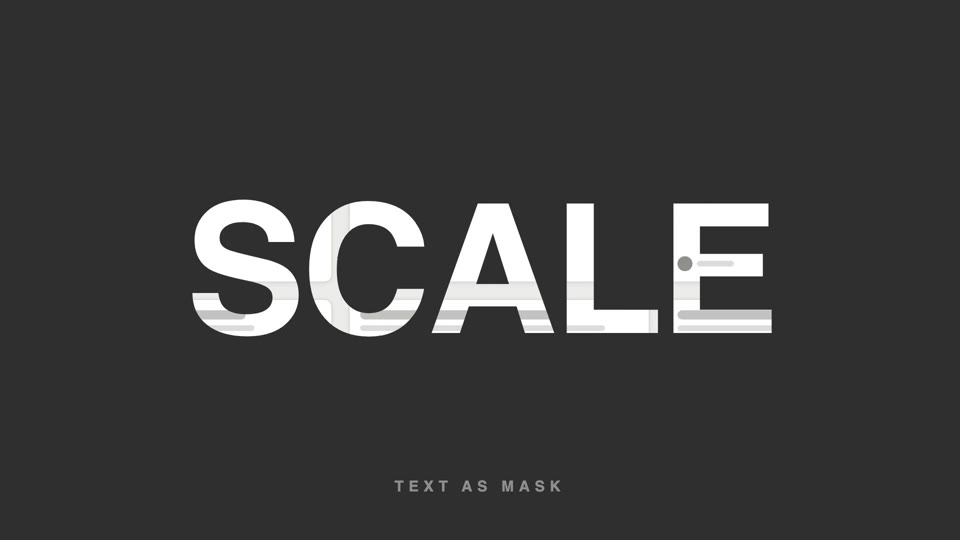
Text-as-video mask
Text as video mask — extra-bold title letters reveal slowly panning product footage through them; at the end the letterforms scale up 26x and overflow, and the inner footage takes over the full screen.
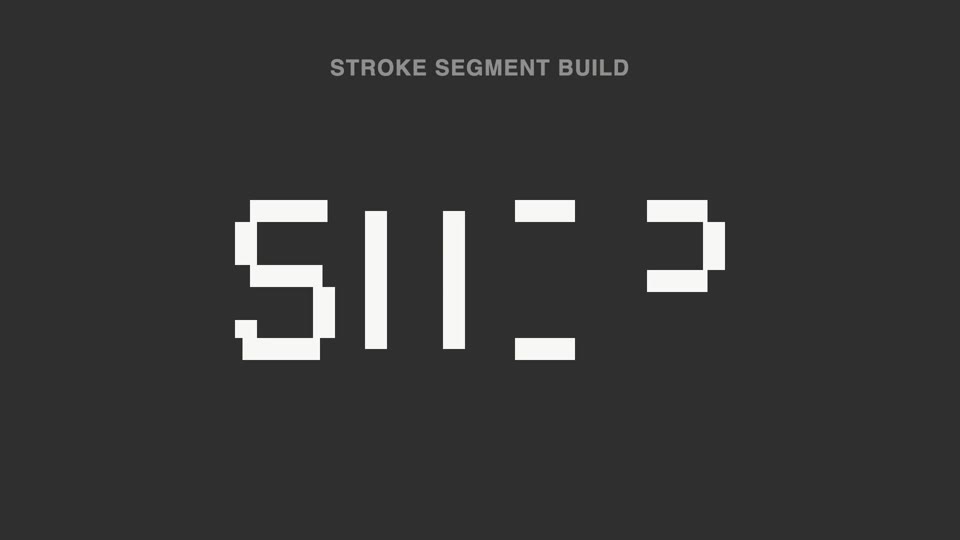
Broken-stroke title reveal
Broken strokes into letters — a title breaks into a dozen-plus disconnected stroke segments that light up out of order; 70% unreadable, then the last segment lands and the meaning snaps into place.
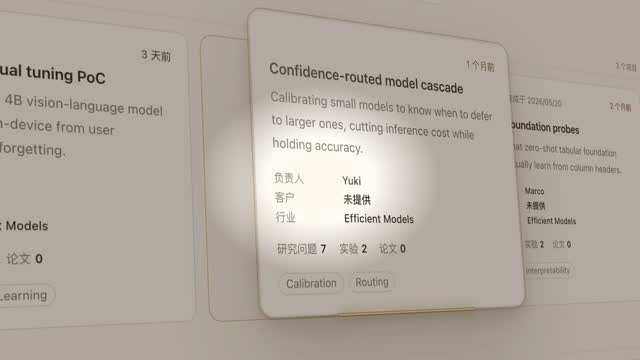
Spotlight hero card reveal
A spotlight sweeps the page and locks onto one card; it pushes in at 45°, the card lifts and hovers, a light beam circles its outline twice, then it settles back in place.
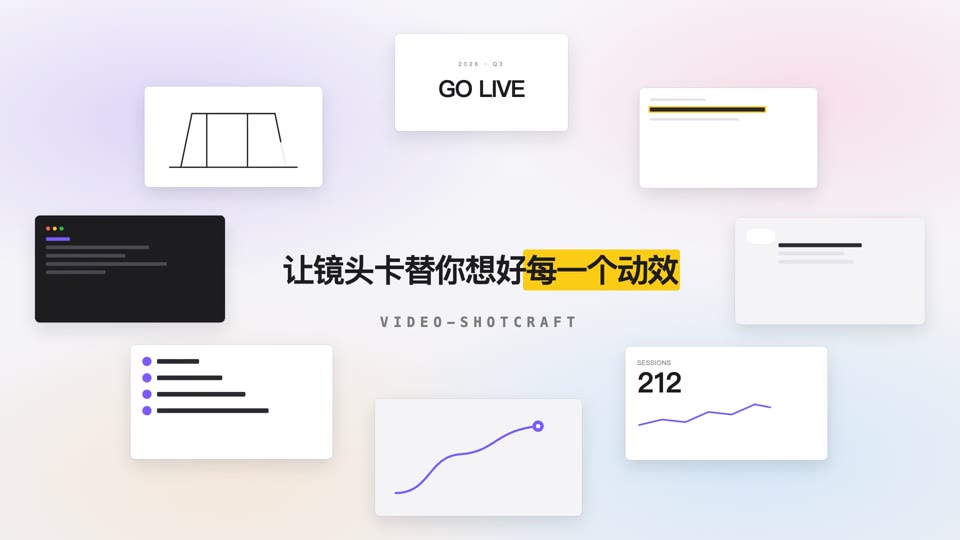
Orbit ring title opening
Eight content cards orbit a 700×375 ellipse at constant speed while a centered title resolves into focus and settles.