Motion · Tipografia
Text synced to audio
Two text-to-audio sync moves — font-weight-pump, strokes pumping thicker on the beat and springing back, and karaoke-fill-sync, words filling color one by one with the narration.
Fonte: video-shotcraft (Vincent Wei) ↗ · Apache-2.0 · Composição Remotion (React/TSX) — vídeo de prévia, sem player no navegador
Variantes
命中帧笔画瞬间变粗(stroke+字重跳变),~10f 衰减弹回;重音拍额外撑宽 8%
音乐驱动的高能段;标题当低音炮
每词深色从左到右填亮,进度跟语速,读完保持;活跃词下带读指下划线
旁白/口播强调段;多词标语的视线引导
When to use
Title/tagline passages tightly bound to the audio track; A binds to the beat (drums), B binds to speech (narration, word by word)
Intention
The type-motion library so far is all about "how does it enter" — nothing covers "how does text that's already on screen live along with the sound." These two moves fill that gap: A turns the title into a rhythm organ — strokes pump thicker on the bass hit and spring back, the text dancing, good as a visual bass drop for high-energy passages; B turns a tagline into read-along captions — whichever word the narration reaches fills with color left to right, pulling the eye along, good for voiceover/spoken-emphasis passages. Their common trait: the letters don't move, their properties do — no displacement, no entrance/exit, purely weight or color breathing on the sound's beat.
Duration & energy
- Duration: Single style 4–5s; A: each beat gets a 10f decay window; B: each word gets 15–35f depending on speech pace
- Energy: A high (a dance-floor feel) / B medium (a follow-along guide)
Shot recipe (original Chinese — timing, easing, parameter table, known pitfalls)
意图
文字动效库内此前全是"入场怎么进",没有词管"在场的字怎么跟着声音活"。 这两式补上:A 让标题变成节奏器官——笔画随低音鼓抽动变粗又弹回, 文字在蹦迪,适合高能段落的视觉低音炮;B 让标语变成跟读字幕—— 旁白读到哪个词哪个词从左到右填色点亮,视线被牵着走,适合口播/ 标语强调段。共同点是字不动、属性动:无位移、无入退场, 纯粹是字重/颜色在声音的拍点上呼吸。
两式选型
| 式 | 做法 | 适用 | |----|------|------| | A font-weight-pump 字重脉冲 | 命中帧笔画瞬间变粗(stroke+字重跳变),~10f 衰减弹回;重音拍额外撑宽 8% | 音乐驱动的高能段;标题当低音炮 | | B karaoke-fill-sync 填色随读 | 每词深色从左到右填亮,进度跟语速,读完保持;活跃词下带读指下划线 | 旁白/口播强调段;多词标语的视线引导 |
参数表
| 参数 | 典型值 | 调节手感 | |------|--------|----------| | A 脉冲包络 | env=(1−t/10)^0.8(t=命中后帧数,≥10f 精确归 0);-webkit-text-stroke: 10px·env + fontWeight 在 env>0.15 窗口 400↔900 跳变 | stroke 连续衰减 + 字重离散跳变叠加才读作"连续变粗";单用 fontWeight 只有两挡、单用 stroke 变化太细 | | A 节拍 | 每 20f 一拍;重音拍额外 scaleX = 1+0.08·env(transform 缩放不改排版) | 拍距必须 > 衰减窗(20>10),两拍重叠读作抽搐 | | A 节拍参照物 | 画面下方一排小节拍点,命中哪拍哪个点闪深并放大 | 静音环境(预览/静帧)没有这排点就读不出"在跟拍" | | B 词级时间表 | 逐词 [start,end] 帧区间,词内 linear 填充;词间留 4–10f 停顿(换气) | 时间戳实战来自旁白打点表;均匀分配读作机器朗读 | | B 填色实现 | 每词双层同文本叠放:底层浅灰 + 上层深色 clipPath: inset(0 X% 0 0),X=(1−p)·100 | 逐词独立叠层免量测词宽占比;整行单层 clip 需精确像素表、易漂 | | B 读指 | 活跃词下 8px 深色下划线,宽度 = p·100% | 4px 浅灰在 1080p 缩略下不可见(本批实渲踩坑);读完的词不留线 | | 收尾 | A 末拍衰减归零后 / B 末词填完后真静止 ≥20f | R1 呼吸判例 |
已知坑
- demo 在灰阶/占位素材上调校通过——参数是调校起点非实战定稿,
首次实战须以真实素材回验
- 两式都是声音强依赖手法:A 命中帧必须与鼓点同帧、B 填色区间必须
跟旁白词边界(钉帧走 sound-design §4.5 相对起点)——无声上片则 A 读作 抽风、B 读作莫名变色,别在无音轨段落用
- A 式实战想要真·可变字体连续字重(wght 轴逐帧插值)需先确认字体加载
与渲染器支持;demo 的 stroke+跳变方案是无字体风险的兜底,效果已可感
- A 式全片 ≤1 段(P4)——标题蹦迪是抢戏大户,两段同片互相拆台
- B 式词数 ≤6/屏:更多词时填色进度读不过来,拆行或拆镜
参考实现
demos/typography/type-rhythm-sync/ (FontWeightPump.tsx / KaraokeFillSync.tsx)
Reference implementation (Remotion)
- demos/typography/type-rhythm-sync/FontWeightPump.tsx — https://raw.githubusercontent.com/Vincentwei1021/video-shotcraft/main/demos/typography/type-rhythm-sync/FontWeightPump.tsx
- demos/typography/type-rhythm-sync/KaraokeFillSync.tsx — https://raw.githubusercontent.com/Vincentwei1021/video-shotcraft/main/demos/typography/type-rhythm-sync/KaraokeFillSync.tsx
The component imports shared fixtures from demos/_fixtures and helpers from assets/lib in the repo; SKILL.md there documents the render workflow.
Tudo nesta página também é legível por máquina. Aponte seu agente para o JSON ou adicione o servidor MCP do gimgs e peça para buscar templates de motion.
- Baixe o JSON — contém a receita do plano (timing, easing, tabela de parâmetros, armadilhas) e o código TSX completo.
- Clone o repositório video-shotcraft; o componente importa fixtures de demos/_fixtures e helpers de assets/lib.
- Registre o componente como <Composition> em um projeto Remotion e renderize com `npx remotion render`, ou reimplemente a receita no seu próprio engine.
curl -s https://gimgs.net/motion/type-rhythm-sync.jsongit clone https://github.com/Vincentwei1021/video-shotcraft
# component: demos/typography/type-rhythm-sync/FontWeightPump.tsx, demos/typography/type-rhythm-sync/KaraokeFillSync.tsx
npx remotion render <CompositionId> out.mp4claude mcp add --transport http gimgs https://gimgs.net/mcp
# then: search_motion_templates / get_motion_template("type-rhythm-sync")Prompt
Use the video-shotcraft shot recipe "Text synced to audio" (Remotion composition, Apache-2.0) published on gimgs.net.
Recipe JSON (prompt = timing/easing/parameter table/pitfalls, files = TSX source): https://gimgs.net/motion/type-rhythm-sync.json
Raw TSX: https://gimgs.net/motion/type-rhythm-sync/template.html
Repository: https://github.com/Vincentwei1021/video-shotcraft  (component: demos/typography/type-rhythm-sync/FontWeightPump.tsx, demos/typography/type-rhythm-sync/KaraokeFillSync.tsx; imports demos/_fixtures and assets/lib)
Spec: 1920x1080, 30 fps, 4.72s

1. Read the JSON and follow its "prompt" section (when to use, intention, parameter table, known pitfalls).
2. Adapt it for: <describe what you want>.
3. Either clone the repo, register the component as a <Composition> in a Remotion project and run npx remotion render <CompositionId> out.mp4 — or re-implement the recipe in your own engine (HTML/WAAPI works: keep the same timing and easing).
// ===== demos/typography/type-rhythm-sync/FontWeightPump.tsx =====
// 字重脉冲(font-weight-pump)——标题笔画随节拍变粗又弹回,像文字跟着低音鼓蹦迪。
// 节拍每 20f 一拍:帧 30/50/70/90/110 命中。命中瞬间 -webkit-text-stroke 0→10px
// 跳满,随后 10f 幂衰减 (1-t/10)^0.8 弹回 0;fontWeight 在命中窗口 400→900 离散跳变
// (env>0.15),配合 stroke 连续衰减读作"连续变粗"。第 3、5 拍(帧 70/110)为重音,
// 额外 scaleX 1→1.08 同衰减(transform 缩放不改排版)。底部 5 个节拍点作节拍参照。
// 结构:0–29f 静止 hold;30–119f 五拍脉冲;120–139f 真静止收尾(20f,110+10=120 无残留)。
import React from 'react';
import { useCurrentFrame } from 'remotion';
import { G } from '../../_fixtures/Fixtures';

const BEATS = [30, 50, 70, 90, 110];
const ACCENTS = new Set([2, 4]); // 第 3、5 拍重音
const DECAY = 10; // 衰减帧数

// 命中后 10f 幂衰减包络:t=0 → 1,t>=10 → 精确 0(保证结尾真静止)
const envAt = (frame: number, beat: number) => {
  const t = frame - beat;
  if (t < 0 || t >= DECAY) return 0;
  return Math.pow(1 - t / DECAY, 0.8);
};

export const FontWeightPump: React.FC = () => {
  const frame = useCurrentFrame();

  // 只可能有一个活跃拍(拍距 20f > 衰减 10f),取最大包络及其拍序号
  let env = 0;
  let activeBeat = -1;
  BEATS.forEach((b, i) => {
    const e = envAt(frame, b);
    if (e > env) {
      env = e;
      activeBeat = i;
    }
  });

  const strokeW = 10 * env; // 笔画粗细连续衰减
  const weight = env > 0.15 ? 900 : 400; // 命中窗口离散跳字重
  const accent = activeBeat >= 0 && ACCENTS.has(activeBeat);
  const scaleX = accent ? 1 + 0.08 * env : 1; // 重音拍变宽一挡

  return (
    <div
      style={{
        width: 1920,
        height: 1080,
        background: G.bg,
        position: 'relative',
        overflow: 'hidden',
        fontFamily: 'Helvetica, Arial, sans-serif',
      }}
    >
      {/* 定宽居中容器,transform 缩放不改排版 */}
      <div
        style={{
          position: 'absolute',
          left: 0,
          top: 0,
          width: 1920,
          height: 1080,
          display: 'flex',
          alignItems: 'center',
          justifyContent: 'center',
        }}
      >
        <div
          style={{
            fontSize: 150,
            fontWeight: weight,
            color: G.ink,
            letterSpacing: 6,
            whiteSpace: 'nowrap',
            WebkitTextStroke: `${strokeW}px ${G.ink}`,
            transform: `scaleX(${scaleX})`,
            transformOrigin: 'center center',
          }}
        >
          PUMP IT UP
        </div>
      </div>

      {/* 底部节拍点:5 个,命中哪拍哪个点闪 ink 并放大 */}
      <div
        style={{
          position: 'absolute',
          left: 0,
          bottom: 130,
          width: 1920,
          display: 'flex',
          justifyContent: 'center',
          gap: 56,
        }}
      >
        {BEATS.map((b, i) => {
          const e = envAt(frame, b);
          const dotOpacity = e > 0.02 ? Math.min(1, 0.3 + e * 1.2) : 0;
          const dotScale = 1 + 0.8 * e;
          return (
            <div
              key={i}
              style={{
                width: 26,
                height: 26,
                borderRadius: 13,
                background: G.line,
                position: 'relative',
                transform: `scale(${dotScale})`,
              }}
            >
              <div
                style={{
                  position: 'absolute',
                  inset: 0,
                  borderRadius: 13,
                  background: G.ink,
                  opacity: dotOpacity,
                }}
              />
            </div>
          );
        })}
      </div>
    </div>
  );
};


// ===== demos/typography/type-rhythm-sync/KaraokeFillSync.tsx =====
// 卡拉OK填色随读(karaoke-fill-sync)——旁白读到哪个词,哪个词就被深色从左到右
// 点亮。两行标语 "SHIP FASTER / BREAK NOTHING",每个词双层同文本叠放:底层 G.line
// 浅灰字,上层 G.ink 深字用 clip-path: inset(0 X% 0 0) 按词内进度线性填充(逐词独立
// 叠层,clip 百分比即词内进度,无需量测词在整行的像素占比)。词级时间表模拟语速:
// SHIP 20–38、FASTER 42–75(长词慢读)、BREAK 85–103、NOTHING 107–130,词间停顿。
// 正在填的词底下有 8px 深色下划线跟随填充右缘作读指。0–19f hold;130–149f 真静止。
import React from 'react';
import { useCurrentFrame, interpolate } from 'remotion';
import { G } from '../../_fixtures/Fixtures';

type Word = { text: string; start: number; end: number };

const LINES: Word[][] = [
  [
    { text: 'SHIP', start: 20, end: 38 },
    { text: 'FASTER', start: 42, end: 75 },
  ],
  [
    { text: 'BREAK', start: 85, end: 103 },
    { text: 'NOTHING', start: 107, end: 130 },
  ],
];

const KaraokeWord: React.FC<{ word: Word; frame: number }> = ({ word, frame }) => {
  // 词内 linear 填充进度,clamp 保证读完保持
  const p = interpolate(frame, [word.start, word.end], [0, 1], {
    extrapolateLeft: 'clamp',
    extrapolateRight: 'clamp',
  });
  const active = frame >= word.start && frame < word.end; // 正在读这个词
  return (
    <span style={{ position: 'relative', display: 'inline-block' }}>
      {/* 底层:浅灰未读字 */}
      <span style={{ color: G.line }}>{word.text}</span>
      {/* 上层:深字按进度从左到右揭开 */}
      <span
        style={{
          position: 'absolute',
          inset: 0,
          color: G.ink,
          clipPath: `inset(0 ${(1 - p) * 100}% 0 0)`,
        }}
      >
        {word.text}
      </span>
      {/* 读指下划线:只在正在填的词下出现,右缘跟随填充进度 */}
      {active && (
        <span
          style={{
            position: 'absolute',
            left: 0,
            bottom: -14,
            width: `${p * 100}%`,
            height: 8,
            background: G.ink,
          }}
        />
      )}
    </span>
  );
};

export const KaraokeFillSync: React.FC = () => {
  const frame = useCurrentFrame();
  return (
    <div
      style={{
        width: 1920,
        height: 1080,
        background: G.bg,
        overflow: 'hidden',
        display: 'flex',
        flexDirection: 'column',
        justifyContent: 'center',
        paddingLeft: 240,
        boxSizing: 'border-box',
        fontFamily: 'Helvetica, Arial, sans-serif',
        fontSize: 130,
        fontWeight: 800,
        letterSpacing: 2,
        lineHeight: 1.45,
      }}
    >
      {LINES.map((words, li) => (
        <div key={li} style={{ display: 'flex', gap: 48 }}>
          {words.map((w) => (
            <KaraokeWord key={w.text} word={w} frame={frame} />
          ))}
        </div>
      ))}
    </div>
  );
};
- Read the recipePrompt = when to use, intention, parameter table with typical values and how each one feels, known pitfalls. Treat values as calibrated starting points.
- Get the codetool: git
git clone https://github.com/Vincentwei1021/video-shotcraft && cd video-shotcraft && npm install - Register + rendertool: remotion
npx remotion render <CompositionId> out.mp4 # component: demos/typography/type-rhythm-sync/FontWeightPump.tsx, demos/typography/type-rhythm-sync/KaraokeFillSync.tsx - Or re-implementPort the timing/easing from the recipe to HTML + WAAPI (gimgs motion contract) or any engine; keep the same segment windows and easing.
| param | type | default | description |
|---|---|---|---|
| — | |||
Mais nesta categoria

Word relay geometry
Three benefit words each carry their own dedicated geometry relay — a dashed circle spins and shrinks → three solid circles trim-grow in sequence → a metallic sheen sweeps then collapses to pure white; each new word outlines then fills in.
Word relay filmstrip
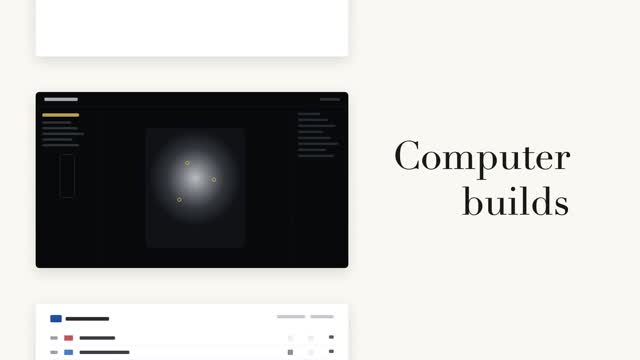
A left column of black-and-white page cards steps forward while a serif big word on the right relays in place (a fixed noun + a cycling verb) — the column steps only when the word changes, aligned to the current page card's midpoint.

Vertical word-roll cycle
The sentence's last word cycles on a vertical roller, 3 swaps at 0.55s each, fast then very slow with a slight overshoot; neighboring rows carry vertical blur and grayscale by distance, the centered word snapping from gray to accent color as it lands.

Two code reveals, side by side
The same syntax-highlighted code reveals two ways side by side — left: line-level stagger fading up 8px, right: character-by-character typing keeping each token's original color, with a #3a4468 block cursor on the current character.