Motion · Encerramento
UI morphs into brand mark
Two UI-to-brand morphs — icon-flip-bloom, an icon flips flat on Y and blooms into a flower mark with the wordmark settling letter by letter, and input-morph-assemble, an input field shrinking into a pill as three primitives assemble into a logo petal.
Fonte: video-shotcraft (Vincent Wei) ↗ · Apache-2.0 · Composição Remotion (React/TSX) — vídeo de prévia, sem player no navegador
Variantes
图标 anticipation 晃两下→Y 轴 scaleX 压扁成竖线(双层拖影+blur)→最薄处实体交换、spring 绽放成 5 瓣花形 mark→mark 左移让位、wordmark 逐字落定
单图标产品;图标与 logo 形态差异大、需要"翻过去变身"的魔术感
光标点发送→文字飞走→输入框 x/y/w/h/r 五量 spring 插值成圆角胶囊→三粒图元错峰从画外落下拼成抽象单瓣→整组呼吸
输入框/卡片等矩形 UI 是全片主角的片子;logo 可拆解为几何图元组合
When to use
The last beat before a brand outro; visual proof that "the UI you use every day is this brand"
Intention
The brand-outro library already has three routes: brand-ink-open is an opening ink-press reveal, morph-from-primitive is primitive-to-UI-container (the opposite direction), and outro-group-photo-launch is elements gathering for a group photo (assembling without transforming). This card adds a fourth: the product's own UI element transforms itself into the brand mark — style A is an icon flipping over into the logo (a same-slot entity swap), style B is the input field that's recurred throughout the film assembling, after its last send, into a single logo petal (multi-element landing and assembly). What the viewer sees isn't "a logo appeared," it's "the thing I was just using turns out to be it" — the causal chain itself is the brand argument.
Duration & energy
- Duration: A: ~4.3s (130f) / B: ~4.7s (140f)
- Energy: Medium-high (a punctuation beat at the close, one complete morph telling the whole story)
Shot recipe (original Chinese — timing, easing, parameter table, known pitfalls)
意图
品牌收尾库里已有三条路:brand-ink-open 是开场描画压印、 morph-from-primitive 是图元→UI 容器(方向相反)、 outro-group-photo-launch 是元素围拢合影(聚而不变)。本卡补第四条: 产品 UI 元素自己变形成品牌符号——A 式是图标翻一个身变成 logo (同位实体交换),B 式是全片反复出现的输入框在最后一次发送后集结成 logo 单瓣(多元素落位拼装)。观众看到的不是"logo 出现了",而是 "刚才用的东西原来就是它",因果链本身就是品牌论证。
两式选型
| 式 | 做法 | 适用 | |----|------|------| | A icon-flip-bloom | 图标 anticipation 晃两下→Y 轴 scaleX 压扁成竖线(双层拖影+blur)→最薄处实体交换、spring 绽放成 5 瓣花形 mark→mark 左移让位、wordmark 逐字落定 | 单图标产品;图标与 logo 形态差异大、需要"翻过去变身"的魔术感 | | B input-morph-assemble | 光标点发送→文字飞走→输入框 x/y/w/h/r 五量 spring 插值成圆角胶囊→三粒图元错峰从画外落下拼成抽象单瓣→整组呼吸 | 输入框/卡片等矩形 UI 是全片主角的片子;logo 可拆解为几何图元组合 |
参数表
| 参数 | 典型值 | 调节手感 | |------|--------|----------| | A anticipation | 12–34f 倾斜 -12°/+14°/-18°→0°,inOut(sin),transformOrigin 钉底部 78% | 幅度递增才读作"蓄力";只晃一下读不出预备动作 | | A 翻扁 | 12f Easing.in(cubic),scaleX 1→0.04;两层残影 opacity 0.22/0.14 + blur 6px 滞后 0.12/0.24 | 加速入是"甩"的关键;匀速翻读作 flip 卡片。0.04 是最薄处,实体交换在这帧做 | | A 绽放 | spring(damping 11, stiffness 130);5 瓣 ellipse 角度从 -90°(全竖直重叠)张到均匀分布,长 20→38、宽 3→15 同步生长 | 花瓣从闭合竖线张开才接得住"翻过最薄处";直接 scale 整朵会断因果 | | A wordmark | mark 16f 左移 -420px 让位;逐字 2.2f 错峰、每字 10f | wordmark 落定应对照原片:各字母由大变小落位,大的时候模糊、落位时清晰(scale+blur 联动逐字落定),不是横向扫出;demo 的 translateX -70→0 + blur 16→0 横扫是待改项 | | B 发送反馈 | 光标 22f 移入按下 scale 0.82 + 按钮闪白 6f;文字 12f Easing.in 加速右上飞出(+700,-380)+ rotate -10° + 淡出 | 飞走必须加速——匀速飞读作平移不读作"发出去了" | | B morph | 34f 起 spring(damping 13, stiffness 90),860×120 r26 → 300×108 r54 五量同步;白描边随进度填成实心 | 五量必须同一个 spring 驱动,分开插值会中途散架 | | B 三粒落下 | 56/70/84f 错峰 14f,各自 spring(damping 12) 从画外 -260px 落到预排位 | 错峰是"集结"的节奏感;齐落读作下雨 | | B 落定呼吸 | 108f 起整组 scale 1±0.03 正弦(0.18 rad/f),transformOrigin 钉瓣心 | 呼吸给"活的 logo"收尾;没有呼吸落定即死帧 |
已知坑
- demo 在灰阶/占位素材上调校通过——参数是调校起点非实战定稿,
首次实战须以真实素材回验
- A 式实体交换必须发生在 scaleX ≤0.05 的最薄帧——提前换观众看见两个图形叠影,魔术穿帮
- A 式 wordmark 按上表改逐字 scale+blur 落定后,错峰间隔可能要拉大(每字有独立的"由大变小"动作,2.2f 可能读不清),改完按可感性判例正常速度看片
- B 式拼的是抽象单瓣(泪滴+胶囊组合)不是真 Slack logo——实战换成自家 logo 的图元分解,图元数 3–4 粒为宜,多了读作粒子不读作拼装
- 变形中途别叠其他动画(morph-from-primitive 同判例):morph 本身是全部信息
- 与 outro-group-photo-launch 分工:那是全片元素飞来围住字标合影(聚),本卡是 UI 元素自己变成品牌符号(变);同片收尾二选一
- 声音:A 翻扁一声"唰"、绽放落定"嗒";B 发送一声 send、每粒落位一声 pop、呼吸段静
参考实现
demos/outro/ui-to-brand-morph/ (IconFlipBloomLogo.tsx / InputMorphsIntoLogo.tsx) 原片出处:A perplexity-promo 88–91.5s / B slack-promo 40–41s
实现状态:两式均有参考实现与 Gallery 动态样片。
Reference implementation (Remotion)
- demos/outro/ui-to-brand-morph/IconFlipBloomLogo.tsx — https://raw.githubusercontent.com/Vincentwei1021/video-shotcraft/main/demos/outro/ui-to-brand-morph/IconFlipBloomLogo.tsx
- demos/outro/ui-to-brand-morph/InputMorphsIntoLogo.tsx — https://raw.githubusercontent.com/Vincentwei1021/video-shotcraft/main/demos/outro/ui-to-brand-morph/InputMorphsIntoLogo.tsx
The component imports shared fixtures from demos/_fixtures and helpers from assets/lib in the repo; SKILL.md there documents the render workflow.
Tudo nesta página também é legível por máquina. Aponte seu agente para o JSON ou adicione o servidor MCP do gimgs e peça para buscar templates de motion.
- Baixe o JSON — contém a receita do plano (timing, easing, tabela de parâmetros, armadilhas) e o código TSX completo.
- Clone o repositório video-shotcraft; o componente importa fixtures de demos/_fixtures e helpers de assets/lib.
- Registre o componente como <Composition> em um projeto Remotion e renderize com `npx remotion render`, ou reimplemente a receita no seu próprio engine.
curl -s https://gimgs.net/motion/ui-to-brand-morph.jsongit clone https://github.com/Vincentwei1021/video-shotcraft
# component: demos/outro/ui-to-brand-morph/IconFlipBloomLogo.tsx, demos/outro/ui-to-brand-morph/InputMorphsIntoLogo.tsx
npx remotion render <CompositionId> out.mp4claude mcp add --transport http gimgs https://gimgs.net/mcp
# then: search_motion_templates / get_motion_template("ui-to-brand-morph")Prompt
Use the video-shotcraft shot recipe "UI morphs into brand mark" (Remotion composition, Apache-2.0) published on gimgs.net.
Recipe JSON (prompt = timing/easing/parameter table/pitfalls, files = TSX source): https://gimgs.net/motion/ui-to-brand-morph.json
Raw TSX: https://gimgs.net/motion/ui-to-brand-morph/template.html
Repository: https://github.com/Vincentwei1021/video-shotcraft  (component: demos/outro/ui-to-brand-morph/IconFlipBloomLogo.tsx, demos/outro/ui-to-brand-morph/InputMorphsIntoLogo.tsx; imports demos/_fixtures and assets/lib)
Spec: 1920x1080, 30 fps, 4.39s

1. Read the JSON and follow its "prompt" section (when to use, intention, parameter table, known pitfalls).
2. Adapt it for: <describe what you want>.
3. Either clone the repo, register the component as a <Composition> in a Remotion project and run npx remotion render <CompositionId> out.mp4 — or re-implement the recipe in your own engine (HTML/WAAPI works: keep the same timing and easing).
// ===== demos/outro/ui-to-brand-morph/IconFlipBloomLogo.tsx =====
// icon-flip-bloom-logo —— 图标 Y 轴翻转压扁成竖线,绽放成花形 mark + wordmark 扫出
// 源:perplexity-promo 88–91.5s。笑脸 laptop 图标 anticipation 晃两下 →
// 沿 Y 轴翻转压扁成竖线(拖影/模糊)→ 翻过最薄处绽放花形 mark(花瓣张开)→
// wordmark 从 mark 右侧带方向模糊逐段扫出(字符从糊到锐利)。
import React from 'react';
import { AbsoluteFill, useCurrentFrame, interpolate, Easing, spring, useVideoConfig } from 'remotion';
import { G } from '../../_fixtures/Fixtures';

const FONT = 'Helvetica, Arial, sans-serif';
const INK = '#20808d'; // 花形 mark 用一点 teal,其余灰阶

const SmileLaptop: React.FC<{ size: number }> = ({ size }) => (
  <svg width={size} height={size} viewBox="0 0 40 40">
    <rect x={7} y={6} width={26} height={20} rx={3.5} fill="#fff" stroke={G.ink} strokeWidth={3} />
    <circle cx={15.5} cy={13.5} r={2} fill={G.ink} />
    <circle cx={24.5} cy={13.5} r={2} fill={G.ink} />
    <path d="M14 18.5 Q20 23.5 26 18.5" stroke={G.ink} strokeWidth={2.8} fill="none" strokeLinecap="round" />
    <path d="M3.5 31.5 L36.5 31.5" stroke={G.ink} strokeWidth={3.6} strokeLinecap="round" />
  </svg>
);

// 5 瓣抽象花形 mark,bloom: 0(闭合竖线)→1(全开)
const FlowerMark: React.FC<{ size: number; bloom: number }> = ({ size, bloom }) => {
  const petals = 5;
  return (
    <svg width={size} height={size} viewBox="-50 -50 100 100">
      {Array.from({ length: petals }).map((_, i) => {
        // 从竖直方向(-90°)向两侧展开到均匀分布
        const finalAngle = -90 + (i - (petals - 1) / 2) * (360 / petals);
        const angle = interpolate(bloom, [0, 1], [-90, finalAngle]);
        const len = interpolate(bloom, [0, 1], [20, 38]);
        const wid = interpolate(bloom, [0, 1], [3, 15]);
        return (
          <ellipse
            key={i}
            cx={0}
            cy={-len / 2}
            rx={wid / 2}
            ry={len / 2}
            fill={INK}
            opacity={0.92}
            transform={`rotate(${angle + 90})`}
          />
        );
      })}
      <circle r={interpolate(bloom, [0, 1], [2, 9])} fill={G.ink} />
    </svg>
  );
};

const WORD = 'perplexity';

export const IconFlipBloomLogo: React.FC = () => {
  const frame = useCurrentFrame();
  const { fps } = useVideoConfig();

  // ---- 时间轴 ----
  // 0–10: 图标登场(淡入微弹)
  // 12–34: anticipation 倾斜蓄力晃两下
  // 34–46: Y 轴翻转压扁成竖线(scaleX -> 0.04,带拖影)
  // 46–62: 翻过最薄处绽放花形(bloom 0->1 带过冲)
  // 64–100: mark 左移让位 + wordmark 逐字符方向模糊扫出
  const FLIP_START = 34;
  const FLIP_MID = 46;
  const BLOOM_END = 62;
  const WORD_START = 66;

  // 登场
  const inT = spring({ frame, fps, config: { damping: 13, stiffness: 140, mass: 0.8 } });

  // anticipation:两次倾斜摆动,幅度递增(-10° / +14°),最后向反方向压一下蓄力
  const wobble =
    interpolate(frame, [12, 18, 24, 30, FLIP_START], [0, -12, 14, -18, 0], {
      extrapolateLeft: 'clamp',
      extrapolateRight: 'clamp',
      easing: Easing.inOut(Easing.sin),
    });

  // 翻转前半:scaleX 1 -> 0.04(加速入),伴随拖影
  const flipIn = interpolate(frame, [FLIP_START, FLIP_MID], [0, 1], {
    extrapolateLeft: 'clamp',
    extrapolateRight: 'clamp',
    easing: Easing.in(Easing.cubic),
  });
  const iconScaleX = interpolate(flipIn, [0, 1], [1, 0.04]);

  // 绽放:spring 过冲
  const bloomSpring = spring({
    frame: frame - FLIP_MID,
    fps,
    config: { damping: 11, stiffness: 130, mass: 0.9 },
  });
  const bloom = frame < FLIP_MID ? 0 : bloomSpring;
  // mark 从竖线厚度撑开:scaleX 0.04 -> 1
  const markScaleX = interpolate(bloom, [0, 1], [0.04, 1]);

  // mark 左移让位(wordmark 登场时)
  const shift = interpolate(frame, [WORD_START - 2, WORD_START + 16], [0, 1], {
    extrapolateLeft: 'clamp',
    extrapolateRight: 'clamp',
    easing: Easing.out(Easing.cubic),
  });
  const markX = interpolate(shift, [0, 1], [0, -420]);

  const showIcon = frame < FLIP_MID;

  // 拖影帧(翻转期间画 2 个残影)
  const ghosts = frame >= FLIP_START && frame < FLIP_MID ? [0.12, 0.24] : [];

  return (
    <AbsoluteFill style={{ background: G.bg, alignItems: 'center', justifyContent: 'center' }}>
      <div style={{ position: 'relative', width: 1920, height: 400, display: 'flex', alignItems: 'center', justifyContent: 'center' }}>
        {/* 图标 / mark 容器 */}
        <div
          style={{
            position: 'absolute',
            left: 960 + markX,
            top: 200,
            transform: 'translate(-50%, -50%)',
          }}
        >
          {showIcon ? (
            <>
              {ghosts.map((g, i) => {
                const gs = Math.min(1, iconScaleX + g);
                return (
                  <div
                    key={i}
                    style={{
                      position: 'absolute',
                      left: '50%',
                      top: '50%',
                      transform: `translate(-50%, -50%) scaleX(${gs})`,
                      opacity: 0.22 - i * 0.08,
                      filter: 'blur(6px)',
                    }}
                  >
                    <SmileLaptop size={340} />
                  </div>
                );
              })}
              <div
                style={{
                  transform: `scale(${inT}) rotate(${wobble}deg) scaleX(${iconScaleX})`,
                  transformOrigin: 'center 78%',
                  filter: flipIn > 0.3 ? `blur(${flipIn * 5}px)` : 'none',
                  opacity: inT,
                }}
              >
                <SmileLaptop size={340} />
              </div>
            </>
          ) : (
            <div style={{ transform: `scaleX(${markScaleX})` }}>
              <FlowerMark size={340} bloom={bloom} />
            </div>
          )}
        </div>

        {/* wordmark:逐字符方向模糊扫出 */}
        <div
          style={{
            position: 'absolute',
            left: 960 + markX + 230,
            top: 200,
            transform: 'translateY(-50%)',
            display: 'flex',
            fontFamily: FONT,
            fontWeight: 700,
            fontSize: 150,
            color: G.ink,
            letterSpacing: 2,
          }}
        >
          {WORD.split('').map((ch, i) => {
            const cT = interpolate(frame, [WORD_START + i * 2.2, WORD_START + i * 2.2 + 10], [0, 1], {
              extrapolateLeft: 'clamp',
              extrapolateRight: 'clamp',
              easing: Easing.out(Easing.cubic),
            });
            return (
              <span
                key={i}
                style={{
                  display: 'inline-block',
                  opacity: cT,
                  transform: `translateX(${(1 - cT) * -70}px)`,
                  filter: `blur(${(1 - cT) * 16}px)`,
                }}
              >
                {ch}
              </span>
            );
          })}
        </div>
      </div>
    </AbsoluteFill>
  );
};


// ===== demos/outro/ui-to-brand-morph/InputMorphsIntoLogo.tsx =====
// input-morphs-into-logo —— slack-promo 40–41s
// 消息输入框(一行文字 + 发送键)点击发送:文字飞走,输入框收缩变形成
// 圆角胶囊;上方依次落下 圆、胶囊、小圆,四粒元素集结排成抽象 logo
// 单瓣(泪滴 + 胶囊的抽象组合,非真 Slack logo),落定呼吸。
import React from 'react';
import {
  AbsoluteFill,
  useCurrentFrame,
  useVideoConfig,
  interpolate,
  spring,
  Easing,
} from 'remotion';

const BG = '#3d1f47'; // 深梅紫
const CX = 960;
const CY = 560;

// 落定后的抽象单瓣布局(横向胶囊在中,上方泪滴圆、右侧胶囊、下方小圆)
// 单瓣 = 主胶囊(输入框变) + 大圆 + 竖胶囊 + 小圆 集结成花瓣角
const FINAL = {
  mainPill: { x: CX - 150, y: CY + 10, w: 300, h: 108, r: 54 }, // 横胶囊
  bigDot: { x: CX - 204, y: CY + 10, d: 108 },                  // 左端圆(与胶囊左帽相切,构成泪滴感)
  vPill: { x: CX + 96, y: CY - 152, w: 108, h: 260, r: 54 },    // 右上竖胶囊
  smallDot: { x: CX + 150, y: CY - 226, d: 76 },                // 竖胶囊顶上的小圆
};

export const InputMorphsIntoLogo: React.FC = () => {
  const f = useCurrentFrame();
  const { fps } = useVideoConfig();

  // —— 时间轴 ——
  const CLICK = 22;      // 光标按下发送
  const FLY = 26;        // 文字飞走
  const MORPH = 34;      // 输入框开始收缩变形
  const DROPS = [56, 70, 84]; // 大圆 / 竖胶囊 / 小圆 依次落下
  const SETTLE = 108;    // 全部落定,开始呼吸

  // 输入框初始几何
  const box0 = { x: CX - 430, y: CY - 60, w: 860, h: 120, r: 26 };

  // 光标移入 + 点击
  const cursorX = interpolate(f, [0, CLICK], [1500, box0.x + box0.w - 60], {
    extrapolateLeft: 'clamp', extrapolateRight: 'clamp', easing: Easing.out(Easing.cubic),
  });
  const cursorY = interpolate(f, [0, CLICK], [900, box0.y + 60], {
    extrapolateLeft: 'clamp', extrapolateRight: 'clamp', easing: Easing.out(Easing.cubic),
  });
  const press = f >= CLICK && f <= CLICK + 4 ? 0.82 : 1;
  const cursorGone = interpolate(f, [FLY + 4, FLY + 12], [1, 0], {
    extrapolateLeft: 'clamp', extrapolateRight: 'clamp',
  });

  // 发送键按下反馈
  const btnFlash = f >= CLICK && f <= CLICK + 6 ? 1 : 0;

  // 文字飞走:整行向右上飞出 + 加速
  const flyT = interpolate(f, [FLY, FLY + 12], [0, 1], {
    extrapolateLeft: 'clamp', extrapolateRight: 'clamp', easing: Easing.in(Easing.cubic),
  });

  // 输入框 → 主胶囊 morph(几何插值,带一点弹性落定)
  const m = spring({ frame: f - MORPH, fps, config: { damping: 13, stiffness: 90, mass: 0.9 } });
  const bx = interpolate(m, [0, 1], [box0.x, FINAL.mainPill.x]);
  const by = interpolate(m, [0, 1], [box0.y, FINAL.mainPill.y - FINAL.mainPill.h / 2 + 60 - 60]);
  const bw = interpolate(m, [0, 1], [box0.w, FINAL.mainPill.w]);
  const bh = interpolate(m, [0, 1], [box0.h, FINAL.mainPill.h]);
  const br = interpolate(m, [0, 1], [box0.r, FINAL.mainPill.r]);
  const bColor = m; // 边框白框 → 实心暖白

  // 三粒元素依次从画外上方落下(spring 落定,带轻微过冲)
  const dropSpring = (i: number) =>
    spring({ frame: f - DROPS[i], fps, config: { damping: 12, stiffness: 110, mass: 0.85 } });

  // 落定呼吸:整瓣轻微 scale 脉动
  const breathe = f >= SETTLE ? 1 + 0.03 * Math.sin((f - SETTLE) * 0.18) : 1;

  const dropY = (finalY: number, s: number) => interpolate(s, [0, 1], [-260, finalY]);

  const s0 = dropSpring(0);
  const s1 = dropSpring(1);
  const s2 = dropSpring(2);

  const WHITE = '#fdf6ee';

  return (
    <AbsoluteFill style={{ background: BG, fontFamily: 'Helvetica, Arial, sans-serif', overflow: 'hidden' }}>
      <AbsoluteFill style={{ transform: `scale(${breathe})`, transformOrigin: `${CX}px ${CY - 40}px` }}>
        {/* 主体:输入框 → 主胶囊 */}
        <div
          style={{
            position: 'absolute',
            left: bx,
            top: by,
            width: bw,
            height: bh,
            borderRadius: br,
            border: `4px solid ${WHITE}`,
            background: `rgba(253,246,238,${bColor})`,
            boxSizing: 'border-box',
            display: 'flex',
            alignItems: 'center',
            padding: '0 34px',
            boxShadow: m > 0.6 ? '0 0 60px rgba(253,246,238,0.25)' : 'none',
          }}
        >
          {/* 一行文字(发送后飞走) */}
          <div
            style={{
              fontSize: 44,
              color: WHITE,
              whiteSpace: 'nowrap',
              opacity: (1 - flyT) * (1 - m),
              transform: `translate(${flyT * 700}px, ${-flyT * 380}px) rotate(${-flyT * 10}deg)`,
            }}
          >
            Ready, set, go!
            {/* 光标闪烁 */}
            <span style={{ opacity: Math.floor(f / 8) % 2 === 0 && f < FLY ? 1 : 0 }}>|</span>
          </div>
          {/* 发送键 */}
          <div
            style={{
              marginLeft: 'auto',
              width: 72,
              height: 72,
              borderRadius: 18,
              background: btnFlash ? '#ffffff' : 'rgba(253,246,238,0.9)',
              opacity: 1 - m,
              display: 'flex',
              alignItems: 'center',
              justifyContent: 'center',
              transform: `scale(${press})`,
              flexShrink: 0,
            }}
          >
            {/* 纸飞机三角 */}
            <svg width={34} height={34} viewBox="0 0 34 34">
              <path d="M3 17 L31 4 L20 30 L15 19 Z" fill={BG} />
            </svg>
          </div>
        </div>

        {/* 大圆(第一粒,落在主胶囊左端形成泪滴组合) */}
        {f >= DROPS[0] && (
          <div
            style={{
              position: 'absolute',
              left: FINAL.bigDot.x - FINAL.bigDot.d / 2,
              top: dropY(FINAL.bigDot.y - FINAL.bigDot.d / 2, s0),
              width: FINAL.bigDot.d,
              height: FINAL.bigDot.d,
              borderRadius: '50%',
              background: WHITE,
              boxShadow: '0 0 40px rgba(253,246,238,0.2)',
            }}
          />
        )}

        {/* 竖胶囊(第二粒) */}
        {f >= DROPS[1] && (
          <div
            style={{
              position: 'absolute',
              left: FINAL.vPill.x - FINAL.vPill.w / 2,
              top: dropY(FINAL.vPill.y - FINAL.vPill.h / 2, s1),
              width: FINAL.vPill.w,
              height: FINAL.vPill.h,
              borderRadius: FINAL.vPill.r,
              background: WHITE,
              boxShadow: '0 0 40px rgba(253,246,238,0.2)',
            }}
          />
        )}

        {/* 小圆(第三粒,压在竖胶囊顶端旁) */}
        {f >= DROPS[2] && (
          <div
            style={{
              position: 'absolute',
              left: FINAL.smallDot.x - FINAL.smallDot.d / 2,
              top: dropY(FINAL.smallDot.y - FINAL.smallDot.d / 2, s2),
              width: FINAL.smallDot.d,
              height: FINAL.smallDot.d,
              borderRadius: '50%',
              background: '#e8b84b',
              boxShadow: '0 0 40px rgba(232,184,75,0.35)',
            }}
          />
        )}
      </AbsoluteFill>

      {/* 光标 */}
      <div
        style={{
          position: 'absolute',
          left: cursorX,
          top: cursorY,
          opacity: cursorGone,
          transform: `scale(${press})`,
          zIndex: 50,
        }}
      >
        <svg width={40} height={44} viewBox="0 0 40 44">
          <path
            d="M4 2 L4 34 L13 26 L19 40 L26 37 L20 23 L32 22 Z"
            fill="#ffffff"
            stroke={BG}
            strokeWidth={2}
          />
        </svg>
      </div>
    </AbsoluteFill>
  );
};
- Read the recipePrompt = when to use, intention, parameter table with typical values and how each one feels, known pitfalls. Treat values as calibrated starting points.
- Get the codetool: git
git clone https://github.com/Vincentwei1021/video-shotcraft && cd video-shotcraft && npm install - Register + rendertool: remotion
npx remotion render <CompositionId> out.mp4 # component: demos/outro/ui-to-brand-morph/IconFlipBloomLogo.tsx, demos/outro/ui-to-brand-morph/InputMorphsIntoLogo.tsx - Or re-implementPort the timing/easing from the recipe to HTML + WAAPI (gimgs motion contract) or any engine; keep the same segment windows and easing.
| param | type | default | description |
|---|---|---|---|
| — | |||
Mais nesta categoria
Strip-away outro
A subtraction outro — after clicking Publish, the editor UI evaporates in staggered layers from the outside in, leaving only the clicked button, which slides to center screen and enlarges before fading to the closing wordmark.

Outro group photo launch
Elements from across the whole film fly in from every direction to pose around the wordmark, staged like a launch-event finale.
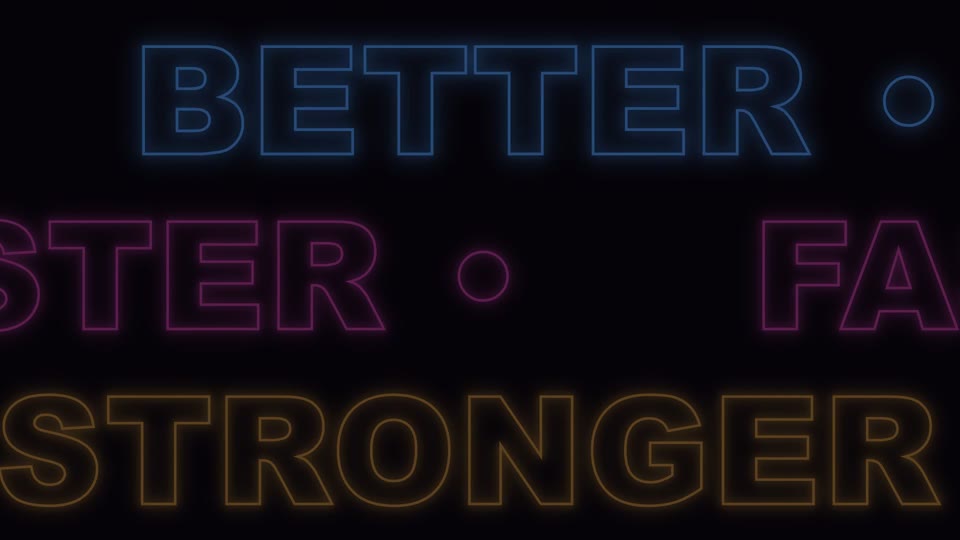
Triple neon marquee recap
Three rows of opposing neon marquee text (BETTER/FASTER/STRONGER) scroll endlessly, taking turns lighting up, then fade out.
Logo shrink to wordmark lockup
A large neon-cutout ring collapses fast into a small solid white "O" with a settling overshoot, the icon shifts left to make room, letters slide in to complete the lockup, and a tagline closes it out.