Motion · Intro
Vỡ mảnh hợp nhất & bung ra
Lưới 25 ô (5×5) hợp nhất từng vòng từ trạng thái vỡ mảnh 3D theo gợn sóng trung tâm thành poster hoàn chỉnh, dừng một nhịp để hiện chữ, rồi toàn bộ mảnh xoay tăng tốc bay ra khỏi khung hình.
Nguồn: video-shotcraft (Vincent Wei) ↗ · Apache-2.0 · Composition Remotion (React/TSX) — có video preview, không có player trong trình duyệt
Khi nào dùng
Cảnh mở đầu kiểu "từ hỗn loạn thành hình" cho reveal thương hiệu/poster; có thể phát xuôi hoặc chỉ lấy nửa sau làm chuyển cảnh cứng.
Ý đồ
Quay "sản phẩm thành hình" như một sự kiện vật lý: các mảnh từ không gian 3D bay về đúng vị trí, mỗi mảnh mang theo vòng xoay riêng, khán giả thấy một hình ảnh hoàn chỉnh mọc ra từ hỗn loạn; giữ hình đọc chữ xong thì bung nổ toàn bộ ra khỏi khung hình, bàn giao sự chú ý sạch sẽ cho cảnh tiếp theo. Vào và ra đối xứng nhau, một đoạn tư liệu có thể dùng cả xuôi lẫn ngược.
Thời lượng & năng lượng
- Thời lượng: Khoảng 5.2s (156f@30fps; hợp nhất 0–2.6s · giữ hình 1s · bung ra 1.5s)
- Năng lượng: Cao (năng lượng cao ở cả hai đầu, tĩnh ở giữa; phù hợp nhấn nhạc nền ở đầu và cuối)
Công thức cảnh quay (bản gốc tiếng Trung — timing, easing, bảng tham số, lỗi hay gặp)
意图
把"产品成形"拍成物理事件:碎片从三维空间各自带着旋转飞回原位,观众看着一面完整画面从无序中长出来;hold 读字后再整体炸出画面,把注意力干净地交给下一镜。进出对称,一支素材可正反两用。
动效核心
- 25 块瓦片各自持有确定性伪随机的初始姿态:位移 ±450/±300/±490px(x/y/z)+ 三轴 ±180° 旋转,由
rand(seed)生成,渲染可复现 - 入场按曼哈顿距离波纹 stagger:
delay = (|r-2|+|c-2|) * 0.045,中心先就位、四角最后,每块 0.34 时长走inOutCubic - opacity 以
tin * 2.5快速升到 1——碎片远处即近乎实体,避免"淡入感"稀释物理感 - 中央 "REASSEMBLE" 字样 t=0.42–0.52 淡入、0.7–0.78 淡出,占住 hold 段视线
- 退场不淡出:每块沿背离画面中心的方向(
atan2计算 + ±0.8 抖动)飞出 620–880px 并加旋 ±150°,inCubic加速,实体出画
参数表
| 参数 | 典型值 | 调节手感 | |------|--------|----------| | 网格 | 5×5,380×230px,perspective 900px | 瓦片更多波纹更细腻但单块存在感下降;persp <700 透视夸张易穿帮 | | 初始散布 | dx±450 / dy±300 / dz −210~+490 | 放大散布开场更混沌,但聚合路径变长需同步加 delay 窗口 | | 波纹间隔 | 0.045/环(曼哈顿距离) | >0.07 波纹感变"逐圈点名";<0.03 全体近同时到位失去波纹 | | 入场时长 | 每块 0.34(inOutCubic) | 缩短更"啪"地成形;配合波纹间隔保证末块 ≤0.6 就位 | | 退场窗口 | 0.70 + delay×0.5 起飞,0.18 时长(inCubic) | 窗口必须收在 t≈0.97 前:曾因 0.72+delay×0.7/0.26 导致角瓦片出画不完、卡在画框边一秒(判例 2026-08-05) | | 退场距离 | 620–880px(背离中心 + 随机抖动) | 距离不足会残留在画框边;中心瓦片方向随机(无"背离"可言) | | 瓦片配色 | ACCENT_HUE=218 派生 5 个邻近色相,饱和 14–20% | 改一个色相常量整面换色;饱和拉高即从"中性海报"变品牌色块墙 |
已知坑
- 退场用位移出画而非 opacity 淡出——淡出会读作"消失"而非"飞走",物理感尽失;改参数时保持
opacity = min(1, tin*2.5)不挂退场项 - 所有随机量必须走确定性
rand(seed)(等价 Remotionrandom()),真随机会渲染间抖动 - hold 段(t≈0.6–0.7)是唯一读字窗口,加长文案要同步拉开 label 淡出与首块起飞的间隔,否则字还没读完瓦片已散
- 用作转场时建议只取 t=0.7–1 的飞散段倒放/正放各半,两侧素材分别贴在瓦片面上需另做纹理映射
参考实现
demos/opening/fracture/ (Fracture.tsx)
Mã nguồn tham chiếu (Remotion)
- demos/opening/fracture/Fracture.tsx — https://raw.githubusercontent.com/Vincentwei1021/video-shotcraft/main/demos/opening/fracture/Fracture.tsx
Component import fixture chung từ demos/_fixtures và helper từ assets/lib của repo; xem SKILL.md trong repo để biết quy trình render.
Mọi thứ trên trang này đều có bản máy đọc. Đưa agent link JSON, hoặc thêm MCP server gimgs rồi bảo nó tìm motion template.
- Tải JSON — trong đó có công thức cảnh quay (timing, easing, bảng tham số, lỗi hay gặp) và toàn bộ source TSX.
- Clone repo video-shotcraft; component import fixture chung từ demos/_fixtures và helper từ assets/lib.
- Đăng ký component thành <Composition> trong project Remotion rồi render bằng `npx remotion render`, hoặc dựng lại công thức bằng engine của bạn.
curl -s https://gimgs.net/motion/fracture.jsongit clone https://github.com/Vincentwei1021/video-shotcraft
# component: demos/opening/fracture/Fracture.tsx
npx remotion render <CompositionId> out.mp4claude mcp add --transport http gimgs https://gimgs.net/mcp
# then: search_motion_templates / get_motion_template("fracture")Prompt
Use the video-shotcraft shot recipe "Vỡ mảnh hợp nhất & bung ra" (Remotion composition, Apache-2.0) published on gimgs.net.
Recipe JSON (prompt = timing/easing/parameter table/pitfalls, files = TSX source): https://gimgs.net/motion/fracture.json
Raw TSX: https://gimgs.net/motion/fracture/template.html
Repository: https://github.com/Vincentwei1021/video-shotcraft  (component: demos/opening/fracture/Fracture.tsx; imports demos/_fixtures and assets/lib)
Spec: 1920x1080, 30 fps, 5.7s

1. Read the JSON and follow its "prompt" section (when to use, intention, parameter table, known pitfalls).
2. Adapt it for: <describe what you want>.
3. Either clone the repo, register the component as a <Composition> in a Remotion project and run npx remotion render <CompositionId> out.mp4 — or re-implement the recipe in your own engine (HTML/WAAPI works: keep the same timing and easing).
// ===== demos/opening/fracture/Fracture.tsx =====
// fracture — Fracture Reassemble 碎片聚合(motion-lab 定稿转原生 Remotion)
// 5×5 瓦片从 3D 空间随机碎片态(±大位移 + 三轴随机旋转 + 透明)聚合成整面海报,
// 按曼哈顿距离从中心向外波纹式就位;hold 后全部碎片沿背离中心的方向加速旋转飞出画面。
// 正放=开场、倒放=转场。设计坐标 480×270(DesignStage 等比放大),参数以此坐标系标定。
import React from 'react';
import { DesignStage, E, rand, seg, useT } from '../../_fixtures/Motion';

export const FRACTURE_DURATION = 156; // 5200ms @30fps

const N = 5;
const ACCENT_HUE = 218; // 模板强调色相,可按项目替换
const HUES = [ACCENT_HUE, ACCENT_HUE + 8, ACCENT_HUE - 8, ACCENT_HUE + 4, ACCENT_HUE - 4];

// 瓦片参数表:位置/渐变 + 入场随机碎片态 + 退场方向(种子与 effect.js 完全一致)
const TILES = Array.from({ length: N * N }, (_, seed) => {
  const r = Math.floor(seed / N);
  const c = seed % N;
  const hue = HUES[(r * 3 + c * 5) % HUES.length];
  // 退场方向:背离画面中心(中心瓦片给随机角),保证全部飞出画面
  const ang =
    r === 2 && c === 2
      ? rand(seed + 300) * Math.PI * 2
      : Math.atan2(r - 2 + (rand(seed + 310) - 0.5) * 0.8, c - 2 + (rand(seed + 320) - 0.5) * 0.8);
  return {
    left: `${c * 20}%`,
    top: `${r * 20}%`,
    background: `linear-gradient(${135 + r * 20}deg, hsl(${hue},14%,${38 + ((r + c) % 3) * 14}%), hsl(${hue},20%,${22 + ((r * c) % 4) * 10}%))`,
    dx: (rand(seed) - 0.5) * 900,
    dy: (rand(seed + 50) - 0.5) * 600,
    dz: (rand(seed + 100) - 0.3) * 700,
    rx: (rand(seed + 150) - 0.5) * 360,
    ry: (rand(seed + 200) - 0.5) * 360,
    rz: (rand(seed + 250) - 0.5) * 360,
    exX: Math.cos(ang) * (620 + rand(seed + 330) * 260),
    exY: Math.sin(ang) * (470 + rand(seed + 340) * 220),
    exR: (rand(seed + 350) - 0.5) * 300,
    delay: (Math.abs(r - 2) + Math.abs(c - 2)) * 0.045,
  };
});

export const Fracture: React.FC = () => {
  const t = useT();
  return (
    <DesignStage bg="#0b0b10">
      <div style={{ position: 'absolute', inset: 0, perspective: 900, overflow: 'hidden' }}>
        <div
          style={{
            position: 'absolute',
            left: '50%',
            top: '50%',
            width: 380,
            height: 230,
            margin: '-115px 0 0 -190px',
            transformStyle: 'preserve-3d',
          }}
        >
          {TILES.map((tl, i) => {
            const tin = seg(t, tl.delay, tl.delay + 0.34, E.inOutCubic);
            // 退场窗口收紧:最晚的角瓦片 0.79 起飞、0.97 前飞完(原 0.85 起飞导致 t=1 时还没出画)
            const tout = seg(t, 0.70 + tl.delay * 0.5, 0.70 + tl.delay * 0.5 + 0.18, E.inCubic);
            const inv = 1 - tin; // 入场:碎片态 → 就位
            return (
              <div
                key={i}
                style={{
                  position: 'absolute',
                  left: tl.left,
                  top: tl.top,
                  width: '19.2%',
                  height: '19%',
                  borderRadius: 3,
                  background: tl.background,
                  transform: `translate3d(${tl.dx * inv + tl.exX * tout}px,${tl.dy * inv + tl.exY * tout}px,${tl.dz * inv}px)
          rotateX(${tl.rx * inv}deg) rotateY(${tl.ry * inv}deg) rotateZ(${tl.rz * inv + tl.exR * tout}deg)`,
                  opacity: Math.min(1, tin * 2.5), // 退场不淡出,实体飞出画面
                }}
              />
            );
          })}
        </div>
        <div
          style={{
            position: 'absolute',
            left: '50%',
            top: '50%',
            transform: 'translate(-50%,-50%)',
            color: '#fff',
            fontWeight: 800,
            fontSize: 26,
            letterSpacing: 8,
            opacity: seg(t, 0.42, 0.52) - seg(t, 0.7, 0.78),
            textShadow: '0 2px 30px rgba(0,0,0,.8)',
          }}
        >
          REASSEMBLE
        </div>
      </div>
    </DesignStage>
  );
};
- Read the recipePrompt = when to use, intention, parameter table with typical values and how each one feels, known pitfalls. Treat values as calibrated starting points.
- Get the codetool: git
git clone https://github.com/Vincentwei1021/video-shotcraft && cd video-shotcraft && npm install - Register + rendertool: remotion
npx remotion render <CompositionId> out.mp4 # component: demos/opening/fracture/Fracture.tsx - Or re-implementPort the timing/easing from the recipe to HTML + WAAPI (gimgs motion contract) or any engine; keep the same segment windows and easing.
| param | type | default | description |
|---|---|---|---|
| — | |||
Cùng danh mục

Chữ làm mặt nạ video
Chữ làm mặt nạ video — tiêu đề chữ siêu đậm để lộ hình sản phẩm lướt chậm bên trong, cuối đoạn chữ phóng to 26 lần tràn khung, hình bên trong tiếp quản toàn màn hình.
Nét chữ rời ghép thành chữ
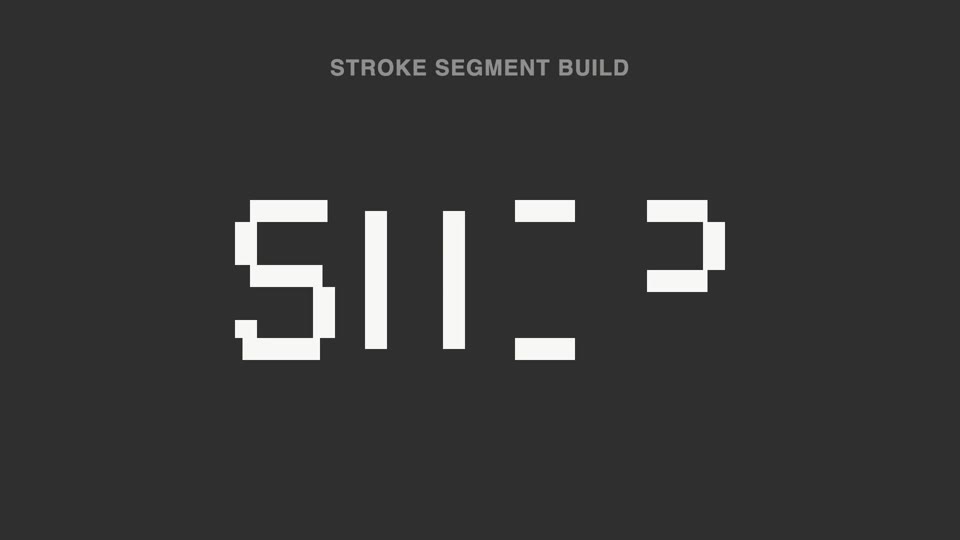
Nét đứt thành chữ — tiêu đề tách thành hơn chục đoạn nét rời không liền nhau, sáng lên không theo thứ tự; 70% đầu không đọc được, đoạn cuối vào vị trí thì ý nghĩa "bật" thành hình.

Đèn spotlight rọi thẻ hero
Đèn spotlight quét qua trang khóa vào một thẻ, đẩy máy nghiêng 45° rồi thẻ bật lên lơ lửng, luồng sáng quét quanh viền hai vòng, rồi áp lại vị trí cũ.

Vòng quỹ đạo mở tiêu đề
Tám thẻ nội dung xoay quanh hình elip 700×375 với tốc độ đều trong khi tiêu đề giữa màn hình rõ nét dần rồi an vị.