Motion · Chữ & title card
Gạch chân bút marker cho tiêu đề
Sau khi tiêu đề đã định hình, một nét gạch chân bút marker vẽ nhanh từ trái sang phải bên dưới một từ khóa — nét bút rộng dần, mép nham nhở, hơi nghiêng lên bám sát chân chữ.
Nguồn: video-shotcraft (Vincent Wei) ↗ · Apache-2.0 · Composition Remotion (React/TSX) — có video preview, không có player trong trình duyệt
Khi nào dùng
Nhấn mạnh một từ khóa đơn lẻ trong tiêu đề (new/free/AI…); tông thương hiệu cảm giác tay viết, đậm chất người; nhấn mạnh kiểu ghi chú trong phần thân văn bản.
Ý đồ
Một nét marker vẽ tay bất ngờ xuất hiện trong tiêu đề chữ in dùng độ tương phản chất liệu để kéo một từ ra khỏi bố cục — như có người cầm bút thật khoanh trọng tâm trên poster. Ba điểm chốt: nhanh (vẽ liền một nét trong 8–12f, chậm hơn sẽ đọc thành thanh tải), sát (bám sát chân chữ, xa hơn sẽ đọc thành đường phân cách chứ không phải nhấn mạnh), và theo dáng chữ (từ chữ nghiêng phải có gạch chân nghiêng lên trái thấp phải cao — vẽ nghiêng sai hướng là lỗi dễ mắc nhất và lộ giả nhất).
Thời lượng & năng lượng
- Thời lượng: Bắt đầu sau 4–8f khi tiêu đề đã định hình, nét vẽ trong 8–12f, tổng 1–1.5s
- Năng lượng: Thấp (một nét điểm nhấn, không giành sân khấu của tiêu đề)
Công thức cảnh quay (bản gốc tiếng Trung — timing, easing, bảng tham số, lỗi hay gặp)
意图
打印体标题里突然出现一笔手绘马克笔,用材质反差把一个词从 排版里拎出来——像人拿笔在海报上圈重点。命门有三:快 (8–12f 一笔呵成,慢了读作加载条)、近(贴着字底,离远了 读作分隔线不是强调)、跟字势(斜体词的划线必须左低右高 微上斜——斜向画反是最容易犯且一眼假的错,判例见已知坑)。
动效核心
- SVG path 描画(strokeDashoffset 或裁剪窗),从左到右 8–12f,
ease-out 微收尾(起笔快收笔略缓=手劲)
- 笔形:路径变宽(中段最宽)、边缘毛糙(轻微噪声扰动/粗糙笔刷
贴图),首尾略细=起笔收笔
- 位置:贴字底(bottom 偏移 ≈ -0.1em),中轴微上斜跟随斜体字势
- 时机:标题完全落定后 +4~8f 起笔——划线是"看完标题后的强调",
与标题同动就抢戏
参数表
| 参数 | 典型值 | 调节手感 | |------|--------|----------| | 划线时长 | 10f(原片实测节奏;14f 版被裁偏慢) | >14f 读作进度条;<6f 看不见笔迹方向 | | 字底距离 | ≈-0.1em(从 -40 收到 -20@1080p 才贴住字势) | 离远读作分隔线;碰到字底降部又乱 | | 斜向 | 左低右高微上斜(跟斜体) | 画反(左高右低)一眼假——返工判例 | | 笔宽 | 中段 ~0.12em,首尾 ~0.6x | 等宽读作机器线;差异>2x 读作书法 | | 毛糙度 | 边缘轻噪声 | 太糙读作故障;全平滑读作 CSS border |
已知坑
- demo 在灰阶/占位素材上调校通过——参数是调校起点非实战定稿,
首次实战须以真实素材回验
- 与 draw-svg-trace 撞领域(有意单列为两卡):那张是通用
SVG 描画(图标/插画/任意线稿);本卡专做文字强调的马克笔 质感(变宽+毛糙+跟字势),做图形描画去用那张
- 斜向判例:v1 左高右低被比对环节抓出——划线斜向必须跟字势,
正体字则水平微抖
- 残余差距:原片(notion-ai)笔头飞白颗粒感更细碎,实战可加
更细的笔刷噪点
参考实现
demos/typography/marker-underline-title/ (MarkerUnderlineTitle.tsx) 原片出处:notion-ai.mp4
Mã nguồn tham chiếu (Remotion)
- demos/typography/marker-underline-title/MarkerUnderlineTitle.tsx — https://raw.githubusercontent.com/Vincentwei1021/video-shotcraft/main/demos/typography/marker-underline-title/MarkerUnderlineTitle.tsx
Component import fixture chung từ demos/_fixtures và helper từ assets/lib của repo; xem SKILL.md trong repo để biết quy trình render.
Mọi thứ trên trang này đều có bản máy đọc. Đưa agent link JSON, hoặc thêm MCP server gimgs rồi bảo nó tìm motion template.
- Tải JSON — trong đó có công thức cảnh quay (timing, easing, bảng tham số, lỗi hay gặp) và toàn bộ source TSX.
- Clone repo video-shotcraft; component import fixture chung từ demos/_fixtures và helper từ assets/lib.
- Đăng ký component thành <Composition> trong project Remotion rồi render bằng `npx remotion render`, hoặc dựng lại công thức bằng engine của bạn.
curl -s https://gimgs.net/motion/marker-underline-title.jsongit clone https://github.com/Vincentwei1021/video-shotcraft
# component: demos/typography/marker-underline-title/MarkerUnderlineTitle.tsx
npx remotion render <CompositionId> out.mp4claude mcp add --transport http gimgs https://gimgs.net/mcp
# then: search_motion_templates / get_motion_template("marker-underline-title")Prompt
Use the video-shotcraft shot recipe "Gạch chân bút marker cho tiêu đề" (Remotion composition, Apache-2.0) published on gimgs.net.
Recipe JSON (prompt = timing/easing/parameter table/pitfalls, files = TSX source): https://gimgs.net/motion/marker-underline-title.json
Raw TSX: https://gimgs.net/motion/marker-underline-title/template.html
Repository: https://github.com/Vincentwei1021/video-shotcraft  (component: demos/typography/marker-underline-title/MarkerUnderlineTitle.tsx; imports demos/_fixtures and assets/lib)
Spec: 1920x1080, 30 fps, 3.39s

1. Read the JSON and follow its "prompt" section (when to use, intention, parameter table, known pitfalls).
2. Adapt it for: <describe what you want>.
3. Either clone the repo, register the component as a <Composition> in a Remotion project and run npx remotion render <CompositionId> out.mp4 — or re-implement the recipe in your own engine (HTML/WAAPI works: keep the same timing and easing).
// ===== demos/typography/marker-underline-title/MarkerUnderlineTitle.tsx =====
// marker-underline-title —— 白底大标题落定后,斜体 "new" 下方一道
// 马克笔下划线从左到右描画(粗细变化/端头圆润/微歪/边缘毛糙)。
// 对标 notion-ai.mp4 2.3–3.6s。与库内 draw-svg-trace 撞车,本版做马克笔质感。
import React, { useId } from 'react';
import { AbsoluteFill, interpolate, useCurrentFrame } from 'remotion';

const mulberry32 = (a: number) => () => {
  let t = (a += 0x6d2b79f5);
  t = Math.imul(t ^ (t >>> 15), t | 1);
  t ^= t + Math.imul(t ^ (t >>> 7), t | 61);
  return ((t ^ (t >>> 14)) >>> 0) / 4294967296;
};

// 马克笔笔画:中轴微歪的路径 + 变宽轮廓,一次生成多边形
const buildStroke = (len: number, seed: number) => {
  const rand = mulberry32(seed);
  const N = 40;
  const top: string[] = [];
  const bot: string[] = [];
  // 预生成微歪偏移(低频)与毛糙(高频)
  const wob = Array.from({ length: N + 1 }, () => rand() - 0.5);
  for (let i = 0; i <= N; i++) {
    const t = i / N;
    const x = t * len;
    // 中轴:跟随斜体微上斜(左低右高,对照截图)+ 缓波
    const mid = 19 - t * 9 + Math.sin(t * Math.PI * 1.6 + 0.4) * 2.6 + wob[i] * 1.6;
    // 宽度:起笔略细→中段饱满→收笔收尖,加高频毛糙
    const wBase = 14 + Math.sin(t * Math.PI) * 6 - Math.max(0, t - 0.86) * 46;
    const w = Math.max(2.2, wBase + wob[i] * 3);
    top.push(`${x.toFixed(1)},${(mid - w / 2).toFixed(1)}`);
    bot.push(`${x.toFixed(1)},${(mid + w / 2).toFixed(1)}`);
  }
  return `M${top.join('L')}L${bot.reverse().join('L')}Z`;
};

export const MarkerUnderlineTitle: React.FC = () => {
  const frame = useCurrentFrame();
  // clipPath ID 按实例生成,多实例同场不串引(useId 的 «:» 在 url() 里非法,需清洗)
  const revealId = `reveal-${useId().replace(/[^a-zA-Z0-9]/g, '')}`;
  const LEN = 252;

  // 标题落定:整块从下方 30px 弹入(ease-out),24 帧内完成
  const enter = interpolate(frame, [0, 22], [0, 1], {
    extrapolateLeft: 'clamp', extrapolateRight: 'clamp',
  });
  const eo = 1 - Math.pow(1 - enter, 3);
  const titleY = (1 - eo) * 36;
  const titleOp = Math.min(1, enter * 1.6);

  // 下划线:标题落定停一拍后描画,10 帧从左到右(提速一档),ease-out
  const draw = interpolate(frame, [32, 42], [0, 1], {
    extrapolateLeft: 'clamp', extrapolateRight: 'clamp',
  });
  const drawE = 1 - Math.pow(1 - draw, 2.2);
  const path = buildStroke(LEN, 77);

  return (
    <AbsoluteFill style={{ background: '#f4f4f2', alignItems: 'center', justifyContent: 'center' }}>
      <div style={{
        opacity: titleOp, transform: `translateY(${titleY}px)`,
        fontFamily: '-apple-system, "Helvetica Neue", Arial, sans-serif',
        fontWeight: 700, fontSize: 118, color: '#191919',
        textAlign: 'center', lineHeight: 1.12, letterSpacing: '-0.02em',
      }}>
        <div>
          Meet the{' '}
          <span style={{ fontStyle: 'italic', position: 'relative', display: 'inline-block' }}>
            new
            {/* 马克笔下划线:clip 从左到右揭示,保留笔形本身的粗细变化 */}
            <svg
              width={LEN} height={44} viewBox={`0 0 ${LEN} 44`}
              style={{ position: 'absolute', left: -12, bottom: -20, overflow: 'visible' }}
            >
              <defs>
                <clipPath id={revealId}>
                  <rect x={0} y={-20} width={drawE * (LEN + 6)} height={60} />
                </clipPath>
              </defs>
              {draw > 0 && (
                <path d={path} fill="#111111" clipPath={`url(#${revealId})`} />
              )}
            </svg>
          </span>
        </div>
        <div>Notion AI</div>
      </div>
    </AbsoluteFill>
  );
};
- Read the recipePrompt = when to use, intention, parameter table with typical values and how each one feels, known pitfalls. Treat values as calibrated starting points.
- Get the codetool: git
git clone https://github.com/Vincentwei1021/video-shotcraft && cd video-shotcraft && npm install - Register + rendertool: remotion
npx remotion render <CompositionId> out.mp4 # component: demos/typography/marker-underline-title/MarkerUnderlineTitle.tsx - Or re-implementPort the timing/easing from the recipe to HTML + WAAPI (gimgs motion contract) or any engine; keep the same segment windows and easing.
| param | type | default | description |
|---|---|---|---|
| — | |||
Cùng danh mục

Ba từ tiếp sức bằng hình học
Ba từ lợi ích mỗi từ mang riêng một bộ hình học tiếp sức — vòng tròn nét đứt tự xoay thu nhỏ → ba vòng tròn nét liền mọc lên lần lượt → ánh kim sheen quét qua rồi thu về trắng thuần; mỗi từ mới viền nét rồi tô đầy.
Tiếp sức từ với cuộn phim trang
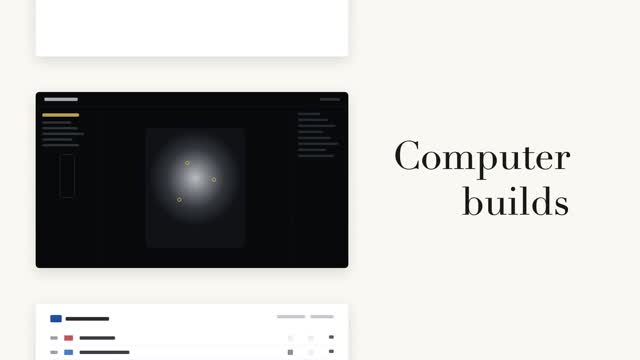
Cột trái các thẻ trang đen trắng cuộn theo bước, bên phải từ lớn chữ serif tiếp sức tại chỗ (danh từ cố định + động từ luân phiên) — chỉ khi đổi từ mới cuộn một bước, khớp chính xác điểm giữa thẻ trang hiện tại.

Cuộn từ dọc theo nhịp
Từ cuối câu đổi trên cuộn dọc, 3 lần đổi từ mỗi lần 0.55s, nhanh trước chậm sau kèm hơi overshoot; các dòng lân cận nhòe dọc và xám dần theo khoảng cách, từ ở giữa vừa đậu liền nhuộm từ xám sang màu nhấn.

Hai cách tiết lộ code song song
Cùng một khối code tô cú pháp được tiết lộ hai cách song song — trái: stagger cấp dòng mờ vào nổi lên 8px, phải: gõ từng ký tự nhưng giữ nguyên màu token gốc, con trỏ vuông #3a4468 đệm dưới ký tự hiện tại.