Motion · Kết
Outro ảnh nhóm ra mắt
Mọi yếu tố trong phim bay vào từ mọi hướng vây quanh wordmark chụp ảnh nhóm, dàn dựng như cảnh chốt của một sự kiện ra mắt.
Nguồn: video-shotcraft (Vincent Wei) ↗ · Apache-2.0 · Composition Remotion (React/TSX) — có video preview, không có player trong trình duyệt
Khi nào dùng
Outro / chốt thương hiệu; cảnh kết "ảnh gia đình" cho sản phẩm đa tính năng
Ý đồ
Gọi một yếu tố đại diện từ mỗi tính năng đã xuất hiện quay về chụp ảnh chung, wordmark ra mắt sau cùng làm nhân vật chính — điều cuối cùng người xem nhớ trước khi rời đi là "những thứ này thuộc về cùng một sản phẩm". Quy cách phải ở tầm sự kiện ra mắt: năng lượng đẩy lên cao nhất toàn phim.
Thời lượng & năng lượng
- Thời lượng: Khoảng 4.8s (145f)
- Năng lượng: Đỉnh điểm (cao nhất toàn phim)
Công thức cảnh quay (bản gốc tiếng Trung — timing, easing, bảng tham số, lỗi hay gặp)
意图
把看过的每个功能各抽一个代表元素叫回来合影,字标压轴登场——观众离场前最后记住的是"这些东西属于同一个产品"。规格必须是发布会级:能量推到全片最高。
动效核心
- 9 个页面元素(nav/卡片/内容条/搜索框/统计条/文档头)从四方带旋转飞入,落地强调色(模板片为琥珀)glow
- 字标 letterpress 逐字登场,全员"退后排"让主角;rule 长出、延长线射出
- crane 运镜:合影层整体 rotateX 4°→0 + scale 落下,之后缓推
- 发布会氛围三件套:开场光带扫过、字标背后舞台光、金尘上飘
- 背景页面 blur 化作景深
参数表
| 参数 | 典型值 | 调节手感 | |------|--------|----------| | 元素飞入 | 9 元素 cue 从 4 起每 3f 一个,各飞 12f;起点偏移 ±360–500px;渲染顺序=cue 顺序,后到者叠上 | 每个已展示过的功能都要有代表元素(Q8 自检项),缺谁观众都会察觉 | | 飞入缓动 | bezier(0.34,1.4,0.44,1) | 代码注释点名教训:旧 bezier(0.25,0.9,0.3,1) "never crossed 1" 没有真过冲——落地要弹 y1 必须 >1 | | 飞行姿态 | 飞行中 rot×2→settled rot(±5° 内)、scale ×1.12→1;ghost 残影滞后 8% blur 8px;落地强调色 glow 6f(0.35→0)multiply | 落定角度收进 ±5° 内——合影要整齐但不刻板 | | 退后排 | 字标登场时 42–50f 全员 opacity −12%、saturate −8% | 主角登场配角必须让位,不让位字标压不住 9 个元素 | | crane 运镜 | perspective(1400px) rotateX(4°→0) scale(1.06→1) 前 40f 落下,之后缓推 +0.035 | crane 幅度就这么小(4°)已经够"落机位"读感,大了会晕(推测) | | 氛围三件套 | 光带 2–14f(600px 宽 overlay 峰值 opacity 0.12);舞台光 42→50→58f 0→0.5→0.25;金尘 20 颗 2–3px、opacity 0.15–0.35、全参数 index 派生确定性 | 粒子/光效参数必须确定性派生(硬规则:渲染必须可复现);金尘超过 30 颗开始像雪(推测) | | 字标 | 字母 delay=42+i·1.8、8f;rule 58→70f 长出、两端 190px 延长线 8f 射出 6f 淡去;字距 62–66f 呼吸;背景页 24f 内 blur 0→14;落定后 sign-off hold 30f | 字标落定 hold 满 1 秒(R1 定案);outro 不加解说 caption 保持干净(C1 例外项) |
声音
固定三拍句式:riser-cine 铺进组装(模板片钉在 f945)→ impact-deep-whoosh 钉字标 stamp(f980,vol 0.55 全片峰值)→ sparkle 点 rule(f1005)。这是模板片定稿后唯一从未改动的段落句式(S2;详见 sound-design 4.3)。
已知坑
- 初版收尾几乎总是偏保守(Q8:安静签名式→合影→发布会三级加码)——起稿就按"像一个产品发布"的规格给足 crane/舞台光/粒子
- 结构先于特效:先有"四方飞入合影"结构再加码氛围;直接堆特效没有骨架
- outro tagline 与字标下方文案查重(P4 dedupe 判例),同一句话全片只出现一次
参考实现
demos/outro/outro-group-photo-launch/OutroGroupPhotoLaunch.tsx(原 template/src/aifl/live/SceneOutroLive.tsx;30f sign-off hold 时长见 template/src/aifl/Main.tsx 时间线)
Mã nguồn tham chiếu (Remotion)
- demos/outro/outro-group-photo-launch/OutroGroupPhotoLaunch.tsx — https://raw.githubusercontent.com/Vincentwei1021/video-shotcraft/main/demos/outro/outro-group-photo-launch/OutroGroupPhotoLaunch.tsx
Component import fixture chung từ demos/_fixtures và helper từ assets/lib của repo; xem SKILL.md trong repo để biết quy trình render.
Mọi thứ trên trang này đều có bản máy đọc. Đưa agent link JSON, hoặc thêm MCP server gimgs rồi bảo nó tìm motion template.
- Tải JSON — trong đó có công thức cảnh quay (timing, easing, bảng tham số, lỗi hay gặp) và toàn bộ source TSX.
- Clone repo video-shotcraft; component import fixture chung từ demos/_fixtures và helper từ assets/lib.
- Đăng ký component thành <Composition> trong project Remotion rồi render bằng `npx remotion render`, hoặc dựng lại công thức bằng engine của bạn.
curl -s https://gimgs.net/motion/outro-group-photo-launch.jsongit clone https://github.com/Vincentwei1021/video-shotcraft
# component: demos/outro/outro-group-photo-launch/OutroGroupPhotoLaunch.tsx
npx remotion render <CompositionId> out.mp4claude mcp add --transport http gimgs https://gimgs.net/mcp
# then: search_motion_templates / get_motion_template("outro-group-photo-launch")Prompt
Use the video-shotcraft shot recipe "Outro ảnh nhóm ra mắt" (Remotion composition, Apache-2.0) published on gimgs.net.
Recipe JSON (prompt = timing/easing/parameter table/pitfalls, files = TSX source): https://gimgs.net/motion/outro-group-photo-launch.json
Raw TSX: https://gimgs.net/motion/outro-group-photo-launch/template.html
Repository: https://github.com/Vincentwei1021/video-shotcraft  (component: demos/outro/outro-group-photo-launch/OutroGroupPhotoLaunch.tsx; imports demos/_fixtures and assets/lib)
Spec: 960x540, 30 fps, 4.83s

1. Read the JSON and follow its "prompt" section (when to use, intention, parameter table, known pitfalls).
2. Adapt it for: <describe what you want>.
3. Either clone the repo, register the component as a <Composition> in a Remotion project and run npx remotion render <CompositionId> out.mp4 — or re-implement the recipe in your own engine (HTML/WAAPI works: keep the same timing and easing).
// ===== demos/outro/outro-group-photo-launch/OutroGroupPhotoLaunch.tsx =====
// outro-group-photo-launch —— 全片元素四方飞来围住字标合影,crane 落机位 + 舞台光 +
// 金尘做成发布会收场。outro/品牌收尾,多功能产品"全家福"式终镜,能量推到全片最高。
// 参考实现从 template SceneOutroLive 剥离(self-contained):
// 9 个页面元素从四方带旋转飞入(cue 4 起每 3f 一个,飞 12f,bezier y1>1 真过冲,
// 渲染顺序=cue 顺序后到者叠上),落地强调色 glow(0.35→0);字标 letterpress 逐字
// 登场(delay=42+i·1.8)全员退后排(opacity −12% / saturate −8%);rule 长出 +
// 190px 延长线射出;crane 运镜 perspective rotateX(4°→0) + scale 落下后缓推;
// 发布会三件套:开场光带扫过、字标背后舞台光、20 颗确定性金尘上飘;背景页 blur 化
// 景深;落定后 sign-off hold 30f。outro 不加解说 caption 保持干净。
import { AbsoluteFill, Img, interpolate, staticFile, useCurrentFrame, Easing } from 'remotion';
import { PageCam2D } from '../../_fixtures/PageCam2D';
import layout from '../../_textures/live-layout.json';

export const OUTRO_GROUP_PHOTO_LAUNCH_DURATION = 145;

const SERIF = 'ui-serif, Georgia, "Times New Roman", serif';
const MONO = 'ui-monospace, SFMono-Regular, Menlo, monospace';
const LETTERS = 'AI Foundation Lab'.split('');
const PAGE_H = layout.projects.pageH;
const WBR_PAGE_H = layout.wbr.pageH;

const FLY_EASE = Easing.bezier(0.34, 1.4, 0.44, 1);
const CRANE_EASE = Easing.bezier(0.3, 0, 0.2, 1);

type FlyEl = {
  key: string;
  file: string;
  w: number;
  h: number;
  cx: number;
  cy: number;
  scale: number;
  rot: number;
  dx: number;
  dy: number;
  radius: number;
  cue: number;
  wbrCrop?: boolean;
};

// render order = cue order, so later arrivals stack on top
const ELS: FlyEl[] = [
  { key: 'nav', file: 'nav.png', w: 1920, h: 61, cx: 960, cy: 84, scale: 0.62, rot: 0, dx: 0, dy: -120, radius: 10, cue: 4 },
  { key: 'card4', file: 'card4-hires.png', w: 358, h: 312, cx: 300, cy: 400, scale: 0.72, rot: -5, dx: -500, dy: 0, radius: 16, cue: 7 },
  { key: 'card1', file: 'card1.png', w: 358, h: 288, cx: 1630, cy: 380, scale: 0.68, rot: 4, dx: 500, dy: 0, radius: 16, cue: 10 },
  { key: 'paper1', file: 'paper1.png', w: 1104, h: 225, cx: 1460, cy: 730, scale: 0.5, rot: -3, dx: 450, dy: 260, radius: 12, cue: 13 },
  { key: 'card7', file: 'card7.png', w: 358, h: 312, cx: 260, cy: 800, scale: 0.6, rot: 3, dx: -400, dy: 300, radius: 16, cue: 16 },
  { key: 'paper3', file: 'paper3.png', w: 1104, h: 225, cx: 620, cy: 930, scale: 0.48, rot: 2, dx: 0, dy: 320, radius: 12, cue: 19 },
  { key: 'search', file: 'float-search.png', w: 1016, h: 44, cx: 760, cy: 180, scale: 0.55, rot: -1.5, dx: 0, dy: -240, radius: 10, cue: 22 },
  { key: 'stats', file: 'float-stats.png', w: 315, h: 56, cx: 1560, cy: 950, scale: 0.9, rot: -2, dx: 380, dy: 0, radius: 10, cue: 25 },
  { key: 'wbr', file: 'wbr-full.png', w: 688, h: 54, cx: 1620, cy: 170, scale: 0.8, rot: 2.5, dx: 360, dy: -200, radius: 8, cue: 28, wbrCrop: true },
];

// 20 gold dust motes, all parameters index-derived (deterministic)
const DUST = Array.from({ length: 20 }, (_, i) => ({
  x: (i * 439 + 137) % 1920,
  y0: (i * 613 + 271) % 1080,
  rise: 0.3 + (i % 5) * 0.11,
  swayAmp: 9 + (i % 4) * 5,
  swayFreq: 0.022 + (i % 3) * 0.008,
  phase: (i * 0.83) % (Math.PI * 2),
  size: 2 + (i % 3) * 0.5,
  opacity: 0.15 + ((i * 7) % 5) * 0.05,
}));

export const OutroGroupPhotoLaunch: React.FC = () => {
  const frame = useCurrentFrame();
  const duration = OUTRO_GROUP_PHOTO_LAUNCH_DURATION;

  const blur = interpolate(frame, [0, 24], [0, 14], {
    extrapolateLeft: 'clamp', extrapolateRight: 'clamp', easing: Easing.bezier(0.4, 0, 0.4, 1),
  });
  const rule = interpolate(frame, [58, 70], [0, 1], {
    extrapolateLeft: 'clamp', extrapolateRight: 'clamp', easing: Easing.bezier(0.3, 0, 0.2, 1),
  });
  const tag = interpolate(frame, [68, 80], [0, 1], { extrapolateLeft: 'clamp', extrapolateRight: 'clamp' });
  const fadeOut = interpolate(frame, [duration - 12, duration], [1, 0], {
    extrapolateLeft: 'clamp', extrapolateRight: 'clamp',
  });
  const recede = interpolate(frame, [42, 50], [0, 1], {
    extrapolateLeft: 'clamp', extrapolateRight: 'clamp',
  });

  // crane on the whole group-photo layer
  const craneT = interpolate(frame, [0, 40], [0, 1], {
    extrapolateLeft: 'clamp', extrapolateRight: 'clamp', easing: CRANE_EASE,
  });
  const pushT = interpolate(frame, [40, duration], [0, 1], {
    extrapolateLeft: 'clamp', extrapolateRight: 'clamp',
  });
  const camScale = 1.06 - 0.06 * craneT + 0.035 * pushT;
  const camTilt = 4 * (1 - craneT);

  // opening light sweep
  const sweepX = interpolate(frame, [2, 14], [-700, 2020], {
    extrapolateLeft: 'clamp', extrapolateRight: 'clamp', easing: Easing.bezier(0.4, 0, 0.6, 1),
  });
  const sweepOpacity = interpolate(frame, [2, 5, 11, 14], [0, 0.12, 0.12, 0], {
    extrapolateLeft: 'clamp', extrapolateRight: 'clamp',
  });

  // stage light behind the wordmark
  const stageLight = interpolate(frame, [42, 50, 58], [0, 0.5, 0.25], {
    extrapolateLeft: 'clamp', extrapolateRight: 'clamp',
  });
  const vignette = interpolate(frame, [42, 54], [0, 0.1], {
    extrapolateLeft: 'clamp', extrapolateRight: 'clamp',
  });

  // rule extension lines
  const ruleExt = interpolate(frame, [58, 66], [0, 1], {
    extrapolateLeft: 'clamp', extrapolateRight: 'clamp', easing: Easing.bezier(0.3, 0, 0.2, 1),
  });
  const ruleExtFade = interpolate(frame, [66, 72], [1, 0], {
    extrapolateLeft: 'clamp', extrapolateRight: 'clamp',
  });

  // one breath of letter-spacing once the wordmark is fully set
  const wordSpacing = interpolate(frame, [62, 66], [-0.01, 0.005], {
    extrapolateLeft: 'clamp', extrapolateRight: 'clamp', easing: Easing.bezier(0.3, 0, 0.2, 1),
  });

  return (
    <AbsoluteFill style={{ opacity: fadeOut }}>
      {/* group-photo layer under a slow crane-in camera */}
      <AbsoluteFill
        style={{
          transform: `perspective(1400px) rotateX(${camTilt}deg) scale(${camScale})`,
          transformOrigin: '50% 45%',
        }}
      >
        {/* blur 只作用背景页:PageCam2D 自闭合,飞入元素放在未过滤的兄弟层
            (屏幕空间坐标,与 template SceneOutroLive 同构)——放进 children
            会连"合影元素"一起糊掉,只剩字标清晰 */}
        <PageCam2D src="textures/live/projects-full.png" pageH={PAGE_H} keys={[{ frame: 0, cx: 960, cy: 700, zoom: 0.75 }]} blur={blur} />
        {/* warm scrim under the flying elements */}
        <AbsoluteFill style={{ background: 'radial-gradient(1200px 800px at 50% 48%, rgba(250,247,242,0.82), rgba(250,247,242,0.55) 60%, rgba(250,247,242,0.35))', pointerEvents: 'none' }} />

        {/* group photo: elements fly in from all sides and settle around the wordmark */}
        <AbsoluteFill style={{ pointerEvents: 'none' }}>
          {ELS.map((el) => {
            if (frame < el.cue) return null;
            const t = interpolate(frame, [el.cue, el.cue + 12], [0, 1], {
              extrapolateLeft: 'clamp', extrapolateRight: 'clamp', easing: FLY_EASE,
            });
            const opacity = interpolate(frame, [el.cue, el.cue + 3], [0, 1], {
              extrapolateLeft: 'clamp', extrapolateRight: 'clamp',
            });
            const x = el.dx * (1 - t);
            const y = el.dy * (1 - t);
            const rot = el.rot * (2 - t);
            const scale = el.scale * (1.12 - 0.12 * t);
            const air = Math.max(0, 1 - t);
            const shadow =
              air > 0.01
                ? `0 ${10 + 26 * air}px ${24 + 46 * air}px rgba(30,25,18,${0.16 + 0.1 * air}), 0 2px 6px rgba(30,25,18,.08)`
                : '0 10px 24px rgba(30,25,18,.16), 0 2px 6px rgba(30,25,18,.08)';
            const settledOpacity = opacity * (1 - 0.12 * recede);
            const saturate = 1 - 0.08 * recede;
            const texture = el.wbrCrop
              ? {
                  background: `#fff url(${staticFile(`textures/live/${el.file}`)}) -576px -173px / 1920px ${WBR_PAGE_H}px no-repeat`,
                  border: '1px solid oklch(90% .008 82)',
                }
              : null;
            const linT = interpolate(frame, [el.cue, el.cue + 12], [0, 1], {
              extrapolateLeft: 'clamp', extrapolateRight: 'clamp',
            });
            const showGhost = linT > 0.05 && linT < 0.95;
            const glow = interpolate(frame, [el.cue + 12, el.cue + 18], [0.35, 0], {
              extrapolateLeft: 'clamp', extrapolateRight: 'clamp',
            });
            const showGlow = frame >= el.cue + 12 && frame < el.cue + 18;
            const glowR = el.w * el.scale * 0.5;

            return (
              <div key={el.key}>
                {showGhost ? (
                  <div
                    style={{
                      position: 'absolute', left: el.cx - el.w / 2, top: el.cy - el.h / 2,
                      width: el.w, height: el.h,
                      transform: `translate(${x + el.dx * 0.08}px, ${y + el.dy * 0.08}px) rotate(${rot}deg) scale(${scale})`,
                      transformOrigin: 'center center', borderRadius: el.radius, overflow: 'hidden',
                      opacity: 0.2 * Math.max(0, 1 - linT), filter: 'blur(8px)', ...texture,
                    }}
                  >
                    {el.wbrCrop ? null : (
                      <Img src={staticFile(`textures/live/${el.file}`)} style={{ position: 'absolute', inset: 0, width: el.w, height: el.h, display: 'block' }} />
                    )}
                  </div>
                ) : null}
                <div
                  style={{
                    position: 'absolute', left: el.cx - el.w / 2, top: el.cy - el.h / 2,
                    width: el.w, height: el.h,
                    transform: `translate(${x}px, ${y}px) rotate(${rot}deg) scale(${scale})`,
                    transformOrigin: 'center center', borderRadius: el.radius, overflow: 'hidden',
                    boxShadow: shadow, opacity: settledOpacity, filter: `saturate(${saturate})`, ...texture,
                  }}
                >
                  {el.wbrCrop ? null : (
                    <Img src={staticFile(`textures/live/${el.file}`)} style={{ position: 'absolute', inset: 0, width: el.w, height: el.h, display: 'block' }} />
                  )}
                </div>
                {showGlow ? (
                  <div
                    style={{
                      position: 'absolute', left: el.cx - glowR, top: el.cy - glowR,
                      width: glowR * 2, height: glowR * 2, borderRadius: '50%',
                      background: 'radial-gradient(circle, oklch(78% 0.13 70 / 0.9), oklch(78% 0.13 70 / 0) 70%)',
                      opacity: glow, mixBlendMode: 'multiply',
                    }}
                  />
                ) : null}
              </div>
            );
          })}
        </AbsoluteFill>
      </AbsoluteFill>

      {/* gold dust drifting up in front of the group photo */}
      <AbsoluteFill style={{ pointerEvents: 'none' }}>
        {DUST.map((d, i) => {
          const y = (((d.y0 - frame * d.rise) % 1080) + 1080) % 1080;
          const x = d.x + Math.sin(frame * d.swayFreq + d.phase) * d.swayAmp;
          return (
            <div
              key={i}
              style={{
                position: 'absolute', left: x, top: y, width: d.size, height: d.size,
                borderRadius: '50%', background: 'oklch(75% 0.08 85)', opacity: d.opacity,
              }}
            />
          );
        })}
      </AbsoluteFill>

      {/* opening light sweep */}
      {sweepOpacity > 0 ? (
        <AbsoluteFill style={{ pointerEvents: 'none', mixBlendMode: 'overlay' }}>
          <div
            style={{
              position: 'absolute', top: 0, bottom: 0, left: sweepX - 300, width: 600,
              background: 'linear-gradient(90deg, rgba(255,244,224,0), rgba(255,244,224,1) 50%, rgba(255,244,224,0))',
              opacity: sweepOpacity,
            }}
          />
        </AbsoluteFill>
      ) : null}

      {/* stage light behind the wordmark */}
      {stageLight > 0 ? (
        <AbsoluteFill
          style={{
            pointerEvents: 'none',
            background: 'radial-gradient(700px 360px at 960px 470px, rgba(255,246,228,0.95), rgba(255,246,228,0.35) 55%, rgba(255,246,228,0) 75%)',
            opacity: stageLight,
          }}
        />
      ) : null}

      {/* closing vignette */}
      {vignette > 0 ? (
        <AbsoluteFill
          style={{
            pointerEvents: 'none',
            background: 'radial-gradient(1400px 900px at 50% 50%, rgba(62,48,32,0) 55%, rgba(62,48,32,0.7) 100%)',
            opacity: vignette,
          }}
        />
      ) : null}

      {/* wordmark sign-off */}
      <AbsoluteFill style={{ justifyContent: 'center', alignItems: 'center', pointerEvents: 'none' }}>
        <div style={{ textAlign: 'center' }}>
          <div style={{ fontFamily: SERIF, fontSize: 148, fontWeight: 600, color: 'oklch(18% 0.006 82)', letterSpacing: `${wordSpacing}em`, display: 'flex' }}>
            {LETTERS.map((ch, i) => {
              const delay = Math.round(42 + i * 1.8);
              const t = interpolate(frame, [delay, delay + 8], [0, 1], {
                extrapolateLeft: 'clamp', extrapolateRight: 'clamp', easing: Easing.bezier(0.2, 0.75, 0.3, 1),
              });
              return (
                <span
                  key={i}
                  style={{
                    opacity: t, transform: `translateY(${(1 - t) * 28}px) scale(${1.35 - 0.35 * t})`,
                    filter: `blur(${(1 - t) * 8}px)`, display: 'inline-block', whiteSpace: 'pre',
                  }}
                >
                  {ch}
                </span>
              );
            })}
          </div>
          <div style={{ position: 'relative', height: 6, width: 260, margin: '34px auto 0' }}>
            <div style={{ position: 'absolute', inset: 0, borderRadius: 3, background: 'oklch(52% 0.115 65)', transform: `scaleX(${rule})` }} />
            {ruleExt > 0 && ruleExtFade > 0 ? (
              <>
                <div style={{ position: 'absolute', top: 2.5, height: 1, right: '100%', width: 190 * ruleExt, background: 'oklch(52% 0.115 65)', opacity: ruleExtFade }} />
                <div style={{ position: 'absolute', top: 2.5, height: 1, left: '100%', width: 190 * ruleExt, background: 'oklch(52% 0.115 65)', opacity: ruleExtFade }} />
              </>
            ) : null}
          </div>
          <div style={{ fontFamily: MONO, fontSize: 25, letterSpacing: '0.14em', color: 'oklch(50% 0.006 82)', marginTop: 30, opacity: tag, textTransform: 'uppercase' }}>
            Team Research Console
          </div>
        </div>
      </AbsoluteFill>
    </AbsoluteFill>
  );
};
- Read the recipePrompt = when to use, intention, parameter table with typical values and how each one feels, known pitfalls. Treat values as calibrated starting points.
- Get the codetool: git
git clone https://github.com/Vincentwei1021/video-shotcraft && cd video-shotcraft && npm install - Register + rendertool: remotion
npx remotion render <CompositionId> out.mp4 # component: demos/outro/outro-group-photo-launch/OutroGroupPhotoLaunch.tsx - Or re-implementPort the timing/easing from the recipe to HTML + WAAPI (gimgs motion contract) or any engine; keep the same segment windows and easing.
| param | type | default | description |
|---|---|---|---|
| — | |||
Cùng danh mục

UI biến hình thành logo thương hiệu
Hai kiểu UI biến thành logo — icon-flip-bloom icon lật phẳng trục Y nở thành hình hoa mark + wordmark vào từng chữ, và input-morph-assemble ô nhập liệu co lại thành viên nang, ba hạt hình học tụ thành một cánh logo.
Kết phim kiểu phép trừ
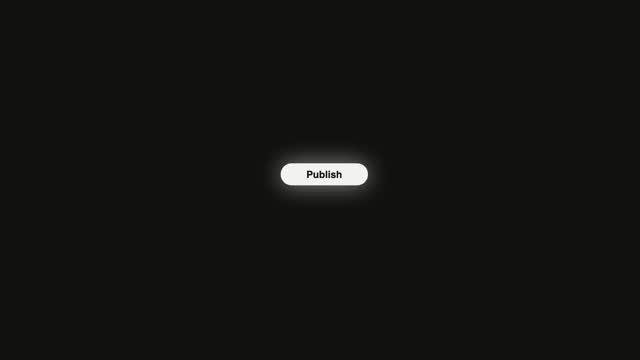
Kết phim kiểu phép trừ — bấm Publish xong, toàn bộ UI trình soạn bốc hơi từng lớp lệch nhịp từ ngoài vào trong, chỉ còn lại nút vừa bấm trượt vào tâm màn hình phóng to, rồi mờ đi trao lại cho chữ hiệu định vị.
Ba hàng đèn neon chạy chữ
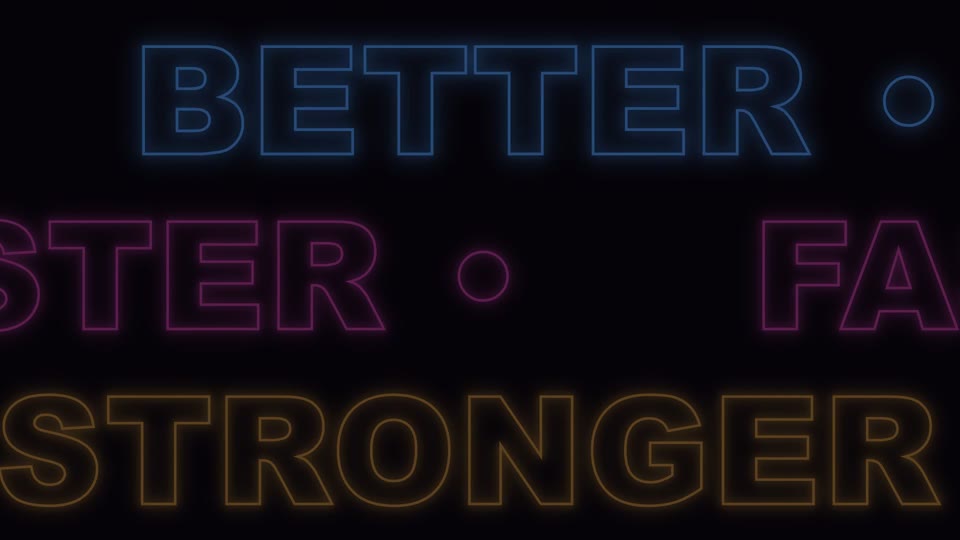
Ba hàng đèn neon chạy chữ ngược chiều (BETTER/FASTER/STRONGER) cuộn vô tận, lần lượt sáng theo pha rồi mờ dần.
Logo thu nhỏ ráp thành lockup
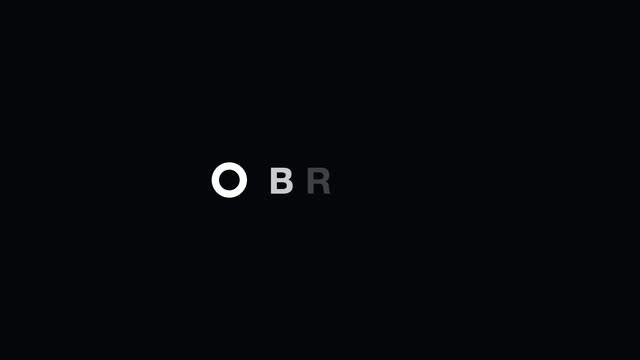
Vòng tròn neon cắt hở khổng lồ nhanh chóng thu về thành một chữ O trắng đặc nhỏ ở giữa kèm vượt ngưỡng rồi phanh lại, icon dịch trái nhường chỗ, các chữ cái lần lượt trượt vào hoàn thành lockup, khẩu hiệu kết thúc.