Motion · Dữ liệu
Va chạm ăn mừng bằng hạt
Hai kiểu hạt ăn mừng: confetti-crossfire bắn pháo hai bên, và counter-tick-sparks bắn tia lửa mỗi khi bộ đếm vượt mốc nghìn.
Nguồn: video-shotcraft (Vincent Wei) ↗ · Apache-2.0 · Composition Remotion (React/TSX) — có video preview, không có player trong trình duyệt
Biến thể
Mỗi khẩu pháo trong hai khẩu bắn 50 mảnh confetti chữ nhật: vận tốc đầu 90-150px/f (với decay 0.9, cần tổng quãng đường ~900-1500px mới cắt qua đường giữa), góc tỏa 55°, lật xoay 8-15° mỗi khung hình; sau ~90f tất cả rơi ra khỏi khung hình rồi bị gỡ bỏ theo điều kiện.
Cao trào một lần khi tiết lộ giá trị cuối/tuyên bố phát hành
Khung hình tick được suy ra từ cùng phép interpolate với bộ đếm; mỗi tick bắn 6-10 tia lửa 2px (vận tốc đầu hướng lên 4-6px/f, rơi tắt trong 12-18f dưới trọng lực), giá trị cuối nhảy gấp đôi lên 20 tia kèm số nảy 1.1 lần.
Điểm nhịp trong quá trình bộ đếm leo dần
Khi nào dùng
Đoạn tiết lộ số cột mốc/KPI/thành tựu; A ăn mừng lớn một lần, B điểm nhịp nhỏ liên tục
Ý đồ
Tạo cho "tiết lộ con số" một điểm nhấn thị giác gần như nghe được: A là dấu chấm câu của khoảnh khắc tiết lộ — hai khẩu pháo ở góc dưới trái và dưới phải khai hỏa cùng khung hình, hàng trăm mảnh confetti lật xoay bay parabol cắt qua toàn màn hình rồi rơi ra ngoài khung, ngữ nghĩa ăn mừng thuần túy; B là dấu phẩy trong quá trình — mỗi khi bộ đếm nhảy qua một mốc nghìn, đỉnh con số "tách" bắn ra một chùm tia lửa nhỏ rơi tắt dần, giá trị cuối nhảy gấp đôi nổ một chùm lớn hơn kèm số nảy 1.1 lần. Cả hai đều dùng quỹ đạo đạn khép kín (vận tốc đầu + trọng lực + suy giảm tính theo từng khung hình) — không cần physics engine, xác định tuyệt đối theo khung hình.
Thời lượng & năng lượng
- Thời lượng: A 3–4s / B 4–5s
- Năng lượng: Kiểu điểm xuyết cao trào (phải trở lại tĩnh lặng sạch sẽ sau khi bùng nổ)
Công thức cảnh quay (bản gốc tiếng Trung — timing, easing, bảng tham số, lỗi hay gặp)
意图
给"数字揭晓"配可听感的视觉打点:A 是揭晓瞬间的句号——画面左下右下 两门炮同帧开火,上百颗翻转彩屑抛物线交叉飞过全屏再落出画外,纯庆祝 语义;B 是过程中的逗号——计数器每跳过一个整千,数字顶部"叮"地溅一撮 小火星坠落熄灭,终值那跳翻倍爆一大撮+数字弹 1.1x。两式都是闭式弹道 (初速+重力+衰减逐帧公式),免物理引擎、帧确定。
两式选型
| 式 | 做法 | 适用 | |----|------|------| | A confetti-crossfire | 双炮各 50 颗矩形彩屑:初速 90–150px/f(decay 0.9 下总程 ~900–1500px 才能交叉过中线)、spread 55°、每帧翻转 8–15°;~90f 全部落出画外后条件卸载 | 终值揭晓/发布宣言的一次性高潮 | | B counter-tick-sparks | tick 帧由计数器同一 interpolate 派生;每 tick 6–10 颗 2px 火星(初速向上 4–6px/f、重力 12–18f 坠灭),终值跳翻倍 20 颗+数字弹 1.1x | 计数爬升过程的节奏打点 |
参数表
| 参数 | 典型值 | 调节手感 | |------|--------|----------| | A 初速 | 90–150px/f | 词汇原案 18px/f 在 decay 下只飞 180px 不可感——弹道类幅度按总位移倒推 | | A 配色 | 灰阶为主 + 1/3 强调色 | 全彩读作 B 端不合品牌;全灰读不出庆祝 | | B 火星量 | 常规 6–10、终值 20 | 默认档最含蓄,嫌弱可 3 倍量做极端版 | | 弹道 | 闭式公式(seed 伪随机初速角度) | 每帧独立可算,禁 Math.random | | 收尾 | 粒子寿命耗尽条件卸载 | 结尾必须真静止,残留粒子=脏帧 |
已知坑
- demo 在灰阶/占位素材上调校通过——参数是调校起点非实战定稿,
首次实战须以真实素材回验
- 同批组合款 ring-confetti-blowout(合环×礼炮)、lights-out-tick-burst
(灭灯×溅火)双双淘汰——爆发×爆发同质叠加读作过载; 本卡两式与其他爆发型手法(slam/impact 系)同帧叠用需谨慎
- A 只配"值得开炮"的时刻,一片一次;连开读作廉价
- 声音:A 双炮"砰砰"错开 1–2f 更有层次;B 每 tick 一声细"叮"
参考实现
demos/data/particle-celebrate-hits/ (ConfettiCrossfire.tsx / CounterTickSparks.tsx)
Mã nguồn tham chiếu (Remotion)
- demos/data/particle-celebrate-hits/ConfettiCrossfire.tsx — https://raw.githubusercontent.com/Vincentwei1021/video-shotcraft/main/demos/data/particle-celebrate-hits/ConfettiCrossfire.tsx
- demos/data/particle-celebrate-hits/CounterTickSparks.tsx — https://raw.githubusercontent.com/Vincentwei1021/video-shotcraft/main/demos/data/particle-celebrate-hits/CounterTickSparks.tsx
Component import fixture chung từ demos/_fixtures và helper từ assets/lib của repo; xem SKILL.md trong repo để biết quy trình render.
Mọi thứ trên trang này đều có bản máy đọc. Đưa agent link JSON, hoặc thêm MCP server gimgs rồi bảo nó tìm motion template.
- Tải JSON — trong đó có công thức cảnh quay (timing, easing, bảng tham số, lỗi hay gặp) và toàn bộ source TSX.
- Clone repo video-shotcraft; component import fixture chung từ demos/_fixtures và helper từ assets/lib.
- Đăng ký component thành <Composition> trong project Remotion rồi render bằng `npx remotion render`, hoặc dựng lại công thức bằng engine của bạn.
curl -s https://gimgs.net/motion/particle-celebrate-hits.jsongit clone https://github.com/Vincentwei1021/video-shotcraft
# component: demos/data/particle-celebrate-hits/ConfettiCrossfire.tsx, demos/data/particle-celebrate-hits/CounterTickSparks.tsx
npx remotion render <CompositionId> out.mp4claude mcp add --transport http gimgs https://gimgs.net/mcp
# then: search_motion_templates / get_motion_template("particle-celebrate-hits")Prompt
Use the video-shotcraft shot recipe "Va chạm ăn mừng bằng hạt" (Remotion composition, Apache-2.0) published on gimgs.net.
Recipe JSON (prompt = timing/easing/parameter table/pitfalls, files = TSX source): https://gimgs.net/motion/particle-celebrate-hits.json
Raw TSX: https://gimgs.net/motion/particle-celebrate-hits/template.html
Repository: https://github.com/Vincentwei1021/video-shotcraft  (component: demos/data/particle-celebrate-hits/ConfettiCrossfire.tsx, demos/data/particle-celebrate-hits/CounterTickSparks.tsx; imports demos/_fixtures and assets/lib)
Spec: 1920x1080, 30 fps, 5.38s

1. Read the JSON and follow its "prompt" section (when to use, intention, parameter table, known pitfalls).
2. Adapt it for: <describe what you want>.
3. Either clone the repo, register the component as a <Composition> in a Remotion project and run npx remotion render <CompositionId> out.mp4 — or re-implement the recipe in your own engine (HTML/WAAPI works: keep the same timing and easing).
// ===== demos/data/particle-celebrate-hits/ConfettiCrossfire.tsx =====
// confetti-crossfire —— 双侧礼炮交叉喷洒
// 中央大 KPI 卡 scale 落定(f0–14),揭晓帧 f16 左下+右下两门炮各射 50 颗矩形彩屑:
// 闭式弹道(初速 ~18px/f + spread 55° + 重力 + decay 0.9 的位移闭式解),每帧翻转 8–15°,
// 灰阶为主 + 1/3 琥珀。全部彩屑 ~f100 前落出画外(越界即条件卸载),结尾真静止 ≥55f。
// 帧确定性:sin 散列伪随机派生每颗初速/角度/翻转率,弹道 = 纯 age 的函数。
import React from 'react';
import { useCurrentFrame, interpolate, Easing } from 'remotion';
import { G, TitleBlock } from '../../_fixtures/Fixtures';

const AMBER = '#b45309';
const FIRE = 16; // 揭晓帧 = 发射帧
const DECAY = 0.9;
const GRAV = 1.5; // px/f² (等效重力;decay 下终端落速 = GRAV/(1-d) = 15px/f)

const frac = (x: number) => x - Math.floor(x);
const rnd = (i: number, salt: number) => frac(Math.sin(i * 12.9898 + salt * 78.233) * 43758.5453);

// decay 弹道闭式解:v 每帧 ×0.9 → 位移 = v0·(1-d^age)/(1-d);重力项同样按衰减序列累积
const decaySum = (age: number) => (1 - Math.pow(DECAY, age)) / (1 - DECAY);

type Confetto = {
  vx: number; vy: number; w: number; h: number;
  spin: number; phase: number; amber: boolean; shade: string;
};

const makeGun = (originDeg: number, saltBase: number): Confetto[] =>
  Array.from({ length: 50 }).map((_, i) => {
    const ang = ((originDeg + (rnd(i, saltBase) - 0.5) * 55) * Math.PI) / 180;
    // decay 0.9 下初速总位移只有 10×v0(velocity 6.6f 减半),18px/f 只够 180px 完全不可感
    // → 加码到 70–95px/f:最陡颗峰值升到 y≈390(画面上 1/3),弹幕跨越中央卡,~f96 全部落出
    const speed = 70 + rnd(i, saltBase + 1) * 25;
    const grays = ['#6d6d6b', '#8f8f8d', '#4a4a48', '#b0b0ae'];
    return {
      vx: Math.cos(ang) * speed,
      vy: -Math.sin(ang) * speed, // 屏幕坐标向下为正,射向斜上
      w: 14 + rnd(i, saltBase + 2) * 12,
      h: 8 + rnd(i, saltBase + 3) * 8,
      spin: 8 + rnd(i, saltBase + 4) * 7, // 8–15°/f
      phase: rnd(i, saltBase + 5) * 360,
      amber: rnd(i, saltBase + 6) < 1 / 3,
      shade: grays[Math.floor(rnd(i, saltBase + 7) * 4)],
    };
  });

const LEFT_GUN = makeGun(60, 3);   // 左下炮朝 60°(偏右上)
const RIGHT_GUN = makeGun(120, 9); // 右下炮朝 120°(偏左上)
const LEFT_POS = { x: 140, y: 1040 };
const RIGHT_POS = { x: 1780, y: 1040 };

export const ConfettiCrossfire: React.FC = () => {
  const frame = useCurrentFrame();
  const age = frame - FIRE;

  // KPI 卡 scale 入场落定
  const cardScale = interpolate(frame, [0, 14], [0.6, 1], {
    easing: Easing.out(Easing.back(1.8)),
    extrapolateRight: 'clamp',
  });
  const cardOp = interpolate(frame, [0, 8], [0, 1], { extrapolateRight: 'clamp' });

  const renderGun = (gun: Confetto[], origin: { x: number; y: number }, keyBase: string) =>
    gun.map((c, i) => {
      if (age <= 0) return null;
      const s = decaySum(age);
      const x = origin.x + c.vx * s;
      // 重力:每帧速度 +GRAV 再统一衰减 → 位移闭式 Σ 可整理为 GRAV·(age - s·d)/(1-d) 的近似;
      // 直接用精确序列和:g 项位移 = GRAV · Σ_{k=1..age} (1-d^k)/(1-d) = GRAV·(age-(d-d^{age+1})/(1-d))/(1-d)
      const gDisp = (GRAV * (age - (DECAY - Math.pow(DECAY, age + 1)) / (1 - DECAY))) / (1 - DECAY);
      const y = origin.y + c.vy * s + gDisp;
      // 落出画外即卸载(左右也裁)
      if (y > 1140 || x < -80 || x > 2000) return null;
      const rot = c.phase + c.spin * age;
      return (
        <div
          key={`${keyBase}${i}`}
          style={{
            position: 'absolute', left: x, top: y, width: c.w, height: c.h,
            background: c.amber ? AMBER : c.shade,
            borderRadius: 2,
            // rotateX 造翻牌式 3D 翻转(宽度不变、高度压扁),再加平面 rotate
            transform: `rotate(${rot}deg) rotateX(${rot * 2.3}deg)`,
          }}
        />
      );
    });

  return (
    <div style={{ width: 1920, height: 1080, background: G.bg, position: 'relative', overflow: 'hidden' }}>
      <div style={{ position: 'absolute', top: 110, width: '100%', textAlign: 'center' }}>
        <TitleBlock text="CONFETTI CROSSFIRE" size={72} />
      </div>

      {/* 中央 KPI 卡 */}
      <div style={{
        position: 'absolute', left: 660, top: 400, width: 600, height: 320,
        background: G.card, border: `2px solid ${G.border}`, borderRadius: 16,
        boxSizing: 'border-box', padding: 36, boxShadow: '0 4px 14px rgba(0,0,0,0.08)',
        display: 'flex', flexDirection: 'column', alignItems: 'center', justifyContent: 'center',
        transform: `scale(${cardScale})`, opacity: cardOp,
      }}>
        <div style={{ height: 14, width: 220, background: G.bar, borderRadius: 7 }} />
        <div style={{
          fontFamily: 'Helvetica, Arial, sans-serif', fontWeight: 800, fontSize: 150,
          color: AMBER, letterSpacing: -3, lineHeight: 1.1, fontVariantNumeric: 'tabular-nums',
        }}>
          98.5%
        </div>
        <div style={{ height: 10, width: 150, background: G.line, borderRadius: 5 }} />
      </div>

      {renderGun(LEFT_GUN, LEFT_POS, 'L')}
      {renderGun(RIGHT_GUN, RIGHT_POS, 'R')}
    </div>
  );
};


// ===== demos/data/particle-celebrate-hits/CounterTickSparks.tsx =====
// counter-tick-sparks —— 数字跳动溅火
// 中央大计数器 0 → 12,847(easeOut 逐位跳动),每逢跳过整千的 tick 帧,
// 数字顶部溅 6–10 颗大火星(初速向上 9–13px/f、重力下坠 14–18f 内坠灭);
// 终值揭晓那跳翻倍 20 颗 + 数字弹 1.1x 回落。
// 结尾所有火星寿命耗尽条件卸载,真静止 ≥40f。
// 帧确定性:tick 帧从同一 easeOut 曲线预解析(模块级求出),火星 = 纯 age 闭式弹道。
import React from 'react';
import { useCurrentFrame, interpolate, Easing } from 'remotion';
import { G, TitleBlock } from '../../_fixtures/Fixtures';

const AMBER = '#b45309';
const TARGET = 12847;
const COUNT_END = 78; // 计数结束帧
const easeOutCubic = (t: number) => 1 - Math.pow(1 - t, 3);
const valueAt = (f: number) => Math.round(TARGET * easeOutCubic(Math.min(Math.max(f / COUNT_END, 0), 1)));

const frac = (x: number) => x - Math.floor(x);
const rnd = (i: number, salt: number) => frac(Math.sin(i * 12.9898 + salt * 78.233) * 43758.5453);

// 预解析 tick 帧:跳过整千的那一帧 + 终值揭晓帧
const TICKS: { f: number; big: boolean }[] = (() => {
  const out: { f: number; big: boolean }[] = [];
  let prev = 0;
  for (let f = 1; f <= COUNT_END; f++) {
    const v = valueAt(f);
    if (Math.floor(v / 1000) > Math.floor(prev / 1000)) out.push({ f, big: false });
    prev = v;
  }
  out.push({ f: COUNT_END, big: true }); // 终值揭晓
  return out;
})();

const SPARK_LIFE = 18;
const GRAV = 0.9;

export const CounterTickSparks: React.FC = () => {
  const frame = useCurrentFrame();
  const value = valueAt(frame);

  // 终值揭晓弹 1.1x 回落
  const popScale =
    1 +
    0.1 *
      interpolate(frame, [COUNT_END, COUNT_END + 5, COUNT_END + 16], [0, 1, 0], {
        easing: Easing.out(Easing.quad),
        extrapolateLeft: 'clamp',
        extrapolateRight: 'clamp',
      });

  const TOP_Y = 452; // 数字顶缘(火星发射线)
  const CX = 960;

  return (
    <div style={{ width: 1920, height: 1080, background: G.bg, position: 'relative', overflow: 'hidden' }}>
      <div style={{ position: 'absolute', top: 110, width: '100%', textAlign: 'center' }}>
        <TitleBlock text="COUNTER TICK SPARKS" size={72} />
      </div>

      {/* 计数卡 */}
      <div style={{
        position: 'absolute', left: 560, top: 400, width: 800, height: 330,
        background: G.card, border: `2px solid ${G.border}`, borderRadius: 16,
        boxSizing: 'border-box', boxShadow: '0 4px 14px rgba(0,0,0,0.08)',
        display: 'flex', flexDirection: 'column', alignItems: 'center', justifyContent: 'center', gap: 20,
      }}>
        <div style={{ height: 14, width: 220, background: G.bar, borderRadius: 7 }} />
        <div style={{
          fontFamily: 'Helvetica, Arial, sans-serif', fontWeight: 800, fontSize: 168,
          color: G.ink, letterSpacing: -3, lineHeight: 1, fontVariantNumeric: 'tabular-nums',
          transform: `scale(${popScale})`,
        }}>
          {value.toLocaleString('en-US')}
        </div>
        <div style={{ height: 10, width: 150, background: G.line, borderRadius: 5 }} />
      </div>

      {/* 火星:每个 tick 一簇,寿命耗尽条件卸载 */}
      {TICKS.map((tick, t) => {
        const age = frame - tick.f;
        if (age <= 0 || age >= SPARK_LIFE) return null;
        const n = tick.big ? 20 : 6 + Math.floor(rnd(t, 21) * 5); // 6–10,终跳 20
        return Array.from({ length: n }).map((_, i) => {
          const salt = t * 31 + i;
          // 初速:向上 9–13px/f,水平 ±4.5px/f 扇形铺开(终跳更宽)
          const vy = -(9 + rnd(salt, 2) * 4);
          const vx = (rnd(salt, 3) - 0.5) * (tick.big ? 13 : 9);
          const x0 = CX + (rnd(salt, 4) - 0.5) * (tick.big ? 560 : 380); // 沿数字顶缘散布
          const x = x0 + vx * age;
          const y = TOP_Y + vy * age + 0.5 * GRAV * age * age;
          const life = 1 - age / SPARK_LIFE;
          const size = (tick.big ? 7 : 5.5) * (0.4 + 0.6 * life);
          return (
            <div key={`${t}-${i}`} style={{
              position: 'absolute', left: x, top: y, width: size, height: size,
              borderRadius: size / 2, background: AMBER, opacity: life,
              boxShadow: `0 0 ${6 * life}px ${AMBER}`,
            }} />
          );
        });
      })}
    </div>
  );
};
- Read the recipePrompt = when to use, intention, parameter table with typical values and how each one feels, known pitfalls. Treat values as calibrated starting points.
- Get the codetool: git
git clone https://github.com/Vincentwei1021/video-shotcraft && cd video-shotcraft && npm install - Register + rendertool: remotion
npx remotion render <CompositionId> out.mp4 # component: demos/data/particle-celebrate-hits/ConfettiCrossfire.tsx, demos/data/particle-celebrate-hits/CounterTickSparks.tsx - Or re-implementPort the timing/easing from the recipe to HTML + WAAPI (gimgs motion contract) or any engine; keep the same segment windows and easing.
| param | type | default | description |
|---|---|---|---|
| — | |||
Cùng danh mục
Lia dọc trục thời gian
Lia dọc trục thời gian — máy quay tăng tốc dọc theo trục thước ngang lướt qua các mốc phiên bản, mỗi mốc thẻ bật đứng dừng ngắn, mốc cuối phanh gấp đẩy máy vào.

Cuộn phanh gấp danh sách dài
Hai kiểu phanh cuộn dài: changelog-scroll-brake giảm tốc dừng chính xác; brake-reticle-lock thêm khóa tâm ngắm trên cùng khung hình.

Vòng đồng tâm hé lộ chú thích
Chủ thể toàn màn hình bị khung tròn thu lại thành sơ đồ vòng đồng tâm, rồi cả nhóm dịch trái thu nhỏ để lộ chú thích.
Cột số liệu lấp hạt cát
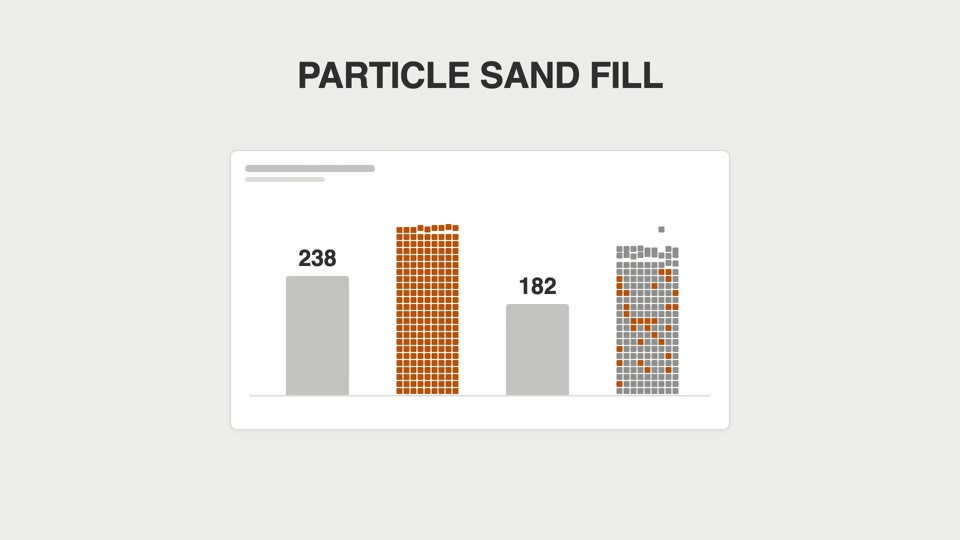
Biểu đồ cột không mọc cao dần mà "đổ mưa ra": hạt vuông rơi từng cái chất đống thành cột, đầy thì đông đặc lại.