Motion · Dữ liệu
Lia dọc trục thời gian
Lia dọc trục thời gian — máy quay tăng tốc dọc theo trục thước ngang lướt qua các mốc phiên bản, mỗi mốc thẻ bật đứng dừng ngắn, mốc cuối phanh gấp đẩy máy vào.
Nguồn: video-shotcraft (Vincent Wei) ↗ · Apache-2.0 · Composition Remotion (React/TSX) — có video preview, không có player trong trình duyệt
Khi nào dùng
Đoạn changelog/cột mốc/lịch sử phát triển (cách khác để kể "chúng tôi luôn phát hành"); phân vai với scroll-brake-moves: thẻ đó là phanh gấp danh sách dọc, thẻ này là hành trình thời gian ngang
Ý đồ
Quay lịch sử phiên bản sản phẩm thành một hành trình dọc trục thời gian (án lệ mở đầu phim The Hurt Locker): máy quay khởi động chậm → tăng tốc → phanh gấp ba đoạn đổi tốc độ lia ngang, các mốc v1.0/v2.0/v3.0 lần lượt lướt qua, mỗi mốc đi qua thì thẻ tương ứng bật đứng bằng spring từ vạch mốc — lịch sử lướt qua ngoài cửa sổ, phanh gấp dừng ở "hôm nay" và đẩy máy vào. Bản thân tốc độ nói "phát triển nhanh", phanh gấp nói "hiện tại quan trọng nhất".
Thời lượng & năng lượng
- Thời lượng: 4–5s
- Năng lượng: Trung bình cao (cú máy kiểu nhịp tăng tốc rồi phanh gấp)
Công thức cảnh quay (bản gốc tiếng Trung — timing, easing, bảng tham số, lỗi hay gặp)
意图
把产品的版本史拍成一次沿时间轴的旅行(《反恐王国》片头判例): 镜头缓起→冲刺→急刹三段变速横移,v1.0/v2.0/v3.0 刻度依次掠过, 每过一格对应卡片从刻度线上 spring 弹立——历史在窗外闪过, 急停在"今天"并推近。速度本身讲"发展快",急停讲"现在最重要"。
动作阶段
| 阶段 | 帧段参考 | 内容 | |------|------|------| | 1 静置 | f0–12 | 空轴 + 首刻度定住 | | 2 加速掠过 | ~f12–100 | 世界层 translateX 分段缓动:缓起→冲刺→末 12% 急刹 | | 3 弹卡 | 掠过中 | 相机扫过刻度前 6f 卡片起弹(spring damping ~11 明显过冲),底边为轴 scaleY 立起 | | 4 急停推近 | 急停帧起 10f | scale 1→1.28 推近末刻度(out cubic),接静止 ≥30f |
参数表
| 参数 | 典型值 | 调节手感 | |------|--------|----------| | 变速曲线 | 输入断点 [0,0.15,0.88,1]→输出 [0,0.055,0.9,1] | 中段不够快就没有"旅行感";全程匀速即廉价 PPT | | 弹立时机 | 相机到达刻度前 6f 起弹,由 camXAt 反查 | 到了才弹观众已经错过;早太多读作预告 | | 刻度密度 | 主刻度 3–5 个 + 次刻度小点若干 | 次刻度点是速度感的参照物,删掉就感觉不到快 | | 急停推近 | 1→1.28 / 10f | 不推近急停就只是"停了",推近才是"到了" |
已知坑
- demo 在灰阶/占位素材上调校通过——参数是调校起点非实战定稿,
首次实战须以真实素材回验
- 中段冲刺快到卡片糊时可叠 CameraMotionBlur(只包快速段,轮 #8 判例)
- 急停后静止预算前置:demo 首版静止只有 25f 不达标,急停帧前移才够
——排时间线时先给末段留 ≥30f 再倒推行程
- 每张弹立卡片是信息位:实战放真实版本亮点截图/一句话,
掠过速度要保证至少末两张能读(Q6 同源)
- 声音:每次弹立一声轻打点,急停一声 impact(S2 同源)
参考实现
demos/data/timeline-travel/ (TimelineTravel.tsx)
Mã nguồn tham chiếu (Remotion)
- demos/data/timeline-travel/TimelineTravel.tsx — https://raw.githubusercontent.com/Vincentwei1021/video-shotcraft/main/demos/data/timeline-travel/TimelineTravel.tsx
Component import fixture chung từ demos/_fixtures và helper từ assets/lib của repo; xem SKILL.md trong repo để biết quy trình render.
Mọi thứ trên trang này đều có bản máy đọc. Đưa agent link JSON, hoặc thêm MCP server gimgs rồi bảo nó tìm motion template.
- Tải JSON — trong đó có công thức cảnh quay (timing, easing, bảng tham số, lỗi hay gặp) và toàn bộ source TSX.
- Clone repo video-shotcraft; component import fixture chung từ demos/_fixtures và helper từ assets/lib.
- Đăng ký component thành <Composition> trong project Remotion rồi render bằng `npx remotion render`, hoặc dựng lại công thức bằng engine của bạn.
curl -s https://gimgs.net/motion/timeline-travel.jsongit clone https://github.com/Vincentwei1021/video-shotcraft
# component: demos/data/timeline-travel/TimelineTravel.tsx
npx remotion render <CompositionId> out.mp4claude mcp add --transport http gimgs https://gimgs.net/mcp
# then: search_motion_templates / get_motion_template("timeline-travel")Prompt
Use the video-shotcraft shot recipe "Lia dọc trục thời gian" (Remotion composition, Apache-2.0) published on gimgs.net.
Recipe JSON (prompt = timing/easing/parameter table/pitfalls, files = TSX source): https://gimgs.net/motion/timeline-travel.json
Raw TSX: https://gimgs.net/motion/timeline-travel/template.html
Repository: https://github.com/Vincentwei1021/video-shotcraft  (component: demos/data/timeline-travel/TimelineTravel.tsx; imports demos/_fixtures and assets/lib)
Spec: 1920x1080, 30 fps, 5.38s

1. Read the JSON and follow its "prompt" section (when to use, intention, parameter table, known pitfalls).
2. Adapt it for: <describe what you want>.
3. Either clone the repo, register the component as a <Composition> in a Remotion project and run npx remotion render <CompositionId> out.mp4 — or re-implement the recipe in your own engine (HTML/WAAPI works: keep the same timing and easing).
// ===== demos/data/timeline-travel/TimelineTravel.tsx =====
// timeline-travel —— 时间轴横移(《反恐王国》式)
// 镜头沿水平刻度轴加速横移,v1.0/v2.0/v3.0/Today 四个刻度依次掠过,
// 每过刻度对应 Card 从刻度线 spring 过冲弹立 + 短停,镜头不停;
// 末刻度 4f 急停 + 推近 1.28×。世界层只动 translateX/scale。
// f0–12 初始静置;f118 起真静止 ≥42f(160f 总长)。
import React from 'react';
import { useCurrentFrame, interpolate, Easing, spring } from 'remotion';
import { G, Card, TitleBlock } from '../../_fixtures/Fixtures';

const W = 1920;
const AXIS_Y = 700;
const TICK_GAP = 1400; // 刻度间距(世界坐标)
const TICKS = [
  { label: 'v1.0', x: 960 },
  { label: 'v2.0', x: 960 + TICK_GAP },
  { label: 'v3.0', x: 960 + TICK_GAP * 2 },
  { label: 'Today', x: 960 + TICK_GAP * 3 },
];
const WORLD_W = 960 + TICK_GAP * 3 + 960;

const TRAVEL_START = 12;
const TRAVEL_END = 104; // 急停帧
const ZOOM_END = 114;

// 相机 X:in-out 但前段慢后段快(poly(3) in 为主,末端 out 急收)
// 用两段拼:0–0.82 加速段(Easing.in(poly(2.2))),0.82–1 急刹段
const camXAt = (f: number): number => {
  const total = TICKS[3].x - 960; // 需要位移的世界距离
  const t = interpolate(f, [TRAVEL_START, TRAVEL_END], [0, 1], {
    extrapolateLeft: 'clamp',
    extrapolateRight: 'clamp',
  });
  // 加速→巡航→急刹:分段缓动,前 15% 缓起,中段近匀加速冲刺,末 12% 急收
  const eased = interpolate(t, [0, 0.15, 0.88, 1], [0, 0.055, 0.9, 1], {
    easing: Easing.inOut(Easing.quad),
  });
  return eased * total;
};

// 每张卡的弹立帧:相机中心扫过该刻度的时刻(数值上预先求好,避免逐帧求逆)
// 通过 camXAt 反查:找到 camX == tick.x - 960 的帧
const popFrameOf = (tickX: number): number => {
  for (let f = TRAVEL_START; f <= TRAVEL_END; f++) {
    if (camXAt(f) >= tickX - 960) return f;
  }
  return TRAVEL_END;
};

const CARD_W = 360;
const CARD_H = 240;

const TickStop: React.FC<{ i: number; frame: number }> = ({ i, frame }) => {
  const tick = TICKS[i];
  const pop = popFrameOf(tick.x) - 6; // 提前 6f 起弹,掠过时正好立起
  const s = spring({
    frame: frame - pop,
    fps: 30,
    config: { damping: 11, stiffness: 160, mass: 0.9 }, // 明显过冲
    durationInFrames: 26,
  });
  const appeared = frame >= pop;

  return (
    <div style={{ position: 'absolute', left: tick.x, top: 0 }}>
      {/* 刻度竖线 */}
      <div style={{ position: 'absolute', left: -3, top: AXIS_Y - 28, width: 6, height: 56, background: G.ink, borderRadius: 3 }} />
      {/* 刻度标签 */}
      <div style={{ position: 'absolute', left: -80, top: AXIS_Y + 44, width: 160, textAlign: 'center', fontFamily: 'Helvetica, Arial, sans-serif', fontWeight: 800, fontSize: 40, color: G.ink }}>
        {tick.label}
      </div>
      {/* 卡片从刻度线弹立:以底边为轴 scaleY 0→1(带过冲),伴随上移 */}
      {appeared && (
        <div
          style={{
            position: 'absolute',
            left: -CARD_W / 2,
            top: AXIS_Y - 36 - CARD_H,
            transform: `scaleY(${s}) scaleX(${0.6 + 0.4 * s})`,
            transformOrigin: '50% 100%',
            opacity: Math.min(1, s * 2),
          }}
        >
          <Card w={CARD_W} h={CARD_H} seed={i + 2} />
        </div>
      )}
    </div>
  );
};

export const TimelineTravel: React.FC = () => {
  const frame = useCurrentFrame();
  const camX = camXAt(frame);

  // 急停后推近末刻度:scale 1 → 1.28,中心对准 Today 刻度
  const zoom = interpolate(frame, [TRAVEL_END, ZOOM_END], [1, 1.28], {
    easing: Easing.out(Easing.cubic),
    extrapolateLeft: 'clamp',
    extrapolateRight: 'clamp',
  });

  return (
    <div style={{ width: W, height: 1080, background: G.bg, overflow: 'hidden', position: 'relative' }}>
      {/* 推近层:以画面中央偏下(末刻度落点)为原点放大 */}
      <div style={{ width: W, height: 1080, transform: `scale(${zoom})`, transformOrigin: '50% 62%' }}>
        {/* 世界层:唯一横移的容器 */}
        <div style={{ position: 'absolute', left: 0, top: 0, width: WORLD_W, height: 1080, transform: `translateX(${-camX}px)` }}>
          {/* 主轴线 */}
          <div style={{ position: 'absolute', left: 200, top: AXIS_Y - 3, width: WORLD_W - 400, height: 6, background: G.bar, borderRadius: 3 }} />
          {/* 次刻度(小点,增强速度感) */}
          {Array.from({ length: 22 }).map((_, i) => (
            <div key={i} style={{ position: 'absolute', left: 960 + i * (TICK_GAP / 5) - 2, top: AXIS_Y - 12, width: 4, height: 24, background: G.bar, borderRadius: 2 }} />
          ))}
          {TICKS.map((_, i) => (
            <TickStop key={i} i={i} frame={frame} />
          ))}
        </div>
      </div>
      <div style={{ position: 'absolute', top: 90, width: '100%', textAlign: 'center' }}>
        <TitleBlock text="TIMELINE TRAVEL" size={64} />
      </div>
    </div>
  );
};
- Read the recipePrompt = when to use, intention, parameter table with typical values and how each one feels, known pitfalls. Treat values as calibrated starting points.
- Get the codetool: git
git clone https://github.com/Vincentwei1021/video-shotcraft && cd video-shotcraft && npm install - Register + rendertool: remotion
npx remotion render <CompositionId> out.mp4 # component: demos/data/timeline-travel/TimelineTravel.tsx - Or re-implementPort the timing/easing from the recipe to HTML + WAAPI (gimgs motion contract) or any engine; keep the same segment windows and easing.
| param | type | default | description |
|---|---|---|---|
| — | |||
Cùng danh mục

Cuộn phanh gấp danh sách dài
Hai kiểu phanh cuộn dài: changelog-scroll-brake giảm tốc dừng chính xác; brake-reticle-lock thêm khóa tâm ngắm trên cùng khung hình.

Vòng đồng tâm hé lộ chú thích
Chủ thể toàn màn hình bị khung tròn thu lại thành sơ đồ vòng đồng tâm, rồi cả nhóm dịch trái thu nhỏ để lộ chú thích.
Va chạm ăn mừng bằng hạt
Hai kiểu hạt ăn mừng: confetti-crossfire bắn pháo hai bên, và counter-tick-sparks bắn tia lửa mỗi khi bộ đếm vượt mốc nghìn.
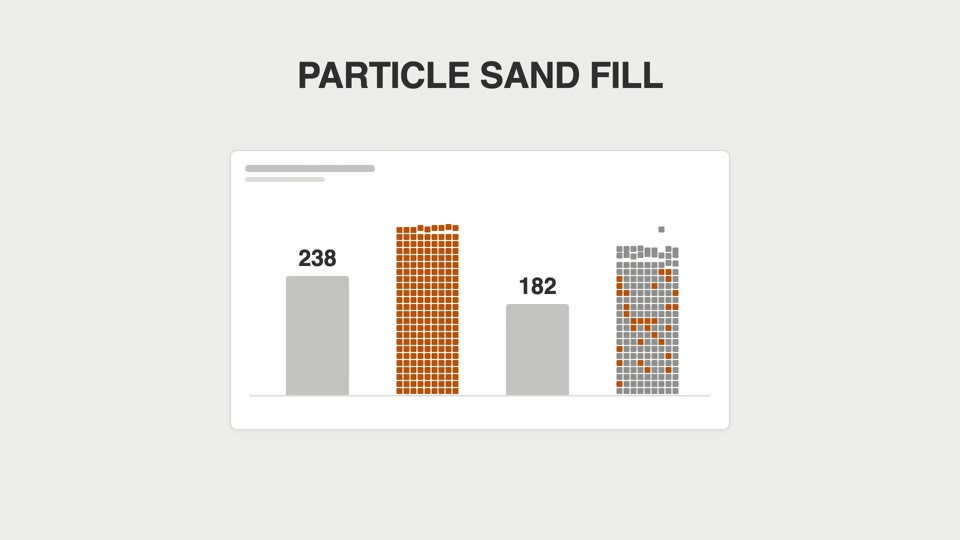
Cột số liệu lấp hạt cát
Biểu đồ cột không mọc cao dần mà "đổ mưa ra": hạt vuông rơi từng cái chất đống thành cột, đầy thì đông đặc lại.