Motion · Tương tác
Thumb điều khiển phân đoạn làm nhân vật chính
Cú dịch chuyển thumb trong control phân đoạn thành nhân vật chính cận cảnh — con trỏ bấm vào, thumb trắng trượt qua, icon mới bật lên.
Nguồn: video-shotcraft (Vincent Wei) ↗ · Apache-2.0 · Composition Remotion (React/TSX) — có video preview, không có player trong trình duyệt
Khi nào dùng
Cảnh công bố cho tính năng "chuyển chế độ/chọn một trong hai" (kiểu Ask→Computer, Chat→Agent); kỹ thuật cận cảnh để một tương tác nhỏ của UI gánh cả một cảnh quay
Ý đồ
Khi sản phẩm chuyển sang chế độ mới, cách quay thường thấy là đổi cả giao diện. Cảnh này làm ngược lại: phóng to segmented control lên 1080px để cận cảnh, cú dịch chuyển 8 khung hình của thumb chính là lời kể — "chúng tôi đã đi từ A đến B". Không có bất kỳ bối cảnh trang nào, bản thân control là sân khấu. Chuỗi nhân quả trọn vẹn: con trỏ trượt vào (có người đến) → bấm kèm gợn sóng (một quyết định được đưa ra) → thumb trượt (thế giới phản hồi) → icon mới bật lên (danh tính mới được xác lập). Bốn nhịp không thể thiếu cái nào: thiếu con trỏ thì control tự động một mình, thiếu icon bật thì việc chuyển đổi không có phần thưởng.
Thời lượng & năng lượng
- Thời lượng: ~3.5s (demo 110f: nổi vào 18f + con trỏ 24f + bấm + trượt 8f + icon bật + giữ)
- Năng lượng: Trung bình (cận cảnh vi tương tác tinh tế, không ồn ào)
Công thức cảnh quay (bản gốc tiếng Trung — timing, easing, bảng tham số, lỗi hay gặp)
意图
产品切到新模式,通常拍法是整个界面换掉。本卡反着来:把 segmented control 放大到 1080px 宽拍特写,thumb 那 8 帧位移本身就是叙事—— "我们从 A 走到了 B"。没有任何页面上下文,控件即舞台。因果链完整: 光标滑入(有人来了)→ 按下+涟漪(做了决定)→ thumb 滑动(世界响应) → 新图标弹出(新身份确立)。四拍缺一不可,缺了光标就是 UI 自己在动, 缺了图标弹出就是切换没有奖励。
动效核心
- 控件特写尺寸 1080×220,从下 200px 弹簧浮入
(spring damping 14 / stiffness 120),大阴影随落位收小(24→12px)
- 光标是超大描边箭头(130px,白底墨描边):24f Easing.out(cubic)
从右下画外滑到目标段上;按下 scale 1→0.86→1(3f 下 4f 回)
- thumb 严格 8f Easing.out(cubic)(demo 52→60f)——还原原片手感;
这 8f 是全镜的心跳,前后各拍都在为它服务
- 到位瞬间双动作同帧起:新图标 spring(damping 10, stiffness 220)
过冲弹出;旧图标 6f Easing.in 塌缩且 width 同步归零让文字自然回流
- 点击涟漪:4px 描边圆环 12f 从点击点扩散淡出(Easing.out(quad))
——涟漪确认"按下"发生过,无涟漪点击读作光标路过
参数表
| 参数 | 典型值 | 调节手感 | |------|--------|----------| | 控件尺寸 | 1080×220,thumb 内缩 16px | 缩到 <600px 宽就不是特写了,thumb 位移读不出重量 | | thumb 时长 | 8f Easing.out(cubic) | >14f 读作慢动作演示视频;<5f 读作瞬移,"滑"没了 | | 光标滑入 | 24f 从画外,ease-out | linear 或 <14f 读作光标被扔进来;起点必须画外 | | 按下 | scale 0.86 + 涟漪 12f | 无按下直接滑 thumb,因果链断,读作自动播放 | | 图标弹出 | spring damping 10/stiffness 220 | damping <8 弹三下抢 thumb 的戏;旧图标不收起文字会挤出控件 | | 收尾 hold | 新态静置 ≥30f | 切换完立刻切镜,"新模式"没被看清 |
已知坑
- demo 在灰阶/占位素材上调校通过——参数是调校起点非实战定稿,
首次实战须以真实素材回验
- 与 input-trigger-moves 分工:cursor-performance 是光标在完整页面里
点击推近(有上下文),本卡是控件脱离页面拍无背景特写——同片可共存, 但同一次点击别既拍页面版又拍特写版
- 图标塌缩用 width 归零而不是只 scale——只 scale 会留空位,文字不回流,
控件内出现"幽灵缝"(demo 里 width 与 scale 同步驱动)
- 二段以上(3+ 段)控件慎用:thumb 跨多段滑行 8f 太快读不出停靠,
拉长又破手感——本卡吃"二选一"最顺
- 涟漪圆环要 zIndex 压在 thumb 之上、圆心锁点击点——跟着 thumb 走
就成了 thumb 的拖尾,语义变错
- 实战替换素材:段标签/图标换成真功能名即可,但"新段图标带表情"
(demo 笑脸 laptop)是奖励感的一半,纯线框图标会淡不少
参考实现
demos/interaction/segmented-thumb-hero/ (SegmentedThumbHero.tsx) 原片出处:perplexity-promo 2.3–5s
Mã nguồn tham chiếu (Remotion)
- demos/interaction/segmented-thumb-hero/SegmentedThumbHero.tsx — https://raw.githubusercontent.com/Vincentwei1021/video-shotcraft/main/demos/interaction/segmented-thumb-hero/SegmentedThumbHero.tsx
Component import fixture chung từ demos/_fixtures và helper từ assets/lib của repo; xem SKILL.md trong repo để biết quy trình render.
Mọi thứ trên trang này đều có bản máy đọc. Đưa agent link JSON, hoặc thêm MCP server gimgs rồi bảo nó tìm motion template.
- Tải JSON — trong đó có công thức cảnh quay (timing, easing, bảng tham số, lỗi hay gặp) và toàn bộ source TSX.
- Clone repo video-shotcraft; component import fixture chung từ demos/_fixtures và helper từ assets/lib.
- Đăng ký component thành <Composition> trong project Remotion rồi render bằng `npx remotion render`, hoặc dựng lại công thức bằng engine của bạn.
curl -s https://gimgs.net/motion/segmented-thumb-hero.jsongit clone https://github.com/Vincentwei1021/video-shotcraft
# component: demos/interaction/segmented-thumb-hero/SegmentedThumbHero.tsx
npx remotion render <CompositionId> out.mp4claude mcp add --transport http gimgs https://gimgs.net/mcp
# then: search_motion_templates / get_motion_template("segmented-thumb-hero")Prompt
Use the video-shotcraft shot recipe "Thumb điều khiển phân đoạn làm nhân vật chính" (Remotion composition, Apache-2.0) published on gimgs.net.
Recipe JSON (prompt = timing/easing/parameter table/pitfalls, files = TSX source): https://gimgs.net/motion/segmented-thumb-hero.json
Raw TSX: https://gimgs.net/motion/segmented-thumb-hero/template.html
Repository: https://github.com/Vincentwei1021/video-shotcraft  (component: demos/interaction/segmented-thumb-hero/SegmentedThumbHero.tsx; imports demos/_fixtures and assets/lib)
Spec: 1920x1080, 30 fps, 3.71s

1. Read the JSON and follow its "prompt" section (when to use, intention, parameter table, known pitfalls).
2. Adapt it for: <describe what you want>.
3. Either clone the repo, register the component as a <Composition> in a Remotion project and run npx remotion render <CompositionId> out.mp4 — or re-implement the recipe in your own engine (HTML/WAAPI works: keep the same timing and easing).
// ===== demos/interaction/segmented-thumb-hero/SegmentedThumbHero.tsx =====
// segmented-thumb-hero —— 分段控件 thumb 位移当叙事主角拍特写
// 源:perplexity-promo 2.3–5s。胶囊分段控件(Ask/Computer)带阴影浮入,
// 超大描边箭头光标滑入点击,白 thumb 左→右 ~8f ease-out 滑动,
// 到位瞬间新选项前弹出小图标、旧图标收起。
import React from 'react';
import { AbsoluteFill, useCurrentFrame, interpolate, Easing, spring, useVideoConfig } from 'remotion';
import { G } from '../../_fixtures/Fixtures';

const FONT = 'Helvetica, Arial, sans-serif';

// 超大描边箭头光标
const ArrowCursor: React.FC<{ x: number; y: number; press: number }> = ({ x, y, press }) => (
  <svg
    width={130}
    height={150}
    viewBox="0 0 26 30"
    style={{
      position: 'absolute',
      left: x,
      top: y,
      transform: `scale(${1 - press * 0.14})`,
      transformOrigin: '15% 10%',
      filter: 'drop-shadow(0 8px 16px rgba(0,0,0,0.25))',
    }}
  >
    <path
      d="M4 2 L4 24 L9.5 18.5 L13 27 L16.8 25.4 L13.3 17 L21 17 Z"
      fill="#fff"
      stroke={G.ink}
      strokeWidth={1.8}
      strokeLinejoin="round"
    />
  </svg>
);

const SmileLaptop: React.FC<{ size: number }> = ({ size }) => (
  <svg width={size} height={size} viewBox="0 0 40 40">
    <rect x={7} y={7} width={26} height={19} rx={3} fill="none" stroke={G.ink} strokeWidth={3} />
    <circle cx={15.5} cy={14.5} r={1.9} fill={G.ink} />
    <circle cx={24.5} cy={14.5} r={1.9} fill={G.ink} />
    <path d="M14.5 19 Q20 23.5 25.5 19" stroke={G.ink} strokeWidth={2.6} fill="none" strokeLinecap="round" />
    <path d="M4 31 L36 31" stroke={G.ink} strokeWidth={3.4} strokeLinecap="round" />
  </svg>
);

const AskIcon: React.FC<{ size: number }> = ({ size }) => (
  <svg width={size} height={size} viewBox="0 0 40 40">
    <circle cx={20} cy={20} r={13} fill="none" stroke={G.ink} strokeWidth={3} />
    <path d="M16 17 q0-5 4.5-5 q4.5 0 4.5 4.2 q0 3-3.4 4.4 q-1.6 0.7-1.6 2.6" stroke={G.ink} strokeWidth={2.8} fill="none" strokeLinecap="round" />
    <circle cx={20} cy={28} r={1.8} fill={G.ink} />
  </svg>
);

export const SegmentedThumbHero: React.FC = () => {
  const frame = useCurrentFrame();
  const { fps } = useVideoConfig();

  // ---- 时间轴 ----
  const FLOAT_IN = 0; // 控件浮入 0–18
  const CURSOR_IN = 20; // 光标滑入 20–44
  const CLICK = 48; // 按下
  const SLIDE = 52; // thumb 开始滑 52–60 (~8f)
  const SLIDE_END = 60;

  // 控件浮入:从下 160px 带阴影弹簧浮入
  const floatT = spring({ frame: frame - FLOAT_IN, fps, config: { damping: 14, stiffness: 120, mass: 0.9 } });
  const ctrlY = interpolate(floatT, [0, 1], [200, 0]);

  // 控件几何(特写尺寸)
  const CW = 1080; // 控件宽
  const CH = 220;
  const PAD = 16;
  const SEGW = (CW - PAD * 2) / 2;

  // 光标滑入:ease-out 从右下画外飘到 Computer 段上
  const curT = interpolate(frame, [CURSOR_IN, CURSOR_IN + 24], [0, 1], {
    extrapolateLeft: 'clamp',
    extrapolateRight: 'clamp',
    easing: Easing.out(Easing.cubic),
  });
  const curX = interpolate(curT, [0, 1], [1780, 1210]);
  const curY = interpolate(curT, [0, 1], [1020, 620]);
  // 按下动作
  const press = interpolate(frame, [CLICK, CLICK + 3, CLICK + 7], [0, 1, 0], {
    extrapolateLeft: 'clamp',
    extrapolateRight: 'clamp',
  });

  // thumb 位移:~8f ease-out
  const thumbT = interpolate(frame, [SLIDE, SLIDE_END], [0, 1], {
    extrapolateLeft: 'clamp',
    extrapolateRight: 'clamp',
    easing: Easing.out(Easing.cubic),
  });
  const thumbX = PAD + thumbT * SEGW;

  // 到位瞬间:Computer 图标弹出(过冲),Ask 图标收起
  const iconIn = spring({ frame: frame - SLIDE_END, fps, config: { damping: 10, stiffness: 220, mass: 0.6 } });
  const laptopScale = frame >= SLIDE_END ? iconIn : 0;
  const askScale = interpolate(frame, [SLIDE, SLIDE + 6], [1, 0], {
    extrapolateLeft: 'clamp',
    extrapolateRight: 'clamp',
    easing: Easing.in(Easing.cubic),
  });

  // 点击涟漪
  const rippleT = interpolate(frame, [CLICK, CLICK + 12], [0, 1], {
    extrapolateLeft: 'clamp',
    extrapolateRight: 'clamp',
    easing: Easing.out(Easing.quad),
  });

  const labelStyle = (active: boolean): React.CSSProperties => ({
    fontFamily: FONT,
    fontWeight: 700,
    fontSize: 72,
    color: active ? G.ink : G.mid,
    transition: 'none',
    display: 'flex',
    alignItems: 'center',
    justifyContent: 'center',
    gap: 22,
    width: SEGW,
    height: CH - PAD * 2,
    position: 'relative',
    zIndex: 2,
  });

  const askActive = thumbT < 0.5;

  return (
    <AbsoluteFill style={{ background: G.bg, alignItems: 'center', justifyContent: 'center' }}>
      {/* 分段控件 */}
      <div
        style={{
          width: CW,
          height: CH,
          borderRadius: CH / 2,
          background: '#e4e4e2',
          border: `3px solid ${G.border}`,
          boxShadow: `0 ${24 - floatT * 12}px ${70 - floatT * 20}px rgba(0,0,0,0.22)`,
          transform: `translateY(${ctrlY}px)`,
          opacity: Math.min(1, floatT * 1.5),
          position: 'relative',
          display: 'flex',
          alignItems: 'center',
          padding: PAD,
          boxSizing: 'border-box',
        }}
      >
        {/* 白色 thumb */}
        <div
          style={{
            position: 'absolute',
            left: thumbX,
            top: PAD,
            width: SEGW,
            height: CH - PAD * 2,
            borderRadius: (CH - PAD * 2) / 2,
            background: '#fff',
            boxShadow: '0 6px 20px rgba(0,0,0,0.18)',
            zIndex: 1,
          }}
        />
        {/* 点击涟漪 */}
        {rippleT > 0 && rippleT < 1 && (
          <div
            style={{
              position: 'absolute',
              left: PAD + SEGW + SEGW / 2 - 130 * rippleT,
              top: CH / 2 - PAD - 130 * rippleT + (CH - PAD * 2) / 2 - (CH / 2 - PAD),
              width: 260 * rippleT,
              height: 260 * rippleT,
              borderRadius: '50%',
              border: `4px solid ${G.mid}`,
              opacity: 1 - rippleT,
              zIndex: 3,
            }}
          />
        )}
        {/* Ask 段 */}
        <div style={labelStyle(askActive)}>
          <span
            style={{
              display: 'inline-flex',
              transform: `scale(${askScale})`,
              width: askScale < 0.05 ? 0 : 78,
              overflow: 'visible',
            }}
          >
            <AskIcon size={78} />
          </span>
          Ask
        </div>
        {/* Computer 段 */}
        <div style={labelStyle(!askActive)}>
          <span
            style={{
              display: 'inline-flex',
              transform: `scale(${laptopScale})`,
              width: laptopScale < 0.05 ? 0 : 78,
              overflow: 'visible',
            }}
          >
            <SmileLaptop size={78} />
          </span>
          Computer
        </div>
      </div>
      <ArrowCursor x={curX} y={curY} press={press} />
    </AbsoluteFill>
  );
};
- Read the recipePrompt = when to use, intention, parameter table with typical values and how each one feels, known pitfalls. Treat values as calibrated starting points.
- Get the codetool: git
git clone https://github.com/Vincentwei1021/video-shotcraft && cd video-shotcraft && npm install - Register + rendertool: remotion
npx remotion render <CompositionId> out.mp4 # component: demos/interaction/segmented-thumb-hero/SegmentedThumbHero.tsx - Or re-implementPort the timing/easing from the recipe to HTML + WAAPI (gimgs motion contract) or any engine; keep the same segment windows and easing.
| param | type | default | description |
|---|---|---|---|
| — | |||
Cùng danh mục

Sóng âm giọng nói trực tiếp
Sóng âm trực tiếp trên viên nang ghi âm — 64 cột dọc mảnh nhấp nhô theo "lời nói", giữa lúc nói vươn cao, ngừng thì co lại thành dòng chấm, sóng cuộn từ phải sang trái; trọn màn nói→ngừng→nói→gửi.

Gõ, lọc, đi vào chi tiết
Gõ tìm kiếm trên UI thật, lưới tự thu về một thẻ duy nhất, rồi cú click xuyên vào trang chi tiết.

Đổi theme: quét dọc và gợn sóng
Hai kiểu đổi theme — theme-sweep quét chéo (biên quét qua đâu đổi da đến đó) và palette-ripple kiểu kết hợp (panel ⌘K co lại thành điểm, gợn sóng lan ra từ điểm đó đổi da).
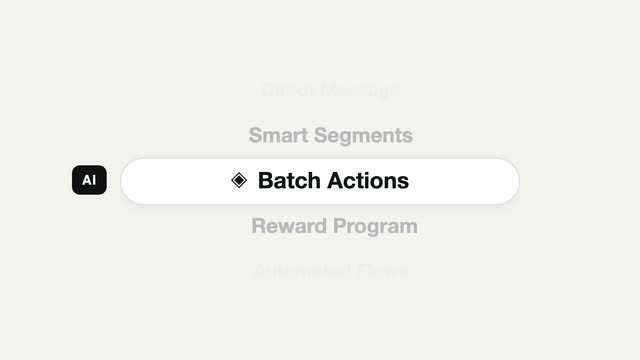
Picker cuộn chọn tính năng
Bộ chọn dọc kiểu di động — viên thuốc tiêu điểm đứng yên, nội dung trôi qua nó, mỗi mục hãm phanh rồi dừng hẳn.