Motion · Ánh sáng & nhấn
Đèn rọi hiện hình trên nền tối
Ba kiểu đèn rọi hiện hình trên nền tối — A quét thức-ngủ (đèn tới thì sáng, đèn đi thì tối), B quét ngang rìa viền (ánh tím bám mép UI thấm vào + đèn quét phải đều), C hiện hình đều từ góc (đèn hình tròn nở đều từ góc sáng cả màn hình); ánh sáng chính là lời kể trên nền đen.
Nguồn: video-shotcraft (Vincent Wei) ↗ · Apache-2.0 · Composition Remotion (React/TSX) — có video preview, không có player trong trình duyệt
Biến thể
Quét thức-ngủ: mặt nạ hiện hình dạng tròn theo đầu sáng di chuyển đều từ trái sang phải, ánh tím ba lớp bám mép trên đi cùng, lướt qua viền sáng logo, tới mép phải thắp dư sáng dọc, đoạn cuối panel chìm lại vào bóng tối
Giới thiệu từng panel UI trong phim thương hiệu tông tối — có thức có ngủ khi xuất hiện và kết thúc
Quét ngang rìa viền: ánh sáng trước tiên vòng quanh mép dọc trên-trái, qua góc rồi đi ngang theo mép trên, quầng tím thấm vào mặt trong đỉnh UI; đầu đèn rọi hiện hình đều khi di chuyển phải + panel trượt trái đều = cảm giác máy quay lia phải
Tham quan ngang panel rộng/bảng nhiều cột, thắp sáng từng khu chức năng theo đoạn
Hiện hình đều từ góc: đèn rọi hình tròn ở góc trên-trái nở bán kính nghiêm ngặt linear, chiếu tới đâu hiện tới đó, chưa chiếu vẫn chìm đen, cuối cùng toàn màn hình sáng lên — ánh sáng chính là chuyển cảnh
Mở đầu nền đen thắp sáng giao diện xuất hiện; chuyển cảnh bằng ánh sáng giữa các đoạn
Khi nào dùng
Giới thiệu lần lượt các panel UI/khu vực chức năng trong phim thương hiệu tông tối; mở đầu nền đen "thắp sáng" giao diện; chuyển cảnh bằng ánh sáng giữa các đoạn
Ý đồ
Trên nền tối khán giả chỉ thấy thứ ánh sáng cho phép thấy — đèn rọi vừa là ánh sáng vừa là cú máy vừa là bản dựng: sáng tới đâu, xuất hiện tới đó; sáng đi là hạ màn. Ba kiểu dùng chung một yếu tố nhận diện "ánh tím rực bám mép" (ánh sáng bám theo viền UI/logo/mép trên, quầng sáng phải sáng phải nhòe, là ánh sáng đang "vuốt ve" giao diện chứ không phải hoạt ảnh viền nét). Điểm mấu chốt là tốc độ đều: chuyển động/mở rộng của đèn rọi phải nghiêm ngặt linear — easing sẽ khiến ánh sáng có "chủ ý", chỉ có tốc độ đều mới đọc như cú quét cơ khí của đèn pha (án lệ kiểu C: linear nhưng bán kính cuối quá lớn = bão hòa ngay 1/4 đầu, cảm giác vẫn không đều).
Thời lượng & năng lượng
- Thời lượng: Mỗi kiểu 3.5–4.5s; A/B có thể nối chuỗi thành đoạn tham quan
- Năng lượng: Trung bình thấp (tiết chế, huyền bí, điểm bùng nổ ở khoảnh khắc "sáng lên")
Công thức cảnh quay (bản gốc tiếng Trung — timing, easing, bảng tham số, lỗi hay gặp)
意图
黑场里观众只能看见光给看的东西——聚光既是照明也是运镜和剪辑: 光到哪里哪里登场,光走即谢幕。三式共用"贴边紫色辉光光线"这个 身份元素(光线贴着 UI 边框/logo/顶边走,辉光要亮要糊,是光在 "抚摸"界面而不是描边动画)。命门是匀速:聚光的移动/扩张 严格 linear——缓动会让光有"意图",匀速才读作探照灯的机械扫掠 (C 式判例:linear 但半径终值过大=前 1/4 就饱和,观感照样不匀速)。
动效核心
A 醒睡扫过(glow-wake-sleep-panel):radial 显影罩跟随光头从左 向右匀速移动,范围外全黑;贴顶边紫色光线三层辉光(blur26 宽糊+ blur9 中层+亮芯+粉色偏移层)随扫光同步走,经过 logo 时 boxShadow 描光、到右缘点亮竖直残光;尾段光走面板沉回黑暗——有醒有睡。 B 贴边泛光横摇(slide-spotlight-pan):光线锚定面板边缘(先绕 左上角竖缘、转角后沿顶边横走),紫光晕染渗入 UI 顶部内侧(光从 边缘渗进界面);聚光头匀速右移显影、面板同时匀速左滑=相机右摇感。 C 角落匀速显影(corner-spotlight-reveal):左上角径向聚光半径 严格 linear 扩张,照到显影照不到沉黑,最终全亮(光即转场)。
参数表
| 参数 | 典型值 | 调节手感 | |------|--------|----------| | 聚光移动/扩张 | 全程 linear、零缓动 | 匀速是命门——全程零缓动;加 ease 读作光有主观意图 | | C 式半径终值 | 恰好在片尾覆盖全屏(1300@1080p/100f) | 终值过大=提前饱和假匀速:亮度采样须全程平滑爬升(实测 8/46/101/…/238) | | 贴边光线辉光 | 3–4 层(blur26+blur9+亮芯+粉偏移) | 层少读作细线描边;辉光要够亮够糊才是"光" | | 光线锚定 | 严格贴 UI 边缘/顶边/logo | 光线脱离边缘漂浮=失去"抚摸界面"语义(A 式返工判例:定位丢失紫光跑到底边) | | 显影罩 | radial 渐变硬边略糊(feather ~15%) | 边太硬像圆形遮罩;太糊没有"照到/照不到"的界线 |
已知坑
- demo 在灰阶/占位素材上调校通过——参数是调校起点非实战定稿,
首次实战须以真实素材回验
- 与 light-play-moves 分工:那张是元素/文字上的
光泽戏(sheen/辉光呼吸);本卡光是运镜和剪辑(显影/谢幕/转场), 光决定观众看什么
- 三式重做判例:聚光扫过必须带贴边光线同行(v1 只有显影罩被裁
"改改再看"——裸聚光没有身份,贴边紫光才是这个手法的签名)
- 原片(clickup-30)光线转角有一瞬彩虹色散,demo 未做;实战可
在转角帧加 1–2f 色散层提质感
参考实现
demos/effects/spotlight-sweep-moves/ (CornerSpotlightReveal.tsx / GlowWakeSleepPanel.tsx / SlideSpotlightPan.tsx) 原片出处:clickup-30.mp4
Mã nguồn tham chiếu (Remotion)
- demos/effects/spotlight-sweep-moves/CornerSpotlightReveal.tsx — https://raw.githubusercontent.com/Vincentwei1021/video-shotcraft/main/demos/effects/spotlight-sweep-moves/CornerSpotlightReveal.tsx
- demos/effects/spotlight-sweep-moves/GlowWakeSleepPanel.tsx — https://raw.githubusercontent.com/Vincentwei1021/video-shotcraft/main/demos/effects/spotlight-sweep-moves/GlowWakeSleepPanel.tsx
- demos/effects/spotlight-sweep-moves/SlideSpotlightPan.tsx — https://raw.githubusercontent.com/Vincentwei1021/video-shotcraft/main/demos/effects/spotlight-sweep-moves/SlideSpotlightPan.tsx
Component import fixture chung từ demos/_fixtures và helper từ assets/lib của repo; xem SKILL.md trong repo để biết quy trình render.
Mọi thứ trên trang này đều có bản máy đọc. Đưa agent link JSON, hoặc thêm MCP server gimgs rồi bảo nó tìm motion template.
- Tải JSON — trong đó có công thức cảnh quay (timing, easing, bảng tham số, lỗi hay gặp) và toàn bộ source TSX.
- Clone repo video-shotcraft; component import fixture chung từ demos/_fixtures và helper từ assets/lib.
- Đăng ký component thành <Composition> trong project Remotion rồi render bằng `npx remotion render`, hoặc dựng lại công thức bằng engine của bạn.
curl -s https://gimgs.net/motion/spotlight-sweep-moves.jsongit clone https://github.com/Vincentwei1021/video-shotcraft
# component: demos/effects/spotlight-sweep-moves/CornerSpotlightReveal.tsx, demos/effects/spotlight-sweep-moves/GlowWakeSleepPanel.tsx, demos/effects/spotlight-sweep-moves/SlideSpotlightPan.tsx
npx remotion render <CompositionId> out.mp4claude mcp add --transport http gimgs https://gimgs.net/mcp
# then: search_motion_templates / get_motion_template("spotlight-sweep-moves")Prompt
Use the video-shotcraft shot recipe "Đèn rọi hiện hình trên nền tối" (Remotion composition, Apache-2.0) published on gimgs.net.
Recipe JSON (prompt = timing/easing/parameter table/pitfalls, files = TSX source): https://gimgs.net/motion/spotlight-sweep-moves.json
Raw TSX: https://gimgs.net/motion/spotlight-sweep-moves/template.html
Repository: https://github.com/Vincentwei1021/video-shotcraft  (component: demos/effects/spotlight-sweep-moves/CornerSpotlightReveal.tsx, demos/effects/spotlight-sweep-moves/GlowWakeSleepPanel.tsx, demos/effects/spotlight-sweep-moves/SlideSpotlightPan.tsx; imports demos/_fixtures and assets/lib)
Spec: 1920x1080, 30 fps, 4.54s

1. Read the JSON and follow its "prompt" section (when to use, intention, parameter table, known pitfalls).
2. Adapt it for: <describe what you want>.
3. Either clone the repo, register the component as a <Composition> in a Remotion project and run npx remotion render <CompositionId> out.mp4 — or re-implement the recipe in your own engine (HTML/WAAPI works: keep the same timing and easing).
// ===== demos/effects/spotlight-sweep-moves/CornerSpotlightReveal.tsx =====
// corner-spotlight-reveal —— 对标 clickup-30.mp4 41.5–44.6s:
// 黑场上,左上角径向聚光从小到大扩张,把白色 Inbox 界面逐步"点亮",
// 照到的区域显影、照不到的沉黑,最终全屏亮起。光即转场。
import React from 'react';
import { AbsoluteFill, useCurrentFrame, interpolate, Easing } from 'remotion';

const FONT = '"Avenir Next", "Helvetica Neue", Helvetica, sans-serif';

// 灰阶 Inbox 界面(自绘,替代真 UI)
const InboxPanel: React.FC = () => (
  <div
    style={{
      width: 1920,
      height: 1080,
      background: '#f6f6f5',
      fontFamily: FONT,
      padding: '90px 120px',
      boxSizing: 'border-box',
      color: '#2c2c2c',
    }}
  >
    <div style={{ display: 'flex', alignItems: 'center', gap: 26 }}>
      <div style={{ fontSize: 118, fontWeight: 700, letterSpacing: -2 }}>Inbox</div>
      <div
        style={{
          width: 0, height: 0, marginTop: 26,
          borderLeft: '16px solid transparent',
          borderRight: '16px solid transparent',
          borderTop: '20px solid #3a3a3a',
        }}
      />
    </div>
    <div style={{ display: 'flex', gap: 64, marginTop: 90, fontSize: 44, color: '#555' }}>
      <div style={{ background: '#e9e8f6', color: '#5b55c8', padding: '10px 34px', borderRadius: 14, fontWeight: 600 }}>All</div>
      <div style={{ padding: '10px 0' }}>Tasks</div>
      <div style={{ padding: '10px 0' }}>Docs</div>
      <div style={{ padding: '10px 0' }}>People</div>
      <div style={{ padding: '10px 0' }}>Chat</div>
    </div>
    {[0, 1, 2].map((row) => (
      <div key={row} style={{ display: 'flex', alignItems: 'center', gap: 30, marginTop: row === 0 ? 96 : 64 }}>
        <div style={{ width: 42, height: 42, border: '3px solid #c9c9c7', borderRadius: 10 }} />
        <div style={{ width: 14, height: 14, borderRadius: 7, background: '#5b55c8' }} />
        <div style={{ width: 56, height: 56, borderRadius: 28, background: '#efe4e2' }} />
        <div>
          <div style={{ display: 'flex', gap: 22, alignItems: 'center' }}>
            <div style={{ height: 22, width: 220 + ((row * 67) % 90), background: '#3f3f3f', borderRadius: 11 }} />
            <div style={{ width: 8, height: 8, borderRadius: 4, background: '#bbb' }} />
            <div style={{ height: 18, width: 260, background: '#c9c9c7', borderRadius: 9 }} />
          </div>
          <div style={{ display: 'flex', gap: 14, marginTop: 16 }}>
            <div style={{ height: 18, width: 300, background: '#8f8bd8', borderRadius: 9, opacity: 0.75 }} />
            <div style={{ height: 18, width: 340 - ((row * 91) % 120), background: '#d8d8d6', borderRadius: 9 }} />
          </div>
        </div>
      </div>
    ))}
  </div>
);

export const CornerSpotlightReveal: React.FC = () => {
  const frame = useCurrentFrame();

  // 聚光半径扩张:全程匀速(用户裁决"整个过程要匀速"——严格 linear,无缓动)
  // r+feather=1.85r 是光前沿;1.85*1300≈2400 恰在片尾盖满全屏对角,
  // 保证扩张动作占满全片时长而不是前 1/3 就饱和
  const r = interpolate(frame, [0, 100], [160, 1300], {
    extrapolateLeft: 'clamp',
    extrapolateRight: 'clamp',
  });

  // 光心沿左上角匀速游移(linear)
  const cx = interpolate(frame, [0, 96], [140, 420], { extrapolateRight: 'clamp' });
  const cy = interpolate(frame, [0, 96], [90, 260], { extrapolateRight: 'clamp' });

  // 软边宽度:扩张时边缘更羽化
  const feather = r * 0.85;

  // UI 轻微透视漂移(原片相机贴着界面缓推)
  const drift = interpolate(frame, [0, 100], [0, 1]);
  const scale = 1.75 - 0.28 * drift;
  const tx = -40 + 70 * drift;
  const ty = -30 + 50 * drift;

  const mask = `radial-gradient(circle ${r + feather}px at ${cx}px ${cy}px, rgba(255,255,255,1) ${Math.max(
    0,
    ((r - feather * 0.25) / (r + feather)) * 100,
  )}%, rgba(255,255,255,0) 100%)`;

  return (
    <AbsoluteFill style={{ background: '#000' }}>
      <AbsoluteFill
        style={{
          WebkitMaskImage: mask,
          maskImage: mask,
          transform: `scale(${scale}) translate(${tx}px, ${ty}px) rotate(${-1.2 + 1.2 * drift}deg)`,
          transformOrigin: '18% 12%',
        }}
      >
        <InboxPanel />
      </AbsoluteFill>
      {/* 聚光自身的白热光晕(叠在界面上方,光心最亮) */}
      <div
        style={{
          position: 'absolute',
          left: cx - r * 0.7,
          top: cy - r * 0.7,
          width: r * 1.4,
          height: r * 1.4,
          borderRadius: '50%',
          background: 'radial-gradient(closest-side, rgba(255,255,255,0.85), rgba(255,255,255,0.25) 45%, transparent 75%)',
          filter: 'blur(26px)',
          opacity: interpolate(frame, [0, 10, 60, 90], [0, 0.9, 0.55, 0], {
            extrapolateRight: 'clamp',
          }),
          pointerEvents: 'none',
        }}
      />
    </AbsoluteFill>
  );
};


// ===== demos/effects/spotlight-sweep-moves/GlowWakeSleepPanel.tsx =====
// glow-wake-sleep-panel v3 —— 扫光方向改为从左向右(用户裁决):
// 聚光灯从左向右"扫过"斜置面板;一条带辉光的紫色光线贴着 UI 顶边/边框/
// logo 划过,光到即亮、光走即暗,尾段沉回黑暗(右缘残留蓝紫)。
import React from 'react';
import { AbsoluteFill, useCurrentFrame, interpolate } from 'remotion';

const W = 1250;
const H = 860;
const R = 26;

const ink = '#3a3a3a';
const mid = '#9a9a98';
const line = '#e2e2e0';

const Row: React.FC<{ w: number; icon?: boolean }> = ({ w, icon = true }) => (
  <div style={{ display: 'flex', alignItems: 'center', gap: 12, height: 30 }}>
    {icon && <div style={{ width: 18, height: 18, borderRadius: 5, background: mid }} />}
    <div style={{ height: 11, width: w, background: '#c9c9c7', borderRadius: 6 }} />
  </div>
);

const TaskCard: React.FC<{ seed: number }> = ({ seed }) => (
  <div style={{ display: 'flex', flexDirection: 'column', gap: 9, padding: '14px 0' }}>
    <div style={{ height: 9, width: 150 + (seed % 3) * 22, background: line, borderRadius: 5 }} />
    <div style={{ height: 12, width: 190 + ((seed * 7) % 4) * 18, background: '#b9b9b7', borderRadius: 6 }} />
    <div style={{ width: 15, height: 11, background: '#d9d9d7', borderRadius: 2 }} />
  </div>
);

// 灰阶斜置面板(ClickUp 布局形:侧栏 + Review/Shipped 两列)
const Panel: React.FC = () => (
  <div style={{
    width: W, height: H, background: '#f6f6f5', borderRadius: R,
    display: 'flex', overflow: 'hidden', boxSizing: 'border-box',
  }}>
    <div style={{ width: 300, borderRight: `2px solid ${line}`, padding: '30px 28px', boxSizing: 'border-box' }}>
      <div style={{ display: 'flex', alignItems: 'center', gap: 12, marginBottom: 34 }}>
        <div style={{ width: 30, height: 30, borderRadius: 8, background: ink }} />
        <div style={{ height: 16, width: 96, background: ink, borderRadius: 7 }} />
      </div>
      <div style={{ display: 'flex', flexDirection: 'column', gap: 14 }}>
        <Row w={72} /><Row w={128} /><Row w={64} />
      </div>
      <div style={{ height: 13, width: 84, background: '#b3b3b1', borderRadius: 6, margin: '34px 0 16px' }} />
      <div style={{ display: 'flex', flexDirection: 'column', gap: 14 }}>
        <Row w={110} /><Row w={140} /><Row w={104} /><Row w={126} />
      </div>
    </div>
    <div style={{ flex: 1, padding: '30px 36px', boxSizing: 'border-box' }}>
      <div style={{ display: 'flex', alignItems: 'center', gap: 14, marginBottom: 30 }}>
        <div style={{ width: 24, height: 20, background: mid, borderRadius: 4 }} />
        <div style={{ height: 17, width: 250, background: '#6f6f6d', borderRadius: 8 }} />
        <div style={{ height: 12, width: 96, background: line, borderRadius: 6, marginLeft: 40 }} />
        <div style={{ height: 12, width: 76, background: line, borderRadius: 6 }} />
      </div>
      <div style={{ display: 'flex', gap: 44 }}>
        {[0, 1].map((col) => (
          <div key={col} style={{ flex: 1 }}>
            <div style={{ borderTop: `4px solid ${col === 0 ? '#b9a44c' : '#6b5bd6'}`, paddingTop: 16, display: 'flex', alignItems: 'center', gap: 10 }}>
              <div style={{ height: 14, width: 88, background: '#5a5a58', borderRadius: 7 }} />
              <div style={{ width: 22, height: 22, borderRadius: 11, border: `2px solid ${line}` }} />
            </div>
            {[0, 1, 2].map((i) => <TaskCard key={i} seed={col * 3 + i + 1} />)}
          </div>
        ))}
      </div>
    </div>
  </div>
);

// 贴边紫色光线(多层辉光:宽糊层+中层+亮芯),水平段,中心在 cx
const EdgeStreak: React.FC<{ cx: number; y: number; len: number; opacity: number; vertical?: boolean }> =
  ({ cx, y, len, opacity, vertical = false }) => {
    const long = { position: 'absolute' as const, left: 0, top: 0, opacity };
    const grad = (c: string) => vertical
      ? `linear-gradient(180deg, rgba(0,0,0,0) 0%, ${c} 45%, ${c} 55%, rgba(0,0,0,0) 100%)`
      : `linear-gradient(90deg, rgba(0,0,0,0) 0%, ${c} 45%, ${c} 55%, rgba(0,0,0,0) 100%)`;
    if (vertical) {
      return (
        <div style={long}>
          <div style={{ position: 'absolute', left: y - 30, top: cx - len / 2, width: 60, height: len, background: grad('rgba(147,80,235,0.55)'), filter: 'blur(26px)' }} />
          <div style={{ position: 'absolute', left: y - 11, top: cx - len / 2, width: 22, height: len, background: grad('rgba(190,120,255,0.85)'), filter: 'blur(9px)' }} />
          <div style={{ position: 'absolute', left: y - 2.5, top: cx - len * 0.4, width: 5, height: len * 0.8, background: grad('#f0deff'), filter: 'blur(1.4px)' }} />
        </div>
      );
    }
    return (
      <div style={long}>
        <div style={{ position: 'absolute', left: cx - len / 2, top: y - 34, width: len, height: 68, background: grad('rgba(150,82,238,0.60)'), filter: 'blur(26px)' }} />
        <div style={{ position: 'absolute', left: cx - len / 2, top: y - 12, width: len, height: 24, background: grad('rgba(196,126,255,0.9)'), filter: 'blur(9px)' }} />
        <div style={{ position: 'absolute', left: cx - len * 0.4, top: y - 3, width: len * 0.8, height: 6, background: grad('#f4e4ff'), filter: 'blur(1.6px)' }} />
        {/* 粉色偏移层:截图里光带紫中带粉 */}
        <div style={{ position: 'absolute', left: cx - len * 0.3, top: y - 7, width: len * 0.6, height: 12, background: grad('rgba(240,150,230,0.75)'), filter: 'blur(5px)' }} />
      </div>
    );
  };

export const GlowWakeSleepPanel: React.FC = () => {
  const frame = useCurrentFrame();

  // 聚光沿面板顶边从左向右匀速扫过(面板本地座标)
  const sx = interpolate(frame, [4, 120], [-260, W + 260], {
    extrapolateLeft: 'clamp', extrapolateRight: 'clamp',
  });
  const sy = 150; // 聚光照在面板上部

  // 全局明暗包络:醒 → 展示 → 睡
  const env = interpolate(frame, [0, 16, 100, 130], [0, 1, 1, 0], {
    extrapolateLeft: 'clamp', extrapolateRight: 'clamp',
  });
  // 尾段右缘残光:最后只剩右缘一线蓝紫
  const rightNear = Math.max(0, Math.min(1, (sx - (W - 420)) / 420));
  const tailBlue = interpolate(frame, [100, 116, 132], [0, 0.8, 0.25], {
    extrapolateLeft: 'clamp', extrapolateRight: 'clamp',
  });

  // logo 描光:聚光经过 logo(本地 x≈60)时点亮
  const logoGlow = Math.exp(-((sx - 60) ** 2) / (2 * 230 ** 2)) * env;

  // 摄影机慢漂移:面板随扫光从左上往右下走(对应扫光方向)
  const drift = interpolate(frame, [0, 132], [-150, 150]);
  const driftY = interpolate(frame, [0, 132], [-36, 36]);

  return (
    <AbsoluteFill style={{ background: '#040308', overflow: 'hidden' }}>
      <div style={{ position: 'absolute', inset: 0, perspective: 1700, perspectiveOrigin: '46% 40%' }}>
        <div style={{
          position: 'absolute', left: 400, top: 150,
          transform: `translate(${drift}px, ${driftY}px) scale(1.05) rotateY(-13deg) rotateX(9deg) rotateZ(-17deg)`,
          transformStyle: 'preserve-3d',
        }}>
          {/* 聚光环境雾光:跟随光头,泛在面板后黑场 */}
          <div style={{
            position: 'absolute', left: sx - 520, top: -300, width: 1040, height: 700,
            background: 'radial-gradient(ellipse at 50% 55%, rgba(110,62,205,0.42), rgba(110,62,205,0) 65%)',
            filter: 'blur(34px)', opacity: env,
          }} />
          {/* 后层重影面板(截图④⑤双层) */}
          <div style={{ position: 'absolute', left: -46, top: 34 }}>
            <div style={{ position: 'relative', filter: 'brightness(0.92)' }}>
              <Panel />
              {/* 重影面板同样受聚光范围控制 */}
              <div style={{
                position: 'absolute', inset: 0, borderRadius: R,
                background: `radial-gradient(circle 680px at ${sx - 46}px ${sy + 34}px, rgba(4,3,8,${1 - 0.45 * env}) 0%, rgba(4,3,8,${1 - 0.14 * env}) 55%, rgba(4,3,8,0.99) 88%)`,
              }} />
            </div>
          </div>
          {/* 面板本体:聚光范围内显影,范围外沉黑 */}
          <div style={{ position: 'relative' }}>
            <Panel />
            <div style={{
              position: 'absolute', inset: 0, borderRadius: R,
              background: `radial-gradient(circle 640px at ${sx}px ${sy}px, rgba(4,3,8,${0.12 * (1 - env)}) 0%, rgba(4,3,8,${1 - 0.72 * env}) 58%, rgba(4,3,8,0.985) 92%)`,
            }} />
            {/* 尾段右缘蓝紫残光罩 */}
            <div style={{
              position: 'absolute', inset: 0, borderRadius: R,
              background: 'linear-gradient(260deg, rgba(120,130,235,0.30) 0%, rgba(120,130,235,0) 16%)',
              opacity: tailBlue,
            }} />
          </div>
          {/* 贴顶边划过的紫色光线(本体) */}
          <EdgeStreak cx={sx} y={-2} len={980} opacity={env} />
          {/* 右缘竖直光线:聚光接近右侧时点亮,尾段转蓝紫 */}
          <EdgeStreak cx={260} y={W + 2} len={620} opacity={Math.max(rightNear * env, tailBlue * 0.9)} vertical />
          {/* logo 一圈描光(截图⑤:光经过 logo 时) */}
          <div style={{
            position: 'absolute', left: 8, top: 12, width: 150, height: 66, borderRadius: 16,
            boxShadow: '0 0 26px 8px rgba(196,126,255,0.75), 0 0 60px 22px rgba(150,82,238,0.4)',
            opacity: logoGlow,
          }} />
          {/* 光头本体眩光:贴着顶边的亮团 */}
          <div style={{
            position: 'absolute', left: sx - 190, top: -84, width: 380, height: 170,
            background: 'radial-gradient(ellipse, rgba(236,205,255,0.95), rgba(180,110,250,0.35) 45%, rgba(0,0,0,0) 72%)',
            filter: 'blur(12px)', opacity: env * 0.95,
          }} />
        </div>
      </div>
    </AbsoluteFill>
  );
};


// ===== demos/effects/spotlight-sweep-moves/SlideSpotlightPan.tsx =====
// slide-spotlight-pan v2 —— 按用户截图 clickup03 重做:
// 紫色光线贴着 UI 面板边缘泛光(先绕左上角竖缘、再沿顶边横走),
// 聚光头匀速右移,照到处显影、离开处沉暗;面板匀速左滑(相机右摇感)。
// 用户裁决:"紫色的光线是贴着ui界面泛光的,聚光的移动是匀速的"。
import React from 'react';
import { AbsoluteFill, useCurrentFrame, interpolate } from 'remotion';

const ink = '#3c3c3a';
const mid = '#98989a';
const line = '#e4e4e2';

const PW = 3000;
const PH = 1400;
const TOP = 150;   // 面板顶边在屏幕座标的 y
const CR = 60;     // 面板圆角

const SideRow: React.FC<{ w: number }> = ({ w }) => (
  <div style={{ display: 'flex', alignItems: 'center', gap: 16, height: 44 }}>
    <div style={{ width: 26, height: 26, borderRadius: 7, background: mid }} />
    <div style={{ height: 15, width: w, background: '#c6c6c4', borderRadius: 7 }} />
  </div>
);

const Task: React.FC<{ seed: number }> = ({ seed }) => (
  <div style={{ display: 'flex', flexDirection: 'column', gap: 13, padding: '26px 0' }}>
    <div style={{ height: 13, width: 210 + (seed % 3) * 30, background: line, borderRadius: 6 }} />
    <div style={{ height: 17, width: 260 + ((seed * 7) % 4) * 26, background: '#aeaeac', borderRadius: 8 }} />
    <div style={{ width: 22, height: 16, background: '#d6d6d4', borderRadius: 3 }} />
  </div>
);

const Col: React.FC<{ accent: string; seed: number; w: number }> = ({ accent, seed, w }) => (
  <div style={{ width: w, flexShrink: 0 }}>
    <div style={{ borderTop: `6px solid ${accent}`, paddingTop: 24, display: 'flex', alignItems: 'center', gap: 14 }}>
      <div style={{ height: 20, width: 120, background: '#525250', borderRadius: 9 }} />
      <div style={{ width: 32, height: 32, borderRadius: 16, border: `3px solid ${line}` }} />
      <div style={{ marginLeft: 'auto', width: 22, height: 22, background: line, borderRadius: 4 }} />
    </div>
    {[0, 1].map((i) => <Task key={i} seed={seed + i} />)}
  </div>
);

// 超宽面板内容(放大特写级别):侧栏 + 顶栏 + 三列看板
const WidePanel: React.FC = () => (
  <div style={{
    width: PW, height: PH, background: '#f4f4f3',
    display: 'flex', boxSizing: 'border-box',
    borderRadius: `${CR}px ${CR}px 0 0`,
  }}>
    <div style={{ width: 560, borderRight: `3px solid ${line}`, padding: '52px 48px', boxSizing: 'border-box' }}>
      <div style={{ display: 'flex', alignItems: 'center', gap: 18, marginBottom: 56 }}>
        <div style={{ width: 46, height: 46, borderRadius: 12, background: ink }} />
        <div style={{ height: 26, width: 150, background: ink, borderRadius: 10 }} />
      </div>
      <div style={{ display: 'flex', flexDirection: 'column', gap: 20 }}>
        <SideRow w={110} /><SideRow w={200} /><SideRow w={100} />
      </div>
      <div style={{ height: 20, width: 130, background: '#adadab', borderRadius: 9, margin: '58px 0 24px' }} />
      <div style={{ display: 'flex', flexDirection: 'column', gap: 20 }}>
        <SideRow w={180} /><SideRow w={220} /><SideRow w={170} />
      </div>
    </div>
    <div style={{ flex: 1, padding: '52px 64px', boxSizing: 'border-box' }}>
      <div style={{ display: 'flex', alignItems: 'center', gap: 22, marginBottom: 48 }}>
        <div style={{ width: 36, height: 30, background: mid, borderRadius: 6 }} />
        <div style={{ height: 26, width: 400, background: '#606060', borderRadius: 11 }} />
        <div style={{ height: 18, width: 150, background: line, borderRadius: 8, marginLeft: 64 }} />
        <div style={{ height: 18, width: 120, background: line, borderRadius: 8 }} />
        <div style={{ height: 18, width: 90, background: line, borderRadius: 8 }} />
      </div>
      <div style={{ display: 'flex', gap: 84 }}>
        <Col accent="#c4ad45" seed={1} w={620} />
        <Col accent="#6b5bd6" seed={4} w={620} />
        <Col accent="#4f8f6f" seed={7} w={620} />
      </div>
    </div>
  </div>
);

export const SlideSpotlightPan: React.FC = () => {
  const frame = useCurrentFrame();
  // 面板匀速左滑(相机右摇)——严格 linear
  const slide = interpolate(frame, [0, 132], [180, -1100]);
  // 聚光头在面板本地座标沿顶边匀速右移——严格 linear
  // 起点在左上角竖缘(负值=还在左缘竖直段),随后转过角沿顶边走
  const head = interpolate(frame, [0, 132], [-360, 2600]);
  const onTop = Math.max(0, head);            // 顶边段进度
  const cornerT = Math.min(1, Math.max(0, (head + 360) / 360)); // 竖缘段 0→1
  const vertHeadY = TOP + 620 - cornerT * 620; // 左缘光头从下往上爬到角

  // 屏幕座标的光头位置
  const headScreenX = slide + onTop;
  // 光头在竖缘阶段贴着面板左缘
  const leftEdgeX = slide;

  // 竖缘光线强度:角前满、转角后衰减
  const vGlow = head < 0 ? 1 : Math.max(0, 1 - head / 900);
  // 顶边光线强度:转角后满
  const hGlow = Math.min(1, Math.max(0, (head + 120) / 240));

  const grad = (dir: string, c: string) =>
    `linear-gradient(${dir}, rgba(0,0,0,0) 0%, ${c} 42%, ${c} 58%, rgba(0,0,0,0) 100%)`;

  return (
    <AbsoluteFill style={{ background: '#050409', overflow: 'hidden' }}>
      {/* 面板层:聚光范围内显影 */}
      <div style={{ position: 'absolute', left: 0, top: TOP, transform: `translateX(${slide}px)` }}>
        <WidePanel />
        {/* 贴面泛光:光头下方的紫光晕染进 UI 顶部(贴着界面泛光的关键层) */}
        <div style={{
          position: 'absolute', left: onTop - 620, top: -30, width: 1240, height: 380,
          background: 'radial-gradient(ellipse 620px 190px at 50% 0%, rgba(168,95,245,0.5), rgba(140,75,235,0.16) 55%, rgba(0,0,0,0) 78%)',
          filter: 'blur(6px)', opacity: hGlow,
        }} />
        {/* 左缘贴面泛光(竖缘阶段) */}
        <div style={{
          position: 'absolute', left: -30, top: vertHeadY - TOP - 320, width: 340, height: 780,
          background: 'radial-gradient(ellipse 170px 390px at 0% 50%, rgba(168,95,245,0.45), rgba(140,75,235,0.14) 55%, rgba(0,0,0,0) 78%)',
          filter: 'blur(6px)', opacity: vGlow,
        }} />
        {/* 聚光范围外压暗:以光头为中心的显影罩(面板本地座标,跟光头走) */}
        <div style={{
          position: 'absolute', inset: -60,
          background: `radial-gradient(ellipse 1350px 1000px at ${onTop + 60}px ${(head < 0 ? vertHeadY - TOP : 40) + 260}px, rgba(0,0,0,0) 26%, rgba(0,0,0,0.55) 60%, rgba(5,4,9,0.96) 100%)`,
        }} />
      </div>

      {/* ===== 贴边紫色光线本体(屏幕层,贴着面板边缘) ===== */}
      {/* 顶边横向光线:三层辉光 + 亮芯,中心=光头 */}
      <div style={{ opacity: hGlow }}>
        <div style={{
          position: 'absolute', left: headScreenX - 640, top: TOP - 56, width: 1280, height: 112,
          background: grad('90deg', 'rgba(150,82,238,0.55)'), filter: 'blur(30px)',
        }} />
        <div style={{
          position: 'absolute', left: headScreenX - 470, top: TOP - 17, width: 940, height: 34,
          background: grad('90deg', 'rgba(196,126,255,0.9)'), filter: 'blur(10px)',
        }} />
        <div style={{
          position: 'absolute', left: headScreenX - 330, top: TOP - 8, width: 660, height: 16,
          background: grad('90deg', 'rgba(240,155,235,0.85)'), filter: 'blur(5px)',
        }} />
        <div style={{
          position: 'absolute', left: headScreenX - 300, top: TOP - 3, width: 600, height: 6,
          background: grad('90deg', '#f6e8ff'), filter: 'blur(1.5px)',
        }} />
      </div>
      {/* 左上角竖缘光线(起始阶段,贴面板左缘) */}
      <div style={{ opacity: vGlow }}>
        <div style={{
          position: 'absolute', left: leftEdgeX - 52, top: vertHeadY - 420, width: 104, height: 840,
          background: grad('180deg', 'rgba(150,82,238,0.5)'), filter: 'blur(28px)',
        }} />
        <div style={{
          position: 'absolute', left: leftEdgeX - 14, top: vertHeadY - 330, width: 28, height: 660,
          background: grad('180deg', 'rgba(196,126,255,0.9)'), filter: 'blur(9px)',
        }} />
        <div style={{
          position: 'absolute', left: leftEdgeX - 3, top: vertHeadY - 260, width: 6, height: 520,
          background: grad('180deg', '#f6e8ff'), filter: 'blur(1.5px)',
        }} />
      </div>

      {/* 顶上方黑檐:光带以上纯黑(截图里顶边之上是黑场) */}
      <div style={{
        position: 'absolute', left: 0, top: 0, width: 1920, height: TOP - 4,
        background: 'linear-gradient(180deg, #050409 78%, rgba(5,4,9,0) 100%)',
      }} />
    </AbsoluteFill>
  );
};
- Read the recipePrompt = when to use, intention, parameter table with typical values and how each one feels, known pitfalls. Treat values as calibrated starting points.
- Get the codetool: git
git clone https://github.com/Vincentwei1021/video-shotcraft && cd video-shotcraft && npm install - Register + rendertool: remotion
npx remotion render <CompositionId> out.mp4 # component: demos/effects/spotlight-sweep-moves/CornerSpotlightReveal.tsx, demos/effects/spotlight-sweep-moves/GlowWakeSleepPanel.tsx, demos/effects/spotlight-sweep-moves/SlideSpotlightPan.tsx - Or re-implementPort the timing/easing from the recipe to HTML + WAAPI (gimgs motion contract) or any engine; keep the same segment windows and easing.
| param | type | default | description |
|---|---|---|---|
| — | |||
Cùng danh mục

Đập vào cảnh năng lượng cao
Ba kiểu đập vào cảnh năng lượng cao: dừng phối cảnh kiểu Kanada, đập rơi tỷ số, hoặc lan chấn động sang thẻ lân cận.

Vệt sáng quét lắp ráp bay vào
Vệt sáng quét từ trên xuống lưới nền tối trống, tới đâu thành phần vùng đó bay vào khớp vị trí — quét xong là lắp ráp xong.

Vệt sáng quét chú thích tiêu điểm
Một vệt sáng quét từ trên xuống dưới trang, khoanh khung ngắm kiểu máy ảnh vào từng vùng nó đi qua rồi gắn chú thích chữ mono.
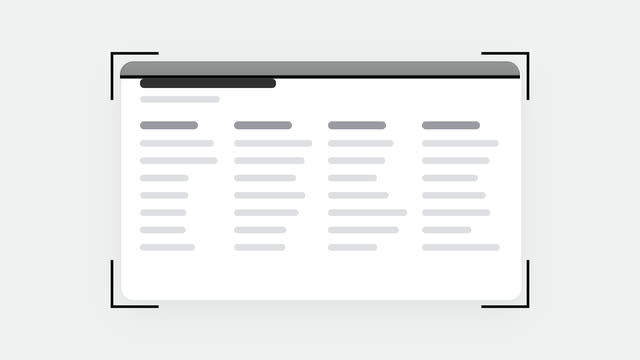
Khung quét quét đọc tài liệu
Tài liệu khung xương bật vào giữa, ngoặc chữ L rơi xuống bốn góc, một vệt sáng quét qua lại 5 lượt trong khi tài liệu đứng yên.