Motion · Ánh sáng & nhấn
Vệt sáng quét lắp ráp bay vào
Vệt sáng quét từ trên xuống lưới nền tối trống, tới đâu thành phần vùng đó bay vào khớp vị trí — quét xong là lắp ráp xong.
Nguồn: video-shotcraft (Vincent Wei) ↗ · Apache-2.0 · Composition Remotion (React/TSX) — có video preview, không có player trong trình duyệt
Khi nào dùng
Màn mở đầu "trang tự sinh ra"; trình diễn cốt lõi cho sản phẩm AI dựng web/tự động bố cục; câu chuyện năng lực từ trống đến thành phẩm
Ý đồ
Tạo cho "trang được sinh ra" một trình tự thi công đáng tin: vệt sáng quét là thanh tiến độ, thành phần bay vào từ ngoài khung hình là động tác thi công. Điều quan trọng là quét xong đúng lúc mảnh cuối cùng lắp xong — nếu vệt sáng quét xong sớm hoặc thành phần bay vào trễ, mối quan hệ nhân quả "quét dẫn động lắp ráp" sẽ tan vỡ.
Thời lượng & năng lượng
- Thời lượng: Khoảng 4.6s (138f@30fps)
- Năng lượng: Trung bình cao (vệt sáng quét ổn định, nhưng mỗi lần thành phần bay vào là một điểm bùng nổ, mật độ tăng dần)
Công thức cảnh quay (bản gốc tiếng Trung — timing, easing, bảng tham số, lỗi hay gặp)
意图
让"页面被生成"这件事有一个可信的施工顺序:扫描线是施工进度条, 组件从画外飞进来贴合是施工动作。关键是扫完那一刻恰好装完最后一块 ——扫描线提前收工或组件拖尾都会让"扫描驱动装配"的因果关系散掉。
动效核心
- 空页底只有暗网格(24px 双向
repeating-linear-gradient,
rgba(255,255,255,.025)、整层 opacity .5)——组件飞入前唯一可见的东西
- 扫描线
t 0.05→0.72匀速走 y −30→300,
0.03→0.08 淡入、0.72→0.77 淡出
- 触发时刻由组件落点 y 反算:
ft = 0.05 + ((y+30)/330)*0.67 − 0.02,
再钳制最小间隔 0.045;提前 0.02 起飞让组件与扫描线同时到位
- 7 个组件各有独立飞入方案
from:[dx,dy]+rot:顶栏自上(0,−70),
logo 自左(−160,−30, −6°),模块卡自右(230,40, 5°),H1 自左下 (−260,60, −4°),CTA 自下(−60,130, 3°),页脚/社交自下方两侧
- 飞入
seg(ft, ft+0.15, outBack)过冲贴合;运动中按1−a加
blur(≤2.2px) 残影,a>0.97 即清零
- 落位瞬间闪一道细亮边:
inset:-3px的 1px 强调色描边,
ft+0.11→+0.15 亮起、+0.15→+0.26 收掉
- 状态行统计
a≥0.99的组件数显示BUILD · 0n/07,
0.80→0.86 后切 ASSEMBLY · COMPLETE
参数表
| 参数 | 典型值 | 调节手感 | |------|--------|----------| | 扫描线 | t 0.05→0.72 匀速,y −30→300 | 收工时刻要略晚于最后一块落位,才读作"扫完即装完" | | 触发换算 | ft = 0.05 + ((y+30)/330)·0.67 − 0.02 | 那个 −0.02 是提前起飞量:去掉就变成"扫过之后才动",慢半拍 | | 最小间隔 | prev + 0.045 | y 接近的页脚/社交会同时飞;钳制后才有"一块一块"的密度 | | 飞入位移 | 画外 60–260px,按组件所在方位定 | 位移小于 60px 读作"抖一下就位",不是从画外来 | | 飞入旋转 | ±3–8° | 超过 12° 就读作"翻滚",贴合时不服帖 | | 飞入缓动 | outBack,0.15 时长 | outBack 的过冲是"吸附贴合"的手感;outCubic 就成了滑入 | | 残影模糊 | blur ≤2.2px,随 1−a 衰减,a>0.97 清零 | 不清零会留一层永久糊;阈值必须留裕量 | | 落位闪边 | inset −3px、1px 强调色,0.04 亮 / 0.11 落 | 闪边是"咬合"的听觉替代品,去掉后落位没有实感 |
已知坑
- 触发时刻与 plan 里的落点 y 绑定:换页面模板后每个组件的 y 要重测,
否则组件在扫描线到达前就飞入
filter与transform同时作用于组件节点,落位后必须把 filter 设回
none(不是 blur(0))——留着合成层会持续吃 GPU
- 闪边层是 append 到组件内部的子节点,组件本身若有
overflow:hidden
会把 inset:-3px 裁掉,需改成外层兄弟节点
- 与
scanline-annotate-focus共用同一套页面模板与扫描线;两张卡可以
串联(先装配、后分析),但扫描线要换向或留空档,否则读作重复
- 页面内容为中性占位模板,ACCENT(
#9fb6e8)可按项目替换
参考实现
demos/effects/scanline-assemble-flyin/ (ScanlineAssembleFlyin.tsx)
Mã nguồn tham chiếu (Remotion)
- demos/effects/scanline-assemble-flyin/ScanlineAssembleFlyin.tsx — https://raw.githubusercontent.com/Vincentwei1021/video-shotcraft/main/demos/effects/scanline-assemble-flyin/ScanlineAssembleFlyin.tsx
Component import fixture chung từ demos/_fixtures và helper từ assets/lib của repo; xem SKILL.md trong repo để biết quy trình render.
Mọi thứ trên trang này đều có bản máy đọc. Đưa agent link JSON, hoặc thêm MCP server gimgs rồi bảo nó tìm motion template.
- Tải JSON — trong đó có công thức cảnh quay (timing, easing, bảng tham số, lỗi hay gặp) và toàn bộ source TSX.
- Clone repo video-shotcraft; component import fixture chung từ demos/_fixtures và helper từ assets/lib.
- Đăng ký component thành <Composition> trong project Remotion rồi render bằng `npx remotion render`, hoặc dựng lại công thức bằng engine của bạn.
curl -s https://gimgs.net/motion/scanline-assemble-flyin.jsongit clone https://github.com/Vincentwei1021/video-shotcraft
# component: demos/effects/scanline-assemble-flyin/ScanlineAssembleFlyin.tsx
npx remotion render <CompositionId> out.mp4claude mcp add --transport http gimgs https://gimgs.net/mcp
# then: search_motion_templates / get_motion_template("scanline-assemble-flyin")Prompt
Use the video-shotcraft shot recipe "Vệt sáng quét lắp ráp bay vào" (Remotion composition, Apache-2.0) published on gimgs.net.
Recipe JSON (prompt = timing/easing/parameter table/pitfalls, files = TSX source): https://gimgs.net/motion/scanline-assemble-flyin.json
Raw TSX: https://gimgs.net/motion/scanline-assemble-flyin/template.html
Repository: https://github.com/Vincentwei1021/video-shotcraft  (component: demos/effects/scanline-assemble-flyin/ScanlineAssembleFlyin.tsx; imports demos/_fixtures and assets/lib)
Spec: 1920x1080, 30 fps, 5.1s

1. Read the JSON and follow its "prompt" section (when to use, intention, parameter table, known pitfalls).
2. Adapt it for: <describe what you want>.
3. Either clone the repo, register the component as a <Composition> in a Remotion project and run npx remotion render <CompositionId> out.mp4 — or re-implement the recipe in your own engine (HTML/WAAPI works: keep the same timing and easing).
// ===== demos/effects/scanline-assemble-flyin/ScanlineAssembleFlyin.tsx =====
// scanline-assemble-flyin — Scanline Assemble 扫描装配组件飞入(motion-lab 定稿转原生 Remotion)
// 页面开场为空的暗底网格,一条亮扫描线自上而下掠过;扫过每个区块的落点后,该处组件从画外
// 四面八方飞入(左上 logo 自左、右侧模块卡自右、H1 自左下、CTA 自下、页脚社交自下方两侧),
// 带轻微过冲和残影模糊,贴合落位瞬间闪一道细亮边。扫完整页恰好装配完成。
// 页面内容为中性占位模板,强调色可按项目替换。设计坐标 480×270(DesignStage 等比放大)。
import React from 'react';
import { DesignStage, E, lerp, seg, useT } from '../../_fixtures/Motion';

export const SCANLINE_ASSEMBLE_FLYIN_DURATION = 138; // 4600ms @30fps

const MONO = "'SF Mono',Menlo,Consolas,monospace";
const SERIF = "Georgia,'Times New Roman',serif";
const ACCENT = '#9fb6e8'; // 模板强调色,可按项目替换
const A_RGB = '159,182,232';

/* ---- 每个组件的飞入方案:y=扫描落点(触发用),from=画外起点位移,rot=起始旋转 ---- */
type Plan = { key: string; y: number; from: [number, number]; rot: number; ft: number };
const PLAN: Plan[] = (() => {
  const ps: Plan[] = [
    { key: 'topbar', y: 30, from: [0, -70], rot: 0, ft: 0 },
    { key: 'logo', y: 53, from: [-160, -30], rot: -6, ft: 0 },
    { key: 'module', y: 100, from: [230, 40], rot: 5, ft: 0 },
    { key: 'h1', y: 148, from: [-260, 60], rot: -4, ft: 0 },
    { key: 'cta', y: 192, from: [-60, 130], rot: 3, ft: 0 },
    { key: 'footer', y: 257, from: [-140, 70], rot: 2, ft: 0 },
    { key: 'social', y: 262, from: [150, 70], rot: -3, ft: 0 },
  ];
  // 触发时刻:扫描线(0.05→0.72 纵扫 -30→300)到达组件落点 y,依序钳制最小间隔
  let prev = -1;
  for (const pl of ps) {
    pl.ft = Math.max(0.05 + ((pl.y + 30) / 330) * 0.67 - 0.02, prev + 0.045);
    prev = pl.ft;
  }
  return ps;
})();
const FT: Record<string, number> = Object.fromEntries(PLAN.map((pl) => [pl.key, pl.ft]));

export const ScanlineAssembleFlyin: React.FC = () => {
  const t = useT();

  // 扫描线纵扫 + 首尾淡入淡出
  const ly = lerp(seg(t, 0.05, 0.72), -30, 300);
  const lineOpacity = seg(t, 0.03, 0.08) * (1 - seg(t, 0.72, 0.77));

  // 组件飞入样式:outBack 过冲贴合 + 运动残影 blur(落位即清晰)
  const fly = ({ from, rot, ft }: Plan): React.CSSProperties => {
    const a = seg(t, ft, ft + 0.15, E.outBack);
    const vis = t >= ft ? 1 : 0;
    const speed = a > 0 && a < 0.97 ? 1 - a : 0;
    return {
      position: 'absolute',
      opacity: vis * Math.min(1, seg(t, ft, ft + 0.06) * 1.4),
      transform: `translate(${lerp(a, from[0], 0)}px,${lerp(a, from[1], 0)}px) rotate(${lerp(a, rot, 0)}deg)`,
      filter: speed > 0.03 ? `blur(${speed * 2.2}px)` : 'none',
    };
  };
  // 贴合瞬间闪一道细亮边(组件内层 inset:-3px 描边)
  const flash = (ft: number): React.CSSProperties => ({
    position: 'absolute',
    inset: -3,
    border: `1px solid rgba(${A_RGB},.9)`,
    borderRadius: 4,
    opacity: seg(t, ft + 0.11, ft + 0.15) * (1 - seg(t, ft + 0.15, ft + 0.26)),
    pointerEvents: 'none',
  });

  // 已落位组件计数(a≥0.99 视为贴合完成)
  const placed = PLAN.reduce((acc, pl) => acc + (seg(t, pl.ft, pl.ft + 0.15, E.outBack) >= 0.99 ? 1 : 0), 0);
  const done = seg(t, 0.8, 0.86);

  return (
    <DesignStage bg="#0a0b0e">
      {/* 页面底渐变:原 CSS 为 #101116→#0c0d11,样片 x264 近黑量化后实测为
          rgb(15,17,20)→rgb(10,12,16),按对照帧校准取 #0f1114→#0a0c10 */}
      <div style={{ position: 'absolute', inset: 0, background: 'linear-gradient(180deg,#0f1114,#0a0c10)' }}>
        {/* 空页底:暗网格(组件飞入前唯一可见的东西) */}
        <div
          style={{
            position: 'absolute',
            inset: 0,
            opacity: 0.5,
            background:
              'repeating-linear-gradient(0deg,transparent 0 23px,rgba(255,255,255,.025) 23px 24px),' +
              'repeating-linear-gradient(90deg,transparent 0 23px,rgba(255,255,255,.025) 23px 24px)',
          }}
        />
        {/* 顶栏(url pill + 状态)——整组自上方落下 */}
        <div style={{ ...fly(PLAN[0]), left: 0, top: 0, width: 480, height: 30 }}>
          <div style={{ position: 'absolute', left: 18, top: 11, padding: '3px 10px', border: '1px solid #2a2c33', borderRadius: 9, font: `500 7px ${MONO}`, color: '#8d93a0', letterSpacing: 1 }}>app.example.com</div>
          <div style={{ position: 'absolute', right: 18, top: 14, font: `500 7px ${MONO}`, color: '#565b66', letterSpacing: 1.5 }}>200 OK · TLS</div>
          <div style={flash(FT.topbar)} />
        </div>
        {/* logo:点阵 mark + 衬线字标——自左飞入 */}
        <div style={{ ...fly(PLAN[1]), left: 24, top: 35, width: 100, height: 18 }}>
          {[0, 1, 2, 3].map((i) => (
            <div key={i} style={{ position: 'absolute', width: 4, height: 4, borderRadius: '50%', background: '#e8e9ee', left: (i % 2) * 6, top: 2 + (i >> 1) * 6 }} />
          ))}
          <div style={{ position: 'absolute', left: 17, top: 0, font: `400 13px ${SERIF}`, color: '#eceef2' }}>
            Acme <i>Studio</i>
          </div>
          <div style={flash(FT.logo)} />
        </div>
        {/* H1 两行 + 注脚——自左下飞入 */}
        <div style={{ ...fly(PLAN[3]), left: 22, top: 64, width: 242, height: 84 }}>
          <div style={{ position: 'absolute', left: 0, top: 0, font: `400 29px ${SERIF}`, color: '#f2f3f6', letterSpacing: 0.3 }}>The headline for</div>
          <div style={{ position: 'absolute', left: 0, top: 36, font: `italic 400 29px ${SERIF}`, color: '#f2f3f6', letterSpacing: 0.3 }}>your product here</div>
          <div style={{ position: 'absolute', left: 1, top: 79, font: `500 6.5px ${MONO}`, color: '#565b66', letterSpacing: 1.5 }}>H1 · UI-SERIF / GEORGIA</div>
          <div style={flash(FT.h1)} />
        </div>
        {/* CTA 行——自下飞入 */}
        <div style={{ ...fly(PLAN[4]), left: 22, top: 166, width: 136, height: 26 }}>
          <div style={{ position: 'absolute', left: 0, top: 0, padding: '6px 13px', border: '1px solid #3a3d46', borderRadius: 12, font: `600 7.5px ${MONO}`, color: '#e8e9ee', letterSpacing: 1.5 }}>GET STARTED</div>
          <div style={{ position: 'absolute', left: 100, top: 7, font: `500 7.5px ${MONO}`, color: '#6a707c', letterSpacing: 1.5 }}>DOCS</div>
          <div style={flash(FT.cta)} />
        </div>
        {/* 右侧模块卡——自右飞入 */}
        {/* 原采集页为 content-box:162×150 外加 1px 边框(总 164×152),补 boxSizing 对齐几何 */}
        <div style={{ ...fly(PLAN[2]), left: 296, top: 52, width: 162, height: 150, boxSizing: 'content-box', background: '#121319', border: '1px solid #23252d', borderRadius: 5 }}>
          <div style={{ position: 'absolute', left: 10, top: 9, font: `500 6.5px ${MONO}`, color: '#7c828e', letterSpacing: 1.5 }}>WORK</div>
          <div style={{ position: 'absolute', right: 10, top: 9, font: `500 6.5px ${MONO}`, color: '#565b66', letterSpacing: 1.5 }}>04 / 08</div>
          <div style={{ position: 'absolute', left: 0, top: 24, width: '100%', height: 1, background: '#1e2028' }} />
          <div style={{ position: 'absolute', left: 0, top: 44, width: '100%', textAlign: 'center', font: `italic 400 36px ${SERIF}`, color: '#f4f5f8' }}>sample</div>
          <div style={{ position: 'absolute', left: 0, top: 104, width: '100%', height: 1, background: '#1e2028' }} />
          <div style={{ position: 'absolute', left: 10, top: 112, font: `500 6px ${MONO}`, color: '#6a707c', letterSpacing: 1.5 }}>KINETIC TYPE · 04</div>
          {[0, 1, 2, 3].map((i) => (
            <div key={i} style={{ position: 'absolute', left: 10 + i * 30, top: 124, width: 24, height: 16, background: '#1a1c23', borderRadius: 2 }} />
          ))}
          <div style={{ position: 'absolute', right: 8, top: 129, font: `500 6px ${MONO}`, color: '#565b66' }}>00:30</div>
          <div style={flash(FT.module)} />
        </div>
        {/* 页脚——自左下飞入 */}
        <div style={{ ...fly(PLAN[5]), left: 18, top: 243, width: 220, height: 14 }}>
          <div style={{ position: 'absolute', left: 0, top: 3, font: `500 6.5px ${MONO}`, color: '#4c515c', letterSpacing: 1.5 }}>A PRODUCT OF ACME · ACME LABS, INC.</div>
          <div style={flash(FT.footer)} />
        </div>
        {/* 社交 chip——自右下飞入 */}
        <div style={{ ...fly(PLAN[6]), left: 352, top: 239, width: 108, height: 16 }}>
          {/* 同为 content-box:11×11 外加 1px 边框(总 13×13) */}
          <div style={{ position: 'absolute', left: 0, top: 2, width: 11, height: 11, boxSizing: 'content-box', border: '1px solid #3a3d46', borderRadius: 2, font: `600 7px ${MONO}`, color: '#c9cdd6', textAlign: 'center', lineHeight: '11px' }}>x</div>
          <div style={{ position: 'absolute', left: 17, top: 3, font: `600 7.5px ${MONO}`, color: '#c9cdd6', letterSpacing: 1.5 }}>@USERNAME</div>
          <div style={flash(FT.social)} />
        </div>
      </div>

      {/* ---- 扫描线(渐变拖尾 + 亮芯) ---- */}
      <div
        style={{
          position: 'absolute',
          left: 0,
          top: 0,
          width: '100%',
          height: 40,
          background: `linear-gradient(180deg,transparent,rgba(${A_RGB},.07) 55%,rgba(${A_RGB},.02) 96%,transparent)`,
          transform: `translateY(${ly - 40}px)`,
          opacity: lineOpacity,
        }}
      >
        <div
          style={{
            position: 'absolute',
            bottom: 0,
            left: 0,
            width: '100%',
            height: 1.5,
            background: 'rgba(238,244,255,.9)',
            boxShadow: `0 0 7px ${ACCENT},0 0 18px rgba(${A_RGB},.35)`,
          }}
        />
      </div>

      {/* ---- 顶部状态行:BUILD 计数 → ASSEMBLY · COMPLETE ---- */}
      <div
        style={{
          position: 'absolute',
          left: '50%',
          top: 14,
          transform: 'translateX(-50%)',
          font: `600 7px ${MONO}`,
          letterSpacing: 2,
          color: done >= 1 ? ACCENT : '#8d93a0',
          opacity: seg(t, 0.02, 0.07),
          zIndex: 60,
        }}
      >
        {done >= 1 ? 'ASSEMBLY · COMPLETE' : `BUILD · 0${placed}/0${PLAN.length}`}
      </div>
    </DesignStage>
  );
};
- Read the recipePrompt = when to use, intention, parameter table with typical values and how each one feels, known pitfalls. Treat values as calibrated starting points.
- Get the codetool: git
git clone https://github.com/Vincentwei1021/video-shotcraft && cd video-shotcraft && npm install - Register + rendertool: remotion
npx remotion render <CompositionId> out.mp4 # component: demos/effects/scanline-assemble-flyin/ScanlineAssembleFlyin.tsx - Or re-implementPort the timing/easing from the recipe to HTML + WAAPI (gimgs motion contract) or any engine; keep the same segment windows and easing.
| param | type | default | description |
|---|---|---|---|
| — | |||
Cùng danh mục

Đèn rọi hiện hình trên nền tối
Ba kiểu đèn rọi hiện hình trên nền tối — A quét thức-ngủ (đèn tới thì sáng, đèn đi thì tối), B quét ngang rìa viền (ánh tím bám mép UI thấm vào + đèn quét phải đều), C hiện hình đều từ góc (đèn hình tròn nở đều từ góc sáng cả màn hình); ánh sáng chính là lời kể trên nền đen.

Đập vào cảnh năng lượng cao
Ba kiểu đập vào cảnh năng lượng cao: dừng phối cảnh kiểu Kanada, đập rơi tỷ số, hoặc lan chấn động sang thẻ lân cận.

Vệt sáng quét chú thích tiêu điểm
Một vệt sáng quét từ trên xuống dưới trang, khoanh khung ngắm kiểu máy ảnh vào từng vùng nó đi qua rồi gắn chú thích chữ mono.
Khung quét quét đọc tài liệu
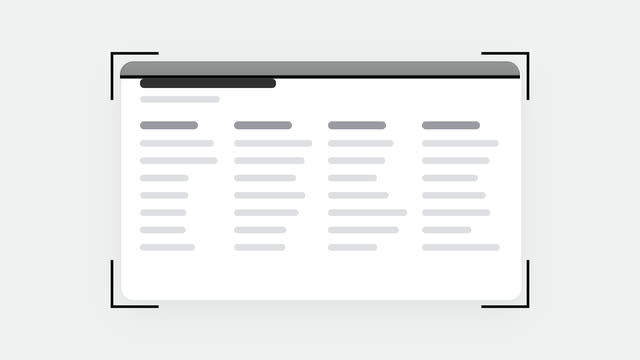
Tài liệu khung xương bật vào giữa, ngoặc chữ L rơi xuống bốn góc, một vệt sáng quét qua lại 5 lượt trong khi tài liệu đứng yên.