Motion · Chữ & title card
Cuộn từ dọc theo nhịp
Từ cuối câu đổi trên cuộn dọc, 3 lần đổi từ mỗi lần 0.55s, nhanh trước chậm sau kèm hơi overshoot; các dòng lân cận nhòe dọc và xám dần theo khoảng cách, từ ở giữa vừa đậu liền nhuộm từ xám sang màu nhấn.
Nguồn: video-shotcraft (Vincent Wei) ↗ · Apache-2.0 · Composition Remotion (React/TSX) — có video preview, không có player trong trình duyệt
Khi nào dùng
Câu khẩu hiệu kiểu "Built for ___" cộng liệt kê đối tượng/khán giả; nhịp sạch cho phim thương hiệu nền sáng
Ý đồ
Giải pháp tối ưu cho việc đổi từ cuối câu là cuộn chứ không phải mờ dần: cuộn tự mang hướng đi (lật lên trên), khán giả biết "còn cái tiếp theo". Hai dấu hiệu nhận diện của thẻ này là mờ dọc ở các dòng lân cận (chiều sâu trường ảnh của cuộn, mô phỏng mất nét của trống cơ khí) và nhuộm màu khi đậu (xám sang màu nhấn, "đây mới là đáp án"). Phần thân câu Built for đứng yên tuyệt đối suốt cảnh — mắt phải dán vào cuộn, thân câu mà lay động thì cảm giác liệt kê sẽ tan.
Thời lượng & năng lượng
- Thời lượng: khoảng 5.0s (150f@30fps: đứng yên → 3 lần đổi từ → cả nhóm mờ dần ở đuôi)
- Năng lượng: Trung bình (ba nhịp ổn định, không có đỉnh)
Công thức cảnh quay (bản gốc tiếng Trung — timing, easing, bảng tham số, lỗi hay gặp)
意图
句尾换词的最优解是滚轮而不是淡入淡出:滚轮自带方向(往上翻页), 观众知道"还有下一个"。这卡的两个身份记号是相邻行的垂直 blur (滚轮景深,模拟机械转筒的失焦)和落定时的染色(灰→强调色, "这个才是答案")。句干 Built for 全程纹丝不动——眼睛钉在滚轮上, 句干一晃列举感就散。
动效核心
- 位置量
p由 3 段窗累加:STEPS = [0.16, 0.36, 0.56],每段窗 0.11
(≈16f,约 0.55s),段间留 0.09 静置给观众读词
- 每段缓动是混合曲线:
0.7·E.outQuint(u) + 0.3·E.outBack(u)——
outQuint 给"前快后极慢"的机械减速,outBack 那三成给落定的微过冲回落
- reel 定位
translateY(ROW - p·ROW),ROW=44px,mask 高ROW·3=132px
(露三行)——中心行恒定是 mask 第二行
- 距离驱动的三通道,
d = |i - p|: - blur:
d<1时3d,d≥1时3 + 2·min(d-1,1)(最远 5px) - opacity:
d<1时1 - 0.65d,否则max(0.1, 0.35 - 0.23(d-1)) - 颜色:
mixHex(ACCENT_DIM, ACCENT, clamp01(1 - 2.4d))—— **d>0.42 就完全
是暗色**,所以只有真正落定的那一刻才是强调色,滚动中途全程灰
- 收尾
seg(t, 0.9, 0.985)整组(句干 + 滚轮)淡出,不留残影给下一镜
参数表
| 参数 | 典型值 | 调节手感 | |------|--------|----------| | 词表 | 4 词(Apps→Teams→Data→Everyone),3 次换词 | 末词是结论(最宽那个词),前三个是例子;>5 词观众开始数,<3 词读不出"列举" | | 拍点 | [0.16, 0.36, 0.56],窗 0.11(≈16f) | 段间 0.09(≈13f)静置是给读词的,读不完的拍子等于没换;窗 >0.18 新旧同屏太久 | | 缓动配方 | 0.7·outQuint + 0.3·outBack | outQuint 是机械减速的来源;outBack 那三成给落定"咔"一下,纯 outQuint 读作电子屏滑动 | | 行高/视窗 | ROW 44px、mask 44×3px、词宽 190px | 露三行才有滚筒感(露一行读作淡入淡出);宽度写死 190 是为不挤句干,词更长要同步加 | | 相邻行 blur | 邻行 3px,最远 5px,仅垂直向感知 | blur 是"滚筒景深"的身份证,删了退化成词条平移;>8px 邻行糊成灰条看不出是字 | | 落定染色 | 1 - 2.4d 映射 ACCENT_DIM→ACCENT | 系数 2.4 让染色只发生在落定瞬间;<1.5 滚动中途就上色,答案感散掉 | | 字号字重 | 句干与滚轮同为 30px/800、letter-spacing:-.5px | 必须完全一致——滚轮词比句干大就读作两个元素,不是一句话 | | 收尾淡出 | seg(t, 0.9, 0.985) 整组 | 末词落定后约 40f 静置再淡出;不 hold 等于白列举 |
已知坑
- demo 在灰阶/占位素材上调校通过——参数是调校起点非实战定稿,
首次实战须以真实素材回验
- mask 宽度写死 190px:换词表时最长词(demo
Everyone)必须能装进去,
否则被裁字;反之词都很短则右侧留大片空白,句子重心偏左——换词表必须 重量一次宽度
- 词长差别不宜过大:mask 宽度是固定的(本卡不做宽度自适应,那是
pill-chip-slot-cycle-handled 的活),词长差 >2 倍时短词在框里显得孤立
- 句干必须钉死:demo 用
flex + gap:14px是因为 mask 宽度恒定不会推挤
句干——一旦改成宽度自适应的滚轮,就必须换成绝对定位锚左端, 否则句干随词宽左右甩
p是三段窗累加出来的,所以三段窗不能重叠:重叠会让 p 在一帧内
跨越一整行,滚轮"跳格"
- 与 pill-chip-slot-cycle-handled 分工:那卡是深色胶囊 + 宽度自适应挤开
(词是徽章),本卡是裸词滚轮(词是句子成分)——同片只留一个
- 声音:每次落定是一个节奏点,配轻机械/开关音;三连发要交替双样本
防机枪感,配法纪律见 sound-design.md
参考实现
demos/typography/vertical-word-roll-blur-cycle/ (VerticalWordRollBlurCycle.tsx)
Mã nguồn tham chiếu (Remotion)
- demos/typography/vertical-word-roll-blur-cycle/VerticalWordRollBlurCycle.tsx — https://raw.githubusercontent.com/Vincentwei1021/video-shotcraft/main/demos/typography/vertical-word-roll-blur-cycle/VerticalWordRollBlurCycle.tsx
Component import fixture chung từ demos/_fixtures và helper từ assets/lib của repo; xem SKILL.md trong repo để biết quy trình render.
Mọi thứ trên trang này đều có bản máy đọc. Đưa agent link JSON, hoặc thêm MCP server gimgs rồi bảo nó tìm motion template.
- Tải JSON — trong đó có công thức cảnh quay (timing, easing, bảng tham số, lỗi hay gặp) và toàn bộ source TSX.
- Clone repo video-shotcraft; component import fixture chung từ demos/_fixtures và helper từ assets/lib.
- Đăng ký component thành <Composition> trong project Remotion rồi render bằng `npx remotion render`, hoặc dựng lại công thức bằng engine của bạn.
curl -s https://gimgs.net/motion/vertical-word-roll-blur-cycle.jsongit clone https://github.com/Vincentwei1021/video-shotcraft
# component: demos/typography/vertical-word-roll-blur-cycle/VerticalWordRollBlurCycle.tsx
npx remotion render <CompositionId> out.mp4claude mcp add --transport http gimgs https://gimgs.net/mcp
# then: search_motion_templates / get_motion_template("vertical-word-roll-blur-cycle")Prompt
Use the video-shotcraft shot recipe "Cuộn từ dọc theo nhịp" (Remotion composition, Apache-2.0) published on gimgs.net.
Recipe JSON (prompt = timing/easing/parameter table/pitfalls, files = TSX source): https://gimgs.net/motion/vertical-word-roll-blur-cycle.json
Raw TSX: https://gimgs.net/motion/vertical-word-roll-blur-cycle/template.html
Repository: https://github.com/Vincentwei1021/video-shotcraft  (component: demos/typography/vertical-word-roll-blur-cycle/VerticalWordRollBlurCycle.tsx; imports demos/_fixtures and assets/lib)
Spec: 1920x1080, 30 fps, 5.5s

1. Read the JSON and follow its "prompt" section (when to use, intention, parameter table, known pitfalls).
2. Adapt it for: <describe what you want>.
3. Either clone the repo, register the component as a <Composition> in a Remotion project and run npx remotion render <CompositionId> out.mp4 — or re-implement the recipe in your own engine (HTML/WAAPI works: keep the same timing and easing).
// ===== demos/typography/vertical-word-roll-blur-cycle/VerticalWordRollBlurCycle.tsx =====
// vertical-word-roll-blur-cycle — Word Roll 竖向词条滚轮(motion-lab 定稿转原生 Remotion)
// 标语后半词用竖向滚轮循环 Apps→Teams→Data→Everyone:中心词清晰上色,相邻行浅灰带
// 垂直 blur(滚轮景深),每步 outQuint 前快后慢带轻微过冲,落定瞬间中心词从灰染成强调色。
// 设计坐标 480×270(DesignStage 等比放大),参数表数值以此坐标系标定。
import React from 'react';
import { DesignStage, E, seg, useT } from '../../_fixtures/Motion';

export const VERTICAL_WORD_ROLL_BLUR_CYCLE_DURATION = 150; // 5000ms @30fps

const ROW = 44;
const WORDS = ['Apps', 'Teams', 'Data', 'Everyone'];
// 3 次换词,每次 0.11(≈0.55s)
const STEPS = [0.16, 0.36, 0.56];

const ACCENT = '#4B4BF5';
const ACCENT_DIM = '#B9B9BE';
const clamp01 = (v: number) => Math.max(0, Math.min(1, v));
// 十六进制颜色按 k 混合(与原 effect.js 的 mixHex 等价)
const mixHex = (a: string, b: string, k: number) => {
  k = clamp01(k);
  const pa = [1, 3, 5].map((i) => parseInt(a.slice(i, i + 2), 16));
  const pb = [1, 3, 5].map((i) => parseInt(b.slice(i, i + 2), 16));
  const c = pa.map((v, i) => Math.round(v + (pb[i] - v) * k));
  return `rgb(${c[0]},${c[1]},${c[2]})`;
};

export const VerticalWordRollBlurCycle: React.FC = () => {
  const t = useT();

  // 滚轮进度 p:每步 0.7·outQuint + 0.3·outBack(前快后极慢 + 轻微过冲回落)
  let p = 0;
  for (const s of STEPS) {
    const u = seg(t, s, s + 0.11);
    p += 0.7 * E.outQuint(u) + 0.3 * E.outBack(u);
  }

  return (
    <DesignStage bg="#F7F7FA">
      <div
        style={{
          position: 'absolute',
          inset: 0,
          display: 'flex',
          alignItems: 'center',
          justifyContent: 'center',
          fontFamily: '-apple-system,system-ui,sans-serif',
        }}
      >
        <div
          style={{
            display: 'flex',
            alignItems: 'center',
            gap: 14,
            // 结束整组淡出
            opacity: 1 - seg(t, 0.9, 0.985) * 0.999,
          }}
        >
          <div
            style={{
              fontSize: 30,
              fontWeight: 800,
              color: '#0B0B0C',
              letterSpacing: -0.5,
            }}
          >
            Built for
          </div>
          {/* 三行高的遮罩窗口,滚轮列在其中滑动,中心行 = 第二行 */}
          <div style={{ position: 'relative', height: ROW * 3, width: 190, overflow: 'hidden' }}>
            <div
              style={{
                position: 'absolute',
                left: 0,
                top: 0,
                transform: `translateY(${ROW - p * ROW}px)`,
              }}
            >
              {WORDS.map((w, i) => {
                const d = Math.abs(i - p);
                // 相邻行方向 blur:距中心 1 行内线性 0→3px,更远 3→5px
                const blur = d < 1 ? 3 * d : 3 + 2 * Math.min(d - 1, 1);
                const op = d < 1 ? 1 - 0.65 * d : Math.max(0.1, 0.35 - 0.23 * (d - 1));
                return (
                  <div
                    key={w}
                    style={{
                      height: ROW,
                      display: 'flex',
                      alignItems: 'center',
                      fontSize: 30,
                      fontWeight: 800,
                      letterSpacing: -0.5,
                      filter: `blur(${blur.toFixed(2)}px)`,
                      opacity: op,
                      // 落定染色:中心词灰→强调色(d 越小越彩)
                      color: mixHex(ACCENT_DIM, ACCENT, clamp01(1 - d * 2.4)),
                    }}
                  >
                    {w}
                  </div>
                );
              })}
            </div>
          </div>
        </div>
      </div>
    </DesignStage>
  );
};
- Read the recipePrompt = when to use, intention, parameter table with typical values and how each one feels, known pitfalls. Treat values as calibrated starting points.
- Get the codetool: git
git clone https://github.com/Vincentwei1021/video-shotcraft && cd video-shotcraft && npm install - Register + rendertool: remotion
npx remotion render <CompositionId> out.mp4 # component: demos/typography/vertical-word-roll-blur-cycle/VerticalWordRollBlurCycle.tsx - Or re-implementPort the timing/easing from the recipe to HTML + WAAPI (gimgs motion contract) or any engine; keep the same segment windows and easing.
| param | type | default | description |
|---|---|---|---|
| — | |||
Cùng danh mục

Ba từ tiếp sức bằng hình học
Ba từ lợi ích mỗi từ mang riêng một bộ hình học tiếp sức — vòng tròn nét đứt tự xoay thu nhỏ → ba vòng tròn nét liền mọc lên lần lượt → ánh kim sheen quét qua rồi thu về trắng thuần; mỗi từ mới viền nét rồi tô đầy.
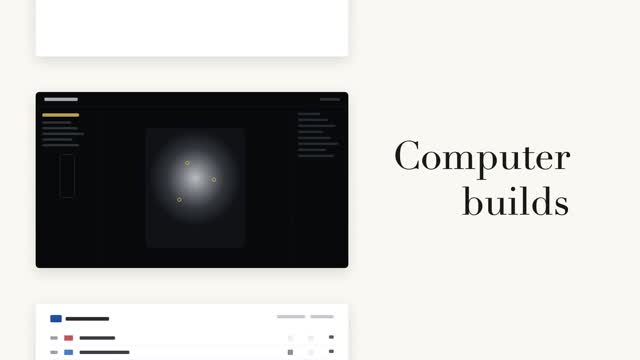
Tiếp sức từ với cuộn phim trang
Cột trái các thẻ trang đen trắng cuộn theo bước, bên phải từ lớn chữ serif tiếp sức tại chỗ (danh từ cố định + động từ luân phiên) — chỉ khi đổi từ mới cuộn một bước, khớp chính xác điểm giữa thẻ trang hiện tại.

Hai cách tiết lộ code song song
Cùng một khối code tô cú pháp được tiết lộ hai cách song song — trái: stagger cấp dòng mờ vào nổi lên 8px, phải: gõ từng ký tự nhưng giữ nguyên màu token gốc, con trỏ vuông #3a4468 đệm dưới ký tự hiện tại.
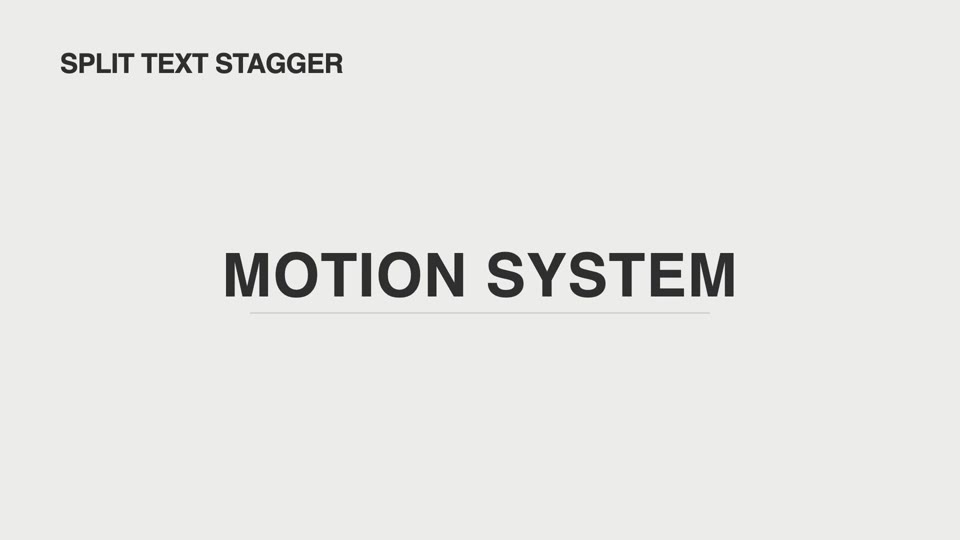
Chữ tập hợp: bốn kiểu
Bốn kiểu tập hợp chữ — split-text-stagger chữ dâng lên vào vị trí, drift-assembly chữ trôi tụ lại, tracking-expand giãn khoảng cách kiểu hơi thở, text-on-path chảy vào theo đường cong.