Motion · Intro
Text-as-video mask
Text as video mask — extra-bold title letters reveal slowly panning product footage through them; at the end the letterforms scale up 26x and overflow, and the inner footage takes over the full screen.
Source: video-shotcraft (Vincent Wei) ↗ · Apache-2.0 · Remotion composition (React/TSX) — preview video, no in-browser player
When to use
An opening or chapter card combining a brand word/slogan with product footage in one; the letters are a door, the product is inside it
Intention
Title and product footage fighting for screen space is an old problem — text-first-then-footage is slow, footage-over-text is cramped. This move fuses the two into one body: the letterforms are the mask, the product only shows through the strokes, so the viewer reads the word and the footage's texture at once; at the end the letterforms swell and overflow the frame, and the product naturally takes over the full screen — "walking from the brand word into the product" told in one shot, doubling as a chapter transition (related to transition-travel C's letter-cavity pass-through: there the camera drills into the letter cavity, here the letterform itself swells — one moves the camera, the other moves the door).
Duration & energy
- Duration: 5s (20f hold + 80f drift inside letters + 30f scale-and-takeover + 20f still)
- Energy: Medium-high (the drift section is steady, the takeover section is one burst)
Shot recipe (original Chinese — timing, easing, parameter table, known pitfalls)
意图
标题和产品画面抢屏幕是老问题——先字后画慢,画上压字挤。这一式让 两者同体:字形就是遮罩,产品只透过笔画显形,观众同时读到词和画面 质感;结尾字形胀开溢出画幅,产品自然接管全屏——"从品牌词走进产品" 一条镜头说完,兼任章节转场(与 transition-travel C 字腔穿越同族: 那边是镜头钻进字腔,这边是字形自己胀开,前者相机动、后者门动)。
动效核心
- 深底 + SVG 白字黑底 data-URI 交给 CSS
mask-image,遮罩层套住产品画面 - 字内漂移:产品层 scale 1.15 + translateX 匀速漂 ~220px/80f——
字形静止、内容流动,"窗外有世界"的错觉即手法本体
- 放大接管 30f 单段 bezier(0.4,0,0.2,1):mask wrapper
scale(1→26),
transform-origin 必须钉在实心笔画内(demo 取 L 竖笔 61.5% 处)—— 钉在字腔空洞里则放大后透出的是底色
- 内容层反向补偿:套一层
scale(1/maskS)抵消 mask 放大,产品画面
不随遮罩几何畸变(与 shot-transitions F 式"窗几何与窗内景同步驱动"同一命门的镜像)
- 接管保险:另叠一个共享同一 translateX/scale 变换的无遮罩全屏层在
放大后段(endT 0.25–0.9)淡入——纯 mask 放大在字缝处会留深底残余
参数表
| 参数 | 典型值 | 调节手感 | |------|--------|----------| | 字号/字重 | ≥360px / 900 | 笔画就是视口——细字重等于把产品塞进门缝 | | 漂移速度 | ~2.75px/f 匀速 | 快了字内画面读不清;漂移方向选画面信息密的轴 | | 放大倍率 | 26x(按字形/画幅比配,洞撑满即可) | 不足则接管帧还看得到字边残影 | | 收尾 | 接管后真静止 ≥20f | R1;接管完成帧产品应落在标准构图 |
已知坑
- demo 在灰阶/占位素材上调校通过——参数是调校起点非实战定稿,
首次实战须以真实素材回验
- 字内透出的产品画面全程被特写盯着看——真实素材先过
审美准则 Q2 的高分辨率栅格化技法,低倍截图在笔画里糊成一片
- 换词/换字体后 origin 手推值必失效——渲后看放大方向,洞不对中就微调
origin(同 transition-travel C 的腔心漂移坑)
- 与 transition-travel C 字腔穿越同片不并用——同为"字里长出世界",
观众读作同一招使两次(P4)
- mask 层与内容层的 transform 必须分离驱动(wrapper 放大/内容反向补偿),
合在一层则产品跟着字形一起胀成 26 倍废片
参考实现
demos/opening/text-as-mask/ (TextAsMask.tsx)
Reference implementation (Remotion)
- demos/opening/text-as-mask/TextAsMask.tsx — https://raw.githubusercontent.com/Vincentwei1021/video-shotcraft/main/demos/opening/text-as-mask/TextAsMask.tsx
The component imports shared fixtures from demos/_fixtures and helpers from assets/lib in the repo; SKILL.md there documents the render workflow.
Everything on this page is also machine-readable. Point your agent at the JSON, or add the gimgs MCP server and ask it to search motion templates.
- Fetch the JSON — it holds the shot recipe (timing, easing, parameter table, pitfalls) and the full TSX source.
- Clone the video-shotcraft repo; the component imports shared fixtures from demos/_fixtures and helpers from assets/lib.
- Register the component as a <Composition> in a Remotion project and render with `npx remotion render`, or re-implement the recipe in your own engine.
curl -s https://gimgs.net/motion/text-as-mask.jsongit clone https://github.com/Vincentwei1021/video-shotcraft
# component: demos/opening/text-as-mask/TextAsMask.tsx
npx remotion render <CompositionId> out.mp4claude mcp add --transport http gimgs https://gimgs.net/mcp
# then: search_motion_templates / get_motion_template("text-as-mask")Prompt
Use the video-shotcraft shot recipe "Text-as-video mask" (Remotion composition, Apache-2.0) published on gimgs.net.
Recipe JSON (prompt = timing/easing/parameter table/pitfalls, files = TSX source): https://gimgs.net/motion/text-as-mask.json
Raw TSX: https://gimgs.net/motion/text-as-mask/template.html
Repository: https://github.com/Vincentwei1021/video-shotcraft  (component: demos/opening/text-as-mask/TextAsMask.tsx; imports demos/_fixtures and assets/lib)
Spec: 1920x1080, 30 fps, 5.06s

1. Read the JSON and follow its "prompt" section (when to use, intention, parameter table, known pitfalls).
2. Adapt it for: <describe what you want>.
3. Either clone the repo, register the component as a <Composition> in a Remotion project and run npx remotion render <CompositionId> out.mp4 — or re-implement the recipe in your own engine (HTML/WAAPI works: keep the same timing and easing).
// ===== demos/opening/text-as-mask/TextAsMask.tsx =====
// 文字视频遮罩(text-as-mask)——kinetische typografie
// 深底上超粗大字 "SCALE",字形内部用 CSS alpha mask 套住 FakeDashboard:
// 0–20f hold 读布景;20–100f dashboard 在字内匀速 translateX +110→-110(scale 1.15);
// 100–130f 单段 bezier:mask 层 scale 1→26 放大溢出(内容层用 1/S 反向抵消不畸变),
// 同时无遮罩全屏层淡入接管,dashboard 1.15→1.0 归位;130–150f 全屏静止收尾。
import React from 'react';
import { useCurrentFrame, interpolate, Easing } from 'remotion';
import { FakeDashboard, G } from '../../_fixtures/Fixtures';

const MASK_SVG = `<svg xmlns="http://www.w3.org/2000/svg" width="1920" height="1080"><text x="960" y="666" font-family="Helvetica, Arial, sans-serif" font-size="360" font-weight="900" letter-spacing="-8" text-anchor="middle" fill="white">SCALE</text></svg>`;
const MASK_URL = `url("data:image/svg+xml,${encodeURIComponent(MASK_SVG)}")`;
// mask 放大原点:取字母 L 的竖笔位置(约 61.5% 处),保证放大时原点落在实心笔画内
const ORIGIN = '61.5% 50%';

export const TextAsMask: React.FC = () => {
  const f = useCurrentFrame();
  const clamp = { extrapolateLeft: 'clamp', extrapolateRight: 'clamp' } as const;

  // 结尾撤场进度:100–130f 单段 bezier
  const endT = interpolate(f, [100, 130], [0, 1], {
    ...clamp,
    easing: Easing.bezier(0.4, 0, 0.2, 1),
  });

  // dashboard 内容运动:20–100f 匀速漂移,100–130f 归位到全屏
  const driftX = interpolate(f, [20, 100], [110, -110], clamp);
  const dx = f < 100 ? driftX : interpolate(endT, [0, 1], [-110, 0]);
  const dashS = interpolate(endT, [0, 1], [1.15, 1]);

  // mask 层放大(内容层反向抵消,dashboard 不跟着几何畸变)
  const maskS = interpolate(endT, [0, 1], [1, 26]);
  // 无遮罩全屏层淡入,保证接管彻底
  const cover = interpolate(endT, [0.25, 0.9], [0, 1], clamp);
  // 底部小注释:撤场时淡出
  const caption = interpolate(f, [100, 114], [1, 0], clamp);

  const dashMotion: React.CSSProperties = {
    position: 'absolute',
    inset: 0,
    transform: `translateX(${dx}px) scale(${dashS})`,
    transformOrigin: '50% 50%',
  };

  return (
    <div style={{ width: 1920, height: 1080, background: G.ink, position: 'relative', overflow: 'hidden' }}>
      {/* 遮罩层:wrapper 负责 mask + 放大;inner 用 1/S 反向缩放抵消内容形变 */}
      <div
        style={{
          position: 'absolute',
          inset: 0,
          transform: `scale(${maskS})`,
          transformOrigin: ORIGIN,
          WebkitMaskImage: MASK_URL,
          maskImage: MASK_URL,
          WebkitMaskRepeat: 'no-repeat',
          maskRepeat: 'no-repeat',
          WebkitMaskSize: '1920px 1080px',
          maskSize: '1920px 1080px',
        }}
      >
        <div style={{ position: 'absolute', inset: 0, transform: `scale(${1 / maskS})`, transformOrigin: ORIGIN }}>
          <div style={dashMotion}>
            <FakeDashboard variant="A" />
          </div>
        </div>
      </div>

      {/* 接管层:同一运动变换的全屏 dashboard,撤场时淡入到 1 */}
      <div style={{ position: 'absolute', inset: 0, opacity: cover }}>
        <div style={dashMotion}>
          <FakeDashboard variant="A" />
        </div>
      </div>

      {/* 底部小注释 */}
      <div
        style={{
          position: 'absolute',
          bottom: 90,
          width: '100%',
          textAlign: 'center',
          fontFamily: 'Helvetica, Arial, sans-serif',
          fontWeight: 700,
          fontSize: 30,
          letterSpacing: 10,
          color: G.mid,
          opacity: caption,
        }}
      >
        TEXT AS MASK
      </div>
    </div>
  );
};
- Read the recipePrompt = when to use, intention, parameter table with typical values and how each one feels, known pitfalls. Treat values as calibrated starting points.
- Get the codetool: git
git clone https://github.com/Vincentwei1021/video-shotcraft && cd video-shotcraft && npm install - Register + rendertool: remotion
npx remotion render <CompositionId> out.mp4 # component: demos/opening/text-as-mask/TextAsMask.tsx - Or re-implementPort the timing/easing from the recipe to HTML + WAAPI (gimgs motion contract) or any engine; keep the same segment windows and easing.
| param | type | default | description |
|---|---|---|---|
| — | |||
More in this category
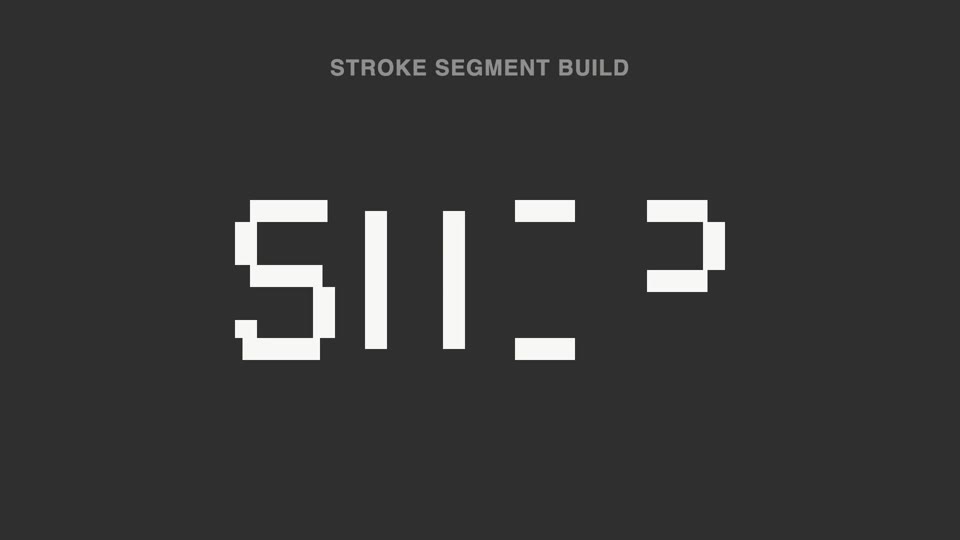
Broken-stroke title reveal
Broken strokes into letters — a title breaks into a dozen-plus disconnected stroke segments that light up out of order; 70% unreadable, then the last segment lands and the meaning snaps into place.
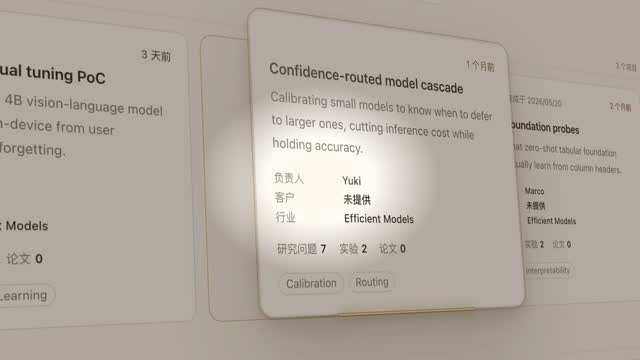
Spotlight hero card reveal
A spotlight sweeps the page and locks onto one card; it pushes in at 45°, the card lifts and hovers, a light beam circles its outline twice, then it settles back in place.
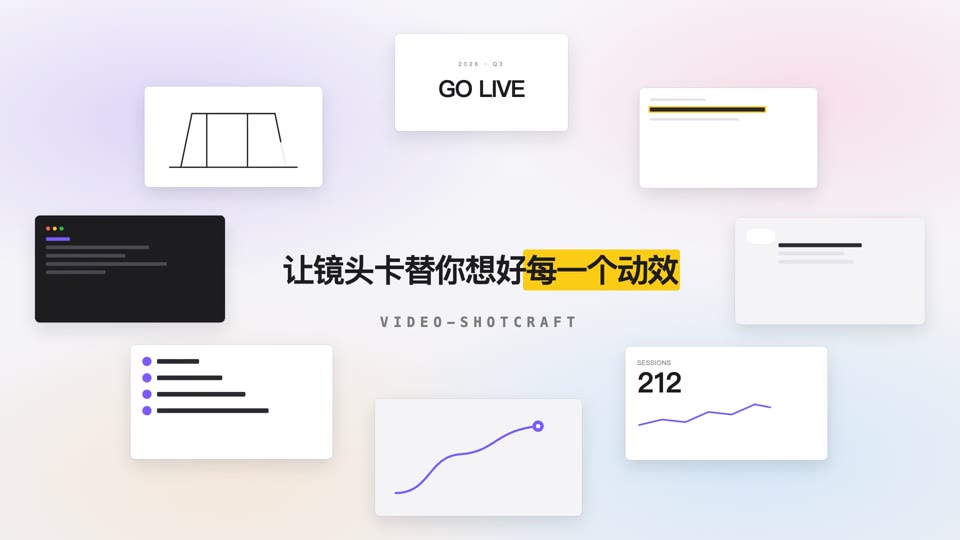
Orbit ring title opening
Eight content cards orbit a 700×375 ellipse at constant speed while a centered title resolves into focus and settles.

Magician card flourish
On pure black, a blue starburst flashes for 0.3s, then a card ejects from the flash point — spinning fast along an arc toward the camera, spin decaying as it nears, hard-freezing near full-frame, followed by a sheen sweep.