Motion · Interaction
Type, filter, drill in
Typing a search on a real UI, the grid converges to a single card on its own, then a click drills through into the detail page.
Source: video-shotcraft (Vincent Wei) ↗ · Apache-2.0 · Remotion composition (React/TSX) — preview video, no in-browser player
When to use
The "operation narrative" passage of a feature demo; any search/filter/drill-into-detail interaction chain
Intention
Let the viewer "follow along": see exactly what was typed, how the page responds, where the click landed. This is the only shot in the whole film that simulates a real person operating the UI, so the pacing must feel human-handed, never scripted.
Duration & energy
- Duration: ~2.5s (118–190f)
- Energy: Medium (a composed beat following a high-energy deal-out passage)
Shot recipe (original Chinese — timing, easing, parameter table, known pitfalls)
意图
让观众"跟着做一遍":看清输入了什么、页面怎么响应、点了哪里。这是全片唯一模拟真人操作的镜头,节奏必须像人手,不能像脚本。
动效核心
- 相机上移到搜索框,逐字符打字,光标常亮→闪烁
- 打完留一口气,然后非目标卡按阅读序错峰淡出下沉,网格收敛
- 目标卡滑到首行槽位,途中浮起 + 阴影变宽
- 双圈强调色(模板片为琥珀)ripple 点击确认,相机推进穿透进详情页交棒转场
参数表
| 参数 | 典型值 | 调节手感 | |------|--------|----------| | 打字速度 | 3f/字符(TYPE_START=128,"nano-lab" 8 字符 ≈149 收尾) | 初版嫌快返工后的定稿值("unhurried");交互演示按真人操作速度走(R3) | | 呼吸位 | 打完到过滤 FILTER_START=160,留 ~11f(0.37s) | 打完立刻过滤读作机器自动,观众跟不上因果 | | 光标 | 打字时常亮,之后 8f 周期闪烁;点击 176f,光标 185f 消失 | 打字中闪烁会读作卡顿;常亮→闪烁的切换本身就是"打完了"的信号 | | 过滤退场 | 25 张非目标卡按阅读序 0.4f 间隔错峰,各 5f 淡出+下沉 8px | 同时消失读作页面崩溃;错峰哪怕只差 0.4f 也够 | | 目标卡滑位 | 10f 滑到首行槽位,bezier(0.35,0,0.2,1),途中 sin 浮起 z 18px、scale +0.02、阴影随浮起变宽 | 终点必须是布局真实槽位(Q9),滑到画面中央悬停就假了 | | 点击确认 | 两圈同心强调色 ripple(起点差 3f、各 10f、半径 14→54/78)+ 3px 描边 + 40px 辉光,随后相机 16f 推进 zoom 2.2 | 单圈 ripple 太轻看不见;推进交棒给 flash-cut 盖住换页硬切(组件见 assets/lib/FlashCut.tsx,用法:from = 切点 − 5,跨骑硬切两侧各 5f) | | 搜索框 | 页面底色补丁盖掉纹理里的 placeholder(保留放大镜图标),文字层叠上去打 | 直接在截图纹理上叠字会和烤入的 placeholder 重影 |
声音
打字段钉 keyboard.mp3 并按 Sequence 截 24f 与动作严格等长(S4);点击钉 click-camera(全片最响 vol 0.6,S2 响度分层);网格飞走钉 whoosh-fast。
已知坑
- 初版打字+过滤"太快了"被返工(R3)——交互镜头的第一版几乎总是偏快,起稿就按 3f/字符
- 过滤后目标卡若不归位到真实槽位、悬浮在网格上方,读作假(Q9,曾因此近乎整文件重写)
参考实现
demos/interaction/type-and-filter/TypeAndFilter.tsx(原 template/src/aifl/live/SceneFlyIn.tsx 118–190 段)
Reference implementation (Remotion)
- demos/interaction/type-and-filter/TypeAndFilter.tsx — https://raw.githubusercontent.com/Vincentwei1021/video-shotcraft/main/demos/interaction/type-and-filter/TypeAndFilter.tsx
The component imports shared fixtures from demos/_fixtures and helpers from assets/lib in the repo; SKILL.md there documents the render workflow.
Everything on this page is also machine-readable. Point your agent at the JSON, or add the gimgs MCP server and ask it to search motion templates.
- Fetch the JSON — it holds the shot recipe (timing, easing, parameter table, pitfalls) and the full TSX source.
- Clone the video-shotcraft repo; the component imports shared fixtures from demos/_fixtures and helpers from assets/lib.
- Register the component as a <Composition> in a Remotion project and render with `npx remotion render`, or re-implement the recipe in your own engine.
curl -s https://gimgs.net/motion/type-and-filter.jsongit clone https://github.com/Vincentwei1021/video-shotcraft
# component: demos/interaction/type-and-filter/TypeAndFilter.tsx
npx remotion render <CompositionId> out.mp4claude mcp add --transport http gimgs https://gimgs.net/mcp
# then: search_motion_templates / get_motion_template("type-and-filter")Prompt
Use the video-shotcraft shot recipe "Type, filter, drill in" (Remotion composition, Apache-2.0) published on gimgs.net.
Recipe JSON (prompt = timing/easing/parameter table/pitfalls, files = TSX source): https://gimgs.net/motion/type-and-filter.json
Raw TSX: https://gimgs.net/motion/type-and-filter/template.html
Repository: https://github.com/Vincentwei1021/video-shotcraft  (component: demos/interaction/type-and-filter/TypeAndFilter.tsx; imports demos/_fixtures and assets/lib)
Spec: 960x540, 30 fps, 2.4s

1. Read the JSON and follow its "prompt" section (when to use, intention, parameter table, known pitfalls).
2. Adapt it for: <describe what you want>.
3. Either clone the repo, register the component as a <Composition> in a Remotion project and run npx remotion render <CompositionId> out.mp4 — or re-implement the recipe in your own engine (HTML/WAAPI works: keep the same timing and easing).
// ===== demos/interaction/type-and-filter/TypeAndFilter.tsx =====
// type-and-filter —— 真实 UI 上打字搜索、网格自己收敛成一张卡、点击穿透进详情页
// 功能演示的"操作叙事"段:让观众"跟着做一遍"。节奏必须像人手,不能像脚本。
// 参考实现从 template SceneFlyIn 118–190 段剥离(self-contained):
// 相机移到搜索框,逐字符打字(3f/字符,光标常亮→闪烁),打完留一口气(11f),
// 25 张非目标卡按阅读序错峰淡出+下沉,目标卡滑到首行槽位(途中浮起+阴影变宽),
// 双圈强调色 ripple 点击确认 + 3px 描边 + 辉光,相机 16f 推进 zoom 2.2 交棒。
// 网格卡用真实纹理裁片(复用 projects-empty.png 里已有的卡),nano-lab 目标卡
// 过滤后滑到首行槽位。缺的 float-* 小块用纯色占位,不影响动效读感。
import { AbsoluteFill, Img, interpolate, staticFile, useCurrentFrame, Easing } from 'remotion';
import { PageCam2D, CamKey2D } from '../../_fixtures/PageCam2D';
import layout from '../../_textures/live-layout.json';

export const TYPE_AND_FILTER_DURATION = 73; // 118–190f 落在 shot 内 offset 0

const PAGE_H = layout.projects.pageH;
const cards = layout.projects.cards;
const PAPER = '#f9f6f1';
const FIELD = '#fefcf9';
const AMBER = 'oklch(58% 0.13 65)';
const QUERY = 'nano-lab';
const TYPE_START = 10; // 118 - 118 = 0 偏移基准:scene-local 从 118 起
const FILTER_START = 42; // 160 - 118

// search box (page-space CSS px)
const SEARCH = { x: 408, y: 130, w: 1016, h: 44 };

// nano-lab target card (the one that filters to row one)
const NANO_TITLE = 'nano-lab';
const nanoIdx = cards.findIndex((c) => c.title.includes(NANO_TITLE));
const nano = cards[nanoIdx];
const NANO_TO = { x: 408, y: 247 }; // first-row slot
const CLICK_C = { x: 586, y: 391 }; // click point on the settled result card

// filter departure rank for the non-target cards (reading order)
const leaveRank = new Map<number, number>();
cards.forEach((_, i) => {
  if (i !== nanoIdx) leaveRank.set(i, leaveRank.size);
});

// camera: hold through typing/breath/filter/slide, then push into the clicked card
const CAM_KEYS: CamKey2D[] = [
  { frame: 0, cx: 960, cy: 380, zoom: 0.9 },
  { frame: 56, cx: 960, cy: 380, zoom: 0.9 },
  { frame: 72, cx: CLICK_C.x, cy: CLICK_C.y, zoom: 2.2 },
];

export const TypeAndFilter: React.FC = () => {
  const frame = useCurrentFrame();

  // typed chars: one every 3 frames (unhurried)
  const typedCount =
    frame < TYPE_START ? 0 : Math.min(QUERY.length, Math.floor((frame - TYPE_START) / 3) + 1);
  // caret: solid while typing, blinks on an 8f cycle after, until the click
  const caretOn =
    frame >= TYPE_START - 2 &&
    frame <= 67 &&
    (frame <= TYPE_START + 24 || Math.floor((frame - (TYPE_START + 24)) / 8) % 2 === 0);

  return (
    <AbsoluteFill style={{ backgroundColor: PAPER }}>
      <PageCam2D src="textures/live/projects-empty.png" pageH={PAGE_H} keys={CAM_KEYS}>
        {/* ---- 25 non-target cards: staggered fade+sink on filter ---- */}
        {cards.map((c, i) => {
          if (i === nanoIdx) return null;
          const outCue = FILTER_START + leaveRank.get(i)! * 0.4;
          if (frame >= outCue + 5) return null;
          const outT = interpolate(frame, [outCue, outCue + 5], [0, 1], {
            extrapolateLeft: 'clamp', extrapolateRight: 'clamp', easing: Easing.inOut(Easing.quad),
          });
          return (
            <div
              key={`${c.file}-${i}`}
              style={{
                position: 'absolute', left: c.x, top: c.y, width: c.w, height: c.h,
                transform: `translate3d(0px, ${8 * outT}px, 0px)`,
                opacity: 1 - outT, borderRadius: 16, overflow: 'hidden',
                boxShadow: '0 2px 6px rgba(60,45,30,.08)',
              }}
            >
              <Img src={staticFile(`textures/live/${c.file}`)} style={{ position: 'absolute', inset: 0, width: '100%', height: '100%', display: 'block' }} />
            </div>
          );
        })}

        {/* ---- nano-lab: slides up to the first-row slot on filter, floating ---- */}
        {(() => {
          const slideT = interpolate(frame, [FILTER_START, FILTER_START + 10], [0, 1], {
            extrapolateLeft: 'clamp', extrapolateRight: 'clamp', easing: Easing.bezier(0.35, 0, 0.2, 1),
          });
          const slideDy = (NANO_TO.y - nano.y) * slideT;
          const slideDx = (NANO_TO.x - nano.x) * slideT;
          const float = Math.sin(slideT * Math.PI);
          const slideScale = 1 + 0.02 * float;
          const slideZ = 18 * float;
          return (
            <div
              style={{
                position: 'absolute', left: nano.x, top: nano.y, width: nano.w, height: nano.h,
                transform: `translate3d(${slideDx}px, ${slideDy}px, ${slideZ}px) scale(${slideScale})`,
                transformOrigin: 'center center',
                boxShadow: `0 ${2 + 14 * float}px ${6 + 26 * float}px rgba(60,45,30,${0.08 + 0.1 * float})`,
                borderRadius: 16, overflow: 'hidden', zIndex: 2,
              }}
            >
              <Img src={staticFile(`textures/live/${nano.file}`)} style={{ position: 'absolute', inset: 0, width: '100%', height: '100%', display: 'block' }} />
            </div>
          );
        })()}

        {/* ---- search box: paper patch over the placeholder (keeps magnifier), typed text + caret ---- */}
        {frame >= 0 ? (
          <div
            style={{
              position: 'absolute', left: 440, top: SEARCH.y + 4,
              width: SEARCH.x + SEARCH.w - 448, height: SEARCH.h - 8,
              background: FIELD, opacity: 1, pointerEvents: 'none',
            }}
          />
        ) : null}
        <div
          style={{
            position: 'absolute', left: 448, top: SEARCH.y, height: SEARCH.h,
            display: 'flex', alignItems: 'center',
            fontFamily: 'ui-sans-serif, system-ui, -apple-system, sans-serif',
            fontSize: 15, letterSpacing: 0.2, color: 'oklch(25% 0.006 82)', pointerEvents: 'none',
          }}
        >
          <span>{QUERY.slice(0, typedCount)}</span>
          {caretOn ? (
            <span style={{ display: 'inline-block', width: 2, height: 20, marginLeft: 2, background: AMBER }} />
          ) : null}
        </div>

        {/* ---- click ripple: two concentric amber rings ---- */}
        {[0, 1].map((r) => {
          const start = 58 + r * 3; // 176 - 118
          if (frame < start || frame > start + 10) return null;
          const t = interpolate(frame, [start, start + 10], [0, 1], {
            extrapolateLeft: 'clamp', extrapolateRight: 'clamp', easing: Easing.out(Easing.cubic),
          });
          const rad = interpolate(t, [0, 1], [14, r === 0 ? 54 : 78]);
          return (
            <div
              key={`ripple-${r}`}
              style={{
                position: 'absolute', left: CLICK_C.x - rad, top: CLICK_C.y - rad,
                width: rad * 2, height: rad * 2, borderRadius: '50%',
                border: `2px solid ${AMBER}`, opacity: 1 - t, pointerEvents: 'none', zIndex: 5,
              }}
            />
          );
        })}

        {/* ---- selected-card amber outline, lit from the click ---- */}
        {frame >= 60 ? (
          <div
            style={{
              position: 'absolute', left: NANO_TO.x - 6, top: NANO_TO.y - 6,
              width: nano.w + 12, height: nano.h + 12, borderRadius: 16,
              border: `3px solid ${AMBER}`, boxShadow: '0 0 40px rgba(180,120,50,0.5)',
              opacity: interpolate(frame, [60, 63], [0.5, 1], { extrapolateLeft: 'clamp', extrapolateRight: 'clamp' }),
              pointerEvents: 'none', zIndex: 4,
            }}
          />
        ) : null}
      </PageCam2D>
    </AbsoluteFill>
  );
};
- Read the recipePrompt = when to use, intention, parameter table with typical values and how each one feels, known pitfalls. Treat values as calibrated starting points.
- Get the codetool: git
git clone https://github.com/Vincentwei1021/video-shotcraft && cd video-shotcraft && npm install - Register + rendertool: remotion
npx remotion render <CompositionId> out.mp4 # component: demos/interaction/type-and-filter/TypeAndFilter.tsx - Or re-implementPort the timing/easing from the recipe to HTML + WAAPI (gimgs motion contract) or any engine; keep the same segment windows and easing.
| param | type | default | description |
|---|---|---|---|
| — | |||
More in this category

Live voice waveform
A live waveform in a recording pill — 64 thin bars rise and fall with "speech," spiking tall mid-speech and shrinking to a dotted line on pauses, scrolling right to left; a full speak-pause-speak-submit performance.

Theme switch: sweep and ripple
Two theme-switch moves — theme-sweep, a diagonal wipe (the skin changes wherever the boundary passes), and palette-ripple, a combo move (a ⌘K panel collapses to a point, a ripple spreads from it to re-skin).

Segmented thumb hero
A segmented control's thumb shift becomes the star of a close-up — a cursor clicks it and a new icon springs in.
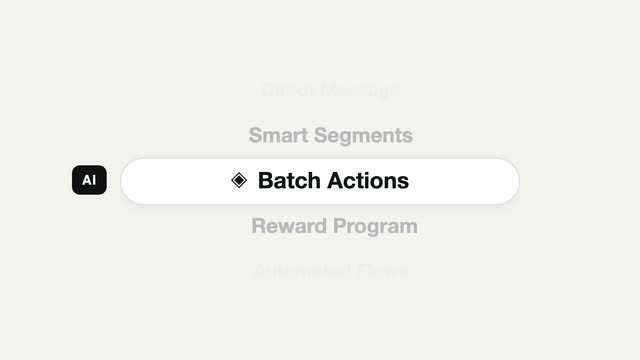
Picker carousel feature cycle
A mobile-style vertical picker — the focus pill stays still while content scrolls through it, snapping to a full stop each time.