Motion · Camera
Lướt sát bề mặt UI
Cận cảnh góc nghiêng sâu lướt sát bề mặt UI, chữ ban đầu lơ lửng phía trên giao diện kèm bóng mềm cùng hình, khi máy quay tiến tới từng phần tăng tốc hạ xuống ổn định vào giao diện.
Nguồn: video-shotcraft (Vincent Wei) ↗ · Apache-2.0 · Composition Remotion (React/TSX) — có video preview, không có player trong trình duyệt
Khi nào dùng
Dạo qua các khu vực tính năng (coi UI như địa hình để lướt qua); phối với cảnh tối và viền sáng neon cho đoạn "thế giới nội tại của sản phẩm"; nội dung giao diện xuất hiện theo từng vùng.
Ý đồ
Quay UI như địa hình: cận cảnh góc nghiêng sâu biến cây thanh bên, điều hướng, hàng danh sách thành phong cảnh lướt qua, độ sâu trường ảnh nông càng nhấn mạnh cảm giác "lướt sát bề mặt". Điểm kịch tính là chữ hạ cánh từ trên không: chữ/thành phần không mờ hiện tại chỗ mà lơ lửng phía trên giao diện (nâng lên theo trục z 3D), đổ bóng mềm cùng hình xuống giao diện khi còn lơ lửng, rồi lần lượt tăng tốc hạ xuống khi máy quay tiến tới, bóng hội tụ và biến mất khi độ cao giảm — khán giả thấy giao diện "tự hoàn thiện chính nó" khi máy quay lướt qua. Bóng là điểm chốt cảm nhận được: không có bóng, việc lơ lửng chỉ đọc như một cách vào cảnh theo vị trí thông thường; có bóng, quan hệ không gian lập tức được xác lập.
Thời lượng & năng lượng
- Thời lượng: Một đoạn 4–5s; có thể nối nhiều đoạn để kéo dài
- Năng lượng: Trung bình cao (máy quay tiến liên tục cộng với các phần tử liên tục hạ cánh, mật độ thông tin cao)
Công thức cảnh quay (bản gốc tiếng Trung — timing, easing, bảng tham số, lỗi hay gặp)
意图
把 UI 拍成地形:大倾角特写让侧栏树、导航、列表行变成掠过的地貌, 浅景深强化"贴面"。戏眼是文字空中贴落:文字/组件不是原地淡入, 而是悬浮在界面上空(3D z 轴抬高),在空中时往界面投同形软影, 随镜头行进先后加速贴落、影子随高度收敛消失——观众看见界面在 镜头经过时"完成自己"。影子是可感命门:没有影子,悬浮读作 普通位移入场;有影子,空间关系瞬间成立。
动效核心
- 机位:CSS perspective + rotateX/rotateY 大倾角(面几乎侧掠),
沿界面一条路径持续推进;浅景深=远处 blur 渐强
- 悬浮元素:初始悬浮高度 H≈120–180px(沿面法线方向抬起),
easeFall 加速下落+软着陆(落地不回弹或极微回弹)
- 同形软影:元素原位渲染模糊压暗投影,blur/offset/opacity 全部
随当前悬浮高度变化(高=影大而糊而淡,落地=影与本体重合消失)
- 错峰贴落:各元素落地时刻按镜头行进方向排布(先经过的先落),
界面在镜头前"依次完成"
- 长镜可拆段接力:段间用相邻段交叉淡化(判例:透明度窗口不重叠
会产生黑闪帧)
参数表
| 参数 | 典型值 | 调节手感 | |------|--------|----------| | 悬浮高度 | 120–180px | <80px 影子和位移都读不出;>250px 落地砸得太重 | | 影子参数 | blur/offset/opacity 随高度线性收敛 | 影子恒定不随高度变=贴纸感;落地影必须归零 | | 贴落错峰 | 按镜头行进方向 0.2→0.85 归一化排布 | 同帧齐落读作开关;乱序落读作 bug;错峰=错开起点但下落过程重叠并行,串行等待(一个落完另一个才开始)被裁(runway 判例) | | 下落曲线 | easeFall 加速+软着陆 | ease-out 下落读作气球飘落,重力感靠加速 | | 段间接力 | 相邻段交叉淡化 ≥8f | 透明度窗口不搭接会黑闪(返工判例 f100 纯黑帧) | | 景深 | 远处 blur 渐强 | 全清晰读作平面滚动,浅景深才有"贴面"体感 |
已知坑
- demo 在灰阶/占位素材上调校通过——参数是调校起点非实战定稿,
首次实战须以真实素材回验
- 悬空元素别被环境压黑带吞掉(邻候选 runway 判例):空中元素
需追光/提亮 ~1.3x,否则悬浮状态不可感等于没做
- 与 space-camera-moves/tension-camera-moves 分工:那两张是相机
语言本身;本卡=贴面机位 + 元素贴落 的组合签名,缺一半就 改用相机卡
- 贴落节奏语义判例(与 neon-frame-orbit-drop 互为反例):
本卡巡礼镜=错峰并行;整体登场镜必须全体同帧齐落(那张卡的 错峰版被裁)。选错语法两边都会被裁
- 原片(clickup-30)是一条连续上行长镜;复刻用三段接力,段落
切换藏在交叉淡化里——实战若做真单长镜,路径规划成本高得多
参考实现
demos/camera/graze-face-tour/ (GrazeFaceTour.tsx) 原片出处:clickup-30.mp4
Mã nguồn tham chiếu (Remotion)
- demos/camera/graze-face-tour/GrazeFaceTour.tsx — https://raw.githubusercontent.com/Vincentwei1021/video-shotcraft/main/demos/camera/graze-face-tour/GrazeFaceTour.tsx
Component import fixture chung từ demos/_fixtures và helper từ assets/lib của repo; xem SKILL.md trong repo để biết quy trình render.
Mọi thứ trên trang này đều có bản máy đọc. Đưa agent link JSON, hoặc thêm MCP server gimgs rồi bảo nó tìm motion template.
- Tải JSON — trong đó có công thức cảnh quay (timing, easing, bảng tham số, lỗi hay gặp) và toàn bộ source TSX.
- Clone repo video-shotcraft; component import fixture chung từ demos/_fixtures và helper từ assets/lib.
- Đăng ký component thành <Composition> trong project Remotion rồi render bằng `npx remotion render`, hoặc dựng lại công thức bằng engine của bạn.
curl -s https://gimgs.net/motion/graze-face-tour.jsongit clone https://github.com/Vincentwei1021/video-shotcraft
# component: demos/camera/graze-face-tour/GrazeFaceTour.tsx
npx remotion render <CompositionId> out.mp4claude mcp add --transport http gimgs https://gimgs.net/mcp
# then: search_motion_templates / get_motion_template("graze-face-tour")Prompt
Use the video-shotcraft shot recipe "Lướt sát bề mặt UI" (Remotion composition, Apache-2.0) published on gimgs.net.
Recipe JSON (prompt = timing/easing/parameter table/pitfalls, files = TSX source): https://gimgs.net/motion/graze-face-tour.json
Raw TSX: https://gimgs.net/motion/graze-face-tour/template.html
Repository: https://github.com/Vincentwei1021/video-shotcraft  (component: demos/camera/graze-face-tour/GrazeFaceTour.tsx; imports demos/_fixtures and assets/lib)
Spec: 1920x1080, 30 fps, 5s

1. Read the JSON and follow its "prompt" section (when to use, intention, parameter table, known pitfalls).
2. Adapt it for: <describe what you want>.
3. Either clone the repo, register the component as a <Composition> in a Remotion project and run npx remotion render <CompositionId> out.mp4 — or re-implement the recipe in your own engine (HTML/WAAPI works: keep the same timing and easing).
// ===== demos/camera/graze-face-tour/GrazeFaceTour.tsx =====
// graze-face-tour v2 —— 源片 clickup-30.mp4 约 28.5–33s:
// 相机大倾角贴着 UI 表面游走特写,三段接力:侧栏树 → 顶部 tab 条 → 列表行。
// v2(用户意见):页面文字初始悬浮在界面上空(3D 抬高),空中时在 UI 面上
// 投模糊同形软影;随镜头推进先后落贴回界面,影子随高度收敛消失。
import React from 'react';
import { AbsoluteFill, interpolate, useCurrentFrame, Easing } from 'remotion';

const FONT = 'Helvetica, Arial, sans-serif';
const INK = '#3a3a40';
const MID = '#8b8b92';
const FAINT = '#c8c8ce';

const easeIO = Easing.bezier(0.45, 0, 0.25, 1);
const easeFall = Easing.bezier(0.5, 0.05, 0.6, 1); // 加速下落、末端软着陆

/* ---------- 悬浮 + 同形软影 ----------
 * h=悬浮高度(px)。文字整体向上(屏幕上-左)抬起,
 * 原位置留一份模糊压暗的同形投影;h→0 时两者重合、影子消失。 */
const FloatWrap: React.FC<{ h: number; children: React.ReactNode }> = ({ h, children }) => (
  <div style={{ position: 'relative' }}>
    {h > 1.5 && (
      <div style={{
        position: 'absolute', inset: 0,
        transform: `translate(${h * 0.22}px, ${h * 0.42}px) scale(${1 + h * 0.0011})`,
        filter: `blur(${3.5 + h * 0.085}px) brightness(0.32) saturate(0.4)`,
        opacity: Math.min(0.38, 0.16 + h * 0.004),
        pointerEvents: 'none',
      }}>{children}</div>
    )}
    <div style={{ transform: `translate(${-h * 0.34}px, ${-h * 0.78}px)` }}>{children}</div>
  </div>
);

/* 每行的悬浮高度:land = 该行贴回完成的段内时刻(0..1),之前从 H 高度加速落下 */
const liftOf = (t: number, land: number, H = 120) => {
  const FALL = 0.34;
  const p = Math.min(1, Math.max(0, (t - (land - FALL)) / FALL));
  return (1 - easeFall(p)) * H;
};

/* ---------- 灰阶自绘 UI 素材 ---------- */

const Chip: React.FC<{ letter: string; tone: string }> = ({ letter, tone }) => (
  <div style={{
    width: 64, height: 64, borderRadius: 16, background: tone,
    display: 'flex', alignItems: 'center', justifyContent: 'center',
    fontFamily: FONT, fontWeight: 700, fontSize: 36, color: '#666',
  }}>{letter}</div>
);

const Tri: React.FC<{ open?: boolean }> = ({ open }) => (
  <div style={{
    width: 0, height: 0,
    borderLeft: open ? '16px solid transparent' : '22px solid #9a9aa0',
    borderRight: open ? '16px solid transparent' : '0 solid transparent',
    borderTop: open ? '22px solid #9a9aa0' : '14px solid transparent',
    borderBottom: open ? '0' : '14px solid transparent',
  }} />
);

const DocIcon: React.FC = () => (
  <div style={{ width: 44, height: 54, border: '5px solid #9a9aa0', borderRadius: 8, position: 'relative' }}>
    <div style={{ position: 'absolute', left: 7, top: 10, width: 22, height: 5, background: '#b6b6bc' }} />
    <div style={{ position: 'absolute', left: 7, top: 22, width: 22, height: 5, background: '#b6b6bc' }} />
  </div>
);

const FolderIcon: React.FC = () => (
  <div style={{ width: 54, height: 42, background: '#8f8f95', borderRadius: 7, position: 'relative' }}>
    <div style={{ position: 'absolute', left: 0, top: -10, width: 24, height: 12, background: '#8f8f95', borderRadius: '6px 6px 0 0' }} />
  </div>
);

const TreeRow: React.FC<{
  depth: number; label: string; icon?: 'tri' | 'triOpen' | 'doc' | 'folder' | 'dash' | 'chip';
  chip?: string; count?: string; size?: number; dim?: boolean;
}> = ({ depth, label, icon, chip, count, size = 58, dim }) => (
  <div style={{
    display: 'flex', alignItems: 'center', gap: 30, paddingLeft: 40 + depth * 90,
    height: size * 2.1, opacity: dim ? 0.35 : 1,
  }}>
    {icon === 'tri' && <Tri />}
    {icon === 'triOpen' && <Tri open />}
    {icon === 'doc' && <DocIcon />}
    {icon === 'folder' && <FolderIcon />}
    {icon === 'dash' && <div style={{ width: 40, height: 40, border: '6px dashed #a2a2a8', borderRadius: 10 }} />}
    {chip && <Chip letter={chip} tone="#d4d4da" />}
    <div style={{ fontFamily: FONT, fontSize: size, color: INK, fontWeight: 500 }}>{label}</div>
    {count && <div style={{ marginLeft: 'auto', marginRight: 80, fontFamily: FONT, fontSize: size * 0.85, color: MID }}>{count}</div>}
  </div>
);

const RecentCard: React.FC<{ title: string; sub: string; w?: number }> = ({ title, sub, w = 880 }) => (
  <div style={{
    width: w, border: `4px solid ${FAINT}`, borderRadius: 24, padding: '36px 44px',
    display: 'flex', flexDirection: 'column', gap: 18, background: '#fbfbfa',
  }}>
    <div style={{ display: 'flex', alignItems: 'center', gap: 26 }}>
      <div style={{ width: 44, height: 44, border: '6px solid #85858b', borderRadius: 8 }} />
      <div style={{ fontFamily: FONT, fontSize: 52, color: INK, fontWeight: 600 }}>{title}</div>
    </div>
    <div style={{ fontFamily: FONT, fontSize: 42, color: MID, paddingLeft: 70 }}>{sub}</div>
  </div>
);

/* 场景 A:侧栏 SPACES 树 + 右侧 Recent 卡(对标截图 1/2/4)
 * v2:树行/卡片按镜头行进方向(自上而下)先后从空中落贴回界面 */
const SceneTree: React.FC<{ t?: number }> = ({ t = 1 }) => {
  // 树行落地时刻:镜头由树顶滑向树底,行 index 越大越晚落
  const L = (i: number, n = 14) => liftOf(t, 0.22 + (i / n) * 0.62, 130);
  const rows: [number, string, 'tri' | 'triOpen' | 'doc' | 'folder' | 'dash' | undefined, string | undefined, string | undefined][] = [
    [0, 'People & Teams', 'doc', undefined, undefined],
    [0, 'Goals', 'doc', undefined, undefined],
    [0, 'Docs', 'doc', undefined, undefined],
    [0, 'More', 'dash', undefined, undefined],
    [0, 'EPD', 'tri', 'E', undefined],
    [0, 'Product roadmap', 'tri', 'P', undefined],
    [0, 'Design', 'triOpen', 'D', undefined],
    [1, 'Designer handbook', 'doc', undefined, undefined],
    [1, '3.0', 'folder', undefined, undefined],
    [1, 'Design system', 'folder', undefined, undefined],
    [2, 'Design system', 'doc', undefined, undefined],
    [2, 'Components', 'dash', undefined, '56'],
    [2, 'Patterns', 'dash', undefined, '8'],
    [2, 'Tokens', 'dash', undefined, '256'],
  ];
  return (
    <div style={{ width: 2900, height: 2400, background: '#f5f5f4', display: 'flex' }}>
      <div style={{ width: 1500, borderRight: `4px solid ${FAINT}`, paddingTop: 60, background: '#f2f2f1' }}>
        {rows.slice(0, 4).map((r, i) => (
          <FloatWrap key={r[1] + i} h={L(i)}>
            <TreeRow depth={r[0]} label={r[1]} icon={r[2]} chip={r[3]} count={r[4]} />
          </FloatWrap>
        ))}
        <div style={{ height: 90 }} />
        <FloatWrap h={L(4)}>
          <div style={{ paddingLeft: 48, fontFamily: FONT, fontSize: 46, letterSpacing: 6, color: MID, fontWeight: 600 }}>SPACES</div>
        </FloatWrap>
        <div style={{ height: 30 }} />
        {rows.slice(4).map((r, i) => (
          <FloatWrap key={r[1] + i} h={L(i + 4.6)}>
            <TreeRow depth={r[0]} label={r[1]} icon={r[2]} chip={r[3]} count={r[4]} />
          </FloatWrap>
        ))}
      </div>
      <div style={{ flex: 1, paddingTop: 100, paddingLeft: 110 }}>
        <FloatWrap h={liftOf(t, 0.3, 150)}>
          <div style={{ display: 'flex', gap: 90, fontFamily: FONT, fontSize: 52 }}>
            <div style={{ color: INK, fontWeight: 700 }}>Recent</div>
            <div style={{ color: MID }}>Favorites</div>
          </div>
        </FloatWrap>
        <div style={{ height: 64 }} />
        <div style={{ display: 'flex', flexDirection: 'column', gap: 44 }}>
          <FloatWrap h={liftOf(t, 0.42, 170)}>
            <RecentCard title="Logo" sub="Brand refresh" />
          </FloatWrap>
          <FloatWrap h={liftOf(t, 0.55, 170)}>
            <RecentCard title="Split.io Access for Oleg" sub="Team credentials" />
          </FloatWrap>
        </div>
        <div style={{ height: 110 }} />
        <FloatWrap h={liftOf(t, 0.68, 150)}>
          <div style={{ display: 'flex', gap: 90, fontFamily: FONT, fontSize: 50 }}>
            <div style={{ color: INK, fontWeight: 700 }}>Todo</div>
            <div style={{ color: MID }}>Comments</div>
            <div style={{ color: MID }}>Done</div>
          </div>
        </FloatWrap>
        <div style={{ height: 50 }} />
        <FloatWrap h={liftOf(t, 0.8, 150)}>
          <div style={{ display: 'flex', gap: 40, alignItems: 'center' }}>
            <div style={{
              padding: '22px 46px', background: '#e3e3ec', borderRadius: 18,
              fontFamily: FONT, fontSize: 46, color: INK, fontWeight: 600,
            }}>≡ List</div>
            <div style={{ fontFamily: FONT, fontSize: 46, color: MID }}>▦ Gallery</div>
          </div>
        </FloatWrap>
      </div>
    </div>
  );
};

/* 场景 B:顶部 tab 条 + 左上侧栏导航(对标截图 6/7)
 * v2:tab 条、logo、Home 行、侧栏项先后从空中贴落 */
const SceneTopNav: React.FC<{ t?: number }> = ({ t = 1 }) => (
  <div style={{ width: 3000, height: 2100, background: '#f5f5f4', borderRadius: 48 }}>
    <div style={{
      height: 150, borderBottom: `4px solid ${FAINT}`, display: 'flex', alignItems: 'center',
      gap: 120, paddingLeft: 90, fontFamily: FONT, fontSize: 54, color: INK,
    }}>
      {['Product analytics', 'ClickUp 3.0', 'Widget brainstorm', 'Design system'].map((tb, i) => (
        <FloatWrap key={tb} h={liftOf(t, 0.2 + i * 0.1, 140)}>
          <div style={{ display: 'flex', alignItems: 'center', gap: 26, fontWeight: i === 1 ? 700 : 400, opacity: i > 1 ? 0.75 : 1 }}>
            <div style={{
              width: 40, height: 40, borderRadius: i === 1 ? 14 : 8,
              background: i === 1 ? '#7d7d84' : 'transparent',
              border: i === 1 ? 'none' : '5px solid #9a9aa0',
            }} />
            {tb}
          </div>
        </FloatWrap>
      ))}
    </div>
    <div style={{ display: 'flex' }}>
      <div style={{ width: 1250, padding: '70px 70px 0' }}>
        <FloatWrap h={liftOf(t, 0.34, 150)}>
          <div style={{ display: 'flex', alignItems: 'center', gap: 30 }}>
            <div style={{ width: 74, height: 74, borderRadius: 20, background: 'linear-gradient(135deg,#a9a9af,#6f6f76)' }} />
            <div style={{ fontFamily: FONT, fontSize: 66, fontWeight: 800, color: INK }}>ClickUp</div>
            <div style={{ marginLeft: 'auto', width: 130, height: 90, border: `4px solid ${FAINT}`, borderRadius: 22, background: '#fff' }} />
          </div>
        </FloatWrap>
        <div style={{ height: 60 }} />
        <FloatWrap h={liftOf(t, 0.46, 160)}>
          <div style={{
            display: 'flex', alignItems: 'center', gap: 34, background: '#e6e6f0',
            border: '4px solid #c5c5d4', borderRadius: 24, padding: '30px 44px',
          }}>
            <div style={{ width: 48, height: 44, border: '6px solid #5f5f66', borderBottom: 'none', borderRadius: '10px 10px 0 0' }} />
            <div style={{ fontFamily: FONT, fontSize: 56, color: '#4a4a55', fontWeight: 600 }}>Home</div>
            <div style={{
              marginLeft: 'auto', width: 62, height: 62, borderRadius: 31, background: '#a5a5ab',
              color: '#fff', fontFamily: FONT, fontSize: 38, fontWeight: 700,
              display: 'flex', alignItems: 'center', justifyContent: 'center',
            }}>3</div>
          </div>
        </FloatWrap>
        {['Inbox', 'Company', 'People & Teams', 'Goals', 'Docs'].map((tb, i) => (
          <FloatWrap key={tb} h={liftOf(t, 0.55 + i * 0.08, 140)}>
            <div style={{ display: 'flex', alignItems: 'center', gap: 34, height: 128, paddingLeft: 44 }}>
              <div style={{ width: 44, height: 44, border: '6px solid #93939a', borderRadius: 10 }} />
              <div style={{ fontFamily: FONT, fontSize: 54, color: INK }}>{tb}</div>
            </div>
          </FloatWrap>
        ))}
      </div>
      <div style={{ flex: 1, borderLeft: `4px solid ${FAINT}`, padding: '70px 90px 0' }}>
        <FloatWrap h={liftOf(t, 0.4, 150)}>
          <div style={{ display: 'flex', alignItems: 'center', gap: 40, color: MID, fontFamily: FONT, fontSize: 52 }}>
            <div>‹</div><div>›</div>
            <div style={{ width: 44, height: 40, border: '6px solid #93939a', borderBottom: 'none', borderRadius: '10px 10px 0 0' }} />
            <div style={{ color: INK }}>Home</div>
          </div>
        </FloatWrap>
        <div style={{ height: 80 }} />
        <FloatWrap h={liftOf(t, 0.58, 180)}>
          <div style={{ fontFamily: FONT, fontSize: 130, fontWeight: 750, color: INK }}>Home</div>
        </FloatWrap>
        <div style={{ height: 70 }} />
        <FloatWrap h={liftOf(t, 0.74, 160)}>
          <div style={{
            display: 'flex', alignItems: 'center', gap: 36, border: `4px solid ${FAINT}`,
            borderRadius: 26, padding: '34px 46px', background: '#fff', width: 1100,
          }}>
            <div style={{ width: 44, height: 44, borderRadius: 22, border: '6px solid #9a9aa0' }} />
            <div style={{ fontFamily: FONT, fontSize: 48, color: MID }}>Search by app, filetype…</div>
          </div>
        </FloatWrap>
      </div>
    </div>
  </div>
);

/* 场景 C:列表行(对标截图 4 右下 TODAY/TASK NAME 区)
 * v2:Todo 头/TODAY 徽章/任务行自上而下先后贴落 */
const SceneListRows: React.FC<{ t?: number }> = ({ t = 1 }) => (
  <div style={{ width: 2900, height: 2200, background: '#f6f6f5', paddingTop: 60 }}>
    <FloatWrap h={liftOf(t, 0.22, 150)}>
      <div style={{ display: 'flex', gap: 100, paddingLeft: 120, fontFamily: FONT, fontSize: 54 }}>
        <div style={{ color: INK, fontWeight: 700 }}>Todo</div>
        <div style={{ color: MID }}>Comments</div>
        <div style={{ color: MID }}>Done</div>
        <div style={{ color: MID }}>Delegated</div>
      </div>
    </FloatWrap>
    <div style={{ height: 56 }} />
    <FloatWrap h={liftOf(t, 0.32, 150)}>
      <div style={{ display: 'flex', gap: 44, alignItems: 'center', paddingLeft: 120 }}>
        <div style={{
          padding: '24px 52px', background: '#e2e2ea', borderRadius: 20,
          fontFamily: FONT, fontSize: 50, color: INK, fontWeight: 600,
        }}>≡ List</div>
        <div style={{ fontFamily: FONT, fontSize: 50, color: MID }}>▦ Gallery</div>
        <div style={{ marginLeft: 500, display: 'flex', gap: 80, color: MID, fontFamily: FONT, fontSize: 46 }}>
          <div>Filter</div><div>Group</div><div>Sort</div>
        </div>
      </div>
    </FloatWrap>
    <div style={{ height: 40, borderBottom: `4px solid ${FAINT}`, marginLeft: 120, marginRight: 120 }} />
    <div style={{ height: 60 }} />
    <FloatWrap h={liftOf(t, 0.44, 160)}>
      <div style={{
        marginLeft: 120, display: 'inline-block', padding: '20px 48px', background: '#e4e4e3',
        borderRadius: 16, fontFamily: FONT, fontSize: 44, letterSpacing: 4, color: '#6f6f75', fontWeight: 600,
      }}>TODAY</div>
    </FloatWrap>
    <div style={{ height: 60 }} />
    <FloatWrap h={liftOf(t, 0.54, 150)}>
      <div style={{ paddingLeft: 120, fontFamily: FONT, fontSize: 42, letterSpacing: 5, color: MID }}>TASK NAME</div>
    </FloatWrap>
    <div style={{ height: 30 }} />
    {['New Bugs Per Week', 'Designer handbook', 'Mobile screens', 'Product roadmap'].map((tb, i) => (
      <FloatWrap key={tb} h={liftOf(t, 0.62 + i * 0.09, 160)}>
        <div style={{
          display: 'flex', alignItems: 'center', gap: 44, height: 170, marginLeft: 120, marginRight: 120,
          borderBottom: '3px solid #e6e6e4',
        }}>
          <div style={{ width: 40, height: 40, borderRadius: 12, background: '#88888e' }} />
          <div style={{ fontFamily: FONT, fontSize: 58, color: INK, fontWeight: 550 }}>{tb}</div>
          <div style={{ marginLeft: 'auto', width: 220, height: 20, background: '#e2e2e8', borderRadius: 10 }} />
          <div style={{ color: MID, fontSize: 60 }}>…</div>
        </div>
      </FloatWrap>
    ))}
  </div>
);

/* ---------- 3D 摄影 ---------- */

type Cam = {
  rx: number; ry: number; rz: number; scale: number;
  x: [number, number]; y: [number, number];
};

const Plane: React.FC<{
  cam: Cam; t: number; edge?: 'left' | 'top'; children: React.ReactNode;
}> = ({ cam, t, edge = 'left', children }) => {
  const x = interpolate(t, [0, 1], cam.x, { easing: easeIO });
  const y = interpolate(t, [0, 1], cam.y, { easing: easeIO });
  return (
    <AbsoluteFill style={{ perspective: 1050, perspectiveOrigin: '50% 46%' }}>
      <div style={{
        position: 'absolute', left: '50%', top: '50%', width: 0, height: 0,
        transformStyle: 'preserve-3d',
        transform: `scale(${cam.scale}) rotateX(${cam.rx}deg) rotateY(${cam.ry}deg) rotateZ(${cam.rz}deg)`,
      }}>
        <div style={{ position: 'absolute', transform: `translate3d(${x}px, ${y}px, 0)` }}>
          <div style={{ position: 'relative', transform: 'translate(-50%, -50%)' }}>
            {/* 屏幕边缘霓虹晕染 */}
            {edge === 'left' ? (
              <>
                <div style={{
                  position: 'absolute', left: -70, top: -40, width: 110, height: '104%',
                  background: 'linear-gradient(185deg, #ff7ab8, #b06cff 55%, #6d4dff)',
                  filter: 'blur(70px)', opacity: 0.9,
                }} />
                <div style={{
                  position: 'absolute', left: -10, top: 0, width: 8, height: '100%',
                  background: 'linear-gradient(180deg, #ffb0d5, #b78cff)', filter: 'blur(3px)', opacity: 0.95,
                }} />
              </>
            ) : (
              <>
                <div style={{
                  position: 'absolute', left: -40, top: -70, width: '104%', height: 110,
                  background: 'linear-gradient(90deg, #ff7ab8, #b06cff 55%, #6d4dff)',
                  filter: 'blur(70px)', opacity: 0.85,
                }} />
                <div style={{
                  position: 'absolute', left: 0, top: -10, width: '100%', height: 8,
                  background: 'linear-gradient(90deg, #ffb0d5, #b78cff)', filter: 'blur(3px)', opacity: 0.9,
                }} />
              </>
            )}
            {children}
            {/* 远端压暗:贴面透视里远处渐暗 */}
            <div style={{
              position: 'absolute', inset: 0,
              background: edge === 'left'
                ? 'linear-gradient(105deg, rgba(0,0,10,0) 30%, rgba(0,0,10,0.35) 75%, rgba(0,0,10,0.6) 100%)'
                : 'linear-gradient(175deg, rgba(0,0,10,0) 35%, rgba(0,0,10,0.3) 80%, rgba(0,0,10,0.55) 100%)',
              pointerEvents: 'none',
            }} />
          </div>
        </div>
      </div>
    </AbsoluteFill>
  );
};

/* 背景霓虹描边矩形(暗场道具) */
const NeonRects: React.FC<{ drift: number }> = ({ drift }) => (
  <AbsoluteFill style={{ overflow: 'hidden' }}>
    <div style={{
      position: 'absolute', left: -140 + drift * 40, top: 240, width: 620, height: 380,
      border: '4px solid #c04dff', borderRadius: 34, filter: 'blur(7px)', opacity: 0.5,
    }} />
    <div style={{
      position: 'absolute', left: 60 + drift * 25, top: 700, width: 420, height: 260,
      border: '4px solid #ff4da8', borderRadius: 28, filter: 'blur(10px)', opacity: 0.4,
    }} />
    <div style={{
      position: 'absolute', right: -180 - drift * 30, top: -80, width: 560, height: 340,
      border: '4px solid #7b4dff', borderRadius: 30, filter: 'blur(12px)', opacity: 0.35,
    }} />
  </AbsoluteFill>
);

// 平移目标以内容坐标 (cx,cy) 给出:translate = (W/2-cx, H/2-cy)
const SEGS: { cam: Cam; edge: 'left' | 'top'; render: (t: number) => React.ReactNode }[] = [
  {
    // 侧栏树:从树顶(SPACES 附近)贴面滑到树底(Components/Patterns/Tokens)
    cam: { rx: 12, ry: 30, rz: -6, scale: 0.95, x: [1450 - 950, 1450 - 880], y: [1200 - 1050, 1200 - 1850] },
    edge: 'left', render: (t) => <SceneTree t={t} />,
  },
  {
    // 顶栏 tab 条 → 右区 Home 大标题
    cam: { rx: 20, ry: -20, rz: 6, scale: 0.95, x: [1500 - 800, 1500 - 2000], y: [1050 - 350, 1050 - 800] },
    edge: 'top', render: (t) => <SceneTopNav t={t} />,
  },
  {
    // 列表行:沿 TASK NAME 行右扫
    cam: { rx: 14, ry: 28, rz: -5, scale: 1.05, x: [1450 - 900, 1450 - 680], y: [1100 - 620, 1100 - 1240] },
    edge: 'left', render: (t) => <SceneListRows t={t} />,
  },
];

const SEG_LEN = 50; // 每段 50 帧,总 150
const FADE = 7;

const Stage: React.FC = () => {
  const frame = useCurrentFrame();
  return (
    <AbsoluteFill style={{ background: '#060608' }}>
      {SEGS.map((s, i) => {
        const start = i * SEG_LEN;
        const local = frame - start;
        if (local < -FADE || local > SEG_LEN + FADE) return null;
        const t = Math.min(1, Math.max(0, local / SEG_LEN));
        // 相邻段交叉淡化:后段在边界前 [-FADE,0] 淡入、前段在 [SEG_LEN-FADE, SEG_LEN] 淡出,边界帧无纯黑
        const opacity = interpolate(local, [-FADE, 0, SEG_LEN - FADE, SEG_LEN], [i === 0 ? 1 : 0, 1, 1, i === SEGS.length - 1 ? 1 : 0]);
        return (
          <AbsoluteFill key={i} style={{ opacity }}>
            <NeonRects drift={t} />
            <Plane cam={s.cam} t={t} edge={s.edge}>{s.render(t)}</Plane>
          </AbsoluteFill>
        );
      })}
    </AbsoluteFill>
  );
};

export const GrazeFaceTour: React.FC = () => {
  const frame = useCurrentFrame();
  // 呼吸感的焦点带(浅景深):焦点椭圆随段落略移
  const seg = Math.min(2, Math.floor(frame / SEG_LEN));
  const focusX = [44, 40, 46][seg];
  const focusY = [46, 40, 50][seg];
  return (
    <AbsoluteFill style={{ background: '#060608' }}>
      <Stage />
      {/* 屏幕空间浅景深:焦点带外整体模糊 */}
      <AbsoluteFill style={{
        filter: 'blur(16px) brightness(0.92)',
        WebkitMaskImage: `radial-gradient(ellipse 58% 52% at ${focusX}% ${focusY}%, transparent 34%, rgba(0,0,0,0.85) 72%, black 92%)`,
        maskImage: `radial-gradient(ellipse 58% 52% at ${focusX}% ${focusY}%, transparent 34%, rgba(0,0,0,0.85) 72%, black 92%)`,
      }}>
        <Stage />
      </AbsoluteFill>
      {/* 暗角 + 冷调压暗 */}
      <AbsoluteFill style={{
        background: 'radial-gradient(ellipse 90% 80% at 50% 45%, transparent 40%, rgba(2,2,6,0.55) 78%, rgba(1,1,4,0.9) 100%)',
        pointerEvents: 'none',
      }} />
    </AbsoluteFill>
  );
};
- Read the recipePrompt = when to use, intention, parameter table with typical values and how each one feels, known pitfalls. Treat values as calibrated starting points.
- Get the codetool: git
git clone https://github.com/Vincentwei1021/video-shotcraft && cd video-shotcraft && npm install - Register + rendertool: remotion
npx remotion render <CompositionId> out.mp4 # component: demos/camera/graze-face-tour/GrazeFaceTour.tsx - Or re-implementPort the timing/easing from the recipe to HTML + WAAPI (gimgs motion contract) or any engine; keep the same segment windows and easing.
| param | type | default | description |
|---|---|---|---|
| — | |||
Cùng danh mục
Chuyển động máy quay cảm xúc
Bốn kiểu chuyển động máy quay cảm xúc — bullet-time đóng băng xoay quanh, dutch-roll lật về ngang, slow-push đẩy chậm dồn nén, pull-back kéo xa cô lập; máy quay khiến khán giả "cảm" thay vì "nhìn".
Bay lượn giữa terminal 3D
Ba cửa sổ terminal rải rác trong không gian 3D, máy quay bay giữa các cửa sổ kèm kéo xa hình sin dọc đường, tới mỗi cửa sổ gõ lệnh kiểu máy đánh chữ, kết quả trượt ra từng dòng.
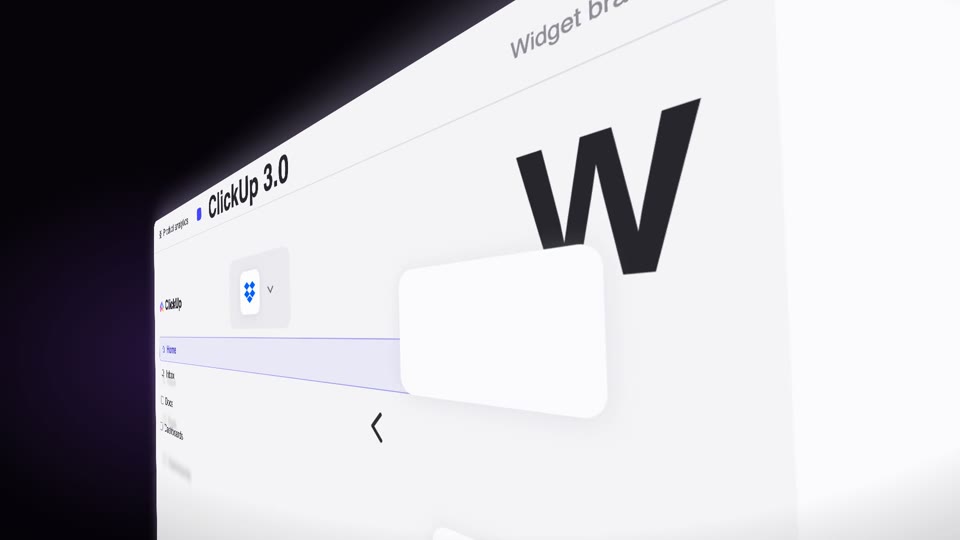
Lượn nghiêng dốc qua trang
Máy quay cố định giữ trang đứng nghiêng phối cảnh mạnh 60° (phải gần trái xa), trang tự trượt dọc theo mặt phẳng 3D của nó lướt qua ống kính (vật động máy không động), kèm ảnh bóng tốc độ, cấu kiện chữ lơ lửng áp vào, từ tối hiện sáng.
Chuyển động máy quay không gian 3D
Hai kiểu chuyển động máy quay hóa 3D — exploded-view (linh kiện nổ ra dọc trục Z rồi hợp lại) và drone-dive-landing (drone bổ nhào rồi hạ cánh).