Motion · Intro
Vòng quỹ đạo mở tiêu đề
Tám thẻ nội dung xoay quanh hình elip 700×375 với tốc độ đều trong khi tiêu đề giữa màn hình rõ nét dần rồi an vị.
Nguồn: video-shotcraft (Vincent Wei) ↗ · Apache-2.0 · Composition Remotion (React/TSX) — có video preview, không có player trong trình duyệt
Khi nào dùng
Cảnh mở đầu số 1 = "sản phẩm này có cả một hệ thống"; cảnh mặt tiền cho thư viện mẫu/thư viện tài nguyên/ma trận tính năng/bộ sưu tập case; khi cần hình ảnh sản phẩm chuyển động thật để đỡ một tuyên bố, thay vì xếp ảnh chụp màn hình tĩnh thành lưới
Ý đồ
Mở đầu muốn nói "chúng tôi có cả một hệ thống", cách làm phổ biến nhất là xếp ảnh chụp màn hình thành lưới — nhưng lưới thì tĩnh, người xem đọc ra "một đống ảnh", không phải "một sản phẩm đang chuyển động". Cảnh này đổi cách trưng bày thành tuần du hình vòng: tám thẻ xoay quanh hình elip tốc độ đều, luôn có thẻ vào khung, có thẻ ra khung, hình ảnh tự mang hàm ý "còn nhiều nữa", trong khi tiêu đề vẫn đứng yên chính giữa, không bị ảnh hưởng. Đánh đổi mấu chốt là nội dung thẻ phải thực sự đang chạy. Ảnh chụp tĩnh trên vòng chỉ khiến người xem nhận ra "carousel"; hiệu ứng chuyển động thật bên trong thẻ lập tức biến vòng đó thành "sản phẩm đang hoạt động". Nhưng nếu tám thẻ cùng chạy một lúc, tám hiệu ứng sẽ giành sự chú ý, không cái nào đọc được — nên trong lúc vào cảnh, nội dung thẻ được đóng băng ở khung hình đầu, đợi vòng mở ra và tiêu đề bắt đầu thì mới đồng loạt chạy. Vì vậy thứ tự chú ý của người xem là: nhận ra đây là một vòng ảnh sản phẩm → đọc tiêu đề → mới để ý các thẻ đều đang chuyển động.
Thời lượng & năng lượng
- Thời lượng: Khoảng 4.3s (130f@30fps; quỹ đạo ổn định 1.9s giữa lúc tiêu đề an vị ở f50 và thoát cảnh ở f108)
- Năng lượng: Trung bình (chuyển động liên tục duy nhất là quỹ đạo tốc độ đều, cả đoạn chỉ có một cú quét khối đánh dấu tạo va chạm)
Công thức cảnh quay (bản gốc tiếng Trung — timing, easing, bảng tham số, lỗi hay gặp)
意图
开场想说"我们有一整套东西",最常见的做法是把截图排成网格——但网格是静止的,观众 读到的是"一堆图片",不是"一套会动的产品"。这张卡把陈列改成环形巡回:八张卡沿 椭圆匀速公转,永远有卡在进画、有卡在出画,画面自带"还有更多"的暗示,而标题稳稳 钉在正中间不受影响。
关键的取舍是卡内容要真的在播。静态截图上环,观众只会认出"轮播图";卡里跑着真 动效,同一个环立刻变成"产品在工作"。但八张卡同时开播会八个动效抢戏,谁也读不进去 ——所以入场期把卡内容冻结在首帧,等环撑开、标题起手之后再统一开播。观众的注意 力顺序因此是:先认出这是一圈产品画面 → 读标题 → 才注意到卡里都在动。
动效核心
- 环上定位:
θ = -π/2 + i·2π/8 + t·0.3,x = 960 + cos θ·RX·ringScale、
y = 540 + sin θ·RY·ringScale。RY/RX ≈ 0.54 的椭圆读作"俯视的环";正圆会读作转盘
- 卡身永不倾斜:卡只跟着 θ 换位置,自身 transform 只有缩放,没有任何旋转。
纵深完全交给 depth = sin θ(+1 = 画面下方,近;−1 = 上方,远): scale = 1 + 0.09·depth、zIndex = 10 + round(depth·5)。缩放和 z 序必须由同一个 depth 驱动,否则会出现"远处的卡压住近处的卡"
- 环入场:f0–21
ringScale 0.62→1(outCubic)从中心撑开;同时逐卡淡入,
第 i 张的窗口是 [0.06+0.05i, 0.42+0.05i]s,最后一张 f23 才满。撑开与淡入叠在 一起,读作"环长出来"而不是"卡片一张张贴上来"
- 冻结首帧再开播:卡内容包在
<Freeze frame={max(0, frame - 24)}>里。f24 之前
八张卡都停在自己的第 0 帧,f24 起同时进入正常时间轴。24f = 环撑开(21f) + 一点余量
- 卡内坐标解耦:卡内容按 960×540 作画,外层用
scale((CW·s)/960)缩到卡宽 +
transform-origin: top left。内容组件不需要知道自己被缩小了,落地换成真实截图或 库内其他镜头卡组件时不用改一行
- 标题 blur-slide 逐字:每字两条通道同起不同终——解糊走满 0.9s
(blur (1-p)·fontSize/6),下沉只占前 0.3s(translateY (1-p)·fontSize·0.22)。 字间错峰 1 帧(0.0333s),缓动 cubic-bezier(.22,1,.36,1)。位移先停、模糊后停, 字才有"落定后继续对上焦"的手感
- 马克块横扫:
spring(frame-40, damping 14)驱动scaleX,
transform-origin: left center,色块 position:absolute; inset:.06em -.08em; zIndex:0 垫在高亮词组底下,词自身 position:relative; zIndex:1。缓动前载,f40(1.33s)时末 字的 ease 值已 ≈0.95,感知上"字全到位了才扫",实际不必等到 f50 数学收敛
- 退场:f108–118 整行
opacity 1→0+blur 0→6.5px,副行同窗同曲线。之后 12f
只有环在转——这段空档就是交棒位,接 crash-zoom / 穿浅场直切都不用额外铺垫
参数表
| 参数 | 典型值 | 调节手感 | |------|--------|----------| | 椭圆半径 | RX=700 / RY=375(卡 380×214) | RY/RX≈0.54 是"俯视环"的甜点;比值 →1 读作正圆转盘,→0.3 卡会在上下缘挤成一条 | | 卡数 | 8(方位角间隔 45°) | 8 张在这个半径上任意转角互不遮挡;≥10 张必须同步加大 RX/RY,否则近处卡压边 | | 公转速度 | 0.3 rad/s(4.3s 转约 74°) | 别因为"看起来慢"就调快:>0.5 rad/s 时卡扫过画面边缘会有频闪感,且喧宾夺主 | | 环入场 | f0–21,scale .62→1,outCubic | <15f 像弹窗;>30f 标题起手时环还在长,两件事互相盖 | | 逐卡淡入 | 窗口 [0.06+0.05i, 0.42+0.05i]s | 步长 0.05s 刚够读出"依次";>0.1s 最后一张会晚到标题之后 | | 开播帧 | PLAY_START=24f | 必须 ≥ 环撑开结束帧;提前会让八个动效在入场期一起抢戏 | | 纵深缩放 | ±9% | >15% 顶部卡会缩成图标,环读作"透视隧道";=0 则整环扁平,失去前后关系 | | 标题 | 64px / 600 字重 / 字距 −0.05em | 环一直在动,标题必须够重才压得住;<48px 或 400 字重会被环吃掉 | | 逐字节奏 | lead .35s,解糊 .9s,下沉 .3s,错峰 1f | 错峰 1f 是"整体解糊"的手感;≥3f 会读成逐字打字机 | | 马克块 | f40 起,spring damping 14,#facc15 | damping <10 会回弹出色块边缘;起扫早于末字 ease 0.9 时读作"色块追着字跑" | | 副行 | mono 28px,字距 0.35em,1.0–1.5s 淡入 | 大字距 mono 是"产品代号"的读法;跟标题同字体会读作第二行标题 | | 退场 | f108–118,blur 0→6.5px | 整行统一失焦;逐字退场会读作第二次入场 |
已知坑
- 卡不能跟着 θ 倾斜。给卡加
rotate(θ)后环立刻从"陈列"变成"过山车",而且卡内
文字会歪,可读性直接归零。卡只换位置,不换角度
- 卡内容首帧必须自带静态骨架(底色/边框/标签/灰底轨迹)。冻结期显示的就是第 0 帧,
如果卡的动效是"从零画出来",入场那 24f 就是八张空白卡。demo 里每个占位卡都补了 灰底 sparkline / 淡稿线 / 常驻提示符,就是为了让首帧不空
zIndex必须跟着 depth 走。只做缩放不排 z 序时,DOM 顺序会让后面的卡压住前面的,
近大远小的立体感当场作废
- 马克色块和字的层级是一对:色块
zIndex:0+ 字position:relative; zIndex:1。漏掉
字上的 relative,色块会盖住字(stacking context 里 static 元素排在 positioned 之后)
- 标题
white-space: nowrap是马克块的前提——inset:.06em -.08em假设高亮词组在同
一行盒里。换行后色块会跨行断裂成两截
- 环是背景层但它一直在动,所以不要在环上再叠第二个动的东西(粒子、扫光、渐变
呼吸)。已经有一个持续运动在场,第二个会让画面读不出主次
- 与
carousel-3d的分工:那张卡是真 3D(rotateY + translateZ+ backface-hidden),
卡会转到环背面,适合无缝 loop 的纯陈列;这张卡是 2D 椭圆伪纵深,卡永远正面朝观众, 适合"环托底 + 前景标题"的开场。要卡片翻面用前者,要标题压得住用后者
- demo 的八张卡是原创通用 DOM 占位(灰阶骨架 + 一条强调色),不含任何产品截图;
落地时整块替换成你自己的镜头卡组件或真实页面截图即可,环的语法一行都不用改
参考实现
demos/opening/orbit-ring-title-open/ (OrbitRingTitleOpen.tsx)
Mã nguồn tham chiếu (Remotion)
- demos/opening/orbit-ring-title-open/OrbitRingTitleOpen.tsx — https://raw.githubusercontent.com/Vincentwei1021/video-shotcraft/main/demos/opening/orbit-ring-title-open/OrbitRingTitleOpen.tsx
Component import fixture chung từ demos/_fixtures và helper từ assets/lib của repo; xem SKILL.md trong repo để biết quy trình render.
Mọi thứ trên trang này đều có bản máy đọc. Đưa agent link JSON, hoặc thêm MCP server gimgs rồi bảo nó tìm motion template.
- Tải JSON — trong đó có công thức cảnh quay (timing, easing, bảng tham số, lỗi hay gặp) và toàn bộ source TSX.
- Clone repo video-shotcraft; component import fixture chung từ demos/_fixtures và helper từ assets/lib.
- Đăng ký component thành <Composition> trong project Remotion rồi render bằng `npx remotion render`, hoặc dựng lại công thức bằng engine của bạn.
curl -s https://gimgs.net/motion/orbit-ring-title-open.jsongit clone https://github.com/Vincentwei1021/video-shotcraft
# component: demos/opening/orbit-ring-title-open/OrbitRingTitleOpen.tsx
npx remotion render <CompositionId> out.mp4claude mcp add --transport http gimgs https://gimgs.net/mcp
# then: search_motion_templates / get_motion_template("orbit-ring-title-open")Prompt
Use the video-shotcraft shot recipe "Vòng quỹ đạo mở tiêu đề" (Remotion composition, Apache-2.0) published on gimgs.net.
Recipe JSON (prompt = timing/easing/parameter table/pitfalls, files = TSX source): https://gimgs.net/motion/orbit-ring-title-open.json
Raw TSX: https://gimgs.net/motion/orbit-ring-title-open/template.html
Repository: https://github.com/Vincentwei1021/video-shotcraft  (component: demos/opening/orbit-ring-title-open/OrbitRingTitleOpen.tsx; imports demos/_fixtures and assets/lib)
Spec: 1920x1080, 30 fps, 4.33s

1. Read the JSON and follow its "prompt" section (when to use, intention, parameter table, known pitfalls).
2. Adapt it for: <describe what you want>.
3. Either clone the repo, register the component as a <Composition> in a Remotion project and run npx remotion render <CompositionId> out.mp4 — or re-implement the recipe in your own engine (HTML/WAAPI works: keep the same timing and easing).
// ===== demos/opening/orbit-ring-title-open/OrbitRingTitleOpen.tsx =====
// orbit-ring-title-open — 环形卡阵标题开场
// 八张 16:9 内容卡按 45° 均布在 700×375 椭圆上匀速公转(卡身永不倾斜,纵深只由
// sin(θ) 给出 ±9% 缩放与 z 序),入场期卡内容冻结首帧、环撑开落定后统一开播;
// 居中标题逐字解糊下沉落定,关键词全部到位那一刻黄色马克块自左横扫铺满,
// mono 副行随后浮出;末段整幕失焦淡出,环继续转着交棒下一镜。
//
// 参数以 1920×1080 标定(不走 DesignStage:环半径/卡尺寸/字号都是成片实测值)。
import React from 'react';
import {
  AbsoluteFill,
  Easing,
  Freeze,
  interpolate,
  spring,
  useCurrentFrame,
  useVideoConfig,
} from 'remotion';

export const ORBIT_RING_TITLE_OPEN_DURATION = 130; // 4.33s @30fps

// ---- 环 ----
const RX = 700; // 椭圆长半轴
const RY = 375; // 椭圆短半轴(RY/RX≈0.54 → 读作俯视的环,不是正圆转盘)
const CW = 380; // 卡宽(16:9)
const CH = 214;
const N = 8;
const ROT_SPEED = 0.3; // rad/s,正值 = 顺时针
const RING_IN = 0.7; // s:从中心撑开到满径
const RING_SCALE_FROM = 0.62;
const PLAY_START = 24; // f:环撑开 + 逐卡淡入收尾,之后卡内容才开播
const DEPTH_SCALE = 0.09; // 近大远小幅度(底部近、顶部远)

// ---- 标题(blur-slide 逐字:位移先停、解糊后停)----
const HEADLINE = '让镜头卡替你想好每一个动效';
const H_SIZE = 64;
const H_LEAD = 0.35; // s:首字起手
const H_DUR = 0.9; // s:单字解糊行程
const H_TRAVEL = 0.3; // s:单字下沉行程(只占解糊的前 1/3)
const H_STAGGER = 0.0333; // s:字间错峰 = 1 帧
const H_EASE = Easing.bezier(0.22, 1, 0.36, 1);

// ---- 马克块(marker-highlight)----
const HL_START = 8; // 「每一个动效」起始字序
const MARKER_AT_F = 40; // 末字视觉到位那一刻起扫
const MARKER_COLOR = '#facc15';

// ---- 副行与退场 ----
const KICKER = 'VIDEO-SHOTCRAFT';
const KICKER_IN: [number, number] = [1.0, 1.5];
const EXIT_AT = 3.6;
const EXIT_DUR = 0.34;
const EXIT_BLUR = 6.5;

const INK = '#1d1d1f';
const INK_DIM = '#7a7a7a';
const SANS = '-apple-system, "PingFang SC", BlinkMacSystemFont, sans-serif';
const MONO = 'Menlo, "SF Mono", monospace';
// 彩色 pastel mesh:四个大半径径向渐变叠在米白底上,纯 CSS,无素材依赖
const MESH_BG =
  'radial-gradient(52% 44% at 18% 22%, rgba(122,90,248,0.20) 0%, rgba(122,90,248,0) 70%),' +
  'radial-gradient(46% 42% at 84% 18%, rgba(255,138,178,0.20) 0%, rgba(255,138,178,0) 70%),' +
  'radial-gradient(58% 50% at 78% 84%, rgba(96,190,255,0.20) 0%, rgba(96,190,255,0) 70%),' +
  'radial-gradient(50% 46% at 24% 88%, rgba(255,196,112,0.20) 0%, rgba(255,196,112,0) 70%),' +
  'linear-gradient(180deg, #f7f6f9 0%, #f2f1f5 100%)';

// ── 卡内占位内容 ───────────────────────────────────────────────────────────
// 每张卡是一段 960×540 的独立小动效(各自从 frame 0 起播,被 <Freeze> 统一压住)。
// 落地时把这 8 个组件换成你自己的镜头卡/真实截图组件即可,环的语法不变。
const F = (frame: number, a: number, b: number, ease = Easing.out(Easing.cubic)) =>
  interpolate(frame, [a, b], [0, 1], {
    extrapolateLeft: 'clamp',
    extrapolateRight: 'clamp',
    easing: ease,
  });

const Pad: React.FC<{ children: React.ReactNode; bg?: string }> = ({ children, bg = '#ffffff' }) => (
  <div style={{ position: 'absolute', inset: 0, background: bg, padding: 56, fontFamily: SANS }}>
    {children}
  </div>
);

const Bar: React.FC<{ w: number; h?: number; color?: string; radius?: number }> = ({
  w,
  h = 16,
  color = '#e3e3e8',
  radius = 8,
}) => <div style={{ width: w, height: h, borderRadius: radius, background: color }} />;

/** 1 马克笔扫读:一行字被黄块自左盖过 */
const TileSweep: React.FC = () => {
  const f = useCurrentFrame();
  const s = F(f, 14, 34);
  return (
    <Pad>
      <div style={{ display: 'flex', flexDirection: 'column', gap: 26 }}>
        <Bar w={300} h={14} />
        <div style={{ position: 'relative', width: 640, height: 40 }}>
          <div
            style={{
              position: 'absolute',
              left: -8,
              top: 2,
              width: 636 * s,
              height: 36,
              background: MARKER_COLOR,
              borderRadius: 6,
            }}
          />
          <div style={{ position: 'absolute', inset: 0, display: 'flex', alignItems: 'center' }}>
            <Bar w={620} h={22} color="#2a2a30" radius={4} />
          </div>
        </div>
        <Bar w={480} h={14} />
      </div>
    </Pad>
  );
};

/** 2 指标 + sparkline 描线 */
const SPARK = 'M8 118 L118 92 L228 104 L338 56 L448 68 L558 20 L632 34';
const TileMetric: React.FC = () => {
  const f = useCurrentFrame();
  const draw = F(f, 10, 46);
  const val = 128 + Math.round(F(f, 8, 40, Easing.out(Easing.quad)) * 84);
  return (
    <Pad>
      <div style={{ fontSize: 30, color: INK_DIM, letterSpacing: '0.06em' }}>SESSIONS</div>
      <div
        style={{
          fontSize: 132,
          fontWeight: 700,
          color: INK,
          fontVariantNumeric: 'tabular-nums',
          lineHeight: 1.1,
        }}
      >
        {val}
      </div>
      <svg width={640} height={140} viewBox="0 0 640 140" style={{ marginTop: 12 }}>
        {/* 灰底轨迹:首帧就有内容,描线只是把它点亮 */}
        <path d={SPARK} fill="none" stroke="#e3e3e8" strokeWidth={8} strokeLinecap="round" />
        <path
          d={SPARK}
          fill="none"
          stroke="#7A5AF8"
          strokeWidth={8}
          strokeLinecap="round"
          strokeDasharray={900}
          strokeDashoffset={900 * (1 - draw)}
        />
      </svg>
    </Pad>
  );
};

/** 3 竖向步骤清单逐条勾选 */
const TileSteps: React.FC = () => {
  const f = useCurrentFrame();
  return (
    <Pad>
      <div style={{ display: 'flex', flexDirection: 'column', gap: 34 }}>
        {[0, 1, 2, 3].map((i) => {
          const on = F(f, 8 + i * 9, 22 + i * 9);
          return (
            <div key={i} style={{ display: 'flex', alignItems: 'center', gap: 26, opacity: 0.35 + on * 0.65 }}>
              <div
                style={{
                  width: 44,
                  height: 44,
                  borderRadius: 22,
                  background: on > 0.6 ? '#7A5AF8' : '#e3e3e8',
                }}
              />
              <Bar w={200 + i * 110} h={22} color="#2a2a30" radius={6} />
            </div>
          );
        })}
      </div>
    </Pad>
  );
};

/** 4 路线描线 + 落点钉针 */
const TileRoute: React.FC = () => {
  const f = useCurrentFrame();
  const draw = F(f, 6, 42);
  const pin = spring({ frame: f - 36, fps: 30, config: { damping: 12 } });
  return (
    <Pad bg="#f4f4f7">
      <svg width={848} height={428} viewBox="0 0 848 428">
        <path
          d="M40 380 C 200 380 190 210 340 200 C 500 190 500 90 700 70"
          fill="none"
          stroke="#c9c9d2"
          strokeWidth={10}
          strokeLinecap="round"
        />
        <path
          d="M40 380 C 200 380 190 210 340 200 C 500 190 500 90 700 70"
          fill="none"
          stroke="#7A5AF8"
          strokeWidth={10}
          strokeLinecap="round"
          strokeDasharray={1100}
          strokeDashoffset={1100 * (1 - draw)}
        />
        <g transform={`translate(700 70) scale(${pin})`}>
          <circle r={26} fill="#7A5AF8" />
          <circle r={10} fill="#ffffff" />
        </g>
      </svg>
    </Pad>
  );
};

/** 5 深底终端打字 */
const TileTerminal: React.FC = () => {
  const f = useCurrentFrame();
  const rows = [520, 400, 610, 300];
  return (
    <Pad bg="#1d1d1f">
      <div style={{ display: 'flex', gap: 14, marginBottom: 34 }}>
        {['#ff5f57', '#febc2e', '#28c840'].map((c) => (
          <div key={c} style={{ width: 20, height: 20, borderRadius: 10, background: c }} />
        ))}
      </div>
      <div style={{ display: 'flex', flexDirection: 'column', gap: 24 }}>
        {/* 提示符常驻:首帧的终端里已经有东西,打字才是动效本身 */}
        <Bar w={120} h={18} color="#7A5AF8" radius={4} />
        {rows.map((w, i) => {
          const p = F(f, 8 + i * 11, 20 + i * 11, Easing.linear);
          return <Bar key={i} w={w * p} h={18} color="#4a4a52" radius={4} />;
        })}
      </div>
    </Pad>
  );
};

/** 6 线稿描画(铅笔速写) */
const TileSketch: React.FC = () => {
  const f = useCurrentFrame();
  const strokes = [
    'M80 380 L768 380',
    'M140 380 L200 90 L648 90 L708 380',
    'M280 90 L280 380',
    'M500 90 L500 380',
  ];
  return (
    <Pad>
      <svg width={848} height={428} viewBox="0 0 848 428">
        {/* 淡稿:首帧是一张有底稿的纸,描线把它落成实线 */}
        {strokes.map((d, i) => (
          <path key={`g${i}`} d={d} fill="none" stroke="#e7e7ec" strokeWidth={7} strokeLinecap="round" />
        ))}
        {strokes.map((d, i) => {
          const p = F(f, 6 + i * 10, 24 + i * 10);
          return (
            <path
              key={i}
              d={d}
              fill="none"
              stroke={INK}
              strokeWidth={7}
              strokeLinecap="round"
              strokeDasharray={900}
              strokeDashoffset={900 * (1 - p)}
            />
          );
        })}
      </svg>
    </Pad>
  );
};

/** 7 卡片缩成胶囊(主体让位) */
const TileShrink: React.FC = () => {
  const f = useCurrentFrame();
  const p = F(f, 16, 44);
  return (
    <Pad bg="#f4f4f7">
      <div
        style={{
          position: 'absolute',
          left: 56,
          top: 56,
          width: 848 - 700 * p,
          height: 428 - 350 * p,
          borderRadius: 16 + 30 * p,
          background: '#ffffff',
          boxShadow: '0 0 0 1px rgba(29,29,31,0.08)',
        }}
      />
      <div
        style={{
          position: 'absolute',
          left: 220,
          top: 130,
          display: 'flex',
          flexDirection: 'column',
          gap: 22,
          opacity: p,
        }}
      >
        <Bar w={420} h={20} color="#2a2a30" radius={6} />
        <Bar w={330} h={20} />
        <Bar w={380} h={20} />
      </div>
    </Pad>
  );
};

/** 8 冲击字卡 */
const TileImpact: React.FC = () => {
  const f = useCurrentFrame();
  const p = spring({ frame: f - 8, fps: 30, config: { damping: 13, mass: 0.7 } });
  return (
    <Pad>
      <div
        style={{
          position: 'absolute',
          inset: 0,
          display: 'flex',
          flexDirection: 'column',
          alignItems: 'center',
          justifyContent: 'center',
          gap: 26,
        }}
      >
        {/* 常驻小行 = 首帧的锚,大字砸下来才有对比 */}
        <div style={{ fontSize: 30, color: INK_DIM, letterSpacing: '0.4em' }}>2026 · Q3</div>
        <div
          style={{
            fontSize: 128,
            fontWeight: 800,
            letterSpacing: '-0.04em',
            color: INK,
            transform: `scale(${0.72 + p * 0.28})`,
            opacity: p,
          }}
        >
          GO LIVE
        </div>
      </div>
    </Pad>
  );
};

const TILES: { Comp: React.FC; bg: string }[] = [
  { Comp: TileSweep, bg: '#ffffff' },
  { Comp: TileShrink, bg: '#f4f4f7' },
  { Comp: TileMetric, bg: '#ffffff' },
  { Comp: TileRoute, bg: '#f4f4f7' },
  { Comp: TileSteps, bg: '#ffffff' },
  { Comp: TileTerminal, bg: '#1d1d1f' },
  { Comp: TileSketch, bg: '#ffffff' },
  { Comp: TileImpact, bg: '#ffffff' },
];

// ── 主体 ───────────────────────────────────────────────────────────────────
export const OrbitRingTitleOpen: React.FC = () => {
  const frame = useCurrentFrame();
  const { fps } = useVideoConfig();
  const t = frame / fps;

  // 环入场:从中心撑开 + 逐卡淡入
  const ringIn = interpolate(t, [0, RING_IN], [0, 1], {
    extrapolateLeft: 'clamp',
    extrapolateRight: 'clamp',
    easing: Easing.out(Easing.cubic),
  });
  const ringScale = RING_SCALE_FROM + (1 - RING_SCALE_FROM) * ringIn;
  const rot = t * ROT_SPEED;

  const markerScale = spring({ frame: frame - MARKER_AT_F, fps, config: { damping: 14 } });
  const kickerIn = interpolate(t, KICKER_IN, [0, 1], {
    extrapolateLeft: 'clamp',
    extrapolateRight: 'clamp',
  });
  const exitQ = interpolate(t, [EXIT_AT, EXIT_AT + EXIT_DUR], [0, 1], {
    extrapolateLeft: 'clamp',
    extrapolateRight: 'clamp',
  });

  const chars = Array.from(HEADLINE);
  // 逐字通道:位移只占前 H_TRAVEL,解糊走满 H_DUR(同起不同终 = blur-slide 的手感)
  const charStyle = (i: number): React.CSSProperties => {
    const at = H_LEAD + i * H_STAGGER;
    const pMain = interpolate(t, [at, at + H_DUR], [0, 1], {
      extrapolateLeft: 'clamp',
      extrapolateRight: 'clamp',
      easing: H_EASE,
    });
    const pTravel = interpolate(t, [at, at + H_TRAVEL], [0, 1], {
      extrapolateLeft: 'clamp',
      extrapolateRight: 'clamp',
      easing: H_EASE,
    });
    return {
      display: 'inline-block',
      whiteSpace: 'pre',
      position: 'relative',
      zIndex: 1,
      transformOrigin: '50% 55%',
      opacity: pMain,
      filter: `blur(${(1 - pMain) * (H_SIZE / 6)}px)`,
      transform: `translateY(${(1 - pTravel) * H_SIZE * 0.22}px)`,
    };
  };

  return (
    <AbsoluteFill style={{ background: MESH_BG, fontFamily: SANS }}>
      {TILES.map((tile, i) => {
        const theta = -Math.PI / 2 + (i * Math.PI * 2) / N + rot;
        const x = 960 + Math.cos(theta) * RX * ringScale;
        const y = 540 + Math.sin(theta) * RY * ringScale;
        const depth = Math.sin(theta); // +1 = 画面下方(近),−1 = 上方(远)
        const s = 1 + DEPTH_SCALE * depth;
        const op = interpolate(t, [0.06 + i * 0.05, 0.42 + i * 0.05], [0, 1], {
          extrapolateLeft: 'clamp',
          extrapolateRight: 'clamp',
        });
        return (
          <div
            key={i}
            style={{
              position: 'absolute',
              left: x - (CW * s) / 2,
              top: y - (CH * s) / 2,
              width: CW * s,
              height: CH * s,
              borderRadius: 10,
              overflow: 'hidden',
              background: tile.bg,
              opacity: op,
              zIndex: 10 + Math.round(depth * 5),
              boxShadow: '0 0 0 1px rgba(29,29,31,0.08), 0 14px 34px rgba(16,24,40,0.12)',
            }}
          >
            {/* 卡内按 960×540 作画再整体缩到卡宽——内容组件不需要知道自己被缩小了 */}
            <div
              style={{
                position: 'absolute',
                left: 0,
                top: 0,
                width: 960,
                height: 540,
                transform: `scale(${(CW * s) / 960})`,
                transformOrigin: 'top left',
              }}
            >
              <Freeze frame={Math.max(0, frame - PLAY_START)}>
                <tile.Comp />
              </Freeze>
            </div>
          </div>
        );
      })}

      {/* 标题:整行退场时统一失焦淡出(逐字退场会读作第二次入场) */}
      <AbsoluteFill style={{ alignItems: 'center', justifyContent: 'center', zIndex: 30 }}>
        <div
          style={{
            fontSize: H_SIZE,
            fontWeight: 600,
            letterSpacing: '-0.05em',
            color: INK,
            whiteSpace: 'nowrap',
            opacity: 1 - exitQ,
            filter: exitQ > 0.01 ? `blur(${exitQ * EXIT_BLUR}px)` : undefined,
          }}
        >
          {chars.slice(0, HL_START).map((ch, i) => (
            <span key={i} style={charStyle(i)}>
              {ch}
            </span>
          ))}
          {/* 高亮组:马克色块垫在这一段字底下,随字全部到位横扫铺开 */}
          <span style={{ position: 'relative', display: 'inline-block' }}>
            <span
              aria-hidden
              style={{
                position: 'absolute',
                inset: '0.06em -0.08em',
                background: MARKER_COLOR,
                transformOrigin: 'left center',
                transform: `scaleX(${markerScale})`,
                borderRadius: 6,
                zIndex: 0,
              }}
            />
            {chars.slice(HL_START).map((ch, j) => (
              <span key={j} style={charStyle(HL_START + j)}>
                {ch}
              </span>
            ))}
          </span>
        </div>
      </AbsoluteFill>

      <div
        style={{
          position: 'absolute',
          left: 0,
          right: 0,
          top: '50%',
          marginTop: 88,
          textAlign: 'center',
          fontFamily: MONO,
          fontSize: 28,
          fontWeight: 600,
          letterSpacing: '0.35em',
          color: INK_DIM,
          opacity: kickerIn * (1 - exitQ),
          filter: exitQ > 0.01 ? `blur(${exitQ * EXIT_BLUR}px)` : undefined,
          zIndex: 30,
        }}
      >
        {KICKER}
      </div>
    </AbsoluteFill>
  );
};
- Read the recipePrompt = when to use, intention, parameter table with typical values and how each one feels, known pitfalls. Treat values as calibrated starting points.
- Get the codetool: git
git clone https://github.com/Vincentwei1021/video-shotcraft && cd video-shotcraft && npm install - Register + rendertool: remotion
npx remotion render <CompositionId> out.mp4 # component: demos/opening/orbit-ring-title-open/OrbitRingTitleOpen.tsx - Or re-implementPort the timing/easing from the recipe to HTML + WAAPI (gimgs motion contract) or any engine; keep the same segment windows and easing.
| param | type | default | description |
|---|---|---|---|
| — | |||
Cùng danh mục
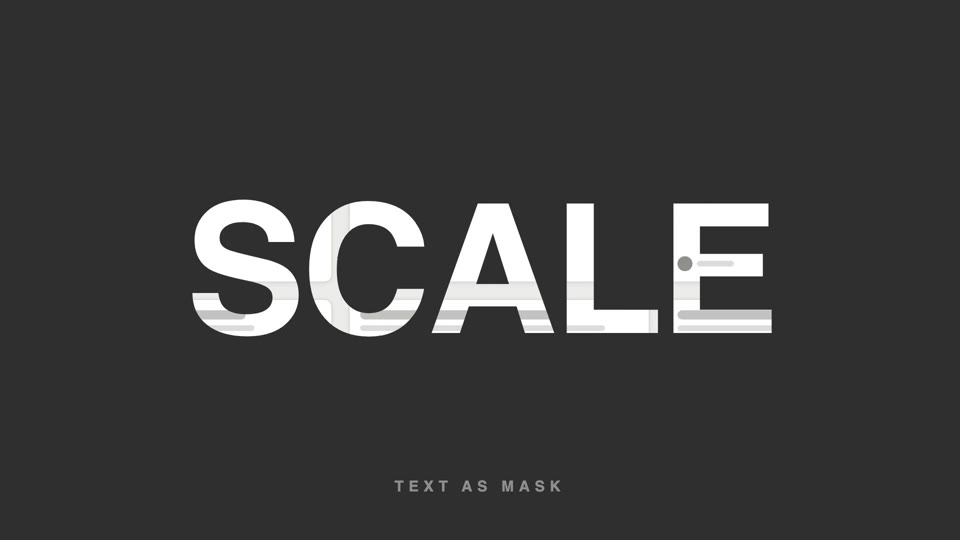
Chữ làm mặt nạ video
Chữ làm mặt nạ video — tiêu đề chữ siêu đậm để lộ hình sản phẩm lướt chậm bên trong, cuối đoạn chữ phóng to 26 lần tràn khung, hình bên trong tiếp quản toàn màn hình.
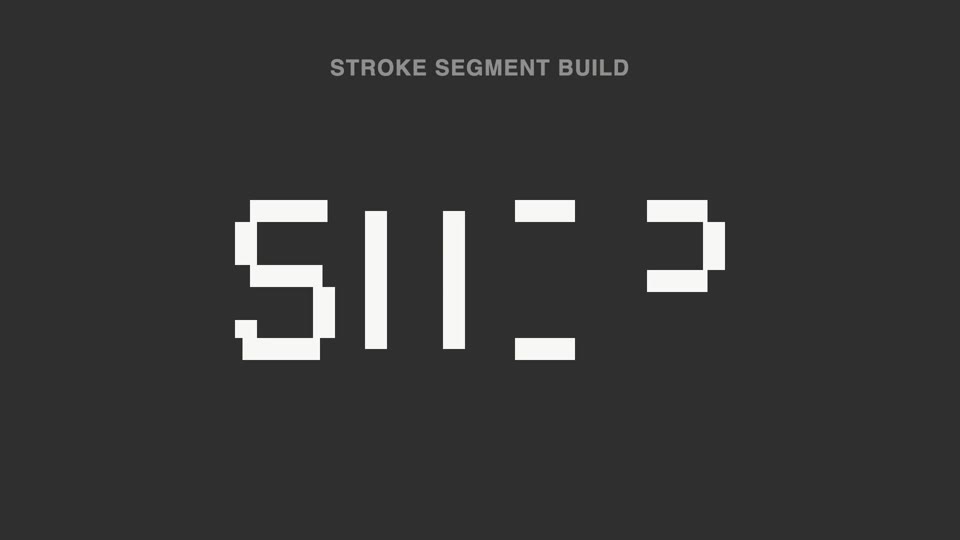
Nét chữ rời ghép thành chữ
Nét đứt thành chữ — tiêu đề tách thành hơn chục đoạn nét rời không liền nhau, sáng lên không theo thứ tự; 70% đầu không đọc được, đoạn cuối vào vị trí thì ý nghĩa "bật" thành hình.
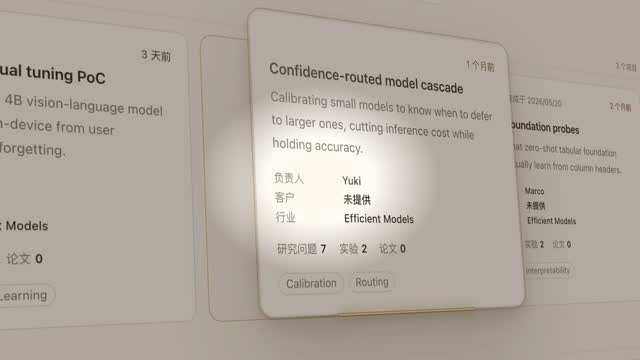
Đèn spotlight rọi thẻ hero
Đèn spotlight quét qua trang khóa vào một thẻ, đẩy máy nghiêng 45° rồi thẻ bật lên lơ lửng, luồng sáng quét quanh viền hai vòng, rồi áp lại vị trí cũ.

Ảo thuật lật bài xuất hiện
Trên nền đen tuyền, một tia sáng hình sao xanh chớp lên 0.3s, rồi một lá bài bắn ra từ điểm chớp sáng — xoay cực nhanh theo cung bay về phía máy quay, tốc độ xoay giảm dần khi tới gần, đóng băng cứng gần đầy khung hình, sau đó có một lần quét ánh sáng.