Motion · Camera
Lượn nghiêng dốc qua trang
Máy quay cố định giữ trang đứng nghiêng phối cảnh mạnh 60° (phải gần trái xa), trang tự trượt dọc theo mặt phẳng 3D của nó lướt qua ống kính (vật động máy không động), kèm ảnh bóng tốc độ, cấu kiện chữ lơ lửng áp vào, từ tối hiện sáng.
Nguồn: video-shotcraft (Vincent Wei) ↗ · Apache-2.0 · Composition Remotion (React/TSX) — có video preview, không có player trong trình duyệt
Khi nào dùng
Lướt trình diễn kỹ thuật cho trang dài/UI nhiều khối (nội dung lần lượt lướt qua máy cố định); tông tối kiểu neon; góc máy "quét ngang" bổ trợ cho thẻ áp bề mặt
Ý đồ
Dựng trang thành một bức tường nghiêng: máy quay đứng yên tuyệt đối, phối cảnh mạnh 60° khiến mép phải áp sát mặt, mép trái biến mất ở điểm tụ, trang tự trượt ngang theo mặt phẳng của mình — nội dung lướt qua lần lượt như toa tàu. Điểm mấu chốt là vật động máy không động: perspective/origin/rotY không đổi suốt cảnh, đại lượng duy nhất thay đổi là translateX cục bộ của trang — máy mà động thì ngữ nghĩa biến thành phô diễn máy quay, ở đây vở diễn là "trang tự trình diễn chính mình". Góc độ được thu hẹp qua ba vòng thành chính xác 60° (-45° "chưa đúng" → -53° "lớn hơn chút nữa" → chọn -60°).
Thời lượng & năng lượng
- Thời lượng: 4s (120f) một cú máy; trang càng rộng càng có thể kéo dài
- Năng lượng: Trung bình cao (phô diễn phối cảnh + chuyển động liên tục, nhưng nhịp đều)
Công thức cảnh quay (bản gốc tiếng Trung — timing, easing, bảng tham số, lỗi hay gặp)
意图
把页面立成一堵斜墙:镜头钉死不动,60° 强透视让右缘贴脸、左缘 消失在灭点,页面自己沿自身平面横向滑移——内容像列车车厢一样 依次掠过。命门是物动镜不动:perspective/origin/rotY 全程常数, 唯一动的量是页面局部 translateX——镜头一动语义就变成运镜炫技, 这里的戏是"页面在自我展示"。角度经三轮收敛为精确 60° (-45°"不对"→-53°"再大一点"→-60°选中)。
动效核心
- 镜头常数:perspective 1100、origin 30% 58%、rotateY(-60°)+
rotateZ(-2°),transformOrigin left top,全程一个数不变
- 页面:超宽面板(6200×2400@内容坐标),沿局部 X 轴 +60→-4100
滑移,bezier(0.3,0.12,0.72,0.9)——起步柔和后近匀速,尾段斜率 不归零(不安定停死)
- 速度重影:拖尾层=过去时刻(f-2.5/f-5)的局部位置重投影,
透明度 ∝ 滑移速度(快时重影浓)
- 悬空贴落:页面元素 FloatWrap 悬浮 230–280px 带同形软影,随
滑移进程错峰贴落(巡礼语法)
- 揭亮:起始面板压暗 0.7,~1.4s 揭到全亮;左缘额外渐变阴影同退
参数表
| 参数 | 典型值 | 调节手感 | |------|--------|----------| | 倾斜角 | rotateY -60°(用户精确定值) | -45° 被裁"角度不对"、-53°"再大一点";>-70° 内容读不清 | | 运动模型 | 镜头全常数、页面自移 | 命门——镜头横移版被裁"镜头是固定的,页面本身往其3d空间的横面方向移动" | | 滑移曲线 | 尾段斜率不归零的 bezier | 中途停死被抓(v4 返工);全 linear 少了起步呼吸 | | 重影 | 透明度∝速度,双层 f-2.5/f-5 | 恒定重影读作重像故障 | | 页面宽度 | ≥3 屏内容 | 太窄滑两秒就完,撑不起一镜 | | 悬空贴落 | 错峰(巡礼语法)+ 影随高度 | 语义判例见 graze-face-tour/orbit-drop 三卡族 |
已知坑
- demo 在灰阶/占位素材上调校通过——参数是调校起点非实战定稿,
首次实战须以真实素材回验
- 角度判例:透视角是本卡身份,实战微调范围建议 55–65°,出这个
区间等于换手法
- 与 graze-face-tour 分工:那张镜头动(贴面游走)、页面静;本卡
镜头静、页面动。同段落二选一
- 与 runway-ground-skim 分工:那张是俯角平躺+垂直贴落+立起;
本卡是侧立+横向滑移,轴向正交
- 超宽页面手绘成本高;实战可用真实长截图代替(滑移逻辑不变)
参考实现
demos/camera/steep-tilt-glide/ (SteepTiltGlide.tsx) 原片出处:clickup-30.mp4
Mã nguồn tham chiếu (Remotion)
- demos/camera/steep-tilt-glide/SteepTiltGlide.tsx — https://raw.githubusercontent.com/Vincentwei1021/video-shotcraft/main/demos/camera/steep-tilt-glide/SteepTiltGlide.tsx
Component import fixture chung từ demos/_fixtures và helper từ assets/lib của repo; xem SKILL.md trong repo để biết quy trình render.
Mọi thứ trên trang này đều có bản máy đọc. Đưa agent link JSON, hoặc thêm MCP server gimgs rồi bảo nó tìm motion template.
- Tải JSON — trong đó có công thức cảnh quay (timing, easing, bảng tham số, lỗi hay gặp) và toàn bộ source TSX.
- Clone repo video-shotcraft; component import fixture chung từ demos/_fixtures và helper từ assets/lib.
- Đăng ký component thành <Composition> trong project Remotion rồi render bằng `npx remotion render`, hoặc dựng lại công thức bằng engine của bạn.
curl -s https://gimgs.net/motion/steep-tilt-glide.jsongit clone https://github.com/Vincentwei1021/video-shotcraft
# component: demos/camera/steep-tilt-glide/SteepTiltGlide.tsx
npx remotion render <CompositionId> out.mp4claude mcp add --transport http gimgs https://gimgs.net/mcp
# then: search_motion_templates / get_motion_template("steep-tilt-glide")Prompt
Use the video-shotcraft shot recipe "Lượn nghiêng dốc qua trang" (Remotion composition, Apache-2.0) published on gimgs.net.
Recipe JSON (prompt = timing/easing/parameter table/pitfalls, files = TSX source): https://gimgs.net/motion/steep-tilt-glide.json
Raw TSX: https://gimgs.net/motion/steep-tilt-glide/template.html
Repository: https://github.com/Vincentwei1021/video-shotcraft  (component: demos/camera/steep-tilt-glide/SteepTiltGlide.tsx; imports demos/_fixtures and assets/lib)
Spec: 1920x1080, 30 fps, 4.05s

1. Read the JSON and follow its "prompt" section (when to use, intention, parameter table, known pitfalls).
2. Adapt it for: <describe what you want>.
3. Either clone the repo, register the component as a <Composition> in a Remotion project and run npx remotion render <CompositionId> out.mp4 — or re-implement the recipe in your own engine (HTML/WAAPI works: keep the same timing and easing).
// ===== demos/camera/steep-tilt-glide/SteepTiltGlide.tsx =====
// steep-tilt-glide v5(批次 14 #2)。用户意见(逐字):
// "角度不对,你看看原片这个镜头的角度;以及镜头是固定的,但是页面本身
// 往其3d空间的横面方向移动的效果"
// ——两点落实:①角度对照原片密帧校准(右缘近、左缘远的陡峭 rotateY,
// 顶缘向右上扬、透视灭点在左中下);②运动模型改"物动镜不动":
// perspective / perspectiveOrigin / rotateY / rotateZ 全程一个常数不动,
// 动的只有页面自身沿其 3D 平面横向(局部 X 轴)的滑移 translateX。
// v4 的悬空贴落(FloatWrap 同形软影)保留。
import React, { useId } from 'react';
import { AbsoluteFill, interpolate, useCurrentFrame, Easing } from 'remotion';

const FONT = 'Helvetica, Arial, sans-serif';
const INK = '#2f2f36';

const easeFall = Easing.bezier(0.5, 0.05, 0.6, 1); // 加速贴落、末端软着陆

/* 悬浮 + 同形软影(GrazeFaceTour FloatWrap 模式) */
const FloatWrap: React.FC<{ h: number; children: React.ReactNode }> = ({ h, children }) => (
  <div style={{ position: 'relative' }}>
    {h > 2 && (
      <div style={{
        position: 'absolute', inset: 0,
        transform: `translate(${h * 0.24}px, ${h * 0.46}px) scale(${1 + h * 0.0009})`,
        filter: `blur(${5 + h * 0.075}px) brightness(0.35) saturate(0.4)`,
        opacity: Math.min(0.38, 0.15 + h * 0.0016),
        pointerEvents: 'none',
      }}>{children}</div>
    )}
    <div style={{ transform: `translate(${-h * 0.34}px, ${-h * 0.8}px)` }}>{children}</div>
  </div>
);

/* land=贴合完成时刻(0..1),之前从 H 高度加速贴落 */
const liftOf = (t: number, land: number, H = 230) => {
  const FALL = 0.32;
  const p = Math.min(1, Math.max(0, (t - (land - FALL)) / FALL));
  return (1 - easeFall(p)) * H;
};

/* ClickUp 彩色小 logo(双 V 叠形近似) */
const CULogo: React.FC<{ size: number }> = ({ size }) => {
  // 渐变 ID 按实例生成,多实例同场不串引(useId 的 «:» 在 url() 里非法,需清洗)
  const uid = useId().replace(/[^a-zA-Z0-9]/g, '');
  return (
    <svg width={size} height={size} viewBox="0 0 100 100">
      <defs>
        <linearGradient id={`cu1-${uid}`} x1="0" y1="0" x2="1" y2="0">
          <stop offset="0" stopColor="#8930fd" />
          <stop offset="1" stopColor="#49ccf9" />
        </linearGradient>
        <linearGradient id={`cu2-${uid}`} x1="0" y1="0" x2="1" y2="0">
          <stop offset="0" stopColor="#ff02f0" />
          <stop offset="1" stopColor="#ffc800" />
        </linearGradient>
      </defs>
      <path d="M 14 62 L 50 30 L 86 62" fill="none" stroke={`url(#cu1-${uid})`} strokeWidth="16" strokeLinecap="round" strokeLinejoin="round" />
      <path d="M 22 84 L 50 62 L 78 84" fill="none" stroke={`url(#cu2-${uid})`} strokeWidth="16" strokeLinecap="round" strokeLinejoin="round" />
    </svg>
  );
};

/* Dropbox 蓝四菱形 glyph(原片 f45/f60 主区圆角灰砖里的图标) */
const DropboxGlyph: React.FC<{ size: number }> = ({ size }) => (
  <svg width={size} height={size} viewBox="0 0 100 100">
    {[[50, 8, 27, 22], [50, 8, 73, 22], [50, 36, 27, 50], [50, 36, 73, 50]].map(() => null)}
    <g fill="#0061fe">
      <path d="M 27 10 L 50 25 L 27 40 L 4 25 Z" />
      <path d="M 73 10 L 96 25 L 73 40 L 50 25 Z" />
      <path d="M 27 40 L 50 55 L 27 70 L 4 55 Z" />
      <path d="M 73 40 L 96 55 L 73 70 L 50 55 Z" />
      <path d="M 27 74 L 50 89 L 73 74 L 50 62 Z" />
    </g>
  </svg>
);

/* 页面:宽 6200 —— 左段=ClickUp3.0 顶栏+侧栏(用户截图三张全在此段),
   右段=原片后程滑入的 Dropbox 砖、大 W 字、Product Management 列表 */
const PW = 6200;
const PH = 2400;

const Panel: React.FC<{ shade: number; t?: number }> = ({ shade, t = 1 }) => (
  <div style={{
    width: PW, height: PH, background: '#f4f4f6', borderRadius: 64,
    position: 'relative', overflow: 'hidden',
    boxShadow: '0 0 220px rgba(220,210,255,0.35)',
    fontFamily: FONT,
  }}>
    {/* 顶部 tab 条(贯穿整页;文字悬空贴落) */}
    <div style={{
      position: 'absolute', top: 0, left: 0, width: PW, height: 230,
      borderBottom: '4px solid #dcdce2', display: 'flex', alignItems: 'center', paddingLeft: 130,
    }}>
      <FloatWrap h={liftOf(t, 0.3)}>
        <div style={{ display: 'flex', alignItems: 'center' }}>
          <svg width={58} height={58} viewBox="0 0 40 40" style={{ marginRight: 34 }}>
            {[[4, 4], [23, 4], [4, 23], [23, 23]].map(([x, y], i) => (
              <rect key={i} x={x} y={y} width={13} height={13} rx={3} fill="none" stroke="#4a4a52" strokeWidth={3.5} />
            ))}
          </svg>
          <div style={{ fontSize: 66, color: INK, fontWeight: 500 }}>Product analytics</div>
        </div>
      </FloatWrap>
      <FloatWrap h={liftOf(t, 0.42, 280)}>
        <div style={{ display: 'flex', alignItems: 'center' }}>
          <div style={{ width: 72, height: 72, borderRadius: 20, background: '#4147f5', marginLeft: 150, flexShrink: 0 }} />
          <div style={{ fontSize: 165, color: '#26262c', fontWeight: 550, marginLeft: 110, letterSpacing: 1, whiteSpace: 'nowrap' }}>ClickUp 3.0</div>
        </div>
      </FloatWrap>
      {/* 顶栏右延的淡 tab(对齐 clickup04 顶栏 Widget brainstorm / Design system) */}
      {[['Widget brainstorm', 3050], ['Design system', 3900], ['Design', 4650]].map(([tb, x]) => (
        <div key={tb as string} style={{ position: 'absolute', left: x as number, top: 88, fontSize: 58, color: '#8d8d96' }}>{tb}</div>
      ))}
    </div>
    {/* ClickUp logo 行 */}
    <div style={{ position: 'absolute', left: 120, top: 560 }}>
      <FloatWrap h={liftOf(t, 0.54, 250)}>
        <div style={{ display: 'flex', alignItems: 'center', gap: 26 }}>
          <CULogo size={104} />
          <div style={{ fontSize: 92, fontWeight: 800, color: '#222228', letterSpacing: -1 }}>ClickUp</div>
        </div>
      </FloatWrap>
    </div>
    {/* 主区圆角灰砖:Dropbox 图标 + 下拉 chevron(原片 f45–f60) */}
    <div style={{ position: 'absolute', left: 1330, top: 440 }}>
      <FloatWrap h={liftOf(t, 0.62, 260)}>
        <div style={{
          width: 620, height: 350, background: '#ebebef', borderRadius: 56,
          display: 'flex', alignItems: 'center', justifyContent: 'center', gap: 60,
        }}>
          <div style={{
            width: 210, height: 210, background: '#fdfdfe', borderRadius: 44,
            boxShadow: '0 6px 60px rgba(180,180,200,0.35)',
            display: 'flex', alignItems: 'center', justifyContent: 'center',
          }}>
            <DropboxGlyph size={130} />
          </div>
          <svg width={90} height={90} viewBox="0 0 40 40">
            <path d="M 10 15 L 20 26 L 30 15" fill="none" stroke="#6a6a74" strokeWidth={3.6} strokeLinecap="round" strokeLinejoin="round" />
          </svg>
        </div>
      </FloatWrap>
    </div>
    {/* Home 宽药丸(紫边细线横贯面板) */}
    <div style={{ position: 'absolute', left: 110, top: 830, width: 2900 }}>
      <FloatWrap h={liftOf(t, 0.68, 260)}>
        <div style={{
          width: 2900, height: 168,
          borderRadius: 34, border: '3.5px solid rgba(118,108,238,0.75)',
          background: 'rgba(122,110,240,0.09)', display: 'flex', alignItems: 'center',
          gap: 40, paddingLeft: 56, boxSizing: 'border-box',
        }}>
          <svg width={66} height={66} viewBox="0 0 40 40">
            <path d="M 6 20 L 20 7 L 34 20 M 11 17 V 33 H 29 V 17" fill="none" stroke="#5a5ad2" strokeWidth={3.4} strokeLinecap="round" strokeLinejoin="round" />
          </svg>
          <div style={{ fontSize: 70, color: '#5353cf', fontWeight: 550 }}>Home</div>
        </div>
      </FloatWrap>
    </div>
    {/* Inbox 行 */}
    <div style={{ position: 'absolute', left: 166, top: 1070 }}>
      <FloatWrap h={liftOf(t, 0.8, 240)}>
        <div style={{ display: 'flex', alignItems: 'center', gap: 40 }}>
          <svg width={64} height={64} viewBox="0 0 40 40">
            <path d="M 20 5 C 13 5 10 10 10 16 V 24 L 6 30 H 34 L 30 24 V 16 C 30 10 27 5 20 5 Z M 16 33 C 16 36 24 36 24 33"
              fill="none" stroke="#3a3a42" strokeWidth={3} strokeLinecap="round" strokeLinejoin="round" />
          </svg>
          <div style={{ fontSize: 70, color: INK }}>Inbox</div>
        </div>
      </FloatWrap>
    </div>
    {/* 更多侧栏行 */}
    {['Docs', 'Dashboards'].map((tb, i) => (
      <div key={tb} style={{ position: 'absolute', left: 166, top: 1310 + i * 240 }}>
        <FloatWrap h={liftOf(t, 0.86 + i * 0.06, 230)}>
          <div style={{ display: 'flex', alignItems: 'center', gap: 40 }}>
            <div style={{ width: 58, height: 58, border: '6px solid #8f8f98', borderRadius: 14 }} />
            <div style={{ fontSize: 70, color: INK }}>{tb}</div>
          </div>
        </FloatWrap>
      </div>
    ))}
    {/* 主区轮播左箭头(原片 f60 中景的 "<") */}
    <div style={{ position: 'absolute', left: 2440, top: 1060 }}>
      <svg width={120} height={120} viewBox="0 0 40 40">
        <path d="M 26 6 L 12 20 L 26 34" fill="none" stroke="#2c2c33" strokeWidth={4.4} strokeLinecap="round" strokeLinejoin="round" />
      </svg>
    </div>
    {/* 大 W 字形(原片中程右上滑入的大字残段) */}
    <div style={{ position: 'absolute', left: 3050, top: 300, fontSize: 430, fontWeight: 700, color: '#26262c', letterSpacing: -6 }}>W</div>
    {/* 主区白色圆角卡群(右下淡白砖) */}
    {[[2620, 620, 640, 380], [2740, 1360, 720, 420], [2620, 1900, 560, 330]].map(([x, y, w, h], i) => (
      <div key={i} style={{
        position: 'absolute', left: x, top: y, width: w, height: h,
        background: '#fbfbfd', borderRadius: 56, boxShadow: '0 6px 60px rgba(190,190,205,0.3)',
      }} />
    ))}
    {/* —— 右段:Product Management 列表(原片尾程满幅白页) —— */}
    <div style={{
      position: 'absolute', left: 3560, top: 230, width: PW - 3560, height: PH - 230,
      background: '#fbfbfd',
    }}>
      <div style={{ position: 'absolute', left: 220, top: 200, fontSize: 150, fontWeight: 750, color: '#232329', letterSpacing: -2, whiteSpace: 'nowrap' }}>Product Management</div>
      {/* List / Board tabs */}
      <div style={{ position: 'absolute', left: 240, top: 480, display: 'flex', gap: 110, alignItems: 'center' }}>
        <div style={{
          display: 'flex', alignItems: 'center', gap: 26, background: '#ececf1',
          borderRadius: 22, padding: '20px 40px',
        }}>
          <svg width={56} height={56} viewBox="0 0 40 40">
            {[9, 20, 31].map((y) => (
              <g key={y}>
                <rect x={5} y={y - 1.6} width={4} height={4} fill="#3a3a42" />
                <rect x={14} y={y - 1.4} width={20} height={3.4} rx={1.6} fill="#3a3a42" />
              </g>
            ))}
          </svg>
          <div style={{ fontSize: 62, fontWeight: 600, color: '#2c2c33' }}>List</div>
        </div>
        <div style={{ display: 'flex', alignItems: 'center', gap: 26 }}>
          <svg width={56} height={56} viewBox="0 0 40 40">
            <rect x={5} y={7} width={12} height={26} rx={3} fill="none" stroke="#3a3a42" strokeWidth={3} />
            <rect x={23} y={7} width={12} height={18} rx={3} fill="none" stroke="#3a3a42" strokeWidth={3} />
          </svg>
          <div style={{ fontSize: 62, fontWeight: 500, color: '#2c2c33' }}>Board</div>
        </div>
        <div style={{ fontSize: 56, color: '#9a9aa4', marginLeft: -40 }}>11</div>
      </div>
      <div style={{ position: 'absolute', left: 900, top: 620, width: 1500, height: 3, background: '#e4e4ea' }} />
      {/* IN PROGRESS chip */}
      <div style={{
        position: 'absolute', left: 240, top: 850, background: '#fce4f5', color: '#c93bb0',
        fontSize: 46, fontWeight: 650, letterSpacing: 2, padding: '14px 30px', borderRadius: 14,
      }}>IN PROGRESS</div>
      <div style={{ position: 'absolute', left: 244, top: 1030, fontSize: 44, fontWeight: 600, color: '#8f8f98', letterSpacing: 1 }}>TASK NAME</div>
      {/* 任务行 */}
      {[['New Feature Launch', '#3a3a42'], ['Roadmap Q3', '#55555e'], ['User Testing', '#83838d'], ['Bug Triage', '#b3b3bc']].map(([name, col], i) => (
        <div key={name as string} style={{ position: 'absolute', left: 280, top: 1180 + i * 210, display: 'flex', alignItems: 'center', gap: 56 }}>
          <div style={{ width: 42, height: 42, borderRadius: 12, background: '#e33bc6' }} />
          <div style={{ fontSize: 64, fontWeight: 550, color: col as string, whiteSpace: 'nowrap' }}>{name}</div>
        </div>
      ))}
    </div>
    {/* 亮度:面板内黑罩(随进度揭亮) */}
    <div style={{ position: 'absolute', inset: 0, background: '#050409', opacity: shade }} />
    {/* 左缘额外阴影(起始更暗,随亮度一同退去) */}
    <div style={{
      position: 'absolute', inset: 0,
      background: 'linear-gradient(90deg, rgba(5,4,9,0.9), rgba(5,4,9,0) 42%)',
      opacity: Math.min(1, shade * 1.6),
    }} />
  </div>
);

/* 固定镜头 + 页面沿自身平面横向滑移。
 * 镜头常数(对照原片密帧校准):perspective 1150、origin 24% 62%、
 * rotateY(-38°)(右缘近、左缘远,顶缘向右上扬)+ rotateZ(-2°)。
 * lx = 页面局部 X 平移(页面自己的横面方向),全程唯一动的量 */
// v7(批次 16):用户意见"改成60度吧"——rotY -53 → -60(精确定值)
const CAM = { persp: 1100, origin: '30% 58%', rotY: -60, rotZ: -2, left: '40%', top: '15%', scale: 0.62 };

const PanelLayer: React.FC<{ lx: number; shade: number; opacity: number; t: number }> = ({ lx, shade, opacity, t }) => (
  <AbsoluteFill style={{ opacity }}>
    <AbsoluteFill style={{ perspective: CAM.persp, perspectiveOrigin: CAM.origin }}>
      <div style={{
        position: 'absolute', left: CAM.left, top: CAM.top,
        transform: `rotateY(${CAM.rotY}deg) rotateZ(${CAM.rotZ}deg)`, transformOrigin: 'left top',
      }}>
        {/* 页面自身在其 3D 平面内横移(局部 X 轴) */}
        <div style={{ transform: `scale(${CAM.scale}) translateX(${lx}px)`, transformOrigin: 'left top' }}>
          <Panel shade={shade} t={t} />
        </div>
      </div>
    </AbsoluteFill>
  </AbsoluteFill>
);

export const SteepTiltGlide: React.FC = () => {
  const frame = useCurrentFrame();

  // 页面滑移(物动镜不动):局部 X 从 +140 → -2680,起步柔和后近匀速,
  // 全程不安定停死(bezier 尾段斜率不归零)
  const glide = Easing.bezier(0.3, 0.12, 0.72, 0.9);
  const lxAt = (f: number) => {
    const p = interpolate(f, [0, 120], [0, 1], { easing: glide, extrapolateLeft: 'clamp', extrapolateRight: 'clamp' });
    return interpolate(p, [0, 1], [60, -4100]);
  };

  const lx = lxAt(frame);
  // 面板黑罩:起始暗 → 约 1.4s 全亮(对齐原片节奏)
  const shade = interpolate(frame, [0, 18, 44], [0.7, 0.4, 0], { extrapolateRight: 'clamp' });
  // 重影强度 ∝ 滑移速度(拖尾=过去时刻的局部位置,同一固定镜头下重投影)
  const speed = Math.abs(lxAt(frame - 1) - lxAt(frame + 1)) / 2;
  const g1 = Math.min(0.42, speed * 0.03);
  const g2 = Math.min(0.22, speed * 0.016);
  // 文字悬空贴落进程(v4 保留)
  const drop = interpolate(frame, [4, 100], [0, 1], { extrapolateLeft: 'clamp', extrapolateRight: 'clamp' });
  // 紫晕随亮度浮现
  const glow = interpolate(frame, [14, 70], [0.15, 1], { extrapolateLeft: 'clamp', extrapolateRight: 'clamp' });

  return (
    <AbsoluteFill style={{ background: '#060409' }}>
      {/* 左侧紫晕 */}
      <AbsoluteFill style={{
        opacity: glow,
        background: 'radial-gradient(ellipse 40% 50% at 20% 66%, rgba(118,58,190,0.30), transparent 70%)',
      }} />
      {/* 重影(先画,垫在本体后面;位置=过去时刻的页面局部位移) */}
      {g2 > 0.02 && <PanelLayer lx={lxAt(frame - 5)} shade={shade} opacity={g2} t={drop} />}
      {g1 > 0.02 && <PanelLayer lx={lxAt(frame - 2.5)} shade={shade} opacity={g1} t={drop} />}
      {/* 本体 */}
      <PanelLayer lx={lx} shade={shade} opacity={1} t={drop} />
      {/* 暗角 */}
      <AbsoluteFill style={{
        background: 'radial-gradient(ellipse 105% 95% at 55% 42%, transparent 60%, rgba(3,2,8,0.25) 85%, rgba(2,1,6,0.5) 100%)',
        pointerEvents: 'none',
      }} />
    </AbsoluteFill>
  );
};
- Read the recipePrompt = when to use, intention, parameter table with typical values and how each one feels, known pitfalls. Treat values as calibrated starting points.
- Get the codetool: git
git clone https://github.com/Vincentwei1021/video-shotcraft && cd video-shotcraft && npm install - Register + rendertool: remotion
npx remotion render <CompositionId> out.mp4 # component: demos/camera/steep-tilt-glide/SteepTiltGlide.tsx - Or re-implementPort the timing/easing from the recipe to HTML + WAAPI (gimgs motion contract) or any engine; keep the same segment windows and easing.
| param | type | default | description |
|---|---|---|---|
| — | |||
Cùng danh mục
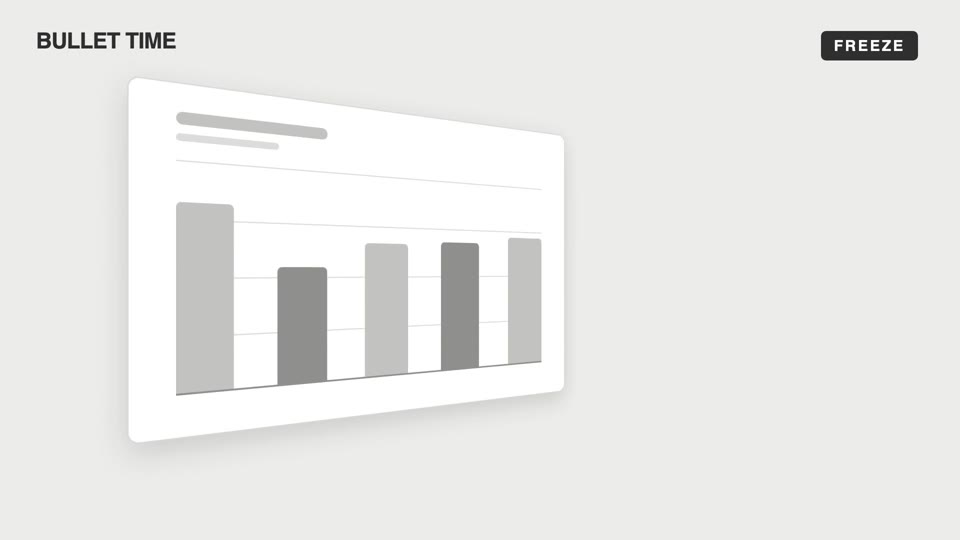
Chuyển động máy quay cảm xúc
Bốn kiểu chuyển động máy quay cảm xúc — bullet-time đóng băng xoay quanh, dutch-roll lật về ngang, slow-push đẩy chậm dồn nén, pull-back kéo xa cô lập; máy quay khiến khán giả "cảm" thay vì "nhìn".
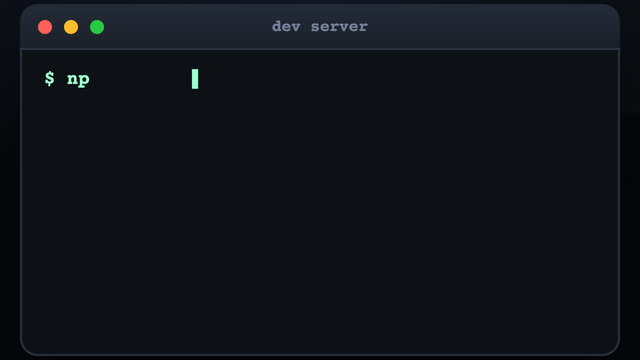
Bay lượn giữa terminal 3D
Ba cửa sổ terminal rải rác trong không gian 3D, máy quay bay giữa các cửa sổ kèm kéo xa hình sin dọc đường, tới mỗi cửa sổ gõ lệnh kiểu máy đánh chữ, kết quả trượt ra từng dòng.
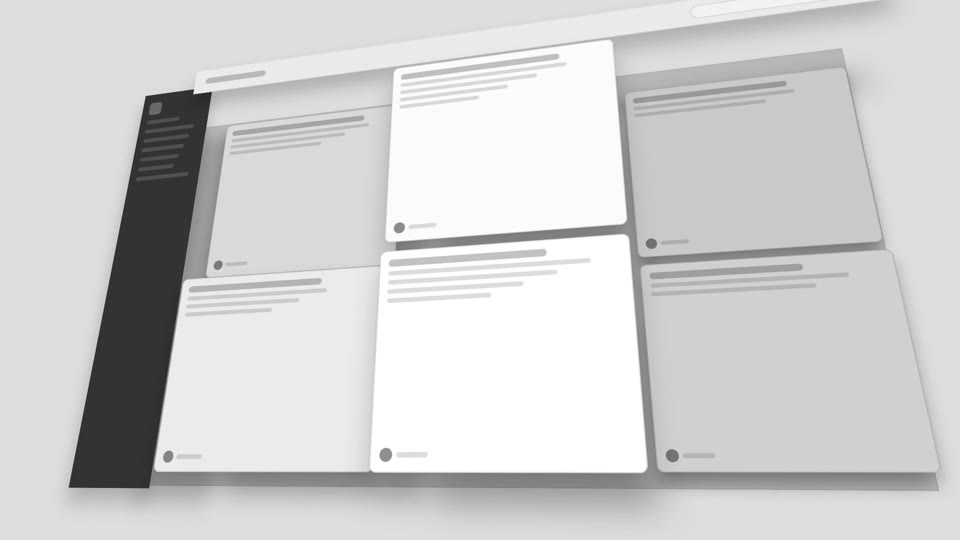
Chuyển động máy quay không gian 3D
Hai kiểu chuyển động máy quay hóa 3D — exploded-view (linh kiện nổ ra dọc trục Z rồi hợp lại) và drone-dive-landing (drone bổ nhào rồi hạ cánh).
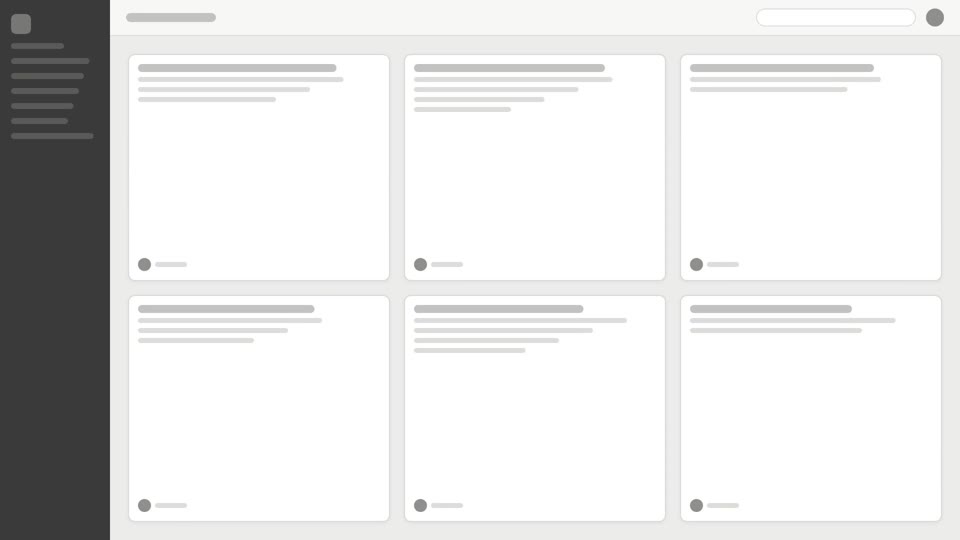
Máy quay góc trên chuyển động
Hai kiểu tiết lộ từ trên cao: tilt-reveal ngẩng thẳng lên, và overhead-tabletop-drop trượt ngang qua dàn thẻ rồi lao vào.