Motion · Intro
Intro cờ quốc gia
Dải màu trượt vào, cờ tròn bật ra, tên nước quét lên. Dùng gimgs.net/flags. 4 giây, 16:9.
Nguồn: gimgs ↗ · CC0
Khi nào dùng
Thẻ chương cho vlog du lịch, so sánh giữa các nước, tổng kết thể thao/olympic, explainer dữ liệu địa lý.
Cách chỉnh
countrylà mã ISO alpha-2; cờ lấy từhttps://gimgs.net/flags/{code}.svg(dạng tròn, đủ mọi nước + gb-eng/gb-sct/gb-wls). Không cần upload.- Chọn
accenttheo màu chủ đạo của cờ để dải và cờ hoà nhau (vn → #da251d, jp → #bc002d, br → #009c3b, us → #3c3b6e). - Bản tối:
bg: "#0b0c10", fg: "#ffffff"; phụ đề tự chuyển sáng. - Timeline: dải 0–0.7 s, cờ 0.35–1.15 s, mã 0.8–1.3 s, tên quét 0.95–1.75 s, phụ đề 1.5–2.0 s; giữ từ 2 s.
- Hàng loạt: render mỗi nước một clip rồi nối — giữ nguyên mọi thứ trừ
country/name/subtitle/accent.
Không đổi
window.motion, kích thước #stage, animation-fill-mode: both.
Mọi thứ trên trang này đều có bản máy đọc. Đưa agent link JSON, hoặc thêm MCP server gimgs rồi bảo nó tìm motion template.
- Tải JSON — trong đó có prompt, schema tham số và toàn bộ source.
- Điền params (bắt đầu từ default_params) rồi mã hoá base64url vào ?p=.
- Với mỗi frame mở player với ?t=<giây>, chờ data-motion-ready, chụp đúng kích thước gốc, rồi ghép PNG bằng ffmpeg.
curl -s https://gimgs.net/motion/flag-intro.jsonhttps://gimgs.net/motion/flag-intro/play?p=…&t=<seconds>claude mcp add --transport http gimgs https://gimgs.net/mcp
# then: search_motion_templates / get_motion_template("flag-intro")Prompt
Use the gimgs.net motion template "Intro cờ quốc gia".
Spec JSON (prompt + params schema + full HTML source): https://gimgs.net/motion/flag-intro.json
Raw template: https://gimgs.net/motion/flag-intro/template.html
Player for frame capture: https://gimgs.net/motion/flag-intro/play?p=<base64url JSON params>&t=<seconds>  (1920x1080, 30 fps, 4s)

1. Read the JSON and follow its "prompt" section.
2. Fill the params (start from default_params) for: <describe what you want>.
3. Render: open the player at t = i/fps for i in 0..119 in headless Chromium (viewport 1920x1080, wait for document.documentElement.dataset.motionReady === "1"), screenshot each frame, then ffmpeg -framerate 30 -i frame-%04d.png -c:v libx264 -pix_fmt yuv420p out.mp4
4. If you need to change the design, edit the HTML but keep window.motion and #stage so the same renderer works.
<!doctype html>
<html lang="en">
<head>
<meta charset="utf-8">
<title>Country flag intro</title>
<style>
  @font-face{font-family:'Bricolage Grotesque';font-weight:600 800;font-display:block;src:url(https://gimgs.net/fonts/bricolage-600-latin.woff2) format('woff2')}
  @font-face{font-family:'IBM Plex Mono';font-weight:400 500;font-display:block;src:url(https://gimgs.net/fonts/plexmono-500-latin.woff2) format('woff2')}
  html,body{margin:0;background:#000}
  #stage{position:relative;width:1920px;height:1080px;overflow:hidden;background:var(--bg,#f7f6f3);color:var(--fg,#1a1a1a);font-family:'Bricolage Grotesque',Inter,system-ui,sans-serif}
  .band{position:absolute;left:0;top:0;bottom:0;width:38%;background:var(--accent,#ffb224);transform:translateX(-100%);animation:band .7s cubic-bezier(.2,.8,.2,1) both}
  @keyframes band{to{transform:none}}
  .flag{position:absolute;left:38%;top:50%;width:360px;height:360px;border-radius:50%;overflow:hidden;box-shadow:0 30px 80px rgba(0,0,0,.25);
    transform:translate(-50%,-50%) scale(0);animation:flag .8s .35s cubic-bezier(.2,.9,.2,1.15) both}
  .flag img{width:100%;height:100%;object-fit:cover;display:block}
  @keyframes flag{to{transform:translate(-50%,-50%) scale(1)}}
  .txt{position:absolute;left:calc(38% + 260px);top:50%;transform:translateY(-50%)}
  .code{font-family:'IBM Plex Mono',ui-monospace,monospace;font-size:34px;letter-spacing:.3em;color:var(--accent,#ffb224);text-transform:uppercase;
    opacity:0;transform:translateY(20px);animation:up .5s .8s cubic-bezier(.2,.8,.2,1) both}
  .name{font-weight:800;font-size:132px;letter-spacing:-.03em;line-height:1;margin-top:10px;
    clip-path:inset(0 100% 0 0);animation:wipe .8s .95s cubic-bezier(.2,.8,.2,1) both}
  .sub{font-size:38px;font-weight:600;color:rgba(0,0,0,.55);margin-top:22px;opacity:0;transform:translateY(20px);animation:up .5s 1.5s cubic-bezier(.2,.8,.2,1) both}
  #stage.dark .sub{color:rgba(255,255,255,.6)}
  @keyframes up{to{transform:none;opacity:1}}
  @keyframes wipe{to{clip-path:inset(0 0 0 0)}}
</style>
</head>
<body>
<div id="stage">
  <div class="band"></div>
  <div class="flag"><img id="flag" alt=""></div>
  <div class="txt"><div class="code" id="code"></div><div class="name" id="name"></div><div class="sub" id="sub"></div></div>
</div>
<script>
window.motion = {
  width: 1920, height: 1080, fps: 30, duration: 4,
  params: { country: "vn", name: "Vietnam", subtitle: "Hanoi · GMT+7", accent: "#da251d", bg: "#f7f6f3", fg: "#1a1a1a" },
  apply: function (p) {
    var s = document.getElementById("stage");
    s.style.setProperty("--accent", p.accent); s.style.setProperty("--bg", p.bg); s.style.setProperty("--fg", p.fg);
    // rough luminance check so the subtitle stays readable on dark backgrounds
    var m = /^#?([0-9a-f]{6})$/i.exec(String(p.bg || "")), dark = false;
    if (m) { var n = parseInt(m[1], 16); dark = (0.299 * (n >> 16) + 0.587 * ((n >> 8) & 255) + 0.114 * (n & 255)) < 128; }
    s.classList.toggle("dark", dark);
    var cc = String(p.country || "").toLowerCase().replace(/[^a-z-]/g, "");
    var img = document.getElementById("flag");
    var src = "https://gimgs.net/flags/" + cc + ".svg";
    if (img.getAttribute("src") !== src) img.src = src;
    document.getElementById("code").textContent = cc;
    document.getElementById("name").textContent = p.name;
    document.getElementById("sub").textContent = p.subtitle;
  }
};
</script>
</body>
</html>
- Pick codesISO alpha-2, lowercase.
- Render per country
for cc in vn jp br; do P=$(printf '{"country":"%s","name":"%s"}' $cc $cc | base64 -w0 | tr '+/' '-_' | tr -d '='); …frames…; done - Concat
ffmpeg -f concat -safe 0 -i list.txt -c copy countries.mp4
| param | type | default | description |
|---|---|---|---|
country | string | "vn" | ISO 3166-1 alpha-2 code (vn, us, jp…) or a regional code like gb-eng — resolved to https://gimgs.net/flags/{code}.svg |
name | string | "Vietnam" | Country / city name |
subtitle | string | "Hanoi · GMT+7" | Small line under the name (capital, time zone, episode…) |
accent | string · color | "#da251d" | Band and code colour — take it from the flag |
bg | string · color | "#f7f6f3" | Background (light or dark; subtitle contrast adapts) |
fg | string · color | "#1a1a1a" | Name colour |
?p=eyJjb3VudHJ5Ijoidm4iLCJuYW1lIjoiVmlldG5hbSIsInN1YnRpdGxlIjoiSGFub2kgwrcgR01UKzciLCJhY2NlbnQiOiIjZGEyNTFkIiwiYmciOiIjZjdmNmYzIiwiZmciOiIjMWExYTFhIn0
Cùng danh mục
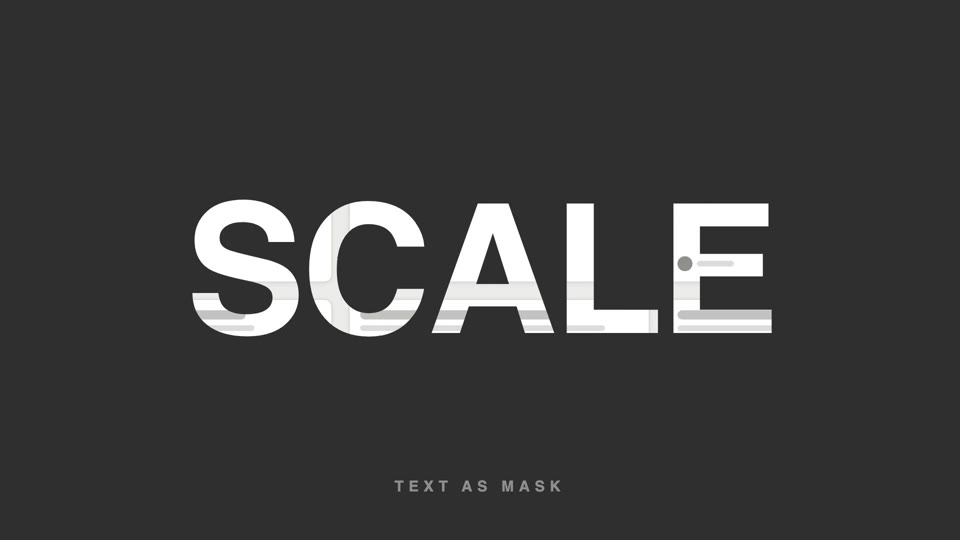
Chữ làm mặt nạ video
Chữ làm mặt nạ video — tiêu đề chữ siêu đậm để lộ hình sản phẩm lướt chậm bên trong, cuối đoạn chữ phóng to 26 lần tràn khung, hình bên trong tiếp quản toàn màn hình.
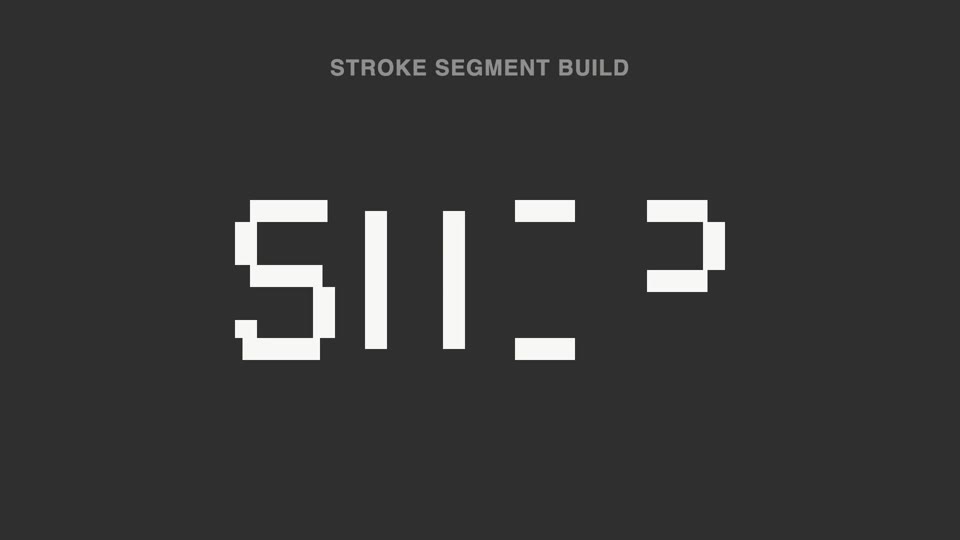
Nét chữ rời ghép thành chữ
Nét đứt thành chữ — tiêu đề tách thành hơn chục đoạn nét rời không liền nhau, sáng lên không theo thứ tự; 70% đầu không đọc được, đoạn cuối vào vị trí thì ý nghĩa "bật" thành hình.
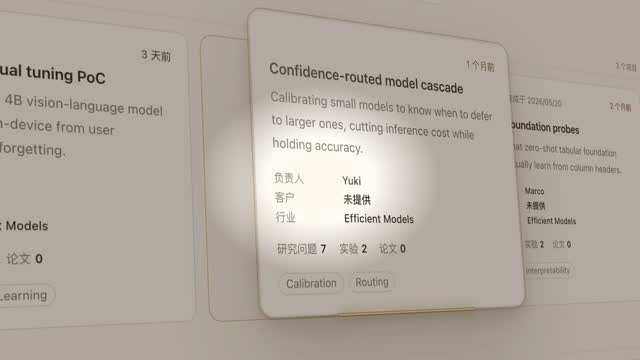
Đèn spotlight rọi thẻ hero
Đèn spotlight quét qua trang khóa vào một thẻ, đẩy máy nghiêng 45° rồi thẻ bật lên lơ lửng, luồng sáng quét quanh viền hai vòng, rồi áp lại vị trí cũ.
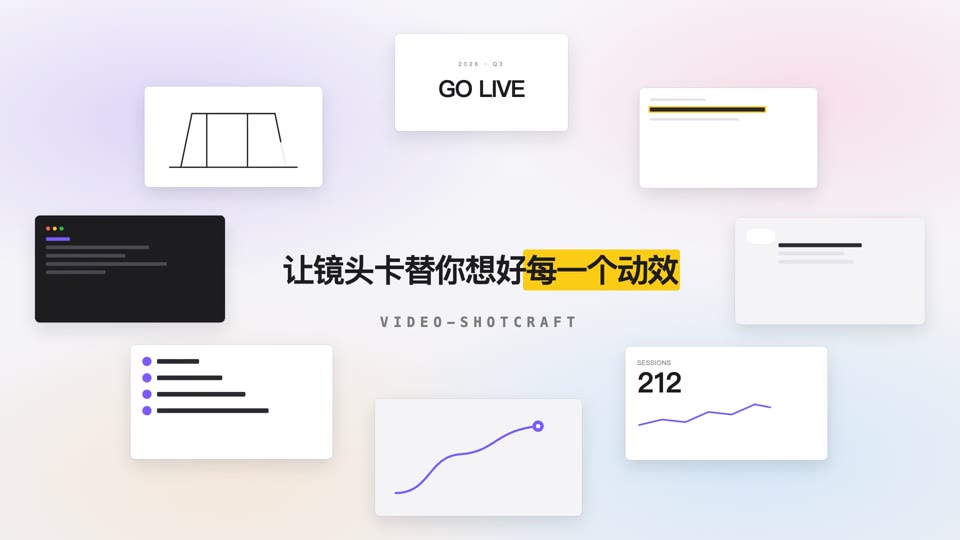
Vòng quỹ đạo mở tiêu đề
Tám thẻ nội dung xoay quanh hình elip 700×375 với tốc độ đều trong khi tiêu đề giữa màn hình rõ nét dần rồi an vị.