Motion · Dữ liệu
Cuộn số kiểu công-tơ-mét
Chỉ số khổng lồ toàn màn hình cuộn từng chữ số như máy xèng, khóa lần lượt từ trái sang phải kèm vọt quá đà, rồi rung nhấn.
Nguồn: video-shotcraft (Vincent Wei) ↗ · Apache-2.0 · Composition Remotion (React/TSX) — có video preview, không có player trong trình duyệt
Khi nào dùng
Màn ra mắt toàn màn hình cho một chỉ số chủ lực (cỡ "10x"/"99.98%"); phân công với kiểu B của impact-feedback (số sát thương bật ra) — đó là món phụ cấp thành phần, đây là món chính cấp toàn màn hình
Ý đồ
Kho cảnh ra mắt số chủ lực đã có "đập" (score-slam) và "bật" (damage-number), đều thuộc hệ dịch chuyển. Cảnh này thuộc hệ cơ khí: chữ số không bay vào, mà "được tính ra" — mỗi chữ số là một cuộn 0–9 quay nhanh, giảm tốc lần lượt từ trái sang phải, vọt quá nửa nấc rồi khóa "cạch", đúng ngữ pháp chuẩn của đoạn chỉ số Vercel Ship/Stripe Sessions. Quá trình cuộn tự mang kịch tính (nó sẽ dừng ở số mấy?), việc khóa từng số tự mang nhịp điệu (cạch, cạch, cạch, cạch), tạo cảm giác chờ đợi hơn hẳn so với hiện thẳng giá trị cuối. Khác với VerticalTicker (ứng viên backlog): cảnh này có giá trị cuối, dừng khớp từng số, không phải bức tường cuộn vô tận.
Thời lượng & năng lượng
- Thời lượng: Cuộn + khóa từng số ~63f + rung nhấn 8f + giữ ≥45f, khoảng 5s
- Năng lượng: Trung bình cao
Công thức cảnh quay (bản gốc tiếng Trung — timing, easing, bảng tham số, lỗi hay gặp)
意图
王牌数字的登场库内有"砸"(score-slam)和"弹"(damage-number), 都是位移系。本卡是机械系:数字不是飞进来的,是"算出来的"—— 每位一条 0–9 滚轮高速转动,从左到右逐位减速、过冲半格、咔哒锁定, Vercel Ship/Stripe Sessions 指标段的标准语法。滚动过程自带悬念 (它会停在几?),逐位锁定自带节奏(哒、哒、哒、哒),比直接显示 终值多一整拍的期待感。与 VerticalTicker(backlog 待选)的区别: 有终值、逐位停稳,不是无限滚动墙。
动效核心
- 每位一个 overflow:hidden 数位盒 + 0–9×2 纵列 strip,
translateY = −(pos % 10) × 行高,posAt(f, i) 纯帧函数
- 位 i 于 20+i×7f 开始 16f Easing.out(cubic) 减速至目标 +0.5 行
过冲半格,再 6f 弹回整数锁定——锁定帧即各位的"哒"
- 滚动期每位叠 2 个错帧残影副本(translateY ±行高×0.5,
opacity 0.25/0.12),按相邻帧速度门控,停稳自动摘——纵向拖影 与 smear-multiples 同理(可数残影不是模糊)
- 全体锁定帧:整体 ink→#000→ink 加深脉冲 8f + 1.035 微缩放 +
下方标签条淡入——"合计确认"的句号
- 小数点与 % 等非数字位全程驻场不滚
参数表
| 参数 | 典型值 | 调节手感 | |------|--------|----------| | 字号/字体 | 190px fw800 + fontVariantNumeric: tabular-nums | 非等宽数字每滚一格整行抖动(同 scramble 等宽判例) | | 错峰 | 20+i×7f 起停,从左到右 | 从右往左停读作倒着算;同时停失去"哒哒哒" | | 过冲 | +0.5 行再 6f 弹回 | 无过冲读作滑到即停,机械感减半 | | 残影 | 2 副本 0.25/0.12,速度门控 | 3+ 副本高速下糊成一条(行高小于卡片场景) | | 终值脉冲 | 加深 + 1.035 缩放 8f | 只加深不缩放在 190px 黑字上不可感(实渲加码) | | 收尾 | 脉冲归零后真静止 ≥45f | R1 |
已知坑
- demo 在灰阶/占位素材上调校通过——参数是调校起点非实战定稿,
首次实战须以真实素材回验
- 数位 ≤6(含小数点前后)——每多一位多 7f 错峰,8 位滚完 >2.5s
观众等不起;大数换缩写(12.4M 不是 12,400,000)
- 与 impact-feedback B(伤害数字)同片可共存但分工要清:全屏主菜
一次(本卡),卡片配菜多次(B 式)——两处都全屏就是两次主菜
- 滚动的数字必须是真值的各位——终值 99.98 就滚 9/9/9/8,
中途乱数会被暂停党抓到"假滚动"
- 声音强依赖候选位:逐位锁定"哒"×N + 终值确认一声低音
(sound-design §4.5),无声版成立但少一半爽感
参考实现
demos/data/odometer-digit-roll/ (OdometerDigitRoll.tsx)
Mã nguồn tham chiếu (Remotion)
- demos/data/odometer-digit-roll/OdometerDigitRoll.tsx — https://raw.githubusercontent.com/Vincentwei1021/video-shotcraft/main/demos/data/odometer-digit-roll/OdometerDigitRoll.tsx
Component import fixture chung từ demos/_fixtures và helper từ assets/lib của repo; xem SKILL.md trong repo để biết quy trình render.
Mọi thứ trên trang này đều có bản máy đọc. Đưa agent link JSON, hoặc thêm MCP server gimgs rồi bảo nó tìm motion template.
- Tải JSON — trong đó có công thức cảnh quay (timing, easing, bảng tham số, lỗi hay gặp) và toàn bộ source TSX.
- Clone repo video-shotcraft; component import fixture chung từ demos/_fixtures và helper từ assets/lib.
- Đăng ký component thành <Composition> trong project Remotion rồi render bằng `npx remotion render`, hoặc dựng lại công thức bằng engine của bạn.
curl -s https://gimgs.net/motion/odometer-digit-roll.jsongit clone https://github.com/Vincentwei1021/video-shotcraft
# component: demos/data/odometer-digit-roll/OdometerDigitRoll.tsx
npx remotion render <CompositionId> out.mp4claude mcp add --transport http gimgs https://gimgs.net/mcp
# then: search_motion_templates / get_motion_template("odometer-digit-roll")Prompt
Use the video-shotcraft shot recipe "Cuộn số kiểu công-tơ-mét" (Remotion composition, Apache-2.0) published on gimgs.net.
Recipe JSON (prompt = timing/easing/parameter table/pitfalls, files = TSX source): https://gimgs.net/motion/odometer-digit-roll.json
Raw TSX: https://gimgs.net/motion/odometer-digit-roll/template.html
Repository: https://github.com/Vincentwei1021/video-shotcraft  (component: demos/data/odometer-digit-roll/OdometerDigitRoll.tsx; imports demos/_fixtures and assets/lib)
Spec: 1920x1080, 30 fps, 5.06s

1. Read the JSON and follow its "prompt" section (when to use, intention, parameter table, known pitfalls).
2. Adapt it for: <describe what you want>.
3. Either clone the repo, register the component as a <Composition> in a Remotion project and run npx remotion render <CompositionId> out.mp4 — or re-implement the recipe in your own engine (HTML/WAAPI works: keep the same timing and easing).
// ===== demos/data/odometer-digit-roll/OdometerDigitRoll.tsx =====
// 里程表数字滚动大字报(odometer-digit-roll)——声画钩子 / Vercel Ship 指标段。
// 全屏巨号 "99.98%"(190px fw800 tabular-nums),四个数位各是一条 0–9 纵向
// strip(overflow:hidden 数位盒),高速滚动后逐位停稳:位 i 在 20+i*7f 开始
// 减速(Easing.out(cubic)),过冲半格再 6f 弹回锁定。滚动期每位叠 2 个错帧
// 残影副本(translateY ±行高*0.5,opacity 0.25/0.12),按帧速度门控,停稳即摘。
// 小数点与 % 不滚动,一直驻场。
// 关键帧:0–20 四位全速滚(0.85 行/帧)→ 20/27/34/41 逐位开始减速(各 16f
// 减速 + 6f 回弹,锁定于 42/49/56/63)→ 63–71 整体加深脉冲(ink→#000→ink,
// 附 1.035 微缩放加码)→ 66–84 下方标签条淡入 → 84–150 全静止(66f ≥45f)。
import React from 'react';
import { useCurrentFrame, interpolate, interpolateColors, Easing } from 'remotion';
import { G, TitleBlock } from '../../_fixtures/Fixtures';

const ROW = 210; // 数位行高(overflow 盒高)
const DW = 126; // 数位盒宽
const FS = 190; // 字号
const SPIN = 0.85; // 高速滚动速度:行/帧
const DIGITS = [9, 9, 9, 8]; // 目标数位("99.98" 中可滚的四位)

// 位 i 的 strip 位置(单位:行,连续值)。纯帧函数,天然确定性。
const posAt = (f: number, i: number): number => {
  const d = DIGITS[i];
  const s = 20 + i * 7; // 开始减速帧
  const p0 = SPIN * s;
  // 最小再走 6 行后,落在个位 = d 的最近整数位置
  const T = Math.ceil((p0 + 6 - d) / 10) * 10 + d;
  if (f < s) return SPIN * Math.max(f, 0);
  if (f < s + 16)
    return interpolate(f, [s, s + 16], [p0, T + 0.5], {
      extrapolateLeft: 'clamp',
      extrapolateRight: 'clamp',
      easing: Easing.out(Easing.cubic),
    });
  if (f < s + 22)
    return interpolate(f, [s + 16, s + 22], [T + 0.5, T], {
      extrapolateLeft: 'clamp',
      extrapolateRight: 'clamp',
      easing: Easing.out(Easing.cubic),
    });
  return T;
};

// 一条 0–9 纵列 strip(两轮 20 格,容过冲跨界)
const Strip: React.FC<{ pos: number; color: string; opacity?: number; dy?: number }> = ({
  pos,
  color,
  opacity = 1,
  dy = 0,
}) => (
  <div
    style={{
      position: 'absolute',
      left: 0,
      top: 0,
      width: DW,
      transform: `translateY(${-(pos % 10) * ROW + dy}px)`,
      opacity,
    }}
  >
    {Array.from({ length: 20 }).map((_, k) => (
      <div
        key={k}
        style={{
          width: DW,
          height: ROW,
          lineHeight: `${ROW}px`,
          textAlign: 'center',
          fontSize: FS,
          fontWeight: 800,
          fontVariantNumeric: 'tabular-nums',
          color,
        }}
      >
        {k % 10}
      </div>
    ))}
  </div>
);

// 单个数位盒:本体 strip + 滚动期 2 个错帧残影(速度门控,停稳即摘)
const DigitReel: React.FC<{ frame: number; i: number; color: string }> = ({ frame, i, color }) => {
  const pos = posAt(frame, i);
  const speed = Math.abs(pos - posAt(frame - 1, i));
  const gate = interpolate(speed, [0.06, 0.5], [0, 1], {
    extrapolateLeft: 'clamp',
    extrapolateRight: 'clamp',
  });
  return (
    <div style={{ position: 'relative', width: DW, height: ROW, overflow: 'hidden' }}>
      {gate > 0.001 && (
        <>
          <Strip pos={pos} color={color} opacity={0.25 * gate} dy={ROW * 0.5} />
          <Strip pos={pos} color={color} opacity={0.12 * gate} dy={-ROW * 0.5} />
        </>
      )}
      <Strip pos={pos} color={color} />
    </div>
  );
};

// 不滚动的静态字符(小数点 / %),一直驻场
const StaticGlyph: React.FC<{ ch: string; color: string; w?: number }> = ({ ch, color, w }) => (
  <div
    style={{
      width: w,
      height: ROW,
      lineHeight: `${ROW}px`,
      textAlign: 'center',
      fontSize: FS,
      fontWeight: 800,
      fontVariantNumeric: 'tabular-nums',
      color,
    }}
  >
    {ch}
  </div>
);

export const OdometerDigitRoll: React.FC = () => {
  const frame = useCurrentFrame();
  // 全位锁定于 63f:整体加深脉冲 ink→#000→ink(8f),附微缩放加码可感性
  const inkNow = interpolateColors(frame, [63, 67, 71], [G.ink, '#000000', G.ink]);
  const pulseScale = interpolate(frame, [63, 67, 71], [1, 1.035, 1], {
    extrapolateLeft: 'clamp',
    extrapolateRight: 'clamp',
    easing: Easing.inOut(Easing.quad),
  });
  const labelOp = interpolate(frame, [66, 84], [0, 1], {
    extrapolateLeft: 'clamp',
    extrapolateRight: 'clamp',
    easing: Easing.out(Easing.quad),
  });

  return (
    <div style={{ width: 1920, height: 1080, background: G.bg, position: 'relative', overflow: 'hidden' }}>
      <div style={{ position: 'absolute', left: 120, top: 96 }}>
        <TitleBlock text="ODOMETER DIGIT ROLL" size={54} />
      </div>
      <div
        style={{
          position: 'absolute',
          left: 0,
          top: 400,
          width: 1920,
          display: 'flex',
          justifyContent: 'center',
          fontFamily: 'Helvetica, Arial, sans-serif',
          transform: `scale(${pulseScale})`,
          transformOrigin: '960px 105px',
        }}
      >
        <DigitReel frame={frame} i={0} color={inkNow} />
        <DigitReel frame={frame} i={1} color={inkNow} />
        <StaticGlyph ch="." color={inkNow} w={70} />
        <DigitReel frame={frame} i={2} color={inkNow} />
        <DigitReel frame={frame} i={3} color={inkNow} />
        <StaticGlyph ch="%" color={inkNow} />
      </div>
      {/* 下方标签条:全部锁定后淡入 */}
      <div
        style={{
          position: 'absolute',
          left: 0,
          top: 680,
          width: 1920,
          display: 'flex',
          flexDirection: 'column',
          alignItems: 'center',
          gap: 16,
          opacity: labelOp,
        }}
      >
        <div style={{ width: 520, height: 22, background: G.bar, borderRadius: 11 }} />
        <div style={{ width: 320, height: 14, background: G.line, borderRadius: 7 }} />
      </div>
    </div>
  );
};
- Read the recipePrompt = when to use, intention, parameter table with typical values and how each one feels, known pitfalls. Treat values as calibrated starting points.
- Get the codetool: git
git clone https://github.com/Vincentwei1021/video-shotcraft && cd video-shotcraft && npm install - Register + rendertool: remotion
npx remotion render <CompositionId> out.mp4 # component: demos/data/odometer-digit-roll/OdometerDigitRoll.tsx - Or re-implementPort the timing/easing from the recipe to HTML + WAAPI (gimgs motion contract) or any engine; keep the same segment windows and easing.
| param | type | default | description |
|---|---|---|---|
| — | |||
Cùng danh mục
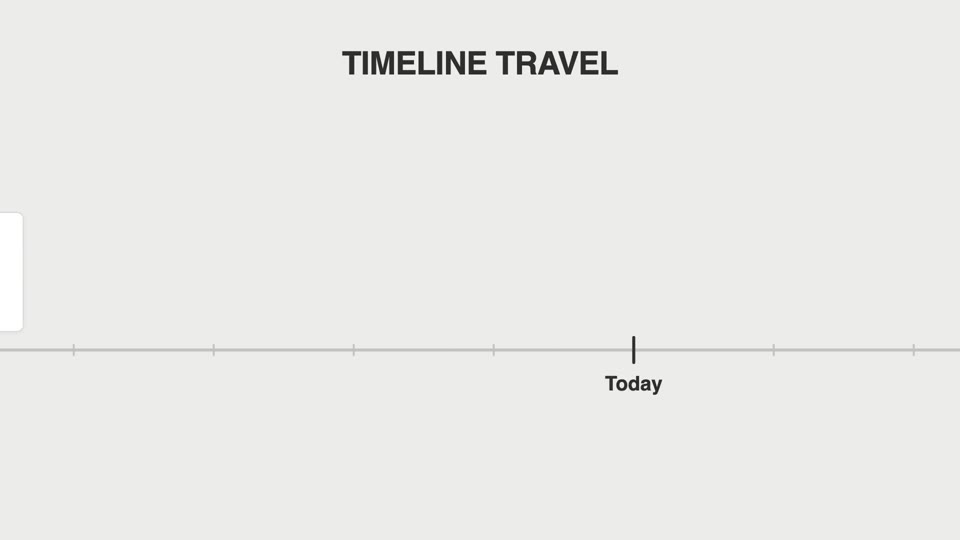
Lia dọc trục thời gian
Lia dọc trục thời gian — máy quay tăng tốc dọc theo trục thước ngang lướt qua các mốc phiên bản, mỗi mốc thẻ bật đứng dừng ngắn, mốc cuối phanh gấp đẩy máy vào.

Cuộn phanh gấp danh sách dài
Hai kiểu phanh cuộn dài: changelog-scroll-brake giảm tốc dừng chính xác; brake-reticle-lock thêm khóa tâm ngắm trên cùng khung hình.

Vòng đồng tâm hé lộ chú thích
Chủ thể toàn màn hình bị khung tròn thu lại thành sơ đồ vòng đồng tâm, rồi cả nhóm dịch trái thu nhỏ để lộ chú thích.
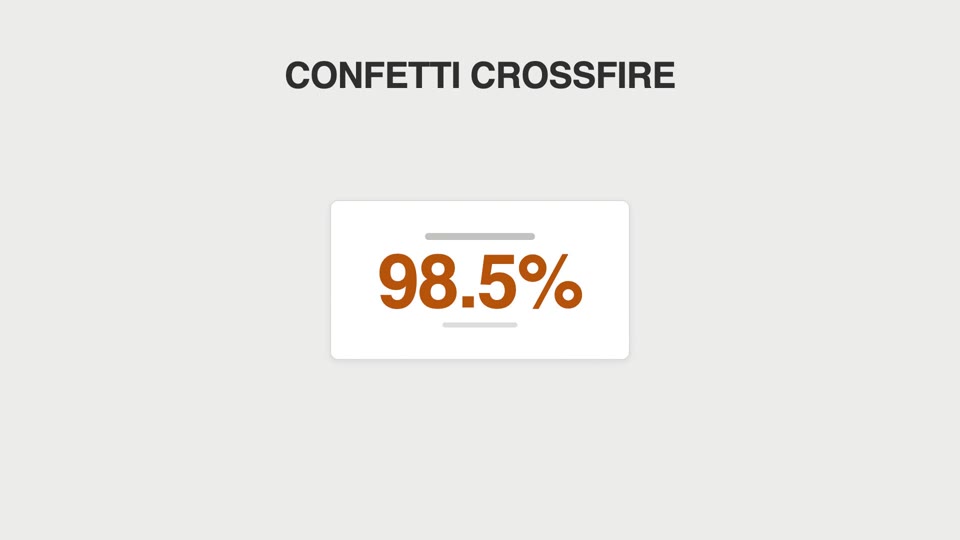
Va chạm ăn mừng bằng hạt
Hai kiểu hạt ăn mừng: confetti-crossfire bắn pháo hai bên, và counter-tick-sparks bắn tia lửa mỗi khi bộ đếm vượt mốc nghìn.