Motion · Interaction
Live voice waveform
A live waveform in a recording pill — 64 thin bars rise and fall with "speech," spiking tall mid-speech and shrinking to a dotted line on pauses, scrolling right to left; a full speak-pause-speak-submit performance.
Source: video-shotcraft (Vincent Wei) ↗ · Apache-2.0 · Remotion composition (React/TSX) — preview video, no in-browser player
When to use
A "listening to you speak" shot for voice-input/AI-assistant features; a passage with no UI content to show that still needs sustained liveliness to hold the frame
Intention
The only waveform in the library so far is spectrum-morph-ui — that's a decorative music visualizer, a title underline splitting into spectrum bars. This card is a functional voice waveform: a live "I'm listening" receipt. The difference is causality: spectrum dances to the BGM, it's packaging; this card dances to "the user speaking," it's the product feature itself. The waveform spikes while speaking, shrinks to a row of dots on pause, and scrolls its history off to the left — the viewer reads "it's really listening" from the waveform's rise and fall, and a 6s+ shot rides entirely on this liveliness with no other content needed. Division of labor with gauge-readout-moves: a gauge is the mechanical ceremony of "reporting one value," this card is the vital sign of "continuous listening," with no final value.
Duration & energy
- Duration: ~5s (150f: entrance 12f + speak 1.4s + pause 0.8s + speak 1.4s + submit collapse 0.8s)
- Energy: Medium (functional liveliness, not showmanship)
Shot recipe (original Chinese — timing, easing, parameter table, known pitfalls)
意图
库里唯一的波形是 spectrum-morph-ui——那是标题下划线裂成频谱条的 装饰性音乐可视化。本卡是功能性声纹:"正在听你说"的实时 回执。区别在因果:spectrum 跟 BGM 跳、是包装;本卡跟"用户说话" 跳、是产品功能本身。说话时波形高耸、停顿时缩成一排点线、历史向左 滚出——观众从波形的起伏读出"它真的在听",一段 6s+ 的画面全靠这份 活性撑住,不需要任何别的内容。与 gauge-readout-moves 分工:仪表是 "报一个数值"的机械仪式,本卡是"持续监听"的生命体征,没有终值。
动效核心
- 帧确定的伪随机是命门:mulberry32 按整数采样点取值 + smoothstep
相邻插值(值噪声),无 Math.random——渲染可复现且相邻帧连续
- 滚动感:第 i 条采样时刻 = f - (N-1-i)·1.6,最右条是"现在",
历史向左流;不是条在平移,是每条在读不同时刻的信号
- 条高 = 说话包络(梯形 seg 说/停两档 + 音节噪声 0.55+0.45·noise)
× 中部空间权重 sin^0.8 × 逐条 jitter(0.35+0.65·noise); 静默钳到 5px 点线
- 提交:按钮 3f 压缩 scale 1→0.82→1 回弹,波形 12f Easing.in 塌缩
到 0.06,麦克风辉光随包络亮灭
参数表
| 参数 | 典型值 | 调节手感 | |------|--------|----------| | 条数/间隙 | 64 条,gap 6px(1320px 宽胶囊) | 少于 40 条读作均衡器;密过 90 条单条读不出起伏 | | 滚动速率 | 1.6 帧/采样点 | 快了历史刷太快像故障;慢了"滚动感"消失变成原地抖 | | 说停包络 | seg 梯形 rise 5f / fall 7f;demo 说 15–57f、停 80–124f | 停顿段必须真的塌成点线——没有"停"的对比,"说"就不成立 | | 音节噪声 | 0.55+0.45·noiseAt(t/4.5) | 去掉音节层波形是平滑山丘,读不出"一句话的顿挫" | | 中部权重 | sin^0.8 空间包络 | 无权重全场等高像均衡器;指数 >1.5 中间独秀像单根跳 | | 静默钳位 | max 5px 点线 | 钳 0 波形消失读作断线;点线是"在听但你没说" | | 提交塌缩 | 12f Easing.in 到 0.06 + 按钮压缩回弹 3f | 塌缩是"这段话被收走了";淡出读不出提交语义 |
已知坑
- demo 在灰阶/占位素材上调校通过——参数是调校起点非实战定稿,
首次实战须以真实素材回验
- 有音轨时波形必须跟人声走:片子若配了真旁白/人声,包络的说停段要对齐音轨的说停,错位一秒就穿帮;无人声配乐片才可用纯合成包络
- 与 spectrum-morph-ui 同片可共存(一个是功能一个是装饰),但别用同一种条形视觉——高度/颜色/圆角至少差一档,否则观众读作同一个东西乱入
- demo 的玻璃拟态胶囊(backdropFilter blur 24px)是 raycast 暗场风格,亮色片子换成实底胶囊即可,声纹参数不变
- 麦克风用的 emoji 加 grayscale 滤镜是占位——实战换 SVG 图标
- 声音:本卡画面就是"声音的形状",配人声最顺;提交钮一声轻 pop + 塌缩配短促下滑音
参考实现
demos/interaction/voice-waveform-live/ (VoiceWaveformLive.tsx) 原片出处:raycast-teams 19.5–26.0s
Reference implementation (Remotion)
- demos/interaction/voice-waveform-live/VoiceWaveformLive.tsx — https://raw.githubusercontent.com/Vincentwei1021/video-shotcraft/main/demos/interaction/voice-waveform-live/VoiceWaveformLive.tsx
The component imports shared fixtures from demos/_fixtures and helpers from assets/lib in the repo; SKILL.md there documents the render workflow.
Everything on this page is also machine-readable. Point your agent at the JSON, or add the gimgs MCP server and ask it to search motion templates.
- Fetch the JSON — it holds the shot recipe (timing, easing, parameter table, pitfalls) and the full TSX source.
- Clone the video-shotcraft repo; the component imports shared fixtures from demos/_fixtures and helpers from assets/lib.
- Register the component as a <Composition> in a Remotion project and render with `npx remotion render`, or re-implement the recipe in your own engine.
curl -s https://gimgs.net/motion/voice-waveform-live.jsongit clone https://github.com/Vincentwei1021/video-shotcraft
# component: demos/interaction/voice-waveform-live/VoiceWaveformLive.tsx
npx remotion render <CompositionId> out.mp4claude mcp add --transport http gimgs https://gimgs.net/mcp
# then: search_motion_templates / get_motion_template("voice-waveform-live")Prompt
Use the video-shotcraft shot recipe "Live voice waveform" (Remotion composition, Apache-2.0) published on gimgs.net.
Recipe JSON (prompt = timing/easing/parameter table/pitfalls, files = TSX source): https://gimgs.net/motion/voice-waveform-live.json
Raw TSX: https://gimgs.net/motion/voice-waveform-live/template.html
Repository: https://github.com/Vincentwei1021/video-shotcraft  (component: demos/interaction/voice-waveform-live/VoiceWaveformLive.tsx; imports demos/_fixtures and assets/lib)
Spec: 1920x1080, 30 fps, 5.06s

1. Read the JSON and follow its "prompt" section (when to use, intention, parameter table, known pitfalls).
2. Adapt it for: <describe what you want>.
3. Either clone the repo, register the component as a <Composition> in a Remotion project and run npx remotion render <CompositionId> out.mp4 — or re-implement the recipe in your own engine (HTML/WAAPI works: keep the same timing and easing).
// ===== demos/interaction/voice-waveform-live/VoiceWaveformLive.tsx =====
// voice-waveform-live —— raycast-teams 19.5–26s:
// 录音胶囊内实时声纹:细竖条随"说话"起伏(种子随机+相邻插值),
// 说话时中部高耸、停顿缩成点线,波形从右往左滚动;右端提交钮。
// 演:说(0.5–1.9s) → 停(1.9–2.7s) → 说(2.7–4.1s) → 提交(4.1–5s)。
import React from 'react';
import { AbsoluteFill, Easing, interpolate, useCurrentFrame } from 'remotion';

const mulberry32 = (a: number) => () => {
  let t = (a += 0x6d2b79f5);
  t = Math.imul(t ^ (t >>> 15), t | 1);
  t ^= t + Math.imul(t ^ (t >>> 7), t | 61);
  return ((t ^ (t >>> 14)) >>> 0) / 4294967296;
};

// 值噪声:整数采样点取种子随机值,采样点之间平滑插值
const noiseAt = (x: number) => {
  const i = Math.floor(x);
  const fr = x - i;
  const a = mulberry32(i * 7919 + 13)();
  const b = mulberry32((i + 1) * 7919 + 13)();
  const s = fr * fr * (3 - 2 * fr); // smoothstep
  return a + (b - a) * s;
};

// 说话包络(按"声音发生时刻"计):说→停→说
const envelope = (t: number) => {
  const seg = (a: number, b: number, rise = 5, fall = 7) =>
    interpolate(t, [a, a + rise, b - fall, b], [0, 1, 1, 0], {
      extrapolateLeft: 'clamp', extrapolateRight: 'clamp',
    });
  // 两段说话内部再叠音节起伏
  const talk = Math.max(seg(15, 57), seg(80, 124));
  const syllable = 0.55 + 0.45 * noiseAt(t / 4.5 + 200);
  return talk * syllable;
};

const N_BARS = 64;

export const VoiceWaveformLive: React.FC = () => {
  const f = useCurrentFrame();

  // 提交动作
  const submitAt = 126;
  const submitted = f >= submitAt;
  const btnPress = interpolate(f, [submitAt, submitAt + 3, submitAt + 9], [1, 0.82, 1], {
    extrapolateLeft: 'clamp', extrapolateRight: 'clamp',
    easing: Easing.out(Easing.ease),
  });
  // 提交后波形整体塌缩 + 胶囊微缩离场感
  const collapse = interpolate(f, [submitAt, submitAt + 12], [1, 0.06], {
    extrapolateLeft: 'clamp', extrapolateRight: 'clamp',
    easing: Easing.in(Easing.ease),
  });
  const capsuleScale = interpolate(f, [submitAt, submitAt + 20], [1, 0.96], {
    extrapolateLeft: 'clamp', extrapolateRight: 'clamp',
    easing: Easing.out(Easing.ease),
  });

  // 胶囊入场
  const inOp = interpolate(f, [0, 12], [0, 1], {
    extrapolateLeft: 'clamp', extrapolateRight: 'clamp',
    easing: Easing.out(Easing.ease),
  });
  const inScale = interpolate(f, [0, 14], [1.04, 1], {
    extrapolateLeft: 'clamp', extrapolateRight: 'clamp',
    easing: Easing.out(Easing.cubic),
  });

  const SCROLL = 1.6; // 帧→采样时间比:滚动速度

  const bars = Array.from({ length: N_BARS }).map((_, i) => {
    // 从右往左滚动:最右条是"现在",越靠左越旧
    const sampleT = f - (N_BARS - 1 - i) * SCROLL;
    const env = sampleT < 0 ? 0 : envelope(sampleT);
    // 空间权重:中部高耸
    const center = Math.pow(Math.sin((i / (N_BARS - 1)) * Math.PI), 0.8);
    const jitter = 0.35 + 0.65 * noiseAt(sampleT * 1.7 + i * 0.13);
    const hRaw = env * center * jitter;
    const h = Math.max(5, hRaw * 235 * collapse); // 静默=5px 点线
    return h;
  });

  const nowEnv = envelope(f);
  const micGlow = submitted ? 0 : nowEnv;

  return (
    <AbsoluteFill style={{ background: '#08080a', overflow: 'hidden' }}>
      {/* 暗场绸缎底光 */}
      <div style={{
        position: 'absolute', left: -300, top: -200, width: 2600, height: 1700,
        background: 'radial-gradient(closest-side, rgba(130,131,140,0.16), rgba(0,0,0,0) 70%)',
        transform: `translate(${f * 0.6}px, ${f * 0.25}px)`,
      }} />

      <AbsoluteFill style={{ alignItems: 'center', justifyContent: 'center' }}>
        <div
          style={{
            width: 1320, height: 300, borderRadius: 150,
            opacity: inOp,
            transform: `scale(${inScale * capsuleScale})`,
            background:
              'linear-gradient(180deg, rgba(255,255,255,0.5), rgba(255,255,255,0.08) 40%, rgba(0,0,0,0.3))',
            padding: 2.5, boxSizing: 'border-box',
          }}
        >
          <div
            style={{
              width: '100%', height: '100%', borderRadius: 148,
              background: 'rgba(24,25,29,0.72)',
              backdropFilter: 'blur(24px)',
              boxShadow: 'inset 0 1px 0 rgba(255,255,255,0.10), 0 40px 100px rgba(0,0,0,0.55)',
              display: 'flex', alignItems: 'center', gap: 36,
              padding: '0 44px', boxSizing: 'border-box',
            }}
          >
            {/* 麦克风圆钮:说话时发亮 */}
            <div
              style={{
                width: 96, height: 96, borderRadius: 48, flexShrink: 0,
                background: `rgba(255,255,255,${0.08 + micGlow * 0.14})`,
                border: '2.5px solid rgba(255,255,255,0.28)',
                boxShadow: `0 0 ${28 * micGlow}px rgba(235,235,245,${micGlow * 0.5})`,
                display: 'flex', alignItems: 'center', justifyContent: 'center',
                fontSize: 46, filter: 'grayscale(1)', boxSizing: 'border-box',
              }}
            >
              🎙️
            </div>

            {/* 声纹条区 */}
            <div style={{
              flex: 1, height: 244, display: 'flex', alignItems: 'center',
              gap: 6, overflow: 'hidden',
            }}>
              {bars.map((h, i) => (
                <div
                  key={i}
                  style={{
                    flex: 1, height: h, borderRadius: 4,
                    background: `rgba(240,240,248,${0.4 + (h / 235) * 0.6})`,
                  }}
                />
              ))}
            </div>

            {/* 提交钮:白圆 + 上箭头 */}
            <div
              style={{
                width: 96, height: 96, borderRadius: 48, flexShrink: 0,
                background: submitted ? '#ffffff' : 'rgba(255,255,255,0.92)',
                transform: `scale(${btnPress})`,
                display: 'flex', alignItems: 'center', justifyContent: 'center',
                boxShadow: submitted
                  ? '0 0 60px rgba(255,255,255,0.55)'
                  : '0 8px 24px rgba(0,0,0,0.4)',
              }}
            >
              <svg width="44" height="44" viewBox="0 0 24 24">
                <path
                  d="M12 20V5M12 5l-6.5 6.5M12 5l6.5 6.5"
                  stroke="#111114" strokeWidth="3" strokeLinecap="round"
                  strokeLinejoin="round" fill="none"
                />
              </svg>
            </div>
          </div>
        </div>
      </AbsoluteFill>
    </AbsoluteFill>
  );
};
- Read the recipePrompt = when to use, intention, parameter table with typical values and how each one feels, known pitfalls. Treat values as calibrated starting points.
- Get the codetool: git
git clone https://github.com/Vincentwei1021/video-shotcraft && cd video-shotcraft && npm install - Register + rendertool: remotion
npx remotion render <CompositionId> out.mp4 # component: demos/interaction/voice-waveform-live/VoiceWaveformLive.tsx - Or re-implementPort the timing/easing from the recipe to HTML + WAAPI (gimgs motion contract) or any engine; keep the same segment windows and easing.
| param | type | default | description |
|---|---|---|---|
| — | |||
More in this category

Type, filter, drill in
Typing a search on a real UI, the grid converges to a single card on its own, then a click drills through into the detail page.

Theme switch: sweep and ripple
Two theme-switch moves — theme-sweep, a diagonal wipe (the skin changes wherever the boundary passes), and palette-ripple, a combo move (a ⌘K panel collapses to a point, a ripple spreads from it to re-skin).

Segmented thumb hero
A segmented control's thumb shift becomes the star of a close-up — a cursor clicks it and a new icon springs in.
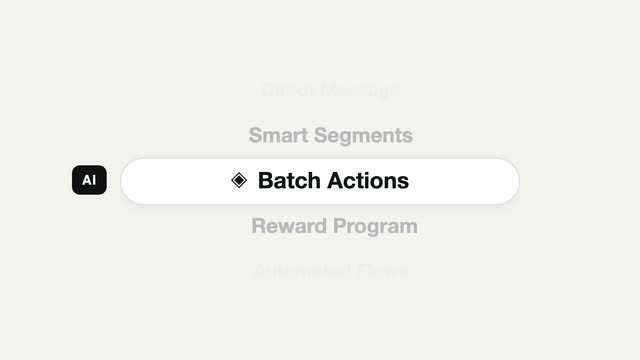
Picker carousel feature cycle
A mobile-style vertical picker — the focus pill stays still while content scrolls through it, snapping to a full stop each time.